

By SoftSnoop Editorial, software research team · Reviewed by SoftSnoop Editorial Standards Desk · Last updated: September 2026 · 8 min read · SoftSnoop may earn a commission on purchases made through links here, which never affects our verdicts or pricing checks.
Key takeaways
- The usual framing is out of date. Granola captures your computer’s audio without joining the call. Fathom was bot-only until April 2026, when it shipped a bot-free mode too.
- Granola keeps transcripts, not audio. Fathom keeps video, audio and screen capture if you want it. That one difference drives most of what follows.
- Fathom’s free plan is more generous – unlimited recordings and transcriptions – but advanced AI summaries stop after 5 calls a month. Granola’s free Basic plan has no meeting cap and instead hides notes older than a rolling 30 days.
- Paid pricing is close. Granola Business is $14/user/month; Fathom Team is $15 annual, $19 monthly. CRM field sync sits a tier up, at $25 annual.
- Buy Granola if the note is the product. Buy Fathom if the call is the product.
Quick verdict
Consultants and individual knowledge workers: Granola. It writes the note you would have written, stores no audio, and stays invisible to everyone else on the call.
Sales, CS and anyone who needs the tape: Fathom. Unlimited free recording, reliable speaker attribution, video capture, CRM field sync.
Best free plan: Fathom on volume; Granola if your concern is privacy, since there’s no recording to govern.
Granola vs Fathom: full spec comparison
All figures checked against each vendor’s own pricing and help pages (verified September 2026).
| Granola | Fathom | |
|---|---|---|
| Best for | Notes without a recording trail | Teams who need the call itself |
| Capture method | Device audio only, never joins the call | Bot, or bot-free device capture (beta, Mac only) |
| What is stored | Transcript and notes; no audio | Video + screen, audio-only, or transcript-only |
| Free plan | Basic $0 – no meeting cap, rolling 30-day in-app history, standard models, no integrations | Free $0 – unlimited recordings and transcriptions; advanced AI summaries capped at 5 calls/month |
| Entry paid price | Business $14/user/mo | Premium (solo) $16 annual / $20 monthly; Team $15 annual / $19 monthly, 2-seat min |
| Top tier | Enterprise $35/user/mo | Business $25 annual / $34 monthly; Enterprise custom |
| Annual discount | None published | Yes, roughly 20–26% |
| Platforms | macOS, Windows, iOS, Android, Apple Watch, web | Web, Chrome extension, Mac desktop; Windows bot-free “coming”; iOS in development |
| Speaker attribution | Weak – a recurring user complaint | Yes, including bot-free |
| Languages | 31 desktop, 17 mobile | 38 for transcription; 7 for native advanced summaries |
| CRM sync | HubSpot, Attio, Affinity on Business; Salesforce on Enterprise | HubSpot, Salesforce, Close – basic on free (3 users/domain), field sync on Business |
| API / MCP | Personal + Enterprise API and MCP, Business and Enterprise only | Public API on all plans, free included |
| Compliance | SOC 2 Type 2, GDPR, DPA on request; HIPAA workspaces on Enterprise | SOC 2 Type II, GDPR, HIPAA |
| SoftSnoop rating | 4.5 / 5 | 4.4 / 5 |
How we evaluated
This is a documentation and community audit, not a lab test, and we’d rather say so than invent a stopwatch.
Sources: each vendor’s own pricing, security and help-centre pages (plan limits, language support, free-versus-premium); TechCrunch on Granola’s March 2026 Series C and Fathom’s April 2026 bot-free launch; and recurring themes on Reddit (r/productivity, r/MacApps, r/consulting), Product Hunt and G2.
Checked on both: per-seat price and annual discount, exact free-tier ceilings, capture method and retention, platform coverage, speaker attribution, language counts, CRM and API access, certifications. Criteria: value, note quality, daily friction, integration depth, trust. Disqualifiers would have been unpublished pricing, absent security docs, or a core feature behind a sales call. Neither failed. One figure we could not verify from a primary source is Granola’s free-trial length, which its help centre calls “time-limited” without stating a number.
Worth flagging: several pages still ranking for this query list Granola at $15/month with no free tier and no Windows app. Both were wrong by mid-2026.
Pricing and plan limits
The headline prices are closer than the feature lists suggest. The free plans are built on opposite philosophies.
Granola runs three tiers. Basic is free with no cap on meetings, but the app shows only the last 30 days. Older notes stay on Granola’s servers, locked until you upgrade – a soft hostage situation some users find more irritating than a hard meeting limit. Business at $14/user/month unlocks unlimited history, advanced models, integrations and API access. Enterprise at $35 adds SSO, SCIM, HIPAA workspaces and org-wide retention controls. No annual discount is published, though qualifying students and startups get 12 months of Business free.
Fathom splits individual and team pricing. Its free plan really is unlimited for recording and transcription, which is why it dominates “best free notetaker” lists. The limit people hit is subtler: advanced AI summaries cover your first five calls each month, then you drop to basic templates. Premium for solo users is $20/month or $16 annual. Team is $19 or $15 annual, two-seat minimum. Business, where CRM field sync and AI scorecards live, is $34 or $25 annual.
Practical read: for notes alone, Granola Business at $14 beats Fathom Team at $19 monthly. For CRM write-back, Fathom Business at $25 annual undercuts Granola Enterprise at $35, which is where Salesforce sits.
Features and note accuracy
Granola assumes you’re still going to type something. You jot fragments during the call and it merges them with the transcript into a note that sounds like you wrote it. That’s the whole trick, and it’s why people who’ve cycled through five notetakers keep this one.
Verification is where it frustrates. Granola stores transcripts, not audio, so when a summary garbles a figure there’s no tape to replay. Speaker attribution is also weak on multi-person calls, the complaint that surfaces most often alongside free-tier gripes. On a two-person client call that hardly matters; on a nine-person planning session it matters a lot.
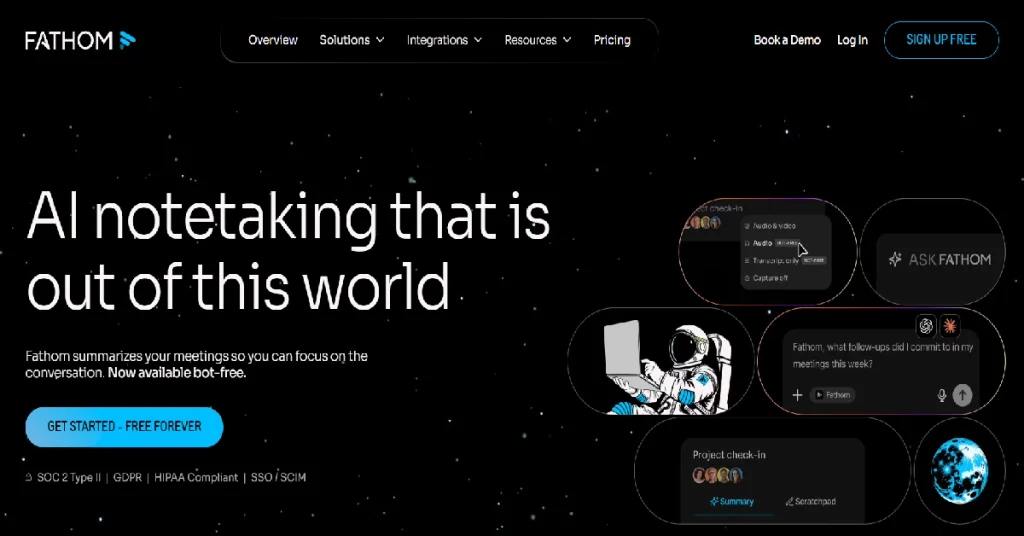
Fathom treats the recording as the asset: clips, playlists, search across every call, AI scorecards on Business. When it shipped bot-free capture in April 2026 it deliberately kept speaker diarization and mute-button awareness working in that mode, with its CEO framing rival bot-free tools as not knowing who said what. Fair shot, and it lands.
Ease of use
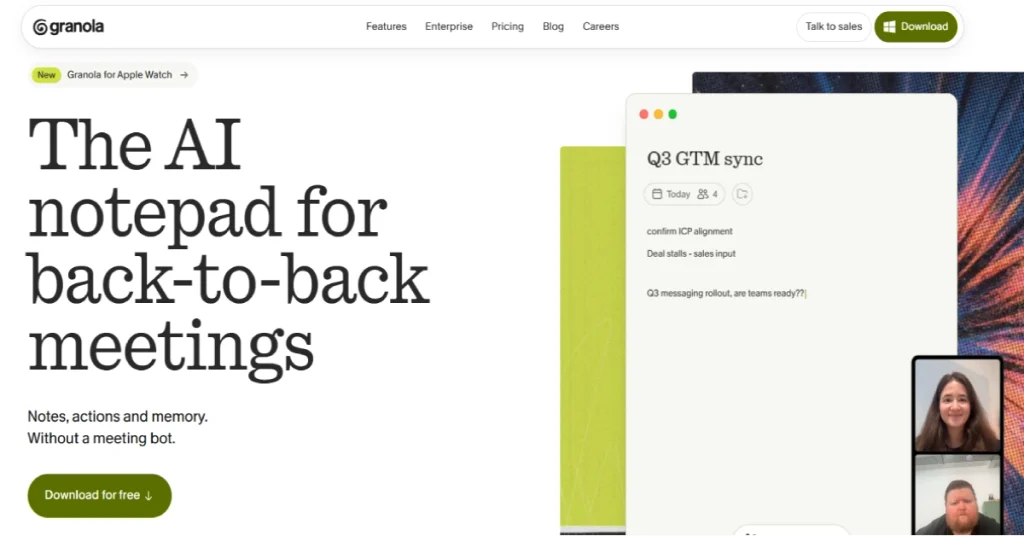
Granola is the lighter object. Install it, let it hear your system audio, and it works across Zoom, Meet, Teams, Webex and anything else that makes sound, plus in-person conversations via mobile. Nothing to configure, nothing to explain.
Fathom is heavier but more configurable: auto-join rules, templates, recording types, and a bot that announces itself unless you disable that on a paid plan. Users on Reddit and sales forums call the join-and-leave announcement intrusive on pitches and interviews, and free-plan bot no-shows occasionally leave you with nothing. Bot-free mode fixes both, on Mac. Want something that disappears? Granola. Want an artefact a colleague can scrub through at 2x? Fathom.
Integrations and CRM sync
Granola’s Business tier covers Notion, HubSpot, Affinity, Attio, Zapier and Slack, with Salesforce reserved for Enterprise. More interesting is the API and MCP server shipped alongside the Series C: a personal API for your own and shared notes, an enterprise API for org-wide context. If your team builds agents on meeting data, Granola is now a substrate rather than a closed notepad.
Fathom’s edge is a public API on every plan, free included, which is rare. CRM sync exists on free for up to three users per email domain across HubSpot, Salesforce and Close, but the version that writes structured fields back is Business only. For RevOps, Fathom’s path from call to CRM record is shorter and cheaper; for a team standardised on Notion or Attio, Granola’s is.
Security, consent and compliance
Both hold SOC 2, comply with GDPR with a DPA available, and host in the US. Both bar third-party model providers from training on customer data, and both train their own models on de-identified data with an opt-out.
Granola stores transcripts, not audio. If your legal team’s worry is a discoverable library of recorded conversations, that library doesn’t exist. Enterprise adds org-wide auto-deletion, admin-controlled sharing and HIPAA workspaces. Fathom documents HIPAA as part of its standard posture rather than a top-tier add-on, and on account deletion removes recording data immediately, with backups purged seven days later.
Consent is where teams get this wrong. A bot in the participant list is unmistakable notice that the call is being captured; device-audio capture is not. Granola handles this with participant notifications – per user on Basic and Business, admin-enforceable org-wide only on Enterprise. In a two-party consent jurisdiction that enforcement isn’t a nice-to-have, it’s the control your compliance officer will ask about. Fathom’s bot-free mode inherits the same obligation. And because Granola hears everything your machine plays, side conversations held while a call is technically still open can land in the transcript.
Support and company stability
Granola raised a $125M Series C in March 2026 led by Index Ventures, at a $1.5B valuation and $192M total. It’s shipping enterprise features quickly – Spaces, the APIs, admin governance – and names Vanta, Gusto, Asana and Mistral among customers. Priority support is Enterprise-only.
Fathom moved its primary domain from fathom.video to fathom.ai during 2026, a signal of intent rather than trouble; old help-centre URLs still resolve. It offers a 90-day guarantee across plans, and its documentation is unusually explicit about its own free-plan ceilings.
Granola is the faster-moving bet; Fathom the steadier one.
Choose Granola if / Choose Fathom if
Choose Granola if:
- Your output is a written note and nobody needs to rewatch the call.
- You want the tool invisible on client, investor or candidate calls.
- You’re on Windows and want bot-free capture today.
- A stored library of recordings is a liability you’d rather not create.
- Notion, Attio or Affinity is the destination.
Choose Fathom if:
- Someone other than the attendee will need the call.
- You run sales or CS and want CRM fields populated automatically.
- Multi-speaker attribution has to be right.
- You need video and screen capture, clips or playlists for coaching.
- You want a strong free plan, or API access without paying for it.
Buyer’s guide
By goal
Remember what was said. Either clears the bar; Granola is cheaper and less intrusive.
Prove what was said. Only Fathom – a transcript without audio is weak evidence.
Coach a team. Fathom Business at $25/user/month annual, for scorecards and account-wide search.
Feed an AI workflow. Granola Business gives MCP plus API over your note corpus; Fathom gives an API on free.
Stay compliant. Granola Enterprise for HIPAA workspaces, enforced retention and org-wide consent notices – unless the recording must be retained for audit, in which case Fathom.
By user type
Solo consultant or founder. Granola Basic free, upgrading to Business when the 30-day wall starts hurting, which it will around month two.
Sales rep on someone else’s budget. Fathom Free, then Premium at $16 annual once the five-summary cap bites.
Team of 2–10. Fathom Team at $15/user annual, unless nobody needs recordings – then Granola Business at $14.
Enterprise facing a security review. Both pass. Granola Enterprise if the answer to “where are the recordings?” should be “there aren’t any.”
Non-English-speaking team. Granola covers 31 desktop languages with mid-meeting switching. Fathom transcribes 38, but native advanced summaries cover 7.
How to choose: 5 questions
- Will anyone other than the attendee need to review the call? Yes means Fathom.
- Does your policy treat stored recordings as a risk? Yes means Granola.
- Are you on Windows and want no bot? Yes means Granola today, Fathom later.
- Do you need CRM fields written automatically? Yes means Fathom Business.
- Must multi-speaker transcripts attribute correctly? Yes means Fathom.
FAQ
Is Granola or Fathom better?
Neither is better outright. Granola is better for private written meeting notes and cheaper at $14/user/month. Fathom is better when the recording itself has value – sales calls, coaching, customer handoffs – and its free plan allows unlimited recordings. Choose by what you do with the meeting afterwards.
Does Fathom still use a bot?
Not necessarily. Fathom added a bot-free capture mode in April 2026 that records from your device without joining the call. It remains in beta and Mac-only as of September 2026, with Windows listed as coming. The traditional meeting bot is still available and is the only option on Windows.
Does Granola join my meetings?
No. Granola captures your computer’s audio and never appears in the participant list on Zoom, Google Meet or Teams. That also means participants get no automatic notice, so Granola provides separate participant notifications you should switch on before client calls.
Is Granola free?
Yes. The free Basic plan has no cap on the number of meetings. The limit is history: the app shows only the last 30 days, and older notes stay locked until you upgrade to Business at $14/user/month. Free also excludes integrations and the advanced AI models.
What are Fathom’s free plan limits?
Fathom Free gives unlimited recordings and transcriptions in 38 languages with no storage cap. The real limit is that advanced AI summaries cover your first five calls each month, after which you get basic templates. AI action items and Ask Fathom are also limited, and team features need a paid plan.
Does Granola record audio or video?
No. Granola produces transcripts and notes but does not store audio, and has no video or screen capture at all. Fathom offers transcript-only, audio plus transcript, or full video with screen capture. If you need playback to verify an exact quote, Granola cannot do it.
Which is better for sales teams?
Fathom, clearly. CRM field sync into HubSpot and Salesforce, AI coaching scorecards, deal and customer views, clips and playlists are all built for revenue teams. Granola only reaches Salesforce on its $35/user/month Enterprise tier and has no coaching layer.
Are Granola and Fathom GDPR and HIPAA compliant?
Both are SOC 2 audited and GDPR compliant with a DPA available, and both host data in the US. Fathom documents HIPAA compliance as part of its standard posture. Granola offers HIPAA-compliant workspaces on its Enterprise plan only, alongside SSO, SCIM and org-wide auto-deletion.
Final verdict
Best overall for individuals: Granola. At $14/user/month it produces the note you actually wanted, runs everywhere including Windows and Android, and leaves no recording to govern.
Best overall for teams that sell or support: Fathom. $15/user/month annually, $25 with CRM field sync, and the only one of the two that hands you a shareable, searchable call.
Best free plan: Fathom, for unlimited recording, provided you accept five advanced summaries a month.
The decision isn’t bot versus no bot any more. It’s whether your organisation wants a library of recorded conversations or specifically does not.
Changelog
Updated September 2026: initial publication – pricing verified against granola.ai and fathom.ai. Notes Fathom’s April 2026 bot-free launch and domain move to fathom.ai, plus Granola’s March 2026 $125M Series C and free-tier change from a lifetime meeting cap to a rolling 30-day history window.
