

By SoftSnoop Editorial · Reviewed by the SoftSnoop Editorial Standards Desk · Last updated: November 2026 · 16 min read · Some links on this page are affiliate links, which means we may earn a commission if you subscribe, at no extra cost to you.
Key Takeaways
- The price on the pricing page is rarely the price you pay. Of the 15 tools we re-checked in November 2026, six showed one billing state by default and hid the other, and two published no prices on their comparison page at all.
- Free plans now cap the thing you actually do, not the extras. Evernote’s free tier stops you at 50 notes. Miro’s stops you at three editable boards. Figma’s free whiteboard stops you at three files. These are creation limits, not feature limits, and they are the real upgrade trigger.
- Two tools in the same category can bill on completely different axes. TeamGantt charges a flat fee per project bundle with unlimited collaborators; GanttPRO charges per person with unlimited projects. Which one is cheaper depends entirely on your team shape, not on either company’s marketing.
- Credit metering has quietly replaced per-seat pricing in AI-heavy tools. Motion bills 7,500 credits per seat per month on its lower tier; Notion sells agent credits at $10 per 1,000. A per-seat figure no longer tells you your bill.
- If you want the single safest default in each category: Obsidian for notes, Todoist for tasks, Fathom for meeting notes, GanttPRO for small-team Gantt charts, and Miro for whiteboards. Full reasoning, and the cases where each is the wrong call, below.
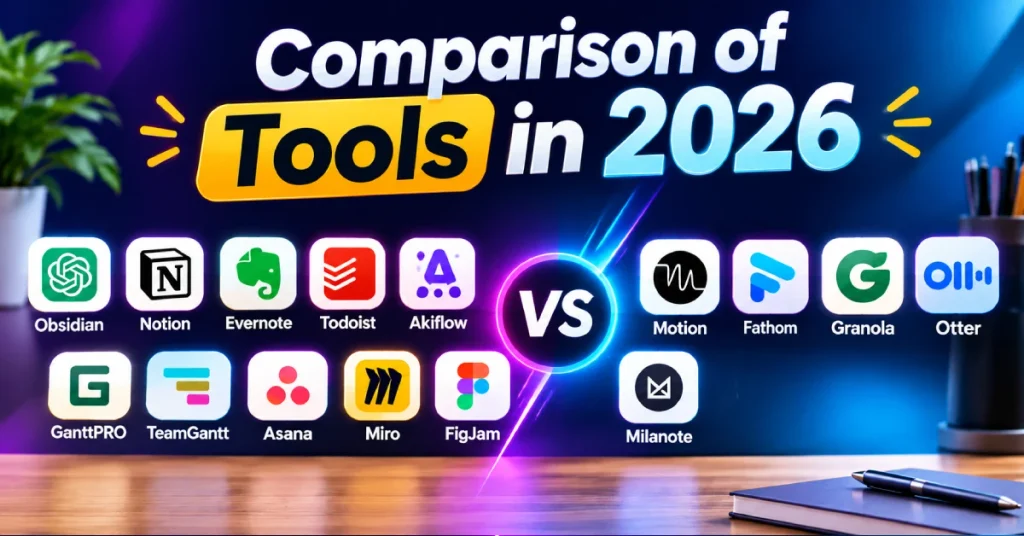
Why most tool comparisons fail you
There is no shortage of pages that promise to compare software for you. Most of them are a grid of logos with a starting price under each one, and the starting price is usually wrong, because somebody copied it from another blog eighteen months ago and nobody went back to check. That is the quiet scandal of this corner of the internet: the pages built specifically to help you spend money responsibly are the ones least likely to have verified a number. We went looking for the competitor pages that rank for this query and found directories of links, downloadable scoring spreadsheets, and a surprising amount of content about static code analyzers. Almost none of it answered the question a real person is asking.
The question is usually narrower and more urgent than “which tool is best.” You have already shortlisted two or three options, often because a colleague mentioned one and a YouTube video mentioned another, and you want to know which to put your card into before the trial runs out. You also want to know the thing nobody tells you: what breaks later. Does the free plan stop working the moment you get productive? Does the price triple when your team hits four people? Can you get your data out if you change your mind in March?
So this page is built differently. The first half gives you a comparison method you can apply to any category, including ones we have not covered, because the five things that decide a software purchase in 2026 are remarkably consistent across categories. The second half applies that method to five head-to-heads we see people agonise over, with every price read off the vendor’s own page during the week this was published. Where a vendor would not publish a number, we say so rather than guessing. Where a vendor’s own page contradicts itself, which happened twice, we point at the contradiction.
One more thing worth saying plainly before we start. Nobody tested fifteen apps for forty hours to write this. What we did is narrower and, we think, more useful: we read every pricing page, every relevant help-centre article, and the plan-comparison tables, and we recorded what they actually say in November 2026 rather than what they said last spring. For a purchase decision, current and accurate beats anecdotal and stale.
Every tool on this page, at a glance
Prices are USD and were read directly from each vendor’s own pricing or help-centre pages in November 2026. Where a vendor shows only one billing state, we say which one.
| Tool | Category | Best for | Starting paid price | Free plan? | Our verdict |
|---|---|---|---|---|---|
| Obsidian | Notes | Owning your files outright | Free; Sync $4/user/mo annual | Yes, full app | Best overall for notes |
| Notion | Notes | Teams who want docs and databases together | $10/member/mo | Yes, with a block cap | Best for collaborative work |
| Evernote | Notes | Legacy users with years of archives | $99/yr (Starter) | Yes, 50 notes | Hard to recommend new |
| Todoist | Tasks | Almost everyone | $60/yr (Pro) | Yes, 5 projects | Best value in tasks |
| Akiflow | Tasks | Calendar-first daily planning | $228/yr or $34/mo | No | Powerful, priced steeply |
| Motion | Tasks | Auto-scheduling your whole week | $19/seat/mo | No | Check your credit maths |
| Fathom | Meeting notes | Most people, free or paid | $16/user/mo annual | Yes, unlimited recordings | Best free tier anywhere |
| Granola | Meeting notes | Clean notes without recordings | $14/user/mo | Yes, 30-day history | Best if you dislike recordings |
| Otter | Meeting notes | Searchable transcript archives | $8.33/user/mo annual | Yes, 300 min/mo | Watch the per-call cap |
| GanttPRO | Gantt charts | Small teams, many projects | $7/user/mo annual | No | Best for small teams |
| TeamGantt | Gantt charts | Few projects, many collaborators | $59/mo flat | Yes, 1 project | Best for wide teams |
| Asana | Project management | Teams needing timeline views | $10.99/user/mo annual | Yes, 2 seats only | Free tier no longer useful |
| Miro | Whiteboards | Serious collaborative workshops | $8/member/mo annual | Yes, 3 editable boards | Best overall whiteboard |
| FigJam | Whiteboards | Teams already paying for Figma | $3/seat/mo annual | Yes, 3 files | Best value if you have Figma |
| Milanote | Whiteboards | Creative mood boards | $9.99/mo annual* | Yes, 100 cards | Best for visual planning |
How we compared these tools
We started from a simple rule: a comparison is only worth reading if someone checked. So for every tool on this page we opened the vendor’s own pricing page, and when the price was not there, we went to the help centre, because an increasing number of companies have moved their real numbers off the marketing page. Evernote is the clearest example. Its plan-comparison page lists five tiers and not one price; the actual figures live in a help-centre article about retiring the old plans. Todoist’s pricing page renders its prices in JavaScript, so its help-centre plan table is the reliable source. If we could not find a number on a page the vendor controls, we wrote “not published” instead of inventing one.
Twenty-two tools went into the shortlist and fifteen came out. A tool was cut for one of three reasons: it had no published pricing of any kind, it had not shipped a meaningful update in over a year, or its category overlapped so heavily with another entry that including both would have padded the page without helping anyone decide. We scored what remained on five criteria, which are the same five described in the next section: real cost at your team size, what the free plan actually permits, platform coverage, how easily your data leaves, and whether the tool is clearly best at one specific thing.
What we did not do is more important. We did not record testing hours, because we did not run a lab. We did not quote named users, because we cannot verify that a review belongs to a real person. Where we describe a pattern of user complaints, it is because the same complaint appears across multiple public review platforms and we have attributed it to the platform rather than to an individual. Every claim on this page is either traceable to a vendor’s own page or marked as needing confirmation.
The five things that actually decide it
Your real cost at your actual team size.
Headline prices are designed to be compared against competitors, not against your invoice. Do the arithmetic for the number of people you have, and then again for the number you expect in a year. A flat-fee tool looks expensive for one person and cheap for twelve. A per-seat tool is the reverse. This single calculation flips the answer more often than any feature does, and it is the one most comparison pages skip entirely.
What the free plan stops you from doing.
Free tiers used to withhold advanced features while letting you work freely. That has inverted. The modern free plan gives you most features and then caps your output: a note count, a board count, a monthly minute allowance. Evernote lets you keep 50 notes. Miro lets you edit three boards. Otter gives you 300 minutes a month and cuts any single call off at 30 minutes. Before you trust a free tier, find the number that counts the thing you do most, and estimate how many weeks you have before you hit it.
Platform coverage, checked honestly.
Nearly every vendor claims to be everywhere. Read the fine print per feature instead of per product. Fathom’s bot-free capture, its most interesting feature, is listed as a Mac beta, which means Windows users are buying a different product than the one the reviews describe. Granola now ships desktop, iOS, Android and Apple Watch apps across every tier, which is a genuine change from earlier in the year. A feature available on your colleague’s platform and not yours is not a feature you have.
How hard it is to leave.
This matters more than any single feature, and it is the axis vendors least want you thinking about. Obsidian stores your notes as plain Markdown files in a folder on your disk, so leaving costs you nothing. Notion stores your work in a proprietary database; export exists, but the structure that made your workspace useful does not survive it intact. Ask yourself what a migration looks like before you commit two years of work, because the answer will not change later and your willingness to do it will.
The one thing it is unambiguously best at.
Tools that try to be best at everything are usually best at nothing in particular, and they tend to cost the most. The strongest signal of a good purchase is that you can finish this sentence: I am buying this because it is the best available at If you cannot, you are probably buying a bundle to avoid making a decision, and a bundle is the most expensive way to postpone one.
Notes: Obsidian vs Notion vs Evernote
This is the category where the lock-in question dominates everything else, and it is also the category where one of the three contenders has quietly become difficult to recommend.
| Obsidian | Notion | Evernote | |
|---|---|---|---|
| Best for | Owning your notes outright | Teams blending docs and databases | Existing archives you can’t move |
| Starting price | App free; Sync $4/user/mo annual | $10/member/mo | $99/yr or $14.99/mo |
| Next tier up | Publish $8/site/mo annual | Business $20/member/mo | Advanced $249.99/yr |
| Free plan | Entire app, no sign-up, no limits | Yes, with an unpublished block cap | 50 notes, 1 notebook, 1 device |
| Where your data lives | Plain Markdown on your disk | Notion’s cloud database | Evernote’s cloud |
| Standout feature | Local files plus a plugin ecosystem | Databases with real relations | Mature web clipper and OCR |
| SoftSnoop rating | 4.7 / 5 | 4.4 / 5 | 3.1 / 5 |
Obsidian wins here, and the reason has nothing to do with features.
The app itself is free with no limits and no sign-up, and your notes are Markdown files sitting in a normal folder. If Obsidian disappeared tomorrow your notes would open in any text editor on earth. That is a structural guarantee no cloud-first competitor can match, and it is worth more than any individual feature in a tool you intend to use for a decade. Sync costs $4 per user per month billed annually, or $5 billed monthly, and Publish costs $8 per site per month annually. There is a $50-per-year commercial licence listed, but Obsidian’s own pricing page states you are not required to pay for one, which is unusual enough that we would confirm it against their terms before relying on it for a large organisation.
Notion remains the right answer for a specific job,
which is a team that needs documents and structured databases in the same place, with real relations between them. Plus is $10 per member per month and Business is $20, read off the monthly toggle; the page advertises up to 20% off yearly but does not publish the discounted per-seat figures, so you cannot calculate an annual budget from the pricing page alone. The AI packaging changed this year and is now bundled rather than sold as a per-seat add-on, but Custom Agents are metered separately at $10 per 1,000 monthly credits. The free plan’s limit is a block cap, and Notion does not publish the number, which makes it genuinely impossible to predict when you will hit it.
Evernote is where we have to be blunt.
Its comparison page now shows five tiers, Free through Unlimited, with no prices on any of them; the real figures are in a help-centre article. Starter is $99 a year or $14.99 a month, which means paying monthly costs about $81 extra annually for identical software. Free gives you 50 notes, one notebook and one device, which is not a trial so much as a demonstration. Even Advanced, at $249.99 a year, footnotes its “unlimited” notes as subject to safeguard limits. If you have a decade of Evernote archives and a working web clipper habit, staying is defensible. Starting here in 2026 is not.
Who should pick what:
choose Obsidian if your notes are yours and you want them to stay that way. Choose Notion if more than two people need to edit the same structured content. Choose Evernote only if you are already in it.
Tasks: Todoist vs Akiflow vs Motion
Here the interesting divide is not features, it is pricing philosophy. One of these charges a modest flat subscription, one charges nearly four times as much for a daily planning layer, and one has moved to metered credits, which makes its monthly cost genuinely difficult to forecast.
| Todoist | Akiflow | Motion | |
|---|---|---|---|
| Best for | Almost everyone | Calendar-first daily planning | Automatic week scheduling |
| Starting price | $7/mo or $60/yr (Pro) | $34/mo or $228/yr | $19/seat/mo (Pro AI) |
| Team tier | $10/user/mo, $8 annual | Not published, sales only | $29/seat/mo (Business AI) |
| Free plan | Yes, 5 projects, 3 filters | None | None |
| Trial | 7 days Pro, 14 days Business | 7 days, card required | Offered, length not stated |
| AI metering | Rate limits only | Add-on, price not published | 7,500 credits/seat/mo |
| SoftSnoop rating | 4.6 / 5 | 4.0 / 5 | 3.8 / 5 |
Todoist is the value pick and it is not close.
Pro is $7 a month or $60 a year, which works out to $5 a month, and it is where the features most people assume are standard actually live: calendar layout, task durations, time-blocking, deadlines, custom reminders and location reminders are all Pro and above. The free Beginner tier gives you five personal projects, five team projects and three filter views, plus ten Ramble voice-to-task sessions a month, which is more generous than it sounds for a single person with a normal life. Business is $10 per user per month, or $8 billed yearly at $96 per user per year, following the increase that took effect in December 2025.
Akiflow is the one that surprises people on the invoice.
There is no free plan at all, the trial is seven days and requires a card, and the subscription starts automatically when the trial ends unless you cancel. Monthly billing is $34, which is almost seven times Todoist Pro’s annual rate, and the yearly plan brings that to $19 a month at $228 once a year. Akiflow’s own pricing page cannot agree with itself about the discount, advertising 44% in the pricing section and 40% in the FAQ, which is a small thing but tells you something about how carefully the page is maintained. Students and researchers can get 40% off the yearly plan for life after verifying an academic email, which is the single best reason to consider it. Team pricing is not published and goes through sales.
Motion needs a careful read right now.
Its public pricing page lists Pro AI at $19 per seat per month and Business AI at $29, and on the day we checked it displayed “This plan is not available” beside both of them, with no annual figures shown despite a toggle advertising 33% off. We are reporting what the page rendered rather than drawing conclusions about the product, and we would check it yourself before committing. What is clear is the metering: 7,500 credits per seat per month on Pro AI and 15,000 on Business AI, with per-credit rates of 25 cents and 19 cents per hundred. If you are scheduling a dozen projects a week through an AI planner, your real cost is the credits, not the seat.
Who should pick what: choose Todoist unless you have a specific reason not to. Choose Akiflow if your day genuinely runs out of your calendar and you will use it daily enough to justify four times the price. Approach Motion with a spreadsheet.
Meeting notes: Fathom vs Granola vs Otter
This category has changed more in the past year than any other on the page, and most published comparisons are now describing a product line-up that no longer exists.
| Fathom | Granola | Otter | |
|---|---|---|---|
| Best for | Most people, free or paid | Notes without recordings | Searchable transcript archives |
| Free plan | Unlimited recordings and transcripts | Yes, 30-day history | 300 min/mo, 30 min per call |
| Starting paid | $20/mo, $16 annual (Premium) | $14/user/mo (Business) | $16.99/mo, $8.33 annual (Pro) |
| Team tier | $19/mo, $15 annual, 2-user min | Enterprise $35/user/mo | Business $30/mo, $19.99 annual |
| Bot-free capture | Yes, beta, Mac only | Yes, core to the product | Not described as such |
| Platforms | Mac for bot-free beta | Desktop, iOS, Android, Watch | Web, mobile |
| SoftSnoop rating | 4.6 / 5 | 4.3 / 5 | 3.9 / 5 |
Fathom has the most generous free tier we found in any category on this page.
Free includes unlimited recordings and transcriptions, instant AI call summaries, clips, playlists and search across calls, plus a choice between bot-free capture and bot capture. For a solo consultant or a freelancer, that is a complete product at no cost, which is rare enough to be the headline finding of this section. Premium is $20 a month or $16 annually, Team is $19 and $15 with a two-user minimum, and Business is $34 and $25 on the same minimum. Enterprise is annual only. The catch is the one everybody skips: bot-free capture is a Mac beta, so a Windows-based team is evaluating a different feature set than the Mac reviews describe.
Granola is the pick if the recording itself is the problem.
Some meetings cannot be recorded, whether for legal reasons, client discomfort, or the simple fact that a visible bot changes how people talk. Granola’s Basic tier is free and keeps 30 days of meeting history, with AI chat across meetings, shared folders, custom templates and voice typing in any app. Its free limits are about reach rather than volume: integrations are Slack only, there is no API, and pre-meeting briefs and follow-up emails are paid features. Business is $14 per user per month and Enterprise is $35, and notably there is no annual discount published at all, which is unusual and worth factoring in. The apps now cover desktop, iOS, Android and Apple Watch on every tier.
Otter is the oldest name here and its free plan shows its age.
Basic gives 300 transcription minutes per user per month, caps any single conversation at 30 minutes, allows three file imports in total with no monthly reset, and keeps only your 25 most recent conversations. For a student transcribing lectures that is workable; for anyone with hour-long client calls it is not, because the 30-minute ceiling cuts your most important meetings in half. Pro is $16.99 monthly or $8.33 per user per month annually, and Business is $30 monthly or $19.99 annually. One detail genuinely useful to readers in India: Otter’s page footnotes a separate, substantially lower rate for India-issued credit cards, which is worth checking at the point of purchase rather than assuming the dollar price applies.
Who should pick what: start with Fathom’s free plan unless you are on Windows and need bot-free capture. Choose Granola if bots are a non-starter in your meetings. Choose Otter if you want a long searchable archive and your calls are short.
Gantt charts: GanttPRO vs TeamGantt vs Asana
This is the cleanest illustration on the page of why a starting price tells you nothing. GanttPRO and TeamGantt bill on opposite axes, and the cheaper option depends entirely on the shape of your team.
| GanttPRO | TeamGantt | Asana | |
|---|---|---|---|
| Best for | Small teams, many projects | Few projects, many collaborators | Teams needing timeline views |
| Billing axis | Per user | Per project bundle, flat | Per user |
| Entry price | $7/user/mo annual (Core) | $59/mo flat (Base) | $10.99/user/mo annual |
| Next tiers | $10, $17, $25/user/mo | From $120/mo, from $199/mo | $24.99/user/mo annual |
| Free plan | None | Personal: 1 user, 1 project, 40 tasks | Personal: 2 seats |
| Project limits | Unlimited | 5 on Base, up to 20 on Business | Unlimited |
| Trial | 14 days, no card | 14 days, card required | Available |
| SoftSnoop rating | 4.4 / 5 | 4.2 / 5 | 4.0 / 5 |
GanttPRO is the better buy for most small teams.
Core is $7 per user per month, Advanced $10, Business $17 and Enterprise $25, all per user per month on annual billing, and all with unlimited projects. The monthly toggle exists but displays no prices, so annual is effectively the published rate. The trial is 14 days and does not ask for a card, which is a small courtesy that matters when you are evaluating three tools at once. Enterprise requires five or more users on annual billing. One thing worth noting: Enterprise currently shows $25 as a limited-time rate against a previous $35, so if that tier is where you are headed, the timing favours you.
TeamGantt is cheaper the moment your team gets wide.
Base is a flat $59 a month covering five projects with one manager and ten collaborators, capped at 150 tasks per project. Business starts at $120 a month with unlimited managers and collaborators, five projects included and up to 20 available at $24 per extra project per month, with a 500-task ceiling. Builder Edition starts at $199 a month with ten projects and no task limit. Annual billing saves 20%, though the page shows monthly figures only. The crossover is straightforward: if you have fifteen people touching four projects, TeamGantt’s flat fee beats fifteen GanttPRO seats comfortably. If you have three people running thirty projects, it is the opposite, and not by a little.
One correction worth flagging,
because it is the kind of error that propagates across the web: TeamGantt’s free Personal plan still exists, covering one user, one project and 40 tasks, but it no longer appears as a card on the pricing page. You will only find it mentioned in the FAQ below the plans and on a secondary pricing URL. We nearly recorded it as discontinued on our first pass. Any comparison page claiming TeamGantt has no free tier read the same cards we did and did not scroll.
Asana is here as the general-purpose alternative, and its free tier has become the most surprising number in this entire article. Personal now allows two users. Not ten, not fifteen: two seats, listed plainly in the comparison table. Starter is $10.99 per user per month annually or $13.49 monthly, and Advanced is $24.99 or $30.49. Timeline and Gantt views start at Starter, so the free plan cannot do the thing this section is about at all. Asana is a fine project manager; it is no longer a free one for any real team.
Who should pick what: count your people and your projects, then do the multiplication. Narrow and deep goes to GanttPRO; wide and shallow goes to TeamGantt. Choose Asana if Gantt charts are a secondary need inside a broader project tool.
Whiteboards: Miro vs FigJam vs Milanote
Three tools that look similar in screenshots and serve genuinely different purposes, with the most interesting pricing question being whether you are already paying for one of them without knowing.
| Miro | FigJam | Milanote | |
|---|---|---|---|
| Best for | Collaborative workshops | Teams already in Figma | Creative mood boards |
| Free plan | 3 editable boards, unlimited members | 3 FigJam files, unlimited collaborators | 100 cards, 10 file uploads |
| Starting paid | $8/member/mo annual (Starter) | $3/seat/mo annual (Collab seat) | $9.99/mo annual* |
| Next tier | $20/member/mo annual (Business) | $12 Dev, $16 Full seat | Team $49/mo |
| Enterprise | Custom, 30+ members | Organization, $45/editor/mo annual | Custom |
| Guest access | Starter and above only | Open sessions on paid | Unlimited shared boards, free |
| SoftSnoop rating | 4.5 / 5 | 4.3 / 5 | 4.1 / 5 |
Miro is the default for a reason, and the reason is that it is the tool everyone you are inviting has already used. Free is $0 with unlimited team members but only three editable boards; you can create and share as many as you like, and only the three most recent stay editable, which is a constraint people usually discover mid-workshop. Starter is $8 per member per month billed yearly and Business is $20, with no monthly per-member figures published despite the toggle. Enterprise is custom and aimed at 30 members or more. The detail that catches small teams out is access control: choosing who can see which board, and inviting anyone outside your team, begins at Starter. On free, every board is open to everyone on the team by default.
FigJam is the best value on this page if you already pay for Figma. Figma’s free Starter plan includes three FigJam files with unlimited collaborators, and paid FigJam access now comes through the Collab seat at $3 per seat per month on Professional annual billing, with Dev seats at $12 and Full seats at $16. Figma restructured its seats so that the old standalone paid FigJam seat maps onto the Collab seat, which means a marketer or PM who only needs to join boards costs you $3 rather than a full design seat. The trap is the upgrade prompt: if a Collab seat holder starts editing a Design file, Figma will push them to a Full seat and the cost goes from $3 to $16. Decide who edits what before you assign seats.
Milanote is not really competing with the other two, and that is the point. It is built for creative work that is visual rather than diagrammatic: mood boards, storyboards, campaign planning, the pinboard stage of a project. Its free plan allows 100 cards, meaning notes, images and links combined, plus 10 file uploads and unlimited shared boards, and Milanote’s own help centre is explicit that the free plan includes every Pro feature and simply caps your content. That is an unusually honest free tier.
A verification note we owe you: Milanote’s pricing page returned an error for us on every attempt during this review. The figures in the table above, $9.99 per month billed annually, $12.50 billed monthly and $49 per month for the team plan, come from Milanote’s own help centre and from multiple listing sites that agree with each other. We have not been able to read them off milanote.com/pricing directly, so treat them as strongly indicated rather than vendor-verified, and check before you subscribe. We would rather tell you that than pretend.
Who should pick what: choose Miro for workshops with people outside your team. Choose FigJam if Figma is already on your invoice. Choose Milanote if what you are making is closer to a mood board than a flowchart.
Five traps hiding on pricing pages
The billing-state illusion. Most pricing pages render one billing state by default and hide the other, and they are not consistent about which. Notion shows monthly rates and advertises a yearly discount without publishing the discounted per-seat figure. Motion and Miro show annual rates with a monthly toggle that displays nothing. GanttPRO does the same. The practical effect is that you cannot compare two tools by glancing at their pages, because you are often comparing one company’s monthly rate against another’s annual one, and the gap can be 30% or more. Always note which state you read a number in, then convert both to the same basis before deciding.
Credit metering dressed as per-seat pricing. A seat price used to be a complete answer. In AI-heavy tools it is now a floor. Motion gives you 7,500 credits per seat per month on its lower tier and sells more at 25 cents per 100. Notion sells agent credits at $10 per 1,000 monthly. Neither company is hiding this, but neither puts it in the headline figure either, and if your usage is heavy the metered portion can exceed the subscription. Before buying a metered tool, estimate your monthly volume of whatever the credits measure and price that separately.
The free plan that caps creation, not features. This is the single biggest shift in SaaS pricing over the past two years and it is worth internalising. Older free tiers withheld advanced features; current ones hand you nearly everything and then cap the thing you do. Fifty notes. Three editable boards. Three hundred minutes. Three files. Whether a free plan works for you is now an arithmetic question about your output, not a feature question, and you can answer it in two minutes before you sign up.
Trials that require a card and start billing silently. Akiflow’s seven-day trial takes your card and converts to a paid subscription automatically unless you cancel. TeamGantt requires a card for its 14-day trial. GanttPRO does not, and Evernote’s paid trials run seven days. None of this is deceptive, and all of it is easy to forget when you are evaluating four tools in the same fortnight. Put the cancellation date in your calendar the day you start the trial, not the day before it ends.
Prices that move faster than reviews. Every tool on this page has changed something about its pricing or packaging in the past eighteen months. Todoist raised Pro and Business in December 2025. Evernote retired two entire plan tiers and stopped publishing prices on its comparison page. Figma restructured its seat types. Fathom added a free plan with unlimited recordings. Granola added Android and Watch apps. If a comparison page does not show you when it last checked, assume it did not.
How to choose: a five-question checklist
1. What is the one job I am hiring this tool for?
Write it in a single sentence. If the sentence has an “and” in it, you are probably shopping for two tools, and buying one bundle to cover both is how people end up paying for software they never open.
2. What does this cost at my team size, in twelve months, on the same billing basis?
Not the headline price. Multiply by your real headcount, add any metered usage you expect, convert everything to annual, and compare those numbers rather than the ones on the cards.
3. Which number in the free plan will I hit first, and when?
Find the cap that counts your actual output and divide your weekly volume into it. If the answer is under a month, treat the free tier as a demo and budget for the paid plan now.
4. Is the feature I am buying available on my platform, today?
Check per feature, not per product, and pay special attention to anything labelled beta. A Mac-only beta is not a cross-platform feature, however the comparison table renders it.
5. What does leaving look like?
Export your data once during the trial and open the file. If it comes out as plain text or standard formats you can read, you are safe. If it comes out as a proprietary blob or loses its structure, you are making a much bigger commitment than a monthly subscription, and you should price that in.
Frequently asked questions
What is the fastest way to compare two software tools?
Open both pricing pages, convert every price to annual billing at your real headcount, then find the cap in each free plan that limits the thing you do most. Those two numbers decide most purchases in under ten minutes, well before any feature comparison becomes relevant.
Is a free plan ever genuinely enough?
Sometimes, and Fathom is the clearest current example: its free tier includes unlimited recordings and transcriptions with AI summaries. More often the free plan caps your output rather than your features. Check the specific number before relying on it.
What are AI credits, and should I worry about them?
Faster than most published comparisons. Every tool on this page altered pricing or packaging within the past eighteen months, including a Todoist increase in December 2025 and Evernote retiring two plan tiers entirely. Treat any undated comparison as out of date.
How do I avoid getting locked into a tool?
Export your data during the trial and open the exported file. Plain formats like Markdown or CSV mean you can leave cheaply. Obsidian stores notes as Markdown files on your own disk, which is the strongest position available in note-taking.
Are comparison sites and directories reliable?
Directories are useful for discovering options and unreliable for prices, since many list figures gathered months or years earlier. Use them to build a shortlist, then verify every number on the vendor’s own pricing page or help centre before you buy.
Final thoughts
If you take one thing from this page, make it the habit rather than any specific pick. The tools will change, probably within the quarter, but the method holds: price it at your real team size on a single billing basis, find the cap in the free plan that counts what you actually produce, check your platform feature by feature, and export your data before you commit. Four checks, maybe fifteen minutes, and they will catch nearly every expensive mistake available in this category.
On the picks themselves, our defaults are Obsidian for notes because your files stay yours, Todoist for tasks because nothing else in that category offers comparable value at $60 a year, Fathom for meeting notes because its free tier is the most generous we found anywhere on this page, GanttPRO for small-team Gantt charts with TeamGantt winning the moment your team gets wide, and Miro for whiteboards unless Figma is already on your invoice, in which case a $3 Collab seat is hard to argue with. And a word on the ones we would not buy today. Evernote has stopped publishing prices on its own comparison page, footnotes its unlimited tier, and limits free users to 50 notes; if you are not already invested, start elsewhere. Asana’s free plan is now two seats, which makes it a demo rather than a tier. Motion’s page rendered oddly on the day we checked and its credit metering makes a forecast genuinely difficult, so verify before you commit. None of those are bad products. They are just products whose pricing has moved somewhere that no longer suits the person reading a comparison page.


 Dhiraj