


I keep seeing OneDoc AI pop up in my feed lately, usually next to some bold claim about static PDFs being “dead” and interactive documents being the future. That kind of pitch always makes me a little skeptical, so I dug through everything publicly available about this tool before deciding what to think of it.
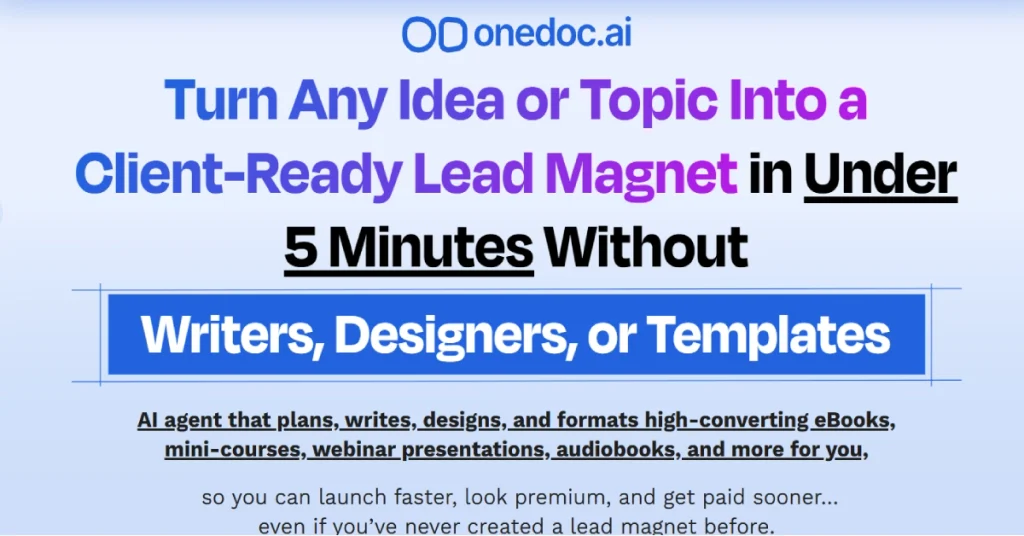
Here is the honest version. What OneDoc AI actually does, what it costs once you get past the first offer, where it genuinely helps, and where I think the marketing gets ahead of the product.
What Is OneDoc AI
OneDoc AI is a cloud based platform that uses AI to create documents that do more than sit on a page. Instead of writing a report or ebook and exporting it as a flat PDF, you end up with something you can drop videos into, add quizzes or polls to, and place lead capture forms right inside the content itself.
The idea is that most people ignore a plain PDF sitting in their inbox, but they will actually engage with something that asks them a question or shows them a short video halfway through. Whether that plays out in real use is a different question, but the concept is not a bad one.
You can start from a blank prompt, an existing document, a web link, or a template, and the AI fills in the writing, the layout, and the structure. From there you are meant to just clean it up and publish it, not build it from scratch.
Who It Is Actually Built For
Based on how it is marketed, this is aimed at:
- Marketers building lead magnets and opt-in funnels
- Coaches and consultants who send proposals or client reports
- Small teams that need presentations without hiring a designer
- Educators putting together micro-courses or guides
- Anyone tired of paying for Canva, a writer, and a separate landing page tool just to ship one lead magnet
What It Actually Does, Feature By Feature
AI Writing And Layout
You give it a topic or an idea, and it drafts the copy and lays it out into sections automatically. This is the part that saves the most time if you have ever stared at a blank page trying to structure an ebook or a proposal. It will not write anything you would want to publish word for word without editing, but as a starting point it beats a blank document.
Interactive Elements
This is the actual differentiator. You can embed videos, quizzes, polls, and forms directly inside the page instead of linking out to a separate tool. For a lead magnet, that means you could gate a section behind an email capture form without needing a separate landing page builder.
Templates And Drag And Drop Editing
There is a template library to start from, and once the AI generates a draft you can rearrange sections, swap layouts, and adjust branding through a drag and drop editor rather than touching any code.
Voice Narration
One thing that stood out to me is the built-in voice narration option, which turns a document into something closer to an audio guide or a narrated micro-course rather than just text on a screen.
Brand Themes
You can set colors, fonts, and general styling once and apply it across documents, which matters if you are producing more than one lead magnet or client deliverable and want them to look consistent.
Sharing And Analytics
Instead of emailing a PDF attachment, documents are shared as a live link, and you get some visibility into how people actually interact with it, which section they stopped at, whether they filled out an embedded form, that kind of thing.
How You Would Actually Use It
- Step 1: Start with an idea. Type a topic, paste in a link, upload an existing document, or pick a template close to what you want.
- Step 2: Let the AI draft it. The system generates the copy and a section by section layout based on what you gave it.
- Step 3: Edit and rearrange. Clean up the writing, swap out sections, and adjust the layout using the drag and drop editor.
- Step 4: Add interactive elements. Drop in a video, insert a quiz, or place a lead capture form at the point in the document where it makes sense.
- Step 5: Apply your branding. Set your colors, fonts, and logo through a brand theme so the document matches the rest of your material.
- Step 6: Publish and share. Send it as a live link instead of a static file, and track engagement from the dashboard as people open and interact with it.
Pricing, Broken Down Honestly
This is the part most reviews rush through, so let me slow down here because it matters more than the feature list.
Front end price: OneDoc AI is being sold as a one-time payment of $37 during the current launch window. That gets you the core platform, but with limits on how many documents you can create and without the “unlimited” features power users will likely want.
OTO 1, Unlimited: This is the upgrade most reviewers describe as the one you will actually need if you plan to use the tool seriously. The front end caps you fairly quickly, and this removes that ceiling.
OTO 2, Premium features: Adds more advanced tools on top of the base editor, generally aimed at users who want deeper customization than the entry plan allows.
OTO 3, Done For You pack: Pre-built templates and ready-made document sets so you are not starting from a completely blank prompt every time.
OTO 4, Whitelabel or Agency rights: Lets you remove OneDoc AI branding and sell documents as your own service to clients, which matters if you are running an agency rather than using this for your own business.
Bundle option: Instead of buying each OTO separately, there is a full bundle covering the front end plus every upgrade for a one-time price of $297, positioned as a savings of roughly $278 compared to buying each piece individually.
Refund window: Guarantee terms vary depending on which source you check, with some listing 14 days and others 30, so confirm the exact current policy on the official checkout page before you buy, since this kind of detail changes between promotions.
The pattern here is the same one you see across most tools sold this way. The headline price gets you in the door, but the real cost of using it properly is closer to the bundle price if you actually need unlimited usage and agency rights. That is not necessarily a dealbreaker, but it is worth knowing before you check out expecting to pay $37 and be done.
What I Liked
- The interactive elements are a genuine point of difference, not just a marketing label slapped on a normal document builder
- Going from an idea to a structured draft is fast, which helps most with the blank page problem
- Voice narration is a nice touch most competitors in this space do not offer
- One-time pricing option instead of another monthly subscription, if you stick to what you actually need
- Analytics on how people engage with a document is genuinely useful for lead magnets, most static PDFs give you zero visibility here
What I Did Not Like
- The front end plan is limited enough that most people serious about using this will end up buying at least one upgrade
- Pricing across different upgrade tiers is not consistently listed the same way across sources, so budget for some research before you buy
- AI-written drafts still need real editing, this is a starting point tool, not a finished-copy tool
- Refund window details vary depending on where you read about it, so verify directly before purchasing
- Most of what is written about this tool online comes from people earning a commission on the sale, genuinely independent, hands-on reviews are hard to find right now since it is a fairly new launch
How It Compares To Canva And Designrr
Canva is still the better pure design tool if visuals are your main priority, but it does not write your content for you and it does not support the kind of live interactive elements, like an embedded form or quiz, that OneDoc AI builds in. Once you export a Canva PDF, it is static. You cannot update it in place, you have to redo it and resend it.
Designrr is a closer comparison specifically for ebooks, and it has been around longer, but it does not go as far on the interactive side either. If your main goal is lead magnets and documents people actually finish reading instead of skimming and closing, the interactive layer is where OneDoc AI tries to earn its price difference.
Who Should Actually Consider This
If you regularly put together lead magnets, client proposals, or short guides and you are tired of the writing and design taking longer than the actual offer you are promoting, this is worth trying. The interactive elements and built-in analytics genuinely solve a problem static PDFs cannot.
If you only need to make one or two simple documents a year, or your existing Canva and Google Docs workflow already works fine, this is probably an upgrade you do not need yet. Add up the front end plus whichever upgrades you would realistically use before deciding, rather than judging it off the $37 headline number.
My Honest Verdict
The core idea behind OneDoc AI holds up. Interactive documents genuinely get more engagement than static ones, and bundling AI writing, layout, and interactive elements into one tool solves a real workflow problem for anyone producing lead magnets or client documents regularly. The voice narration and analytics features are a nice touch that go beyond what most competitors in this space offer.
Where I would slow down is the pricing structure. Treat the $37 front end as a way to test the tool, not the real cost of using it properly. If you know you will want unlimited usage or agency rights, the bundle price is the number to plan around, not the launch headline.
Frequently Asked Questions
What exactly does OneDoc AI do?
It uses AI to generate written content and layout for documents like ebooks, proposals, presentations, and lead magnets, then lets you add interactive elements like videos, quizzes, polls, and forms directly inside the document.
How much does OneDoc AI actually cost?
The front end is listed at a one-time $37 during launch, but it comes with usage limits. A full bundle covering all upgrades is available for around $297, which is the more realistic number if you plan to use it seriously.
Does OneDoc AI replace a writer or designer completely?
No. It gives you a structured starting draft and layout, but you still need to edit the copy and adjust the design to match your voice and brand.
Is there a free trial?
There is no free plan mentioned across current sources. There is a money-back guarantee, though the exact refund window varies by source, so check the current terms on the official page before buying.
Can I use OneDoc AI for client work?
Basic commercial use is generally included, but reselling documents as your own service or removing OneDoc AI branding typically requires the whitelabel or agency upgrade.
Is OneDoc AI better than Canva for lead magnets?
Canva is stronger for pure visual design. OneDoc AI’s advantage is the built-in AI writing and the interactive, trackable elements Canva does not offer, since Canva exports to a static PDF.
Is OneDoc AI worth buying?
If you regularly create lead magnets or client documents and the interactive, trackable format appeals to you, it is worth testing. If you rarely make these kinds of documents, your existing tools are probably enough for now.
Disclaimer: This review is based on publicly available information and is for informational purposes only. Pricing, refund terms, and features can change, so confirm current details on the official OneDoc AI page before purchasing.
