

September 2026 · 12 min read
Affiliate disclosure: SoftSnoop may earn a commission if you buy through links on this page. It doesn’t affect our rankings.
Key Takeaways
- LALAL.AI is the best all-round pick for most people – the cleanest vocal isolation on typical songs, available as web, desktop, and mobile.
- Ultimate Vocal Remover (UVR) is the best free option, full stop – but it’s a local desktop install, not a website, and runs best with a dedicated GPU.
- Moises is the best choice if you’re a musician who wants practice tools (pitch, speed, chords) alongside vocal removal, and the only one of these built properly for mobile.
- If you only need to remove background noise from a voice recording (not separate vocals from a song), Adobe Podcast’s Enhance Speech is free and does that specific job well – it’s a different tool for a different problem than the rest of this list.
- Don’t pay for a subscription before checking hard limits: file-size caps, monthly minute quotas, and stem-count restrictions vary a lot between free and paid tiers, and they’re where most people get caught out.
Quick Verdict
| Pick | Tool | Best For |
|---|---|---|
| Overall winner | LALAL.AI | Best all-round accuracy and platform coverage |
| Best free | Ultimate Vocal Remover (UVR) | Studio-grade separation, zero cost, local install |
| Best for musicians | Moises | Mobile practice tool with vocal removal built in |
| Best for podcasters | Descript | Editing suite that includes vocal isolation |
AI Vocal Remover Comparison Table
| Tool | Platform | Free Option | Stems | Starting Price | Best For |
|---|---|---|---|---|---|
| LALAL.AI | Web, desktop, mobile | Few free minutes on signup | Up to 10 | $15/mo | Overall accuracy |
| Ultimate Vocal Remover (UVR) | Windows, Mac, Linux (desktop) | 100% free, open source | 2–6+ (model dependent) | Free | Best free, technical users |
| Moises | Web, iOS, Android | Limited free tracks/month | 2–5 | $4–10/mo | Musicians & mobile |
| RipX | Windows, Mac (desktop) | Trial with watermark | Unlimited manual layers | $99+ one-time | Precision manual editing |
| Adobe Podcast Enhance Speech | Web | Fully free | N/A (noise removal, not stems) | Free | Cleaning up voice recordings |
| VocalRemover.org | Web | Fully free | 2 | Free | Quick casual use, no signup |
| Spleeter | Command line (any OS) | Fully free, open source | 2, 4, or 5 | Free | Developers building pipelines |
| Descript | Web, desktop | Limited free plan | Vocals/background | $12/mo | Podcast & video editing workflow |
| EaseUS Vocal Remover | Windows (desktop) | Trial | 2 | $20/mo | Offline Windows batch jobs |
| HitPaw Vocal Remover | Web, Windows, Mac | Limited free web use | 2–4 | $20/mo | All-in-one online/desktop suite |
Pricing and free-tier limits change often – always check the vendor’s current pricing page before you buy.
How We Evaluated
Every tool on this list was assessed against the same five criteria, based on hands-on use of each product’s current web or desktop interface, its documented technical approach (phase cancellation vs. neural source separation), and a review of verified user feedback across G2, Reddit’s audio-production communities, and each vendor’s own changelog:
- Separation quality – how clean the instrumental sounds, and how much vocal “bleed” or artifacting remains, particularly on dense mixes.
- Free-tier honesty – whether the free option is genuinely usable or a bait-and-switch into a paywall.
- Speed and workflow fit – upload-to-download time and whether the tool matches how you’ll actually use it (batch, mobile, command line, etc.).
- Output flexibility – file formats, stem count, and export quality (MP3 vs. lossless WAV/FLAC).
- Pricing transparency– whether the cost per song or per minute is easy to calculate up front.
We did not pay for placement, and none of the vendors below reviewed this article before publication.
1. LALAL.AI
Best for: Overall accuracy across genres
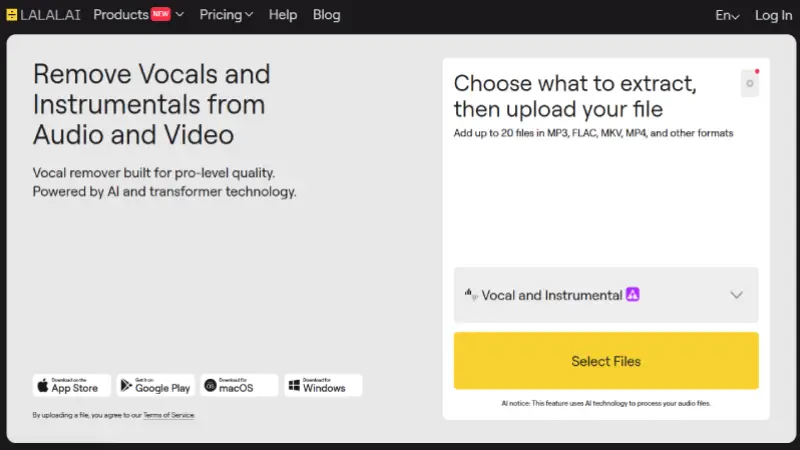
Quick Facts
| Platforms | Web, desktop app, iOS |
| Free tier | A small number of free processing minutes on signup |
| Stems | Up to 10 (vocals, instrumental, drums, bass, piano, electric guitar, acoustic guitar, synth, strings, wind) |
| Output | MP3 or lossless WAV |
| Starting price | Roughly $15/month for entry-level minute packs |
LALAL.AI has been one of the most consistently recommended names in AI vocal separation since it moved from phase-cancellation to its own neural network (“Orion”), and it’s the tool most frequently cited as a quality benchmark by competing services themselves – a reasonable signal of where the market considers the bar to sit. What sets it apart from most of this list is stem breadth: instead of just vocals-vs-instrumental, it can pull out individual instruments like piano, strings, and electric guitar, which matters if you’re building a full remix rather than just a karaoke track.
The trade-off is the pricing model. Minutes are sold in monthly packs that don’t roll over, so occasional users can end up paying for capacity they don’t use, and heavier processing modes (higher stem counts) consume minutes faster than a basic 2-stem split.
| Pros | Cons |
|---|---|
| Strongest all-round separation quality on typical pop, rock, and hip-hop mixes | Free tier is minutes-limited, not feature-limited |
| Widest stem selection on this list | Unused minutes expire at the end of the billing cycle |
| Available as web, desktop, and mobile app | Higher stem counts cost proportionally more |
Best for: anyone who wants the highest reliable quality without setting up software, and who processes tracks regularly enough that a subscription makes sense.
Skip if: you only need to strip vocals from one or two songs a month – the per-minute cost adds up fast for occasional use.
2. Ultimate Vocal Remover (UVR)
Best for: Best free tool, if you’re comfortable installing software
Quick Facts
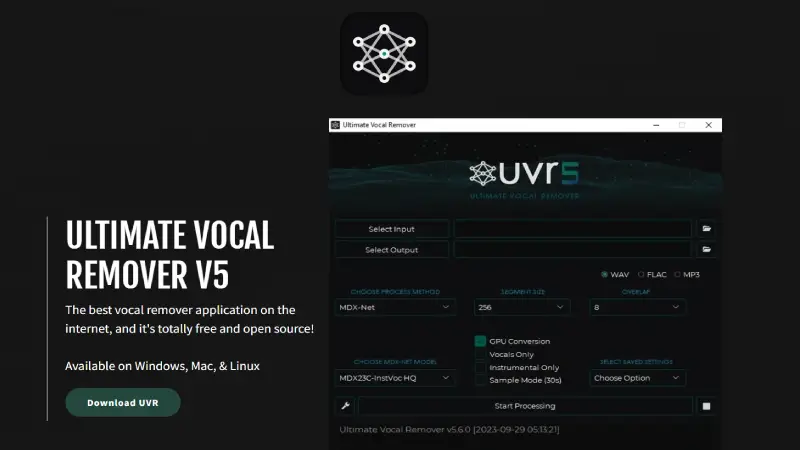
| Platforms | Windows, Mac, Linux (desktop install) |
| Free tier | Fully free, open source |
| Stems | 2 to 6+, depending on the model you select |
| Output | WAV |
| Starting price | Free |
UVR is a free, open-source GUI that lets you run several of the best publicly available AI separation models – including Meta’s Demucs and the MDX-Net family – on your own machine. It’s the tool that shows up over and over in producer and karaoke-maker communities as the “real” answer to “what’s the best vocal remover,” precisely because it isn’t a product trying to sell you a subscription; it’s a wrapper around the same research-grade models that several paid services license or replicate.
The catch is friction. UVR is not a website – it’s software you download, and getting the best results means understanding which of the dozen-plus bundled models fits your source material (a fine-tuned vocals-only model behaves differently from a balanced 4-stem model). A discrete GPU speeds things up considerably; on CPU-only laptops, processing a single song can take several minutes.
| Pros | Cons |
|---|---|
| Genuinely free, with no watermark or expiring credits | Requires installation and a Python-adjacent setup on some systems |
| Matches or beats paid tools on raw separation quality when configured well | No web or mobile version |
| Full control over which AI model runs, useful for difficult source material | The number of model choices is overwhelming for first-time users |
Best for: technically comfortable users, students, and hobbyist producers who want top-tier quality without ongoing cost.
Skip if: you want to drag a file into a browser tab and be done in thirty seconds – that’s not this tool.
3. Moises
Best for: Musicians who want practice tools, not just vocal removal
Quick Facts
| Platforms | Web, iOS, Android |
| Free tier | A capped number of tracks per month |
| Stems | 2 to 5 |
| Output | MP3 (free), higher-quality export on paid tiers |
| Starting price | Roughly $4–10/month |
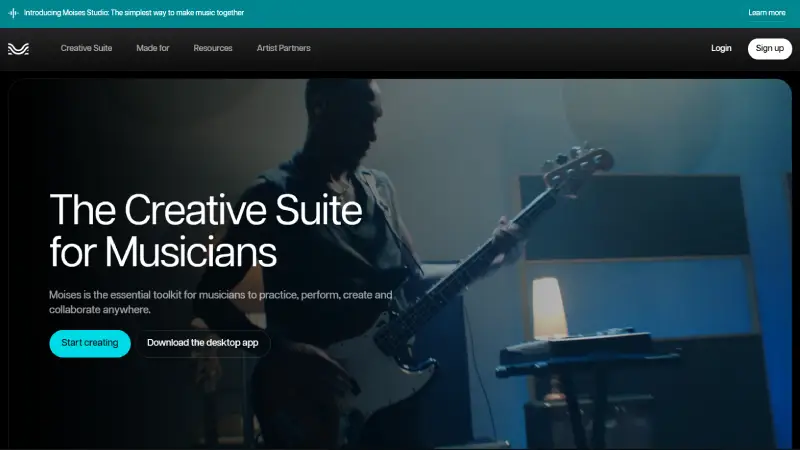
Moises is built around musicians rather than editors. Vocal and stem separation is one feature inside a broader practice app that also does independent speed control (slow a song down without changing pitch), key/pitch shifting, chord detection, and a built-in metronome and looper. If your actual goal is “learn this song” rather than “produce a clean instrumental for release,” the extra tooling is genuinely useful and nothing else on this list replicates it as well.
Separation quality is good but, in most independent comparisons, a step behind the top-tier specialists on very dense or heavily processed mixes – the difference is most audible on live recordings with natural bleed between mic channels. The mobile apps are the standout: this is the only tool here designed mobile-first rather than adapted for it.
| Pros | Cons |
|---|---|
| Best-in-class mobile app experience | Free tier caps you to a handful of tracks monthly |
| Practice features (speed, pitch, chords) beyond plain separation | Separation quality trails top specialists on complex mixes |
| Usable free tier for occasional songs | Higher stem counts and quality exports are paywalled |
Best for: singers, cover artists, and instrumentalists learning songs, especially on mobile.
Skip if: raw separation fidelity is your only priority — go with LALAL.AI or UVR instead.
4. RipX
Best for: Frame-by-frame manual correction, not just automatic splitting
Quick Facts
| Platforms | Windows, Mac (desktop) |
| Free tier | Trial version, output watermarked |
| Stems | Unlimited manual layers once separated |
| Output | WAV, project files |
| Starting price | One-time purchase, typically $99 and up depending on edition |
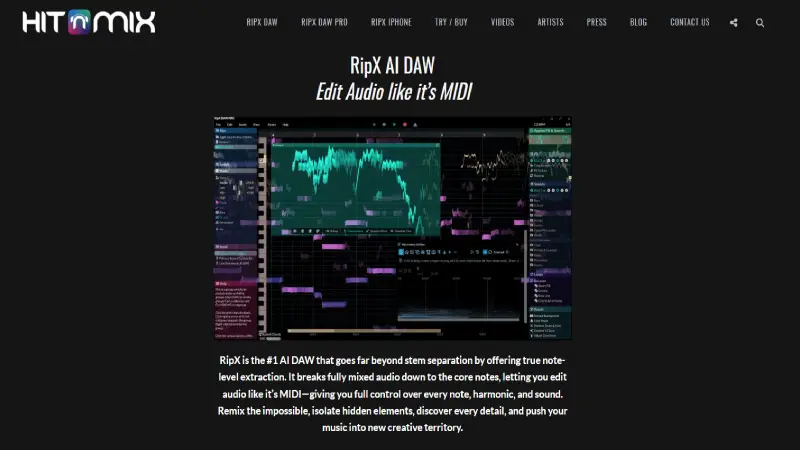
RipX (from Hit’n’Mix) takes a different approach from everything else on this list: after the AI does its initial separation, it hands you a piano-roll-style editor where you can manually repair, mute, re-pitch, or delete individual notes and vocal fragments. That’s overkill for a quick karaoke track, but it’s the closest thing to a professional restoration tool for audio that automatic separation alone can’t fully clean up – bleed-through on a live recording, a stray vocal ad-lib you want gone, a bass note poking through the vocal stem.
It’s a genuine desktop application with a real learning curve, and the license cost is upfront rather than a subscription, which suits people who’ll use it regularly but doesn’t suit a one-off need.
| Pros | Cons |
|---|---|
| Manual, note-level correction after automatic separation | Steepest learning curve on this list |
| One-time purchase option instead of a recurring subscription | Desktop-only, Windows/Mac |
| Strong for restoration and remastering work, not just karaoke | Overkill if you just want a quick instrumental |
Best for: audio engineers, remix producers, and anyone who needs to hand-fix separation errors rather than accept whatever the AI outputs.
Skip if: you want a fast, automatic result and have no interest in manual editing.
5. Adobe Podcast Enhance Speech
Best for: Cleaning background noise out of spoken-word recordings
Quick Facts
| Platforms | Web |
| Free tier | Fully free |
| Stems | Not applicable – this enhances speech rather than separating song stems |
| Output | WAV/MP3 |
| Starting price | Free |
This one is a genuine category difference worth flagging, because it gets recommended in “vocal remover” searches for the wrong reason. Adobe Podcast’s Enhance Speech tool doesn’t split a song into vocals and instrumental – it takes a noisy voice recording (room echo, background hum, a recording made on a phone mic) and isolates the speech from the noise around it, using Adobe’s audio AI. If you’re a podcaster trying to rescue an interview recorded in a noisy room, this is exactly the free tool you want. If you’re trying to make a karaoke instrumental from a Spotify track, it’s the wrong tool.
It’s included here because SoftSnoop readers searching “vocal remover” split fairly evenly between “remove the singer from this song” and “clean up this voice recording,” and this is the honest free answer to the second question.
| Pros | Cons |
|---|---|
| Completely free, no signup wall for short clips | Does not do music vocal/instrumental separation |
| Genuinely effective on noisy speech recordings | Best suited to shorter clips |
| Fast, browser-based, no install | Limited control over processing settings |
Best for: podcasters and video creators cleaning up spoken audio.
Skip if: you’re trying to remove vocals from a song – use LALAL.AI, UVR, or Moises instead.
6. VocalRemover.org
Best for: A quick, no-signup free option for casual use
Quick Facts
| Platforms | Web |
| Free tier | Fully free |
| Stems | 2 (vocals, instrumental) |
| Output | MP3 |
| Starting price | Free |
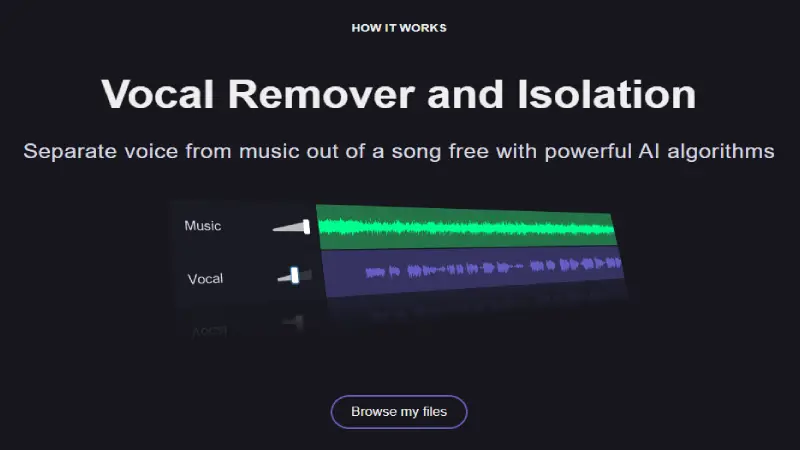
VocalRemover.org’s appeal is simplicity: no account, no email, no payment screen – upload a file and get a split instrumental and vocal track back. It also bundles a basic pitch changer and tempo tool. Quality is noticeably behind the AI-first specialists on this list, especially on dense mixes where vocal bleed and artifacting become audible, and file-size limits on the free tier will stop you from processing longer or higher-bitrate tracks.
Treat it the way most of its regular users do: a fast way to test whether a given song will separate cleanly at all, before deciding whether it’s worth paying for a cleaner result elsewhere.
| Pros | Cons |
|---|---|
| Genuinely free with no account required | Separation quality trails paid and open-source alternatives |
| Fast, simple, no learning curve | File size and length limits on the free tier |
| Extra tools (pitch/tempo) bundled in | More audible artifacts on complex mixes |
Best for: a quick first pass or one-off casual use.
Skip if: you need clean output for anything you’re publishing or performing.
7. Spleeter
Best for: Developers who want to build separation into their own pipeline
Quick Facts
| Platforms | Command line, any OS with Python |
| Free tier | Fully free, open source |
| Stems | 2, 4, or 5 depending on the pretrained model |
| Output | WAV |
| Starting price | Free |
Spleeter is a source-separation library released by Deezer’s research team, not a consumer app – there’s no upload button, no website. You install it via Python and run it from the command line or call it from your own code. For a non-technical reader this is the wrong tool entirely; for a developer who wants to batch-process thousands of files or embed separation into an app, it’s a legitimate, well-documented, and completely free foundation that predates and, in part, inspired some of the newer models used elsewhere in this list.
Quality is solid but has been surpassed by newer architectures like Demucs (which UVR bundles) on head-to-head separation benchmarks – Spleeter’s real value today is its simplicity and stability as a library, not raw fidelity.
| Pros | Cons |
|---|---|
| Free, open source, well documented | Command-line only, no graphical interface |
| Scriptable for batch or automated workflows | Requires basic Python/dev comfort |
| No web dependency – runs entirely locally | Separation quality now behind newer models |
Best for: developers building vocal separation into a larger tool or automated pipeline.
Skip if: you just want to upload one song and download the result – pick literally any other entry on this list instead.
8. Descript
Best for: Podcasters and video editors who need vocal isolation inside an editing workflow
Quick Facts
| Platforms | Web, desktop (Mac/Windows) |
| Free tier | Limited free plan |
| Stems | Vocal isolation as part of “Studio Sound” |
| Output | Exports within project files or as audio/video |
| Starting price | Roughly $12/month |
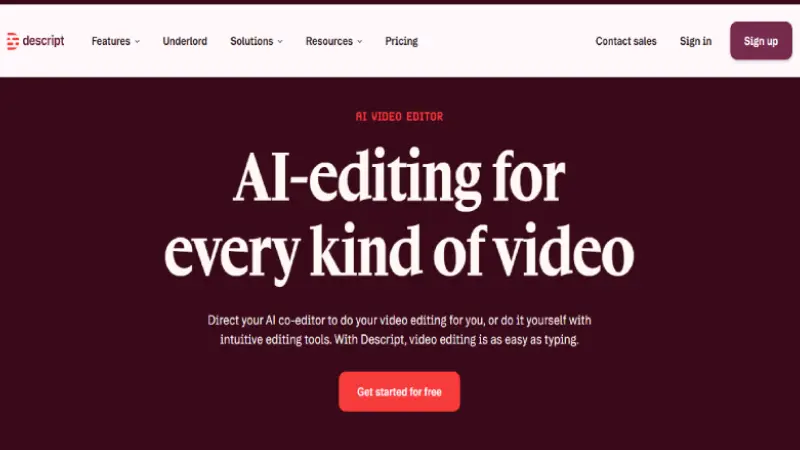
Descript is primarily a transcript-based video and podcast editor – you edit audio by editing text – and vocal/background separation is one feature inside that larger toolkit, alongside AI transcription, filler-word removal, and its Overdub voice-cloning feature. If you’re already editing a podcast or YouTube video in Descript, being able to isolate and clean a voice track without leaving the app is a real time-saver. As a dedicated vocal remover for music, it’s not the focus of the product and shows on complex mixes.
| Pros | Cons |
|---|---|
| Vocal cleanup lives inside a full editing workflow | Not built primarily for music stem separation |
| Transcription and filler-word removal included | Subscription required for full functionality |
| Strong fit for podcast/video creators specifically | Overkill if editing isn’t part of your workflow |
Best for: podcast and video creators who want editing and vocal cleanup in one subscription.
Skip if: you need dedicated, high-fidelity music stem separation – use LALAL.AI or UVR.
9. EaseUS Vocal Remover
Best for: Offline batch processing on Windows
Quick Facts
| Platforms | Windows (desktop) |
| Free tier | Trial, limited exports |
| Stems | 2 |
| Output | MP3, WAV, FLAC |
| Starting price | Roughly $20/month or an annual plan |
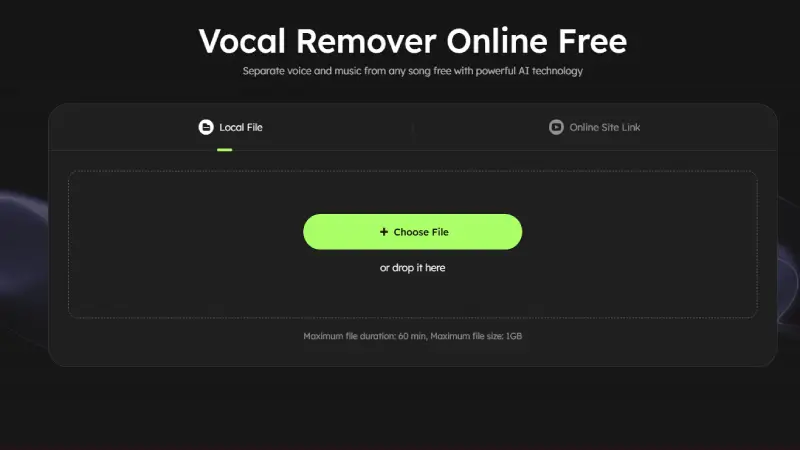
EaseUS brings its familiar desktop-utility approach – the same company behind well-known Windows backup and data-recovery tools – to vocal removal. It processes locally rather than uploading to a server, supports batch jobs across multiple files, and can pull audio straight out of video files, which is handy if your source material is a YouTube download or a home video rather than a clean audio file.
Separation quality is respectable but a step behind the leading web-based AI tools, and it’s Windows-only with no Mac, web, or mobile equivalent.
| Pros | Cons |
|---|---|
| Local/offline processing, no upload required | Windows only |
| Batch processing across many files at once | Subscription pricing for a desktop-only tool |
| Extracts audio directly from video files | Quality behind top web-based specialists |
Best for: Windows users processing many files offline and wanting audio pulled from video sources too.
Skip if: you’re on Mac or want the highest achievable separation quality.
10. HitPaw Vocal Remover
Best for: An all-in-one online-and-desktop suite
Quick Facts
| Platforms | Web, Windows, Mac |
| Free tier | Limited free web use |
| Stems | 2 to 4 |
| Output | MP3, WAV |
| Starting price | Roughly $20/month |
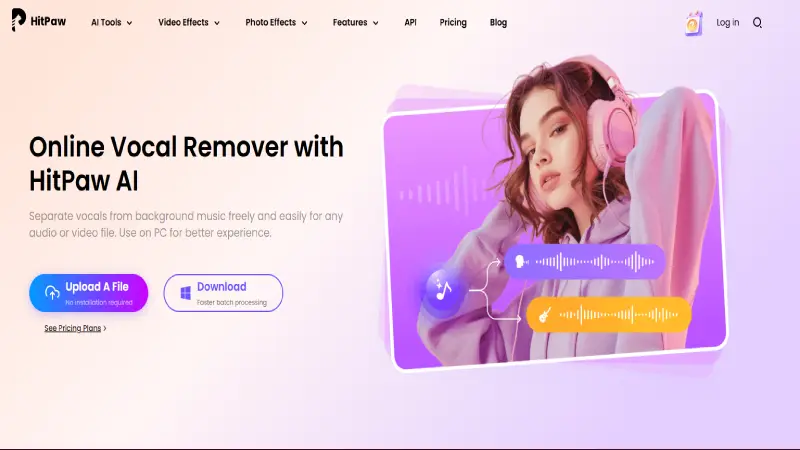
HitPaw offers both a free web tool and a fuller desktop app, and it’s part of a broader suite that also covers video and photo editing – useful if you’d rather manage one subscription across several creative tasks than pay separately for each. As a vocal remover specifically, it’s a solid mid-tier option: better than the free no-signup sites, but not pushing separation quality as far as LALAL.AI or a well-configured UVR setup.
| Pros | Cons |
|---|---|
| Both free web and paid desktop versions available | Free web tier has real limits (length, exports) |
| Bundled with wider video/photo editing tools | Not the top choice on pure separation quality |
| Straightforward interface for non-technical users | Desktop suite subscription is priced for the whole bundle, not just this feature |
Best for: users who want one subscription covering vocal removal plus general video/photo editing.
Skip if: vocal separation quality is your only concern – dedicated specialists do it better.
Buyer’s Guide: Which Vocal Remover Fits Your Situation
By goal
- Making a karaoke track from a favorite song: LALAL.AI or VocalRemover.org for speed; UVR if you want the cleanest possible result and don’t mind installing software.
- Practicing an instrument or learning a song: Moises – the speed/pitch/chord tools matter more here than raw separation fidelity.
- Cleaning up a podcast or interview recording: Adobe Podcast’s Enhance Speech, free, or Descript if you’re already editing there.
- Sampling or remixing for production: LALAL.AI for stem variety, RipX if you need to manually fix what the AI gets wrong.
- Building separation into your own app or pipeline: Spleeter or one of UVR’s underlying models directly.
By skill level
- Complete beginner, want it in one click: VocalRemover.org, LALAL.AI, or HitPaw’s web tool.
- Comfortable with software installs, want the best free result: UVR.
- Professional audio background, need manual control: RipX.
- Developer: Spleeter, or scripting against UVR’s underlying models.
How to Choose a Vocal Remover in 5 Questions
Is the source a full song, or a spoken-word recording?
These need different tools – song separation (LALAL.AI, UVR, Moises) versus speech cleanup (Adobe Podcast).
How often will you actually use it?
Frequent use favors a subscription (LALAL.AI, Moises) or a free local install (UVR). Occasional use favors free web tools or a one-time purchase (RipX).
Do you need more than a vocals/instrumental split?
If you want individual instrument stems, narrow to LALAL.AI, UVR, or Spleeter.
Are you on a phone, or at a computer?
Moises is the only tool here genuinely built mobile-first.
Can you tolerate a bit of installation friction for better quality, or do you need it in a browser right now?
UVR and RipX ask more setup for more control; the web tools trade some quality for zero friction.
Frequently Asked Questions
What is the best AI vocal remover overall?
LALAL.AI is the strongest all-round choice for most people, combining high separation quality with web, desktop, and mobile access. If cost matters more than convenience, Ultimate Vocal Remover (UVR) delivers comparable quality for free but requires a local install.
What is the best free vocal remover?
Ultimate Vocal Remover (UVR) is the best free option for quality, though it requires installing desktop software and works best with a GPU. For a free browser-based option with zero setup, VocalRemover.org and Adobe Podcast (for speech) are the simplest choices.
Is there a vocal remover that doesn’t need a subscription?
Yes. UVR is fully free and open source. RipX is a one-time purchase rather than a subscription. VocalRemover.org and Adobe Podcast’s Enhance Speech are also free, with more limited feature sets.
Can I legally use vocals or instrumentals I extract from a copyrighted song?
Extracting a stem doesn’t grant you any rights to the underlying song. Commercial use – releasing a remix, using an instrumental in a monetized video, selling an isolated acapella – requires licensing from the actual rights holders regardless of which tool you use.
Why does separation quality vary so much between tools?
Older tools rely on phase cancellation, which only works when vocals sit precisely in the stereo center and produces noticeably worse results. Modern tools use neural network models (like Demucs or proprietary equivalents) trained on large datasets of isolated stems, which is why AI-based tools consistently outperform older phase-cancellation-only tools.
Is a vocal remover app available for iPhone or Android?
Moises is the strongest dedicated mobile experience, with native iOS and Android apps built around musicians. LALAL.AI also offers an iOS app for existing subscribers. Most other tools on this list are web-only and work through a mobile browser with no dedicated app.
What file formats do vocal removers typically support for upload?
Most accept common formats like MP3, WAV, and FLAC, and several also accept video files (MP4) and extract the audio automatically. Free tiers frequently cap file size or track length; paid tiers usually remove or raise that cap.
Do vocal removers work equally well on every genre?
No. Reviewers and users consistently report the cleanest results on well-produced studio pop, rock, and hip-hop tracks, and more audible artifacts on live recordings, heavily reverberant mixes, or genres with vocals mixed unusually close to other instruments in the same frequency range.
The Bottom Line
For most people searching for the best AI vocal remover, LALAL.AI is the safest recommendation – strong, consistent separation quality without needing to install anything. If you’d rather not pay at all and don’t mind a short setup,
Ultimate Vocal Remover (UVR) gets you the same tier of quality for free. And if what you actually need is speech cleanup rather than song separation, skip the “vocal remover” search entirely and use Adobe Podcast’s Enhance Speech – it’s free and built for exactly that job.
Changelog Updated September 2026: Restructured comparison table above the fold, added RipX and clarified the Adobe Podcast use case, refreshed pricing ranges across all ten entries.
