

From free ATS-friendly formats to AI-powered builders – we compared 10 resume template platforms across design quality, ATS compatibility, AI features, and pricing to help you create a resume that gets past the robots and impresses the humans.
Quick Verdict: Our Top 4 Picks
| Platform | Best For | Price | Score |
|---|---|---|---|
| Zety | AI-Guided Building | From $1.95 trial | 9.4/10 |
| Resume.io | Speed (5-min build) | From $2.95 trial | 9.2/10 |
| Canva | Creative Design | Free / $15/mo Pro | 9.0/10 |
| Resume Genius | Education + Tools | From $2.95 trial | 8.8/10 |
Your Resume Has 7 Seconds to Make an Impression
Recruiters spend an average of just 6–7 seconds scanning a resume before deciding whether to read further or move on. In 2026, that brief window is further compressed by Applicant Tracking Systems (ATS) that filter out over 75% of resumes before a human ever sees them.
Over 98% of Fortune 500 companies and a growing majority of mid-size businesses use ATS software to screen applications, making ATS compatibility a non-negotiable requirement for any resume template you choose.
But passing the ATS is only half the battle. Once your resume reaches a human reviewer, it needs to communicate your value proposition instantly through clear visual hierarchy, achievement-focused content, and professional design.
The best resume templates in 2026 solve both challenges simultaneously: they use clean, parseable formatting that ATS systems read correctly while presenting your experience in a visually compelling way that captures human attention.
This guide evaluates 10 resume template platforms and builders, from free options like Google Docs and Canva to AI-powered premium builders like Zety and Resume.io.
We tested each across ATS compatibility, design quality, AI content assistance, ease of use, and pricing transparency. We also cover the three essential resume formats, ATS optimization strategies, and the 2026-specific trends that are changing how successful resumes are built.
How We Tested and Evaluated
Each platform was tested by creating a complete resume for a mid-career marketing professional.
We evaluated seven criteria:
- ATS Compatibility (will the resume parse correctly through major ATS systems?),
- Design Quality (does the template look professional and modern?),
- AI Content Assistance (does the platform help you write better content?),
- Template Variety (range of styles for different industries and career stages),
- Ease of Use (time from signup to finished resume),
- Export Options (PDF, DOCX, and format quality), and
- Pricing Transparency (actual cost including hidden fees and auto-renewals). We cross-referenced with ResumeGenius format guides, Zety career research, Resume.io expert guides, and Careerkit’s 2026 analysis of ATS trends.
Understanding Resume Formats: Which Structure Is Right for You?
Before choosing a template, you need to select the right resume format. The format determines how your information is organized and what gets emphasized. In 2026, three formats dominate:
Chronological (Reverse-Chronological) Format
The most traditional and widely accepted format. You list your work history starting with your most recent position, creating a clear career progression narrative.
In 2026, the best chronological resumes go beyond listing duties – they feature achievement-focused bullet points with measurable results and keywords matched to the job description. This format is ideal for job seekers with consistent career growth in a single industry.
Functional (Skills-Based) Format
This format highlights your professional skills instead of your work timeline. Skills are grouped into categories with supporting achievements. It is designed for career changers and those with significant employment gaps.
However, many recruiters and ATS systems handle functional resumes poorly, so use this format only when a chronological approach would create more problems than it solves.
Combination (Hybrid) Format
The combination format has become increasingly popular in 2026, balancing a prominent skills section with a chronological work history. Mid-career professionals and career changers with transferable skills benefit most.
This format works well for both AI systems scanning for specific skills and humans evaluating career progression.
In-Depth Reviews: 10 Best Resume Template Platforms for 2026
#1. Zety Resume Builder
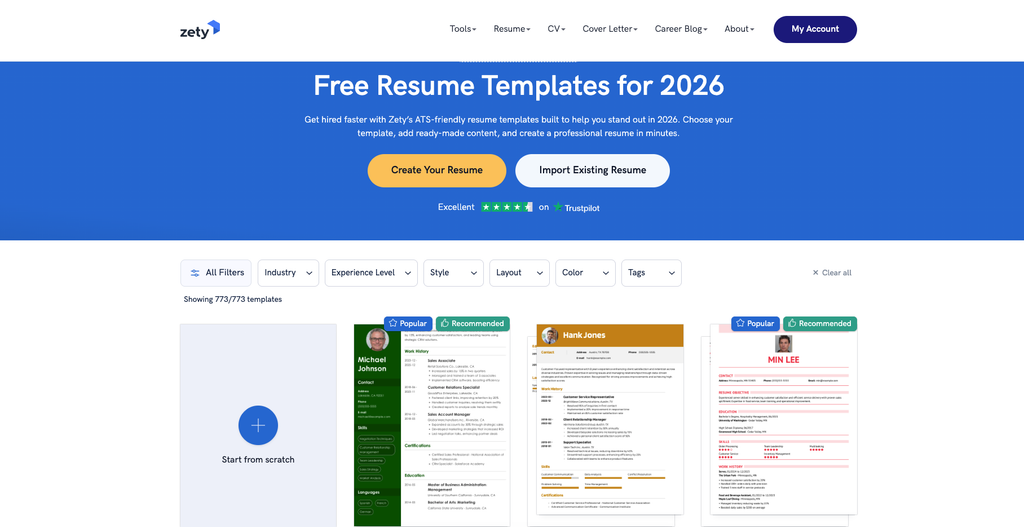
AI-Powered Professional Templates with ATS-Optimized Pre-Written Content
Our Score: 9.4/10
Quick Facts
| Pricing | Free (TXT download) / Premium: from $1.95/14-day trial |
|---|---|
| Templates | 18+ professionally designed templates |
| AI Features | Pre-written content suggestions, ATS optimization, resume checker |
| Export Formats | PDF, DOCX, TXT |
| Best For | All career levels – entry to executive |
| Developer | Zety (Bold LLC) |
Zety stands out as the most polished AI-powered resume builder in 2026, combining professionally designed templates with pre-written, ATS-optimized content suggestions that help job seekers articulate their experience effectively.
What makes Zety unique is that it does not just provide blank templates – it identifies the skills and experience recruiters actively seek for your target role and suggests tailored content you can incorporate with a single click.
The 18+ templates range from traditional and minimalist to creative and modern, all engineered to pass ATS scans while remaining visually appealing to human recruiters. The built-in Resume Checker identifies areas for improvement and provides actionable tips.
Matching cover letter templates ensure a cohesive application package. The interface is intuitive enough for first-time resume writers while offering enough depth for seasoned professionals.
The free tier allows you to build your resume and download content in TXT format. PDF and DOCX downloads require a paid plan starting at $1.95 for a 14-day trial. For job seekers who want guided resume creation with professional content suggestions rather than starting from a blank page, Zety offers the smoothest experience available.
Pros & Cons
- +AI suggests pre-written, ATS-optimized content for your role
- +18+ professional templates – all ATS-friendly
- +Built-in resume checker with actionable improvement tips
- +Matching cover letter templates for cohesive applications
- +Intuitive builder suitable for all experience levels
- +Free content creation with TXT download
- –PDF/DOCX download requires paid subscription
- –Auto-renewal on trial plans can surprise users
- –Some templates only available on premium plans
- –Content suggestions may need personalization
- –Limited free export options compared to competitors
What the Community Says
“Zety produces a resume that does a great job highlighting accomplishments and making a candidate stand out to employers.” – Zety User Review
- ✓Job seekers at any career level who want AI-guided resume creation with pre-written content suggestions and ATS optimization.
#2. Canva Resume Templates
Design-Forward Free Templates for Visually Creative Professionals
Our Score: 9.0/10
Quick Facts
| Pricing | Free (with Canva branding) /Canva Pro: $15/mo |
|---|---|
| Templates | Thousands of customizable resume designs |
| AI Features | Magic Write AI, design suggestions, brand kit |
| Export Formats | PDF, PNG, JPG |
| Best For | Creatives, designers, marketing professionals |
| Developer | Canva Pty Ltd |
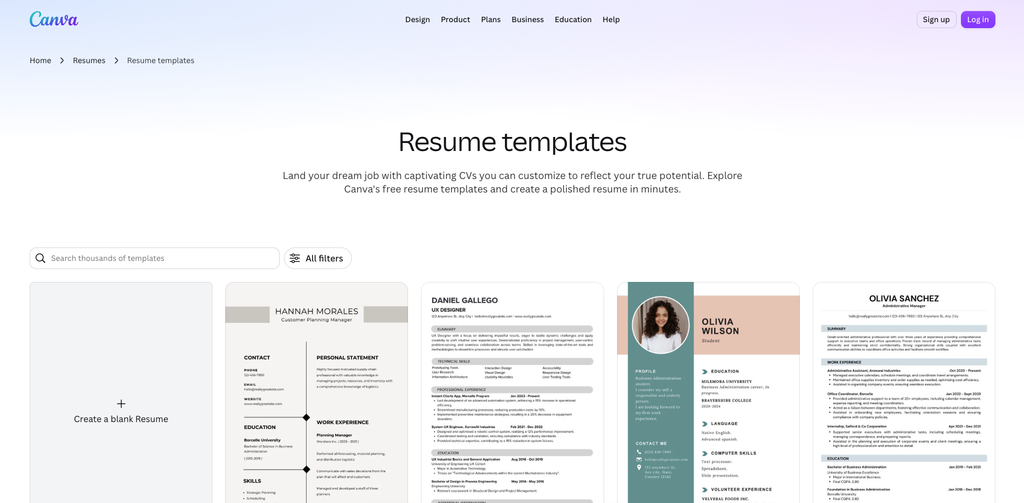
Canva offers the largest library of resume templates available – thousands of professionally designed layouts spanning modern, minimalist, creative, abstract, and traditional styles. The drag-and-drop design editor gives you complete visual control over every element: colors, fonts, graphics, photos, and layout structure. For creative professionals in design, marketing, media, and arts, Canva produces visually stunning resumes that double as design portfolio pieces.
The free tier provides access to a substantial template library with Canva branding on exports. Canva Pro ($15/month) unlocks premium templates, brand kit functionality, Magic Write AI for content generation, and clean exports without branding. The collaborative features allow career coaches or mentors to provide real-time feedback on your resume design.
The important caveat is ATS compatibility. Many of Canva’s visually complex templates use graphics, columns, and design elements that ATS systems struggle to parse correctly. For traditional corporate roles, a simpler Canva template or a dedicated ATS-focused builder may be safer. For creative roles where resumes are reviewed by humans first, Canva’s design quality is unmatched.
Pros & Cons
- +Thousands of free templates – largest library available
- +Complete design freedom with drag-and-drop editor
- +Magic Write AI for content suggestions
- +Collaborative editing for feedback from coaches/mentors
- +Beautiful designs for creative industry applications
- +Free tier is genuinely usable
- –No built-in resume checker or ATS scoring
- –Many templates are NOT ATS-friendly due to complex design
- –PDF exports may not parse correctly through ATS
- –Canva branding on free exports
- –Not purpose-built for resume optimization
- –Pro subscription needed for premium templates
What the Community Says
“Impress hiring managers with a stand-out job application by designing professional resume templates from Canva.” – Canva
- ✓Creative professionals, designers, marketers, and anyone applying to roles where visual presentation is valued over ATS compliance.
#3. Resume.io
The Fastest Path from Blank Page to Professional Resume in 5 Minutes
Our Score: 9.2/10
| Pricing | 7-day trial: $2.95 Monthly: $24.95 6-month: $44.95 |
|---|---|
| Templates | 30+ templates across professional, modern, simple, and creative categories |
| AI Features | AI resume builder, content suggestions, job-specific optimization |
| Export Formats | |
| Best For | All career levels – speed-focused job seekers |
| Developer | Resume.io (Workwise B.V.) |
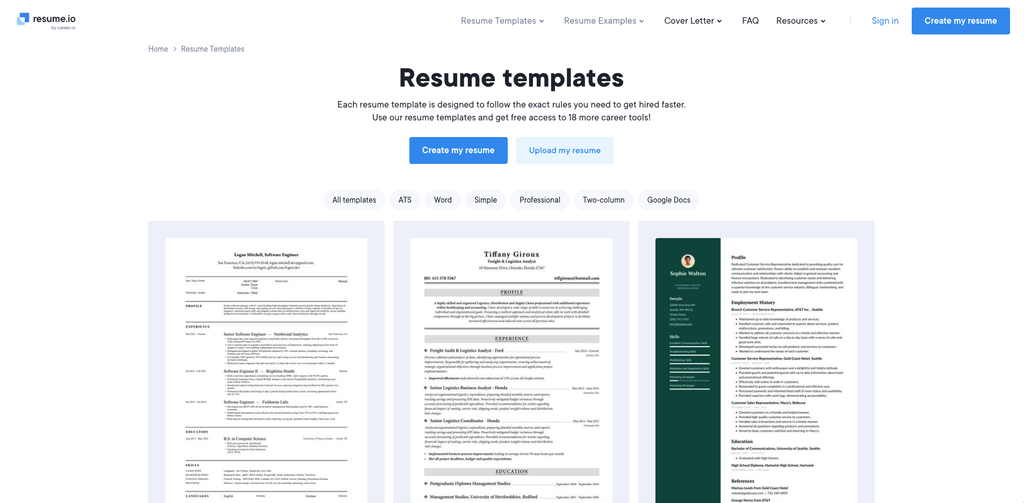
Resume.io is engineered for speed. The platform claims you can build a professional resume in just 5 minutes, and in testing, this is achievable for users who leverage the AI content suggestions and pre-built section templates. The 30+ template designs are organized into four clear categories – Professional, Modern, Simple, and Creative – making it easy to find a design that matches your industry and personal style.
Each template is designed to follow the formatting rules that maximize both ATS compatibility and human readability. The AI builder suggests content based on your job title and industry, filling in professional summaries, skill descriptions, and achievement statements that you can customize. The platform also provides expert career guides for specific roles, helping you understand what recruiters look for in your field.
Resume.io’s pricing starts with a 7-day trial at $2.95, which is enough time to create and download your resume. Access to 18 additional career tools (cover letters, job tracking, etc.) is included with paid plans. The platform is particularly well-suited for job seekers who need a polished resume quickly without spending hours on design or content strategy.
Pros & Cons
- +Genuinely fast – 5-minute resume creation is achievable
- +30+ templates organized by style category
- +AI content suggestions tailored to your job title
- +Strong ATS compatibility across all templates
- +Expert career guides for role-specific advice
- +18 career tools included with paid plans
- –No permanent free plan – trial-based pricing
- –Monthly pricing is steep at $24.95
- –PDF-only exports (no DOCX)
- –Limited customization compared to Canva
- –Auto-renewal requires cancellation vigilance
- –Content suggestions may feel generic without editing
What the Community Says
“Build powerful resumes in only 5 minutes with our easy-to-use Resume Builder and get hired faster.” – Resume.io
- ✓Job seekers who need a polished, ATS-friendly resume fast — ideal for active job searchers applying to multiple positions.
#4. Resume Genius
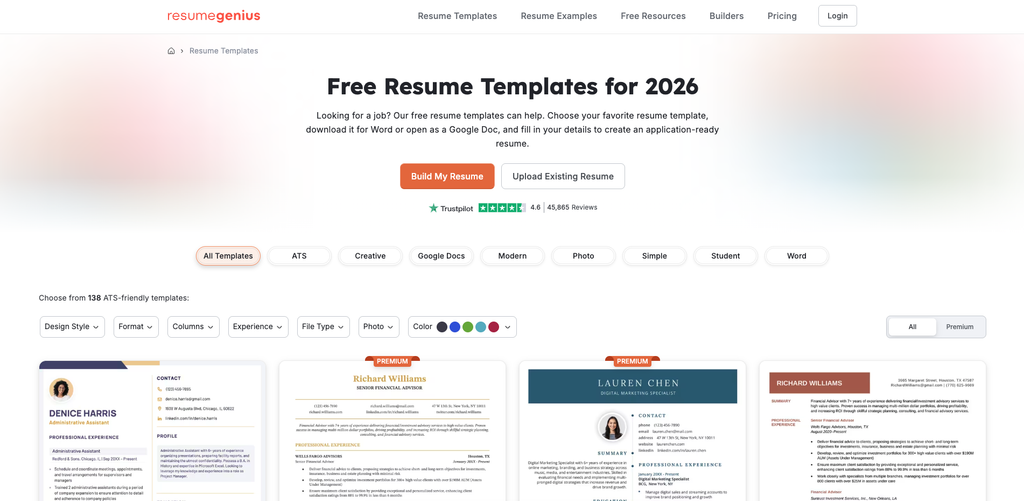
Comprehensive Resume Education with ATS-Friendly Templates and Format Guides
Our Score: 8.8/10
Quick Facts
| Pricing | Free ATS checker. Builder: 14-day trial $2.95/Monthly: $7.95 |
|---|---|
| Templates | 40+ templates with ATS-friendly and creative options |
| AI Features | AI resume writer, ATS resume checker, format optimizer |
| Export Formats | PDF, DOCX |
| Best For | Job seekers who want education alongside tools |
| Developer | Resume Genius LLC |
Resume Genius differentiates itself by combining a capable template builder with extensive educational content about resume strategy, formatting, and industry-specific advice. The platform offers 40+ templates spanning chronological, functional, and combination formats, with clear guidance on which format suits different career situations – career changers, recent graduates, experienced professionals, and returning workers.
The free ATS resume checker is particularly valuable – it analyzes your existing resume against standard formatting conventions and provides specific feedback on what to fix. The AI resume writer generates content suggestions based on your role, and the platform offers hundreds of industry-specific resume examples that show exactly how successful resumes in your field are structured.
For job seekers who want to understand the why behind resume decisions (not just fill in blanks), Resume Genius provides the most comprehensive educational framework alongside its builder tools. The 14-day trial at $2.95 is enough for most users to create their resume, while the $7.95/month ongoing plan is among the most affordable in the premium builder category.
Pros & Cons
- +Free ATS resume checker for existing resumes
- +40+ templates covering all major resume formats
- +Extensive educational content and industry examples
- +AI writer with role-specific content generation
- +Both PDF and DOCX exports available
- +Affordable ongoing pricing at $7.95/month
- –Free features are limited to the ATS checker
- –Builder requires paid subscription for downloads
- –Some templates look dated compared to Canva or Zety
- –Interface less polished than premium competitors
- –Educational content can be overwhelming for quick users
- –Trial auto-renewal needs attention
What the Community Says
“Over 98% of Fortune 500 companies use ATS to screen resumes. Resume Genius helps ensure yours passes.” – ResumeGenius
BEST FOR
Job seekers who want to learn resume strategy while building – especially career changers, graduates, and those re-entering the workforce.
#5. Google Docs Resume Templates
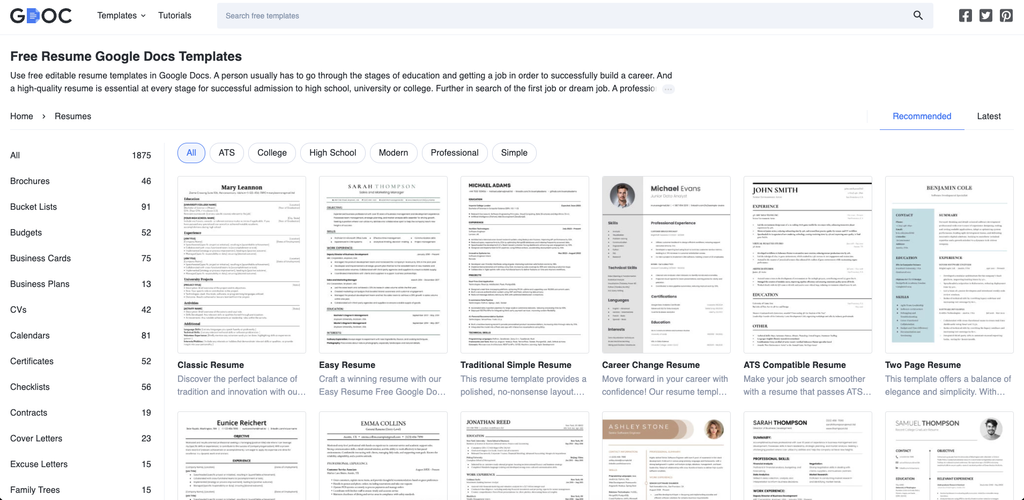
Free, Familiar, and Instantly Accessible for Quick Professional Resumes
Our Score: 8.0/10
Quick Facts
| Pricing | Completely free |
|---|---|
| Templates | 5 built-in templates (Coral, Modern Writer, Serif, Spearmint, Swiss) |
| AI Features | Google Gemini AI assistance available in Docs |
| Export Formats | PDF, DOCX, ODT, RTF, TXT |
| Best For | Quick, no-frills resume creation with zero cost |
| Developer | Google LLC |
Google Docs resume templates are the most accessible option on this list – free, instantly available to anyone with a Google account, and requiring zero additional software or signups. The five built-in templates (Coral, Modern Writer, Serif, Spearmint, and Swiss) cover basic professional needs with clean, simple designs that are inherently ATS-friendly because they use standard formatting without complex graphics or columns.
The advantage of Google Docs is familiarity and collaboration. Most people already know how to use Docs, making the learning curve essentially zero. Real-time collaboration means a career mentor, coach, or friend can edit and comment on your resume simultaneously. Google’s Gemini AI can assist with content writing directly within the document. And because resumes are stored in Google Drive, they are accessible from any device and never lost.
The limitations are design variety and sophistication. Five templates is far fewer than any dedicated resume builder, and the visual customization options are restricted to what Google Docs supports (fonts, colors, spacing). For job seekers who need a clean, professional resume at zero cost with maximum accessibility, Google Docs delivers. For those wanting design flair or guided content creation, a dedicated builder is worth the investment.
Pros & Cons
- +Completely free with no hidden costs or trials
- +Instantly accessible with any Google account
- +ATS-friendly formatting by default
- +Real-time collaboration for feedback
- +Gemini AI assistance for content writing
- +Accessible from any device via Google Drive
- –Only 5 built-in templates – very limited variety
- –Minimal visual customization options
- –No resume-specific AI optimization
- –No built-in ATS checker or scoring
- –Designs are basic compared to dedicated builders
- –No matching cover letter templates
What the Community Says
“Google Docs templates are free, familiar, and perfectly adequate for a clean professional resume when budget is zero.” – Career Experts
BEST FOR
Budget-conscious job seekers, students, and anyone who wants a free, simple, ATS-friendly resume without learning new software.
#6. Microsoft Word Resume Templates
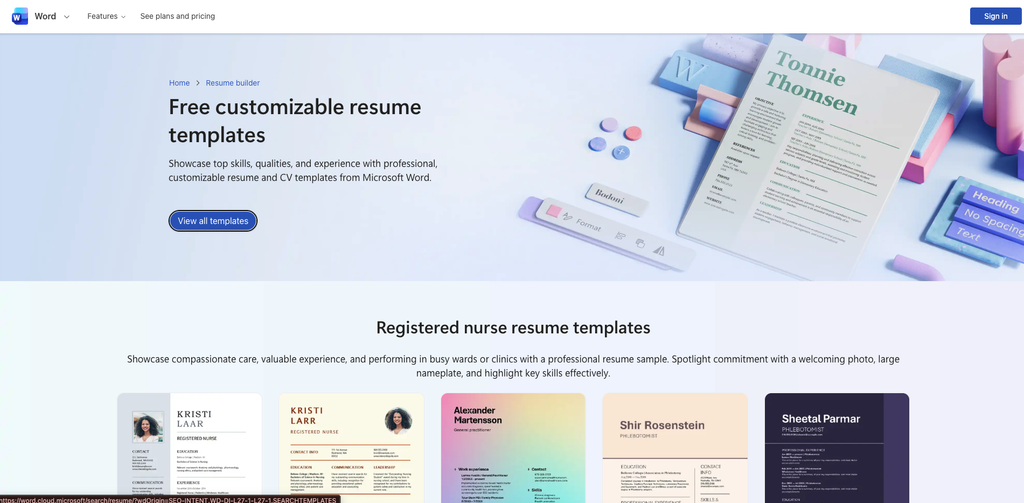
Industry-Standard Document Format with Broad Template Selection
Our Score: 8.2/10
Quick Facts
| Pricing | Free (with Microsoft 365 subscription or Word online) |
|---|---|
| Templates | 50+ built-in templates plus thousands on Office.com |
| AI Features | Copilot AI writing assistant (Microsoft 365) |
| Export Formats | DOCX, PDF, ODT |
| Best For | Corporate environments and ATS-heavy application processes |
| Developer | Microsoft Corporation |
Microsoft Word remains the gold standard document format for resumes in corporate hiring. Most ATS systems are optimized to parse DOCX files, and many job postings specifically request Word format submissions. The built-in template gallery offers 50+ resume designs, with thousands more available through Office.com – spanning classic, modern, creative, and industry-specific layouts.
Microsoft 365 subscribers get access to Copilot AI, which can help draft resume content, rewrite bullet points for impact, and optimize language for specific job descriptions. The familiar Word interface means most professionals can start editing immediately without learning new tools. Advanced formatting options allow precise control over layout, spacing, and typography that web-based builders sometimes restrict.
The primary limitation is that Word requires either a Microsoft 365 subscription or the free online version (which has reduced functionality). Template designs tend to be more conservative than Canva or Zety, but this can be an advantage for traditional industries like finance, law, accounting, and government where understated professionalism is valued.
Pros & Cons
- +DOCX format is the ATS gold standard
- +50+ built-in templates plus thousands on Office.com
- +Copilot Al for content optimization (M365)
- +Familiar interface for most professionals
- +Maximum formatting control
- +Industry-standard for corporate applications
- –Requires Microsoft 365 subscription for full features
- –Templates trend conservative in design
- –No built-in ATS scoring or optimization
- –Less visual flair than Canva or dedicated builders
- –Online version has reduced functionality
- –No guided content creation like Zety or Resume.io
What the Community Says
“Most ATS systems are optimized to parse DOCX files, making Microsoft Word the safest format choice for corporate applications.” – Career Experts
BEST FOR
Corporate job seekers, finance/law/government applicants, and anyone who needs DOCX-format resumes for ATS-heavy hiring processes.
#7. Resume.org
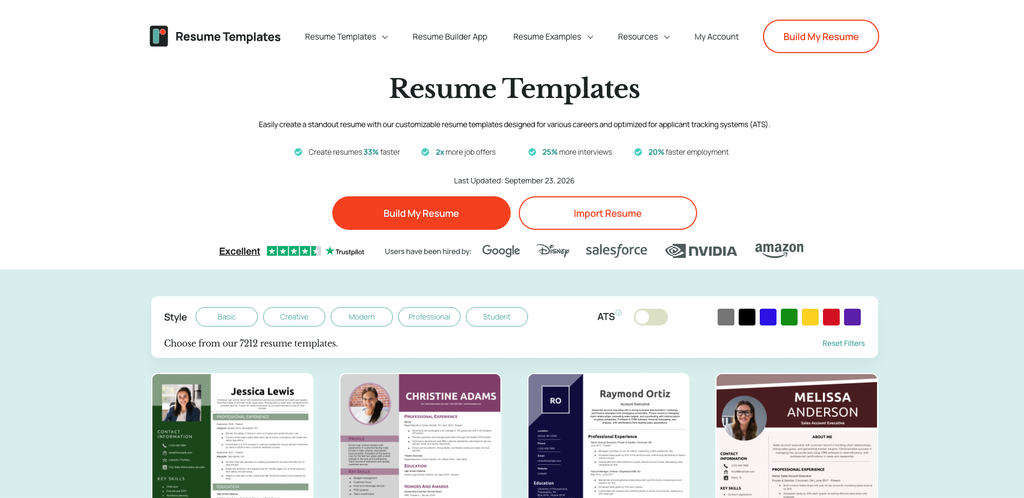
Free AI Resume Builder with Industry-Specific Templates and Guidance
Our Score: 8.5/10
Quick Facts
| Pricing | Free (with optional premium features) |
|---|---|
| Templates | Multiple styles: Contemporary, Creative, Modern, Traditional, Simple, Futuristic |
| AI Features | AI resume builder with role-specific suggestions |
| Export Formats | PDF, DOCX |
| Best For | Free comprehensive resume building across all career stages |
| Developer | Resume.org |
Resume.org offers one of the most generous free resume building experiences, combining AI-powered content suggestions with a diverse template library organized by style: Contemporary, Creative, Modern, Traditional, Simple, and Futuristic. Each template category targets specific industries and career stages, making it easy to find a design that matches both your professional level and target employer expectations.
The AI builder generates role-specific content by analyzing common requirements for your target position and suggesting achievement-focused bullet points. The platform includes specialized templates for career changers, students, military-to-civilian transitions, and re-entering professionals – addressing specific resume challenges that generic builders overlook.
The free tier is genuinely comprehensive, allowing full resume creation and download without payment barriers. This makes Resume.org particularly valuable for students, early-career professionals, and job seekers exploring multiple career directions who need to create several resume versions without cost accumulating.
Pros & Cons
- +Genuinely free resume building and download
- +Al generates role-specific content suggestions
- +Templates organized by style and career stage
- +Specialized templates for career changers and students
- +Both PDF and DOCX export options
- +No trial trickery or aggressive upselling
- –Template designs less polished than premium competitors
- –Al suggestions may need significant personalization
- –Fewer templates than Canva or Zety
- –Limited design customization options
- –Less comprehensive career education than Resume Genius
- –Smaller brand recognition
What the Community Says
“Our AI Resume Builder has a collection of downloadable templates for professionals across every occupation and experience level.” – Resume.org
BEST FOR
Budget-conscious job seekers who want a genuinely free, AI-assisted resume builder without subscription commitments.
#8. Novoresume
European-Inspired Clean Design with ATS Optimization and Content Coaching
Our Score: 8.6/10
Quick Facts
| Pricing | Free (1 resume, limited templates) Premium: $19.99/mo,Annual: $9.99/mo |
|---|---|
| Templates | 20+ templates with professional and creative options |
| AI Features | Content optimizer, ATS-friendly checker, tailored suggestions |
| Export Formats | |
| Best For | International job seekers and multilingual professionals |
| Developer | Novoresume ApS (Denmark) |
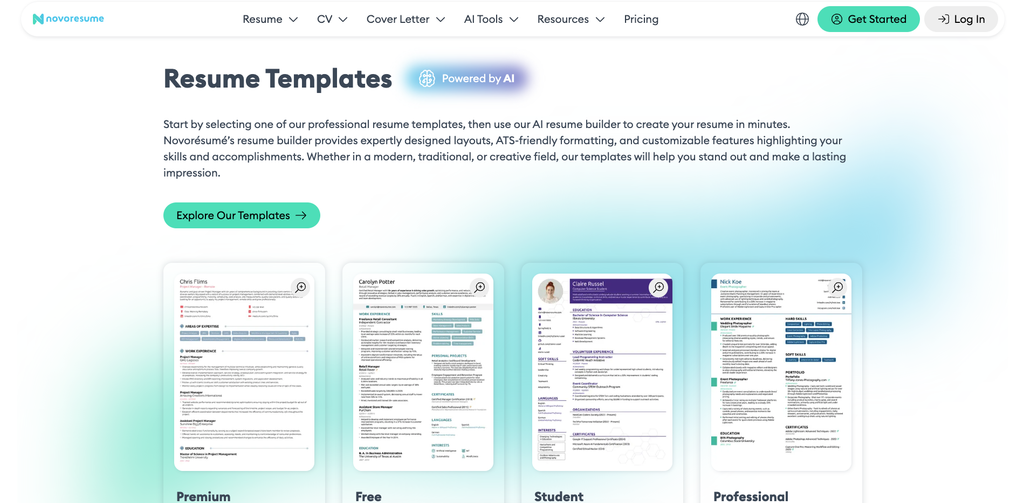
Novoresume brings a clean European design sensibility to resume building, with templates that are both visually distinctive and fully ATS-compatible. The platform originated in Denmark and has a particularly strong following among international job seekers and multilingual professionals who need resumes that work across different hiring cultures.
The content optimizer analyzes your resume section by section, scoring each on completeness and impact. It suggests improvements for weak bullet points, identifies missing keywords, and recommends structural changes to strengthen your overall application. The free tier allows creation of one complete resume with a limited template selection, making it possible to test the platform thoroughly before committing.
Premium features include unlimited resumes, full template access, cover letter builder, and priority support. The annual plan at $9.99/month represents good value for active job seekers. Novoresume’s templates strike an effective balance between visual appeal and ATS parsing reliability – attractive enough to impress human reviewers without the design complexity that trips up automated systems.
Pros & Cons
- +Clean European design aesthetic
- +Section-by-section content scoring and optimization
- +ATS-friendly across all templates
- +Free tier allows full resume creation
- +Strong for international and multilingual job seekers
- +Reasonable annual pricing at $9.99/month
- –Free tier limited to 1 resume and fewer templates
- –PDF-only exports
- –Smaller template library than Canva or Zety
- –Less Al sophistication than premium competitors
- –Premium features require subscription
- –Less educational content than Resume Genius
What the Community Says
“Novoresume templates strike the perfect balance between visual appeal and ATS parsing reliability.” – Career Reviewers
BEST FOR
International job seekers, multilingual professionals, and those who want clean European-style design with built-in optimization coaching.
#9. Kickresume
AI Resume and Cover Letter Builder with LinkedIn Import and Website Generator
Our Score: 8.3/10
Quick Facts
| Pricing | Free (limited),Premium: $19/mo,Annual: $7/mo |
|---|---|
| Templates | 35+ templates with creative and ATS options |
| AI Features | GPT-powered resume writer, LinkedIn import, personal website generator |
| Export Formats | |
| Best For | Tech professionals and LinkedIn-active job seekers |
| Developer | Kickresume s.r.o. (Slovakia) |
Kickresume differentiates itself with a GPT-powered AI resume writer that generates complete resume content from your job title, LinkedIn profile, or basic career details. The LinkedIn import feature pulls your professional history directly into the builder, eliminating the tedious manual data entry that slows down resume creation on other platforms.
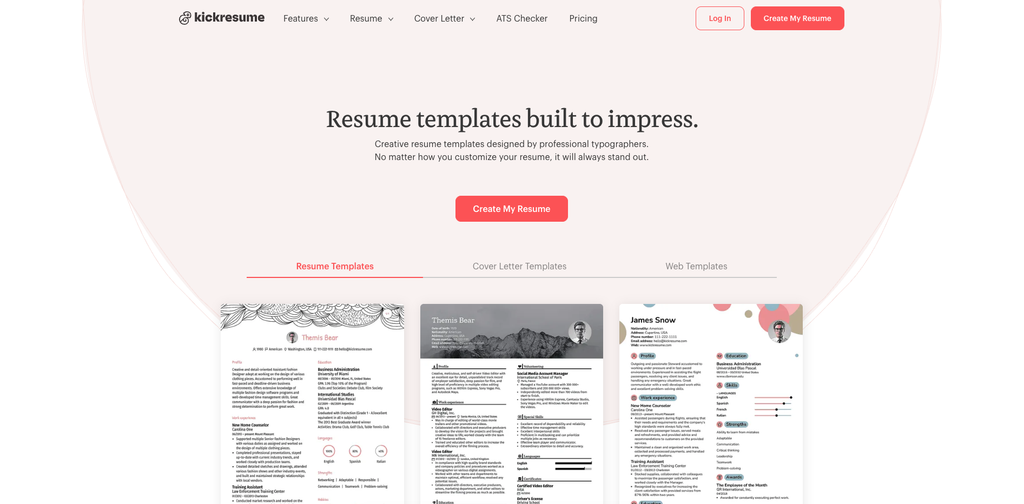
A unique feature is the personal website generator that transforms your resume into a shareable online portfolio page – perfect for tech professionals, freelancers, and consultants who want a web presence beyond LinkedIn. The 35+ templates include both ATS-optimized professional designs and visually creative options for design-forward industries.
The annual plan at $7/month is among the most affordable premium resume builders available. The free tier is limited but functional enough to evaluate the platform’s AI capabilities and template quality before committing. For LinkedIn-active professionals who want to leverage their existing profile data, Kickresume offers the smoothest import-to-resume workflow.
Pros & Cons
- +GPT-powered Al writes complete resume content
- +Linkedin profile import saves significant time
- +Personal website generator from resume data
- +35+ templates including ATS and creative options
- +Affordable annual pricing at $7/month
- +Cover letter builder included
- –Free tier is quite limited
- –PDF-only exports
- –Al content often needs significant editing
- –Personal website feature is basic
- –Fewer templates than larger competitors
- –Less established than Zety or Resume.io
What the Community Says
“Kickresume’s LinkedIn import and GPT-powered writer make it the fastest path from profile to polished resume.” – Career Tech Reviews
BEST FOR
LinkedIn-active professionals, tech workers, and job seekers who want AI to generate first-draft content from existing career data.
#10. Enhancv
Story-Driven Resume Builder That Highlights Achievements Over Job Duties
Our Score: 8.4/10
Quick Facts
| Pricing | Free (limited),Pro: $24.99/mo,Annual: $9.99/mo |
|---|---|
| Templates | 20+ modern templates with content blocks |
| AI Features | AI content analyzer, achievement highlighter, job-matching suggestions |
| Export Formats | |
| Best For | Mid-career professionals and career changers |
| Developer | Enhancv Inc. |
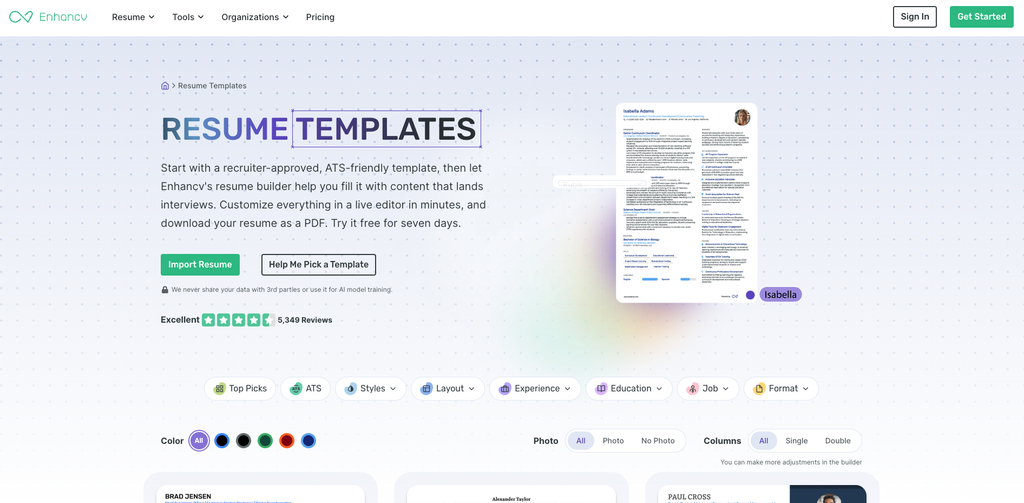
Enhancv takes a fundamentally different approach to resume building by focusing on storytelling rather than formatting. The platform encourages you to highlight achievements, projects, and impact rather than listing job duties, using unique content blocks that go beyond traditional resume sections. A ‘My Time’ section visualizes how you split your professional focus, while a ‘Strengths’ block lets you showcase soft skills with visual indicators.
The AI content analyzer evaluates your resume’s impact, identifying weak bullet points that describe duties rather than achievements and suggesting rewrites that quantify results. The job-matching feature compares your resume against specific job descriptions, highlighting gaps and suggesting additions that improve your match score.
Enhancv’s philosophy is that resumes should tell a career story, not just list a career history. This approach resonates strongly with mid-career professionals making strategic moves, career changers who need to reframe their experience, and anyone who wants their resume to communicate personality alongside qualifications. The templates are modern and clean, designed to work within ATS while still feeling distinctive.
Pros & Cons
- +Achievement-focused approach -stories over duties
- +Unique content blocks (My Time, Strengths, Projects)
- +Al analyzer identifies weak points and suggests improvements
- +Job-matching against specific descriptions
- +Modern templates that balance ATS and visual appeal
- +Strong for career changers and mid-career professionals
- –Free tier is limited in features
- –Premium pricing above some competitors
- –PDF-only exports
- –Storytelling approach may not suit conservative industries
- –Smaller template library than Canva or Zety
- –Less brand recognition in some markets
What the Community Says
“Enhancv helped me articulate my career story in ways that a traditional template never could. The achievement focus changed everything.” – Enhancv User
BEST FOR
Mid-career professionals, career changers, and anyone who wants a resume that tells a compelling career story rather than listing job duties.
Full Comparison Table: All 10 Resume Template Platforms
| Platform | Price | Free Option | ATS-Friendly | AI Features | Score |
|---|---|---|---|---|---|
| Zety | From $1.95 | TXT only | Excellent | Pre-written content | 9.4 |
| Resume.io | From $2.95 | Trial | Excellent | Role-specific AI | 9.2 |
| Canva | Free / $15/mo | Yes (branded) | Variable | Magic Write | 9.0 |
| Resume Genius | From $2.95 | ATS checker only | Excellent | AI writer | 8.8 |
| Novoresume | Free (1 resume) | Yes | Excellent | Content scorer | 8.6 |
| Resume.org | Free | Yes | Good | Role suggestions | 8.5 |
| Enhancv | Free (limited) | Yes | Good | Achievement AI | 8.4 |
| Kickresume | Free (limited) | Yes | Good | GPT + LinkedIn | 8.3 |
| MS Word | M365 sub | Online free | Excellent | Copilot AI | 8.2 |
| Google Docs | Free | Yes | Good | Gemini AI | 8.0 |
ATS Optimization: 8 Rules to Ensure Your Resume Gets Read
1. Use Standard Section Headings
Stick to recognized headings like “Work Experience,” “Education,” and “Skills.” Creative alternatives like “Where I’ve Made an Impact” may confuse ATS parsers and cause your content to be miscategorized or ignored entirely.
2. Avoid Graphics, Tables, and Complex Columns
Most ATS systems struggle with images, icons, graphics, text boxes, and multi-column layouts. A clean, single-column or minimal two-column design ensures all your content is parsed correctly.
3. Use Standard Fonts
Choose professional fonts between 10–12 points. Safe choices for 2026 include Calibri, Aptos, Garamond, Arial, Helvetica, and Georgia. Avoid decorative or uncommon fonts that may not render correctly.
4. Submit in PDF or DOCX Format
PDF preserves formatting reliably. DOCX is the preferred format for many ATS systems. Check the job posting for specific format requirements and default to PDF when no preference is stated.
5. Match Keywords from the Job Description
ATS systems score resumes based on keyword matching. Carefully read the job posting and incorporate relevant keywords naturally into your experience descriptions, skills section, and professional summary.
6. Quantify Achievements with Numbers
Replace duty-based bullet points with achievement-focused statements that include measurable results. “Managed social media” becomes “Grew social media following by 340% over 18 months, generating $85K in attributed revenue.” Numbers catch both ATS keywords and human attention.
7. Keep Formatting Consistent
Use the same font, date format, spacing, and bullet style throughout. Inconsistencies look unprofessional to humans and can confuse ATS parsers that rely on formatting patterns to identify sections.
8. Test Before Submitting
Run your resume through a free ATS checker (like Resume Genius’s free tool) before submitting. This catches formatting issues, missing keywords, and parsing errors that would eliminate your application silently.
Buyer’s Guide: Which Resume Template Platform Is Right for You?
By Budget
Free Options
Google Docs and Resume.org for genuinely free, ATS-friendly resumes. Canva’s free tier for design-forward creative resumes. Novoresume and Enhancv offer limited free tiers for testing.
Under $10/month
Kickresume ($7/mo annual), Resume Genius ($7.95/mo), and Novoresume/Enhancv ($9.99/mo annual) for AI-powered building with premium templates.
Premium / One-Time Use
Zety ($1.95 trial), Resume.io ($2.95 trial), and Resume Genius ($2.95 trial) offer low-cost trials perfect for building a single resume during active job searches.
By Career Stage
Students / Entry-Level
Resume.org (free), Google Docs (free), or Novoresume (free tier). Focus on clean, simple templates that highlight education, skills, and any relevant experience.
Mid-Career Professionals
Zety or Enhancv for achievement-focused content optimization. Resume.io for speed. Resume Genius for format guidance during career transitions.
Senior / Executive
Zety or Novoresume for polished, ATS-optimized templates. Microsoft Word for maximum formatting control in conservative industries. Enhancv for storytelling-driven executive resumes.
Creative Professionals
Canva for visual design freedom. Kickresume for personal website generation. Apply creative templates only to human-reviewed roles – use ATS-friendly versions for online applications.
Frequently Asked Questions (FAQs)
Q1: What is the best free resume template in 2026?
Google Docs offers the most accessible free templates with inherent ATS compatibility. Resume.org provides a more comprehensive free building experience with AI suggestions. Canva offers the most visually appealing free templates, though ATS compatibility varies. For completely free, no-strings-attached resume creation, Google Docs is the safest choice.
Q2: Are resume builders worth paying for?
For active job seekers applying to multiple positions, yes. Paid builders like Zety, Resume.io, and Resume Genius save significant time through AI content suggestions, ATS optimization, and professional templates. The low-cost trials ($1.95–$2.95) are particularly good value – create your resume during the trial period and cancel if you do not need ongoing access.
Q3: What resume format do recruiters prefer in 2026?
The reverse-chronological format remains the most widely preferred by both recruiters and ATS systems. It presents your career progression clearly and is the most reliably parsed format. The combination (hybrid) format is growing in popularity for mid-career professionals with strong transferable skills. Avoid the functional format unless you have a compelling reason.
Q4: How do I make my resume ATS-friendly?
Use standard section headings, avoid graphics and complex columns, choose standard fonts (10–12pt), submit in PDF or DOCX, match keywords from the job description, quantify achievements with numbers, keep formatting consistent, and test with a free ATS checker before submitting.
Q5: Should I use a one-page or two-page resume?
One page for entry-level and early-career professionals (under 10 years of experience). Two pages for mid-career and senior professionals with extensive relevant experience. Never pad a resume to fill two pages – every line should earn its space. Executive resumes may extend to two full pages.
Q6: Can AI write my resume for me?
AI tools like Zety, Resume.io, and Kickresume generate strong first drafts and content suggestions. However, the best resumes always require human editing to ensure authenticity, accuracy, and personal voice. Use AI to overcome blank-page syndrome and generate ideas, then customize extensively to reflect your unique experience and achievements.
Final Thoughts: Your Resume Is Your First Interview – Make It Count
In a 2026 job market where ATS filters eliminate over 75% of applications before a human sees them, choosing the right resume template is not a cosmetic decision – it is a strategic one. The template you select determines whether your qualifications are read or discarded, whether your achievements are highlighted or buried, and whether you earn those precious 6–7 seconds of recruiter attention.
For most job seekers, the optimal approach combines a purpose-built resume builder (Zety, Resume.io, or Resume Genius) with a clean, ATS-optimized template and AI-assisted content that you personalize for each application. Free options like Google Docs and Resume.org provide perfectly adequate starting points when budget is a constraint. And for creative professionals applying to design-forward roles, Canva’s visual templates showcase your skills through the resume itself.
Regardless of which platform you choose, remember that the template is the vehicle, not the destination. The content – your achievements, quantified results, and relevant skills – is what ultimately gets you hired. Choose a template that presents your content clearly, optimize it for ATS, tailor it for each application, and submit with confidence. Your next career opportunity starts with the resume you send today.
