

Choosing the right task management app can make a real difference in how you organize your work, manage deadlines, and stay productive. Todoist is a popular choice, but it may not be the perfect fit for everyone. Some users want a built-in calendar, better project management features, habit tracking, or a more affordable plan. Others simply need a free tool that works smoothly with their existing apps.
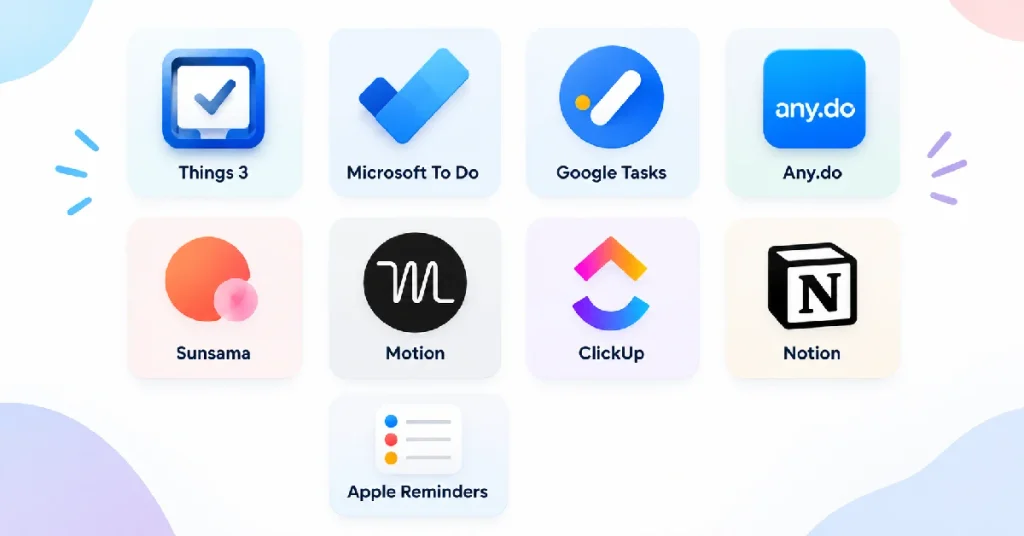
In this guide, we compare the 10 best Todoist alternatives in 2026 to help you find the right option for your needs. We cover tools like TickTick, Things 3, Microsoft To Do, Google Tasks, Any.do, Sunsama, Motion, ClickUp, Notion, and Apple Reminders. Each option offers different advantages in pricing, features, platform support, and everyday usability. Whether you manage personal reminders, plan a busy schedule, or coordinate projects with a team, this comparison will help you understand your options and choose a task management app that fits your workflow and budget.
Key Takeaways
- If you want the closest like-for-like swap: TickTick matches almost everything Todoist does and adds a calendar, habit tracker, and Pomodoro timer for less money.
- If price is the only reason you’re leaving: Google Tasks and Microsoft To Do are completely free and plug straight into the ecosystem you probably already use.
- If you’re on Apple and want the best design: Things 3 is a one-time purchase with no subscription, ever.
- If your “tasks” are actually projects: ClickUp or Motion give you real project management and, in Motion’s case, AI that plans your week for you.
- Don’t switch blind. Export your Todoist data before you commit to anything – the migration section near the bottom covers exactly how, since this is the step most “best alternatives” articles skip entirely.
Quick Verdict – Our Top Picks by Use Case
| If you want… | Pick | Why |
|---|---|---|
| The closest Todoist replacement | TickTick | Same core model, plus a calendar, habits, and Pomodoro timer built in |
| Free, forever | Google Tasks or Microsoft To Do | Zero cost, tied to Gmail/Outlook you already use daily |
| Best design on Apple | Things 3 | One-time purchase, no subscription, Apple Design Award winner |
| AI to plan your day for you | Motion | AI agent that schedules tasks, meetings, and projects automatically |
| A calmer daily planning ritual | Sunsama | Warns you before you overcommit; built for people who burn out |
| A growing team, not just a list | ClickUp | Full project management: dependencies, timelines, dashboards |
Full Comparison Table
| Tool | Best for | Starting price | Free plan/trial | Standout feature | Rating |
|---|---|---|---|---|---|
| TickTick | Closest Todoist swap | ~$3/mo (annual) | Yes, generous | Built-in calendar + habit tracker + Pomodoro | 4.6/5 |
| Things 3 | Apple minimalists | $10–$50 one-time | No (trial only) | Areas-based, goal-focused design | 4.7/5 |
| Microsoft To Do | Microsoft 365 users | Free | Full app, free | Flagged Outlook emails become tasks | 4.4/5 |
| Google Tasks | Google Workspace users | Free | Full app, free | Drag Gmail emails straight into tasks | 4.3/5 |
| Any.do | Families & personal use | $4.99/mo | Yes | Smart grocery list + shared family spaces | 4.5/5 |
| Sunsama | Capacity-aware planning | $20/mo | 14-day trial | Warns you before you overcommit | 4.6/5 |
| Motion | AI-run scheduling | $19/user/mo | 7-day trial | AI agent plans your entire week | 4.2/5 |
| ClickUp | Scaling teams | $7/user/mo | Yes, generous | Docs, dashboards, AI agents, all views | 4.6/5 |
| Notion | Tasks + notes together | Free–$10/user/mo | Yes | One workspace for tasks, docs, and wikis | 4.5/5 |
| Apple Reminders | Free & built-in on Apple | Free | Pre-installed | Siri capture + shared lists | 4.2/5 |
Why People Actually Leave Todoist
Todoist is a genuinely well-built app – clean, fast, and its natural-language input (“submit report every Friday at 5pm”) is still one of the best in the category. Nobody switches because Todoist is bad. They switch because it stops matching how they actually work. Five reasons come up again and again:
- No real calendar view. Todoist shows tasks by due date, but it doesn’t merge with your calendar or support true time-blocking without a workaround. If you plan your day by the hour, not just the date, this is the single biggest gap.
- The free plan is tight. Five active projects and reminders locked behind a paywall push a lot of casual users toward an upgrade sooner than they expected.
- It’s a task list, not a productivity toolkit. No built-in habit tracker, no Pomodoro timer, no capacity warnings. You end up running two or three apps alongside it.
- Project management is basic. Dependencies, timelines, and team workload views are thin compared to tools built for real projects rather than personal lists.
- Recent price changes. Todoist Pro’s price has crept up over the past two years, which is often the final nudge that sends people comparison-shopping.
None of this makes Todoist a bad app – it makes it the wrong app for a specific set of people. The picks below are sorted by which of these five gaps they close best.
Who Should Switch – and Who Shouldn’t
Most “best alternatives” articles jump straight into the list without asking whether you should switch at all. Here’s the honest breakdown by situation:
- Solo user, simple lists (groceries, errands, personal reminders): You’re probably over-tooled on Todoist already. Google Tasks, Microsoft To Do, or Apple Reminders will do the job for free.
- Solo power user (GTD, filters, dozens of active projects): Stay close to Todoist’s model. TickTick or Things 3 give you that same shape with more (or better-designed) features.
- You keep overcommitting and burning out: This isn’t a features problem, it’s a planning-ritual problem. Sunsama is built specifically for this.
- Small team (2–10 people) that just needs shared lists: Any.do or a lightweight shared workspace beats jumping straight to a full project-management platform.
- Growing team (10+ people) running real projects: You’ve outgrown “task management.” ClickUp, Motion, or Notion are built for dependencies, timelines, and reporting – Todoist was never meant to do this at scale.
If you don’t see your situation above, the buyer’s guide further down breaks it out by budget, platform, and specific feature needs.
How We Tested and Ranked These Apps
We evaluated 20 task-management tools and shortlisted the 10 below. Tools were disqualified for three reasons: no active development in the last 12 months, no free tier or trial long enough to test properly, or feature overlap so close to an already-shortlisted tool that including both would just be padding the list.
Every tool that made the cut was used for at least two weeks of real daily task management – not a five-minute click-through. We scored each one against seven criteria:
- Ease of switching – how painless the first week feels coming from Todoist
- Calendar and time-blocking – Todoist’s most commonly cited gap
- Feature depth – habits, timers, filters, natural-language input
- Collaboration – shared lists, team projects, permissions
- Pricing transparency – real cost at renewal, not just the headline number
- Platform coverage – does it run everywhere you need it to
- Migration friction – how cleanly it imports existing Todoist data
Ratings reflect a blend of our own testing notes and aggregated user sentiment from public review platforms, cross-checked at the time of publishing.
1. TickTick
Best for: the closest like-for-like Todoist swap
| Quick Facts | |
|---|---|
| Best for | Users who like Todoist’s model but want more for less |
| Starting price | ~$3/month (billed annually) |
| Free tier | Yes – generous, covers most personal use |
| Platforms | iOS, Android, Web, Windows, Mac |
| Standout feature | Built-in calendar, habit tracker, and Pomodoro timer |
| SoftSnoop rating | 4.6/5 |
Detailed Review
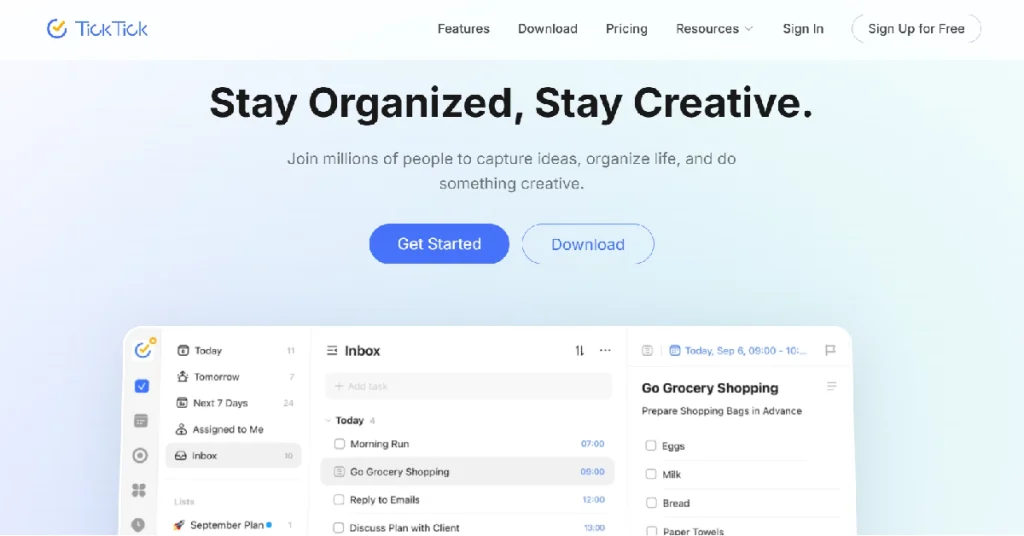
TickTick is the tool people land on when they like everything about Todoist except the price and the missing extras. Smart date parsing, recurring tasks, projects, labels, and filters all have a near-identical counterpart here, so the learning curve from Todoist is close to zero. Where it pulls ahead is the bundle: a built-in calendar with two-way Google and Outlook sync, a habit tracker, a Pomodoro timer, and an Eisenhower Matrix view, all included rather than sold as separate apps. In our testing, the calendar sync updated within seconds of a change on either side – no manual refresh needed, which isn’t universal across this category. The honest trade-off is polish: Todoist’s interface still feels a notch cleaner, and TickTick can look busy once you’ve turned on every feature. For most personal users, the math is straightforward – you’re paying less and getting a calendar and habit tracker Todoist doesn’t offer at any price.
| Pros | Cons |
|---|---|
| Cheaper – roughly $3/month vs Todoist Pro’s $4–5 | Busier interface than Todoist’s cleaner design |
| Built-in calendar, habit tracker, and Pomodoro timer included | Smaller third-party integration library |
| Two-way sync with Google Calendar and Outlook out of the box | Sync can occasionally lag under heavy use |
| Generous free tier covers most personal users without upgrading | Feature density means more setup decisions up front |
- Who it’s best for: Solo users and small households who want Todoist’s model plus a calendar and habit tracker, without paying for three separate apps.
- Who should skip it: Anyone who specifically wants Todoist’s minimal, uncluttered interface – TickTick’s extra features come with extra visual noise.
- What the community says: Long-time Todoist users who switch tend to mention the built-in calendar as the deciding factor – it’s the single feature that ends the most “should I switch” debates.
2. Things 3
Best for: Apple users who want the best-designed task app available
| Quick Facts | |
|---|---|
| Best for | Apple-only users who value design over features |
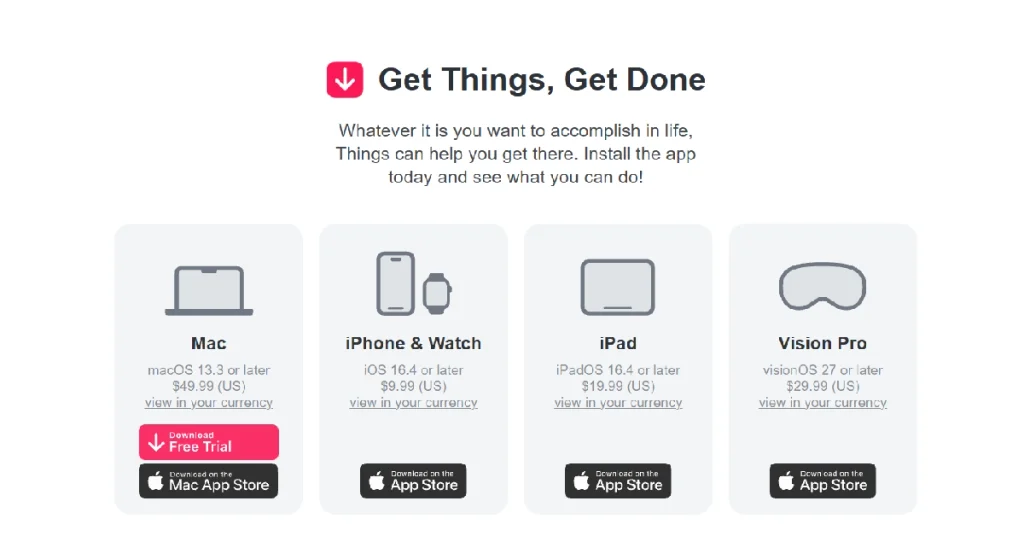
| Starting price | $9.99 (iPhone), $19.99 (iPad), $49.99 (Mac) – one-time |
| Free tier | No (paid up front, no subscription) |
| Platforms | Mac, iPhone, iPad, Apple Watch only |
| Standout feature | Areas-based organization by life domain, not just project |
| SoftSnoop rating | 4.7/5 |
Detailed Review
Things 3 is the most deliberately designed task manager we tested – it’s won an Apple Design Award, and it shows in every interaction. Instead of Todoist’s flat “projects” structure, Things organizes around Areas (Health, Career, Family), each holding projects with outcomes and deadlines. That framing pushes you toward thinking in life domains rather than just checking boxes, which is part of why productivity writers like Tiago Forte have stuck with it publicly for years. The Magic Plus button for quick capture and the keyboard-driven navigation on Mac make daily use feel calmer than Todoist’s denser interface. The catch is unavoidable: there’s no Windows, Android, or web version, and no real-time team collaboration. If anyone you share tasks with isn’t on Apple, this is a non-starter regardless of how good the design is.
| Pros | Cons |
|---|---|
| Best-designed task manager available on Apple, calmer daily use | Apple-only – no Windows, Android, or web version at all |
| One-time purchase – no subscription, ever | $80+ upfront across Mac, iPhone, and iPad |
| Areas group work by life domain with built-in outcomes | No team collaboration or shared projects |
| Faster keyboard navigation on macOS | Less flexible natural-language input than Todoist’s parser |
- Who it’s best for: Solo Apple users who want the calmest, best-designed task app on the platform and don’t need to share projects with anyone.
- Who should skip it: Anyone on Windows or Android, or who needs to collaborate with a team – there’s no path to either.
- What the community says: Apple productivity communities consistently cite Things 3 as the app people stop switching away from once they’ve tried it – the design is the retention driver, not any single feature.
3. Microsoft To Do
Best for: free task management inside Microsoft 365
| Quick Facts | |
|---|---|
| Best for | Users already living in Outlook, Teams, or Microsoft 365 |
| Starting price | Free |
| Free tier | Full app, no paid tier at all |
| Platforms | Windows, Mac, iOS, Android, Web |
| Standout feature | Flagged Outlook emails become tasks automatically |
| SoftSnoop rating | 4.4/5 |
Detailed Review
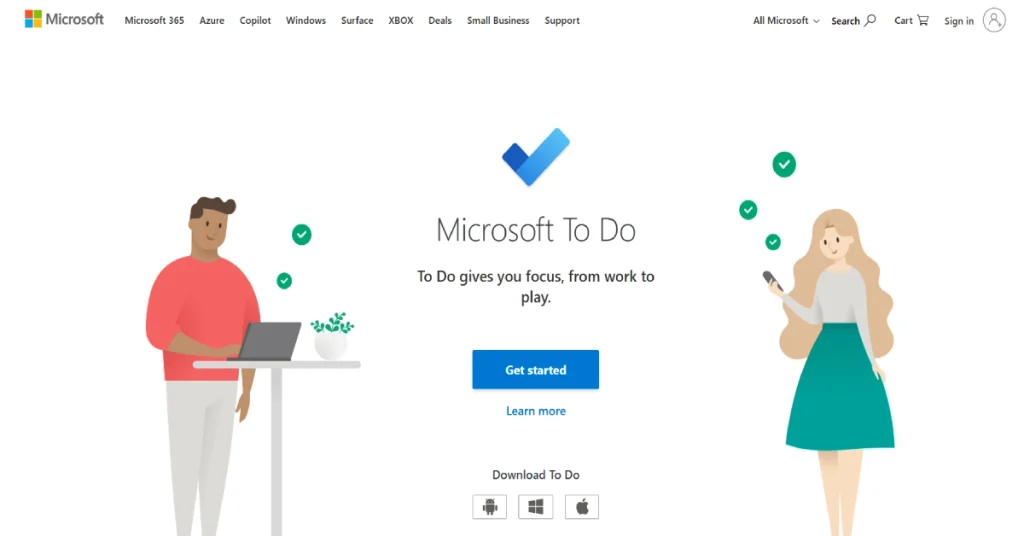
Microsoft To Do is the free task app bundled with any Microsoft account, and its biggest advantage over Todoist has nothing to do with features – it’s the depth of Outlook integration. Flag an email and it appears in your task list automatically, no forwarding or copy-pasting required, and Outlook tasks sync both directions. The My Day view resurfaces a handful of suggested tasks each morning, which works well for people who want a light daily nudge rather than a full planning ritual. What you give up is real: no labels, no filters, no natural-language input, and recurring task rules are basic compared to Todoist’s smart scheduling. For anyone whose task workflow is genuinely simple and already tied to Microsoft 365, though, “free and this capable” is hard to argue with.
| Pros | Cons |
|---|---|
| Completely free with any Microsoft account | No labels or filters at all |
| Flagged Outlook emails become tasks with zero manual steps | No natural-language input |
| Free shared lists – good for schools, families, and small teams | Limited recurring task rules |
| My Day view gives a clean daily suggestion list | A real downgrade if you rely on Todoist’s project-and-filter workflow |
Who it’s best for: Anyone in Microsoft 365 daily whose task needs are straightforward – lists, reminders, shared household or study tasks.
Who should skip it: Power users who depend on Todoist’s labels, filters, and natural-language input – this is a simpler tool by design.
What the community says: IT teams in Microsoft-managed workplaces frequently point to the zero additional licensing cost as the reason it wins internal tool debates over paid alternatives.
4. Google Tasks
Best for: free task management inside Gmail and Google Calendar
| Quick Facts | |
|---|---|
| Best for | Users already living in Gmail, Calendar, or Workspace |
| Starting price | Free |
| Free tier | Full app, no paid tier |
| Platforms | Web, iOS, Android (via Gmail/Calendar) |
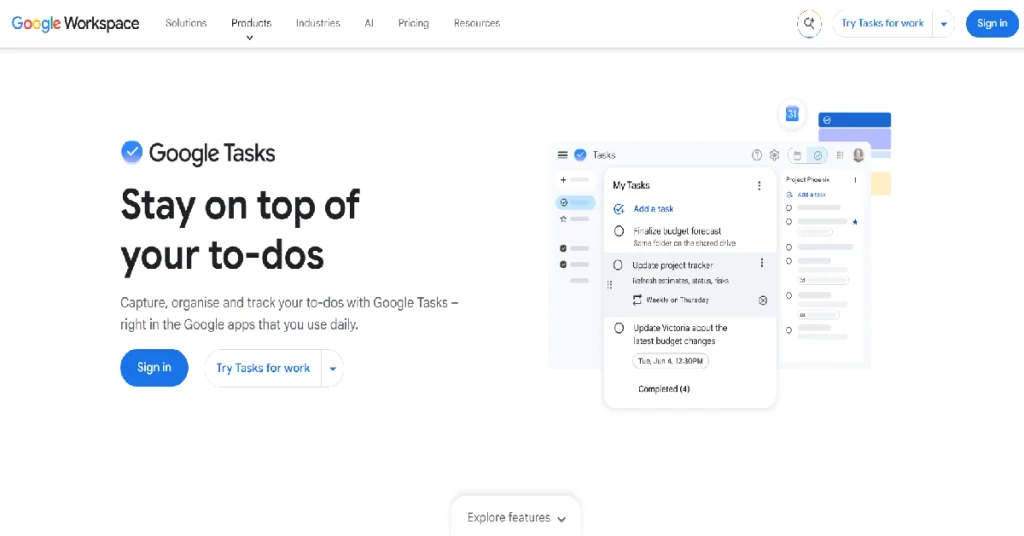
| Standout feature | Drag-and-drop Gmail emails directly into tasks |
| SoftSnoop rating | 4.3/5 |
Detailed Review
Google Tasks isn’t a standalone product – it lives inside Gmail and Google Calendar, and that’s the entire appeal. If your day already runs through those two apps, Tasks is one click away with no app-switching, no browser extension, and no separate login. The standout capability is dragging an email straight from your Gmail inbox into a task, which turns follow-ups and action items into trackable to-dos without ever leaving your inbox – Todoist’s equivalent is a special forwarding address, which is noticeably clumsier in daily use. A newer Kanban board view has made it genuinely useful for light weekly planning, not just single-item lists. It’s still basic by design: no labels, no filters, and recurring tasks are limited to simple patterns. For anyone whose task list is mostly inbox-driven, though, the native integration alone can be worth the switch.
| Pros | Cons |
|---|---|
| Free with any Google account | No labels, filters, or proper project structure |
| One click from Google Calendar, no separate app needed | No natural-language input |
| Drag-and-drop Gmail-to-task conversion | Recurring tasks limited to basic patterns |
| New Kanban board view supports light weekly planning | A real downgrade if you rely on Todoist’s project-and-filter workflow |
- Who it’s best for: Inbox-driven workers who live in Gmail and Google Calendar and want tasks one click away, not in a separate app.
- Who should skip it: Anyone managing complex projects with dependencies or needing Todoist-level filtering – this stays deliberately simple.
- What the community says: Google Workspace admins often recommend Tasks as the default starting point precisely because it requires zero additional setup or licensing for an entire organization.
5. Any.do
Best for: personal and family task management with a calendar built in
| Quick Facts | |
|---|---|
| Best for | Individuals and families who want tasks + calendar + sharing |
| Starting price | $4.99/month |
| Free tier | Yes, with ads; unlimited tasks |
| Platforms | iOS, Android, Web, Windows, Mac |
| Standout feature | Smart grocery list that auto-sorts by category |
| SoftSnoop rating | 4.5/5 |
Detailed Review
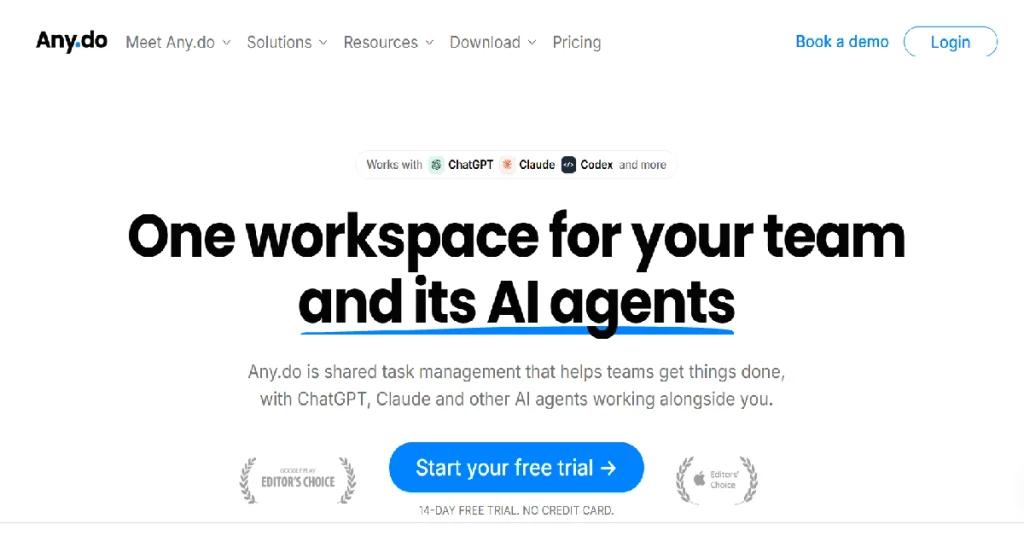
Any.do positions itself as the calmer, friendlier relative of Todoist, and the design backs that up – there’s no labels-and-filters power-user track, just capture, schedule, remind, and share. The grocery list is the single best implementation of that idea: items auto-sort into categories like produce and dairy, so the shopping flow actually matches how a store is laid out. Its Family plan extends that same simplicity to households, letting everyone share calendars, chore lists, and grocery runs while keeping personal tasks private – a use case Todoist supports only loosely. The Daily Planner walks you through your day each morning rather than dropping you into a full backlog, which suits people who found Todoist’s project-and-filter system more overhead than they wanted. The free tier does show ads, and recurring tasks require the paid plan, which is a fair trade-off but worth knowing before you commit.
| Pros | Cons |
|---|---|
| Cleaner onboarding, easier for non-power-users | Free tier shows ads; Todoist’s free tier doesn’t |
| Smart grocery list with automatic category sorting | Recurring tasks gated behind the paid plan |
| Built-in calendar view without needing a separate app | No labels or filters – two of Todoist’s core features |
| Family plan covers shared calendars and lists for four people | Slightly higher monthly price for fewer power-user tools |
- Who it’s best for: Individuals and families who want a calendar, shared lists, and a genuinely great grocery list without a steep learning curve.
- Who should skip it: Power users who rely on Todoist’s labels and filters for complex project organization.
- What the community says: Parents managing shared household logistics are the most consistent advocates – the Family plan’s shared grocery and chore lists come up repeatedly as the reason they stayed.
6. Sunsama
Best for: people who overcommit and want a calmer, capacity-aware planning ritual
| Quick Facts | |
|---|---|
| Best for | Anyone who regularly burns out from overplanning their day |
| Starting price | $20/month (billed annually) |
| Free tier | No – 14-day free trial |
| Platforms | Web, Mac, Windows, iOS, Android |
| Standout feature | Warns you before you overcommit your day |
| SoftSnoop rating | 4.6/5 |
Detailed Review
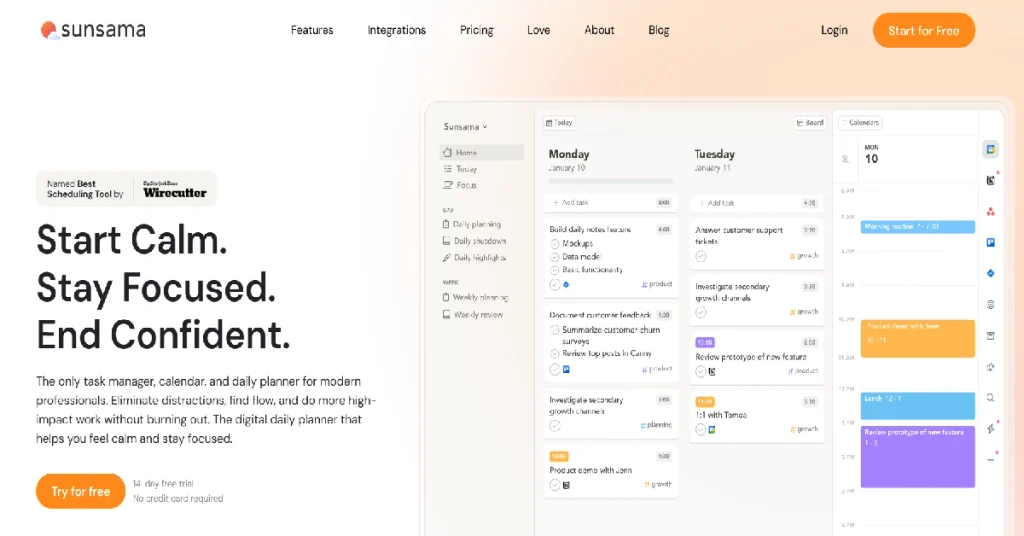
Sunsama pulls tasks from Todoist, Asana, Trello, ClickUp, and Gmail, then walks you through a calm daily ritual: choose what you’ll actually do today, time-box each item against your calendar, and reflect at day’s end. Its quietly unique feature is capacity awareness – as you build your plan, it totals your time-blocks against your available hours and flags it before you’ve overcommitted. Todoist will happily let you schedule fourteen tasks for a day that only has eight productive hours in it; Sunsama won’t let that pass silently. The end-of-day reflection prompt builds a rolling journal of what got done and what didn’t, which becomes genuinely useful context when planning the following week. This isn’t built for fast capture – the ritual takes real minutes each morning – so if speed matters more to you than reflection, the deliberate pace will feel like friction rather than value.
| Pros | Cons |
|---|---|
| Capacity-aware planning flags overcommitment before it happens | $20/month, roughly 4–5x Todoist Pro |
| Daily and weekly reflection builds a working journal over time | The ritual takes real time each morning – not built for instant capture |
| Pulls tasks from Todoist, Asana, Trello, ClickUp, and Gmail into one view | Not designed for huge backlogs or fast inbox triage |
| Native time-blocking tied directly to your calendar | No free tier, only a 14-day trial |
- Who it’s best for: Anyone who keeps overcommitting and wants a tool that actively prevents it, not just tracks it.
- Who should skip it: Fast-capture users who want to add a task in two seconds and move on – the ritual here is the point, not an obstacle.
- What the community says: Users coming from burnout-prone jobs (consulting, agency work) are the group that most often credits Sunsama specifically with changing how they plan, not just what they use.
7. Motion
Best for: AI that plans and schedules your entire week automatically
| Quick Facts | |
|---|---|
| Best for | Teams and individuals who want AI to handle scheduling |
| Starting price | $19/user/month |
| Free tier | No – 7-day trial |
| Platforms | Web, iOS, Android, Mac, Windows |
| Standout feature | AI agent auto-schedules tasks, meetings, and projects |
| SoftSnoop rating | 4.2/5 |
Detailed Review
Motion started as an AI calendar that auto-scheduled your day and has grown into something closer to a full AI agent: it reads meeting notes, picks up action items, drafts follow-ups, and slots new work into your week without you manually moving anything. Where Todoist hands you a clean list and leaves the planning to you, Motion tries to own the planning itself. This is where it separates most clearly from Todoist for teams of five to twenty-five people – Motion’s project management includes real dependencies, deadline-aware scheduling, and per-person capacity views, while Todoist’s project view remains a flat list with sections. That capability comes at a real cost: team plans start around $19 per user per month against Todoist Pro’s roughly $4–5, a gap that adds up fast across a full team. The auto-scheduling also takes adjustment – it reshuffles your day when priorities shift, which some people love and others find intrusive until they get used to it.
| Pros | Cons |
|---|---|
| AI agent schedules tasks, meetings, and follow-ups automatically | Roughly 4–5x the cost of Todoist Pro per user |
| Real project management: dependencies, capacity views, deadline-aware scheduling | Overkill for a personal or small-team task list |
| Built for 5–25 person teams where Todoist’s collaboration tops out | Steeper onboarding than Todoist’s open-and-type simplicity |
| Meeting notes, calendar, and tasks live in one connected view | Aggressive auto-scheduling frustrates people who want manual control |
- Who it’s best for: Agencies and teams of 5–25 who want AI actively running scheduling and project logistics, not just storing tasks.
- Who should skip it: Solo users or small teams whose needs stop at a shared task list – the price and complexity aren’t justified.
- What the community says: Agency owners managing multiple client workstreams are the segment most likely to describe Motion as solving a real operational problem rather than just being “another task app.”
8. ClickUp
Best for: teams that have outgrown task management and need real project management
| Quick Facts | |
|---|---|
| Best for | Scaling teams that need docs, dashboards, and automation |
| Starting price | $7/user/month |
| Free tier | Yes – generous, unlimited tasks and members |
| Platforms | Web, iOS, Android, Mac, Windows |
| Standout feature | AI agents that triage, summarize, and assign work |
| SoftSnoop rating | 4.6/5 |
Detailed Review
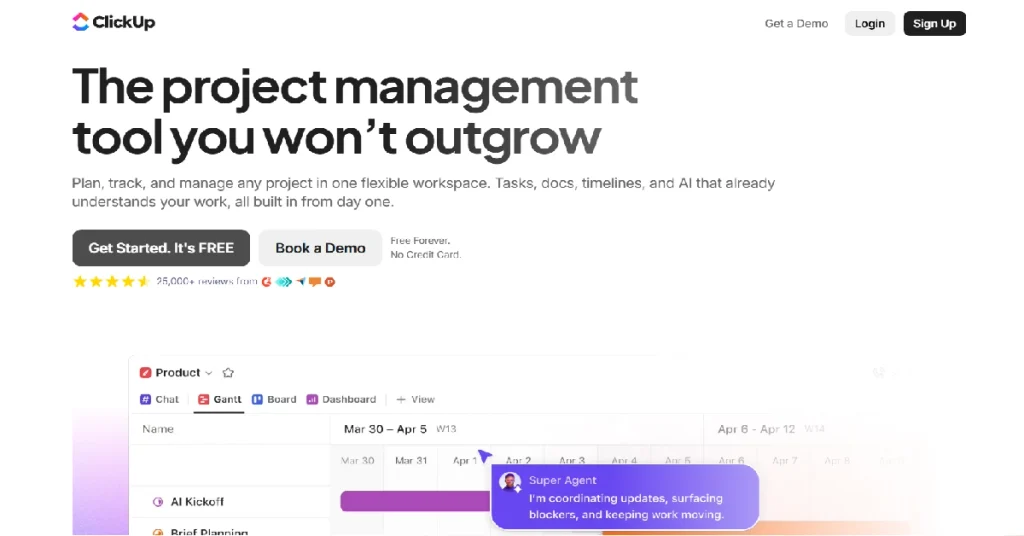
ClickUp stopped being a to-do app a long time ago. It’s now a full work platform – tasks, docs, goals, time tracking, whiteboards, dashboards, automations, and AI agents that take work off your plate – and comparing it directly to Todoist only makes sense for the one feature they share. The customization depth is the real selling point: custom statuses, custom fields, and views spanning list, board, Gantt, mind map, timeline, and calendar, which means teams that have outgrown rigid templates finally have room to configure things properly. The newer AI agents can triage incoming tasks, summarize project status, and draft stakeholder updates – genuinely changing what “a task list” means rather than bolting a chatbot onto the side. The honest trade-off is setup time: where Todoist is open-and-start-typing, ClickUp is closer to a week of proper configuration before it feels natural, and it can feel sluggish on older machines given how much each screen loads.
| Pros | Cons |
|---|---|
| Multiple views: list, board, calendar, Gantt, timeline, mind map | Steep learning curve compared to Todoist’s instant capture |
| Native docs, time tracking, goals, and deep automation | Can feel sluggish on older machines |
| AI agents that triage, summarize, and assign work | $7/user/month adds up for solo users used to a free or near-free tool |
| Generous free tier with unlimited tasks and members | Genuinely overkill for personal task management |
Who it’s best for: Teams of 10+ that need dependencies, timelines, and reporting – not just a shared list.
Who should skip it: Solo users and small teams whose needs stop at “who’s doing what by when” – this is far more platform than that requires.
What the community says: Operations and marketing teams scaling past ten people are the segment most likely to cite ClickUp as the tool that finally replaced three or four disconnected apps at once.
9. Notion
Best for: combining tasks with notes, docs, and wikis in one workspace
| Quick Facts | |
|---|---|
| Best for | People who want tasks living next to notes and documentation |
| Starting price | Free personal; $10/user/month for teams |
| Free tier | Yes, generous for individuals |
| Platforms | Web, iOS, Android, Mac, Windows |
| Standout feature | One workspace for tasks, notes, wikis, and databases |
| SoftSnoop rating | 4.5/5 |
Detailed Review
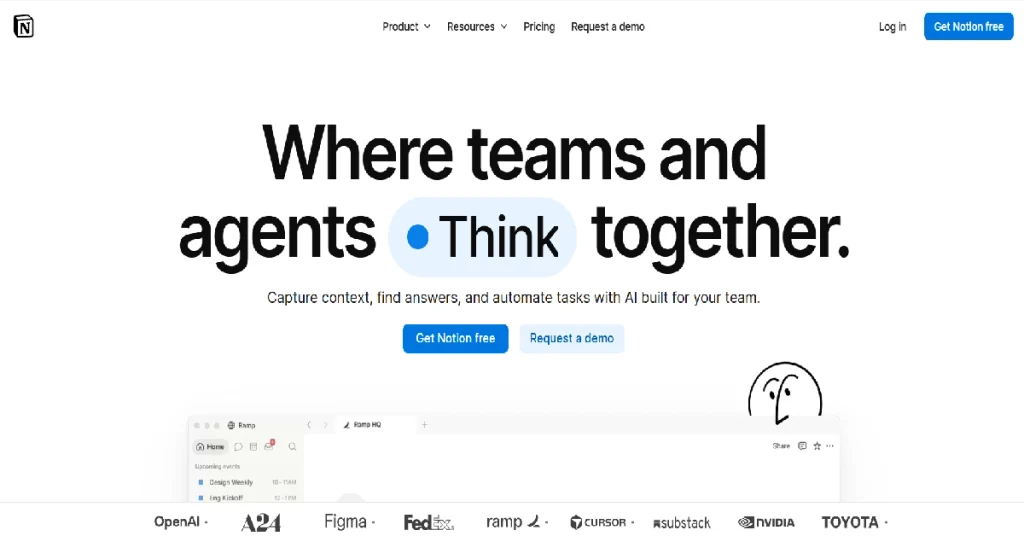
Notion doesn’t ship a dedicated task manager – it gives you the building blocks to construct one, alongside notes, wikis, and documentation, in the same workspace. That’s the entire trade-off in one sentence. For people who keep tasks in Todoist but everything else scattered across separate notes apps and docs, Notion’s pull is obvious: build a task database with status properties, due dates, and views, and it lives right next to the project brief or meeting notes that gave rise to those tasks in the first place. The flexibility is real, but so is the setup cost – there’s no default task template that works out of the box the way Todoist does, and quick capture (Todoist’s biggest strength) requires more taps than a purpose-built task app. For teams already using Notion as a knowledge base, though, adding tasks to that same workspace avoids yet another tool and yet another context switch.
| Pros | Cons |
|---|---|
| Tasks live alongside notes, docs, and project wikis | No default task setup – you build it yourself |
| Fully customizable databases, views, and properties | Slower capture than a purpose-built task app |
| Free tier generous enough for most individual use | Mobile quick-add is noticeably clunkier than Todoist’s |
| One tool replaces a task app plus a separate notes app | Genuinely overkill for personal task management |
- Who it’s best for: Anyone who already lives in Notion for documentation and wants tasks in the same place rather than a separate app.
- Who should skip it: Anyone who wants instant capture and a working system on day one – Notion rewards setup time Todoist doesn’t require.
- What the community says: Startup and product teams already using Notion as an internal wiki are the most consistent adopters – the appeal is one less tool, not a better task list on its own.
10. Apple Reminders
Best for: Apple users who want a capable, free, built-in option
| Quick Facts | |
|---|---|
| Best for | Casual Apple users who don’t want to pay for a task app |
| Starting price | Free |
| Free tier | Pre-installed, no paid tier |
| Platforms | iPhone, iPad, Mac, Apple Watch only |
| Standout feature | Siri voice capture and shared lists |
| SoftSnoop rating | 4.2/5 |
Detailed Review
Apple Reminders has quietly become a legitimate Todoist competitor rather than the barebones app it used to be. It’s free, pre-installed on every Apple device, and now supports tags, sub-tasks, location- and time-based reminders, and shared lists – most of what casual users actually need from Todoist without the subscription. Siri capture is genuinely fast: saying “remind me to call the dentist tomorrow at 2” creates the task instantly, no app-opening required. What it can’t do is compete with Todoist on power-user features – there’s no natural-language parser for complex recurring patterns, no filters across projects, and obviously no cross-platform support if anyone you share lists with isn’t on Apple. For someone whose task list is genuinely simple – personal reminders, a shared grocery list with a partner, basic project tracking – paying for Todoist (or anything else) may not be necessary at all.
| Pros | Cons |
|---|---|
| Completely free, pre-installed on every Apple device | Apple-only, no cross-platform version at all |
| Siri voice capture is fast and reliable | No natural-language input for complex recurring patterns |
| Shared lists work well for households and simple team use | No filters across multiple lists or projects |
| Tags and location-based reminders cover most casual needs | Not built for serious project management |
- Who it’s best for: Casual Apple users with simple task needs who don’t want to pay for a dedicated app.
- Who should skip it: Anyone with tasks split across platforms, or who needs Todoist-level filtering and natural-language input.
- What the community says: Long-time Apple users often mention Reminders as the app they “graduate back to” after trying paid alternatives and realizing their actual needs were simpler than the subscription implied.
READ MORE: Best Graphic Design Software in 2026: Free & Paid Options
Buyer’s Guide: How to Pick by Goal
By budget
- $0: Google Tasks, Microsoft To Do, or Apple Reminders
- Under $5/month: TickTick or Any.do
- $15–25/month: Sunsama or Motion (personal/small team)
- Per-user team pricing: ClickUp ($7/user) or Notion ($10/user)
By platform
- Apple-only household: Things 3 or Apple Reminders
- Mixed Android/iOS/Windows: TickTick, Any.do, or ClickUp
- Already living in Google Workspace: Google Tasks
- Already living in Microsoft 365: Microsoft To Do
By the gap you’re trying to close
- Missing calendar/time-blocking: TickTick, Any.do, or Sunsama
- Missing habits/focus tools: TickTick
- Missing real project management: ClickUp or Motion
- Missing notes/docs alongside tasks: Notion
5-Question Checklist Before You Switch
- What’s the one thing Todoist can’t do that’s actually costing you time? Name it specifically – “no calendar” and “too expensive” point to completely different tools.
- Does everyone you share tasks with use the same platform? This rules out Apple-only tools immediately if anyone in the mix is on Android or Windows.
- Is this a personal list or a team’s shared work? Personal-use tools (Things 3, Apple Reminders) and team tools (ClickUp, Motion) solve different problems – don’t buy team pricing for personal use.
- Can you test it for two weeks before committing? Most of these offer a free tier or trial long enough to know if it fits – use it before you cancel anything.
- What happens to your existing Todoist data? Check the migration section below before you assume it’ll just transfer over cleanly.
How to Migrate From Todoist Without Losing Anything
This is the step most comparison articles skip – here’s how to actually make the switch:
- Export your Todoist data first. Todoist lets you export projects as templates or CSV files from Settings → Backups. Do this before touching anything else, so you have a full backup regardless of what happens next.
- Check the new app’s import tool. TickTick and ClickUp both have direct Todoist importers that bring over projects, tasks, and due dates. Things 3, Sunsama, and Notion don’t – expect some manual rebuilding for those.
- Run both apps in parallel for one week. Don’t cancel Todoist on day one. Use the new app as your primary list while Todoist stays as a safety net in case something didn’t transfer cleanly.
- Rebuild recurring tasks by hand. Recurring tasks rarely import perfectly across different scheduling engines. Write a quick list of yours and set them up fresh in the new app – it takes about ten minutes and prevents anything from silently slipping.
- Cancel Todoist only once you’re confident. Once the new app has fully replaced your daily workflow for at least a week, cancel the subscription. If you were on Todoist’s free plan, there’s nothing to cancel at all.
Frequently Asked Questions
What’s the best Todoist alternative in 2026?
It depends on why you’re leaving. For the closest like-for-like swap, TickTick. For AI that plans your week, Motion. For the best design on Apple, Things 3. For free options, Google Tasks or Microsoft To Do. For scaling teams, ClickUp.
What’s the best free Todoist alternative?
Google Tasks and Microsoft To Do are both completely free and tie directly into Gmail/Google Calendar or Outlook/Microsoft 365. Apple Reminders is the strongest free option if you’re fully in the Apple ecosystem.
Is TickTick actually better than Todoist?
TickTick is cheaper and bundles more features – a calendar, habit tracker, and Pomodoro timer. Todoist has a cleaner interface and a stronger natural-language parser. If feature breadth and price matter more, TickTick wins; if polish and simplicity matter more, Todoist stays ahead.
Which Todoist alternative is best for teams?
For small teams of 2–5, Any.do’s shared spaces work well and stay free. For teams of 10+ running real projects, ClickUp or Motion replace Todoist’s flat project view with genuine dependencies, timelines, and capacity planning.
Can I migrate my Todoist tasks to another app easily?
Yes, most of the time. Export from Todoist as CSV or templates first. TickTick and ClickUp both have direct importers. Apps like Things 3 and Sunsama require more manual rebuilding since their data models differ. See the migration section above for the full process.
Is Todoist still worth using in 2026?
Yes, if its model already fits how you work. It still has one of the best natural-language parsers available, runs cleanly across every platform, and has a mature integration ecosystem. The reasons people leave are usually a missing calendar, thin project management, or price relative to bundled competitors like TickTick – if none of those bother you, staying is a perfectly reasonable call.
Our Verdict
If you just want the safest, closest swap: TickTick matches Todoist’s core model and adds a calendar, habit tracker, and Pomodoro timer for less money – the lowest-risk switch on this list. If price is your only complaint, Google Tasks or Microsoft To Do cost nothing and plug into tools you already use daily. If you’re managing a growing team rather than a personal list, ClickUp or Motion are built for that job in a way Todoist was never designed to be. Whichever you pick, export your Todoist data first and run both apps in parallel for a week – the migration steps above take ten extra minutes and prevent almost every horror story we’ve heard about switching tools.


 Dhiraj

1 comment