

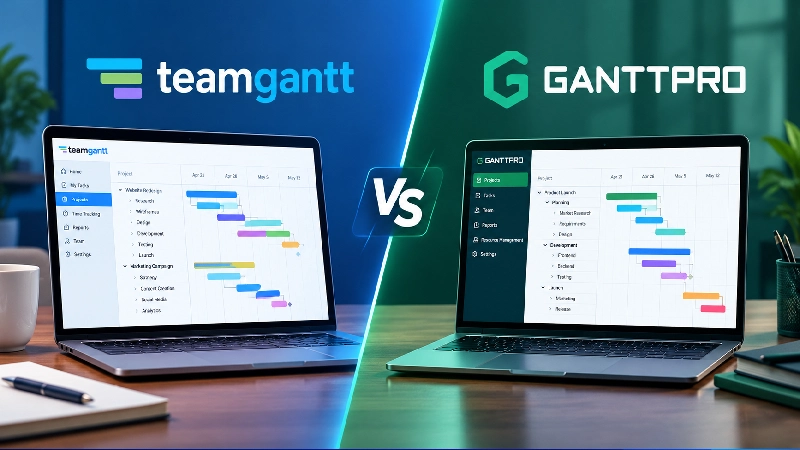
TeamGantt Vs GanttPRO are both useful project management tools, but they have slightly different strengths. TeamGantt keeps things simple with a clean interface that makes creating timelines, assigning tasks and tracking project progress easy. It can be a good choice for teams that mainly need straightforward Gantt charts without too much complexity.
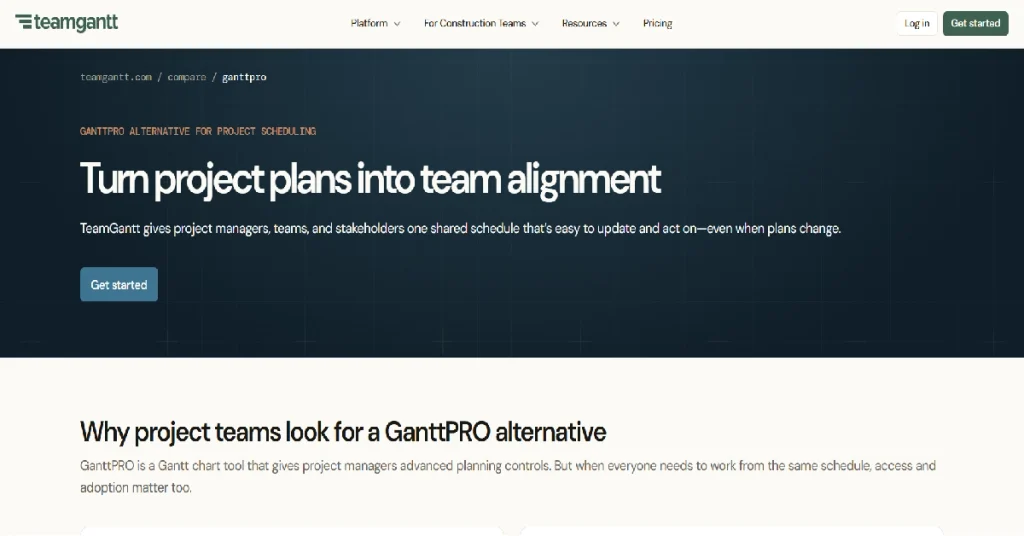
GanttPRO offers a broader set of project management features. Along with Gantt charts, it includes task management, collaboration, workload planning, time tracking and reporting tools. Its interface is also designed for teams handling more detailed projects. TeamGantt may suit users who want a simple and easy-to-learn project planning tool. GanttPRO can be more suitable for teams looking for deeper project management capabilities in one platform. The better option ultimately depends on your project size, workflow and the features your team actually needs.
Key takeaways
- They bill on opposite axes. TeamGantt charges per project, with unlimited people on Business. GanttPRO charges per person, with unlimited projects on every plan. Whichever number is bigger for you decides it.
- Verified starting prices (September 2026): TeamGantt Base, $59/mo or $590/yr for 1 manager, 10 collaborators, 5 projects. GanttPRO Core, $7/user/mo billed annually, unlimited projects.
- The free plans are not comparable. TeamGantt Personal is free forever but capped at 1 user, 1 project, 40 tasks. GanttPRO has no free tier, only a 14-day trial.
- Critical path is the hidden paywall. GanttPRO includes it on the $7 plan; TeamGantt puts it behind Business at $1,140/yr.
- Watch GanttPRO’s monthly billing. Its knowledge base says monthly seats sell in blocks of five, so a 3-person team pays for 5. Annual billing allows a single seat.
Quick verdict
Best for teams with more people than projects: TeamGantt. Past roughly 10–14 seats, a flat $1,140/yr for unlimited managers and collaborators beats paying per head.
Best value for small teams and freelancers: GanttPRO Core. Seven dollars a month per person, unlimited projects, critical path included.
Best for agencies juggling many small client projects: GanttPRO. TeamGantt’s $228/yr charge per extra project punishes exactly that shape of business.
Best free option: TeamGantt Personal, by default – GanttPRO has nothing free at all.
Full spec comparison (all prices verified September 2026 against each vendor’s own pricing page)
| TeamGantt | GanttPRO | |
|---|---|---|
| Best for | Teams with many collaborators and few projects | Small teams and agencies with many projects |
| Pricing model | Per project, unlimited users on Business+ | Per user, unlimited projects on all plans |
| Entry paid price | $59/mo, or $590/yr (Base) | $7/user/mo billed annually (Core) |
| Mid tier | $120/mo, or $1,140/yr (Business), 5 projects | $10/user/mo annually (Advanced) |
| Upper tier | $199/mo, or $1,908/yr (Builder Edition), 10 projects | $17/user/mo annually (Business) |
| Enterprise | Custom | $25/user/mo annually, 5+ users |
| Extra projects | +$24/mo or +$228/yr each on Business (5–20) | Unlimited, no charge |
| Free plan | Personal: 1 user, 1 project, 40 tasks | None |
| Free trial | 14 days | 14 days, no card required |
| Minimum seats | None (Base includes 1 manager) | 1 on annual; monthly sold in blocks of 5 |
| Critical path | Business and above | All plans, including Core |
| Workload / resource mgmt | Business and above | Business and above |
| Time tracking | Business and above | Business and above |
| Budget planning | Business and above (financial forecasting) | Business and above |
| API | Public API | Business and above |
| SSO | Enterprise | Enterprise (SAML) |
| Storage | Not published per plan | 1 GB per user; unlimited on Enterprise |
| Notable integrations | Trello, Slack, Basecamp, Dropbox, Procore, MS Project, Zapier | Jira Cloud, Slack, MS Teams, Google Drive, OneDrive, MS Project, Excel |
| Capterra rating | 4.6 / 5 (204 reviews) | 4.8 / 5 (559 reviews) |
| SoftSnoop rating | 4.3 / 5 | 4.4 / 5 |
How we evaluated
No lab, no invented stopwatch. Here is the actual method.
We pulled both vendors’ live pricing pages in September 2026 and read the plan tables line by line, including the feature-gating grid below the price cards. Where a page was ambiguous – GanttPRO’s monthly rates, for instance – we used the vendor’s own knowledge base, not a third-party blog, then cross-checked user sentiment on Capterra for both products.
Five criteria decided it: verified annual cost at realistic team sizes, which scheduling features sit behind which tier, time to a first usable chart, collaboration and client sharing, and reporting depth.
One warning. Several widely-linked comparison pages still describe TeamGantt as “$59 per manager” with a free plan carrying 20 projects, and list GanttPRO at $8.90 and $13.90 per user. None of those figures match what either vendor publishes today.
TeamGantt review in brief
| Best for | Teams where many people need to see and update one schedule |
| Starting price | $590/yr (Base); free Personal tier |
| Free tier | 1 user, 1 project, 40 tasks |
| Platforms | Web, iOS and Android companion apps |
| Standout feature | Unlimited collaborators included on paid plans |
| SoftSnoop rating | 4.3 / 5 |
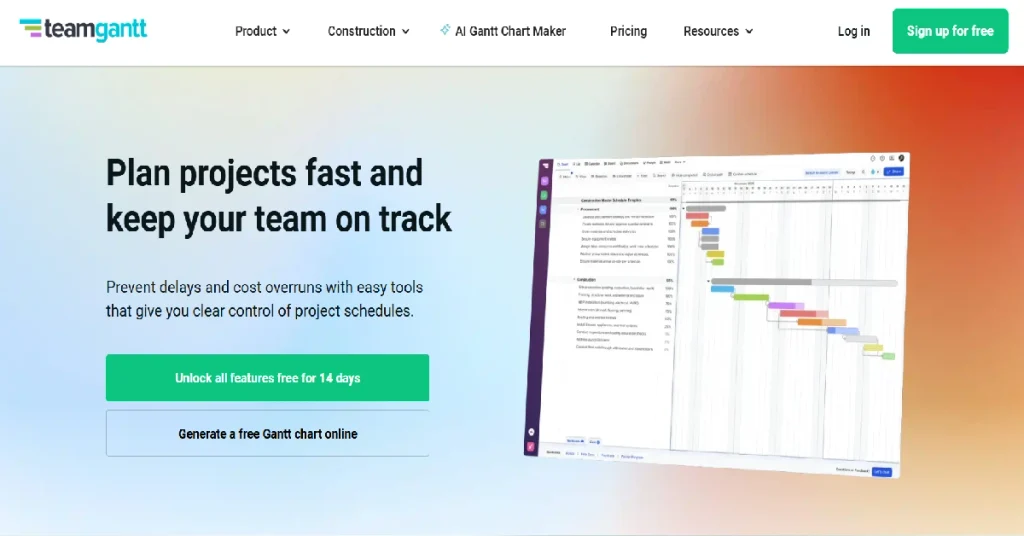
TeamGantt’s identity is that the Gantt chart is the product, not a view bolted onto a task manager. Drag a bar, the dependents move. Base gives you one manager seat plus ten collaborators for $590 a year, flat; Business removes the people cap entirely for $1,140. You buy project slots, not headcount.
That model has a sharp edge. Base caps tasks at 150 per project and excludes critical path, baselines, workload management, Kanban view and time tracking – none of them exotic for a scheduling tool. Need any one and your real entry price is $1,140.
Pros
- Flat pricing: adding people costs nothing on Business and above
- Fastest of the two to a working chart from a blank screen
- Collaborators can update their own tasks without consuming a paid seat
- Procore sync and a Builder Edition aimed squarely at construction
Cons
- Critical path, baselines and workload are all locked behind the $1,140/yr tier
- Extra projects cost $228/yr each beyond the first five on Business
- Free Personal plan is a demo, not a workspace – one project, 40 tasks
Who it’s best for: in-house teams running a handful of long schedules with a wide audience who need to look at them. Who should skip it: anyone with twenty small concurrent projects, where per-project pricing spirals.
What users actually say: Capterra’s 204 TeamGantt reviews average 4.6/5, praising visual clarity and speed of adoption. Recurring complaints: cost relative to what smaller teams need, and a thin integration list.
See current pricing → | Read our full TeamGantt review →
GanttPRO review in brief
| Best for | Small teams and agencies running many projects at once |
| Starting price | $7/user/mo billed annually |
| Free tier | None – 14-day trial only |
| Platforms | Web, iOS and Android |
| Standout feature | Unlimited projects with critical path on the cheapest plan |
| SoftSnoop rating | 4.4 / 5 |
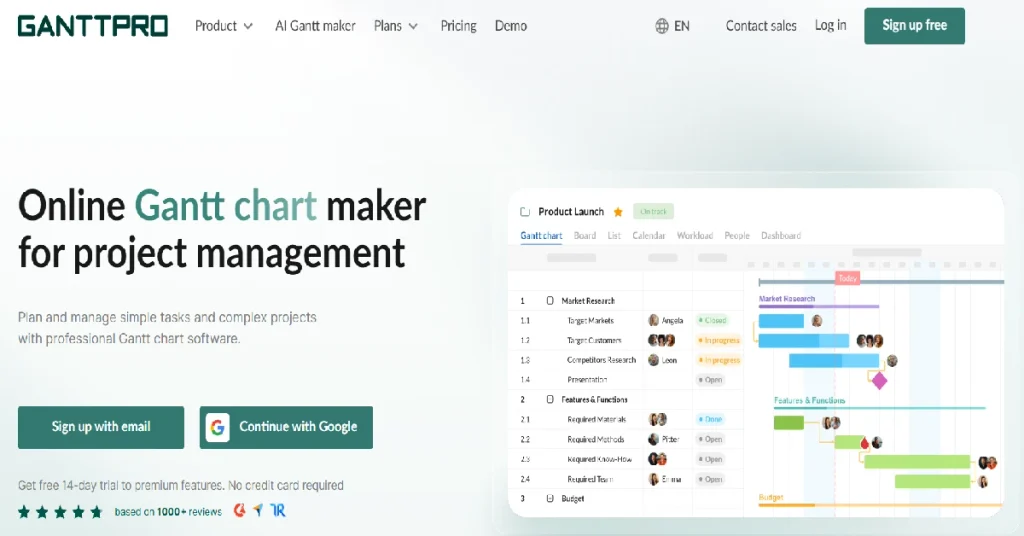
GanttPRO is the conventionally structured one: pay per user, run as many projects as you like. At $7 per person per month on annual billing, a two-person consultancy pays $168 a year for auto-scheduling, dependencies, critical path and a project calendar. Advanced ($10) adds custom fields, filters and bulk change; Business ($17) holds the management layer.
The catch is billing mechanics. GanttPRO’s knowledge base states a single seat is only purchasable annually; on monthly billing, seats come in blocks of five. That detail is absent from the pricing page.
| Pros | Cons |
|---|---|
| Unlimited projects on every tier, including the $7 plan | No free plan, so there is no way to park a light project for free |
| Critical path, dependencies and auto-scheduling are not paywalled | Monthly billing forces 5-seat blocks, per GanttPRO’s own documentation |
| Native Jira Cloud import, Slack and MS Teams notifications | Every viewer is a paid seat, which makes client-facing use expensive |
| Deepest review base of the two, 4.8/5 across 559 Capterra reviews |
Who it’s best for: agencies and freelancers with a long project list and a short staff list. Who should skip it: teams of 15+ where most people only need to look at the chart.
What users actually say: praise on Capterra centres on planning depth and interface clarity. The loudest criticism is the five-seat monthly minimum; mobile editing is the second recurring gripe.
See current pricing → | Read our full GanttPRO review →
Pricing and the seat model
This decides the comparison, so here is the arithmetic rather than the adjectives. All figures use annual billing and the verified per-unit prices above.
Scenario A – 1 manager plus 5 collaborators (6 people), 5 projects
| Option | Annual cost | Notes |
|---|---|---|
| TeamGantt Base | $590 | Fits exactly: 1 manager, 10 collaborators, 5 projects. No critical path. |
| TeamGantt Business | $1,140 | Unlimited people, full feature set |
| GanttPRO Core | $504 | 6 × $7 × 12. Critical path included. |
| GanttPRO Advanced | $720 | 6 × $10 × 12 |
| GanttPRO Business | $1,224 | 6 × $17 × 12 |
At six people, GanttPRO Core undercuts TeamGantt Base by $86 a year and includes critical path, which Base does not. GanttPRO wins this size outright.
Scenario B – 10 people, 3 of whom build schedules, 5 projects
| Option | Annual cost | Notes |
|---|---|---|
| TeamGantt Base | Not viable | Only 1 manager seat |
| TeamGantt Business | $1,140 | Flat, regardless of headcount |
| GanttPRO Core | $840 | 10 × $7 × 12 |
| GanttPRO Advanced | $1,200 | 10 × $10 × 12 |
| GanttPRO Business | $2,040 | 10 × $17 × 12 |
Ten people is the crossover zone. On comparable features, TeamGantt Business ($1,140) already beats GanttPRO Advanced ($1,200) and sits far below GanttPRO Business ($2,040). Only Core stays cheaper, and it gives up workload, time tracking, budgets and portfolio view.
Exact crossovers from the verified rates: TeamGantt Business is cheaper than GanttPRO Business from 6 seats, cheaper than Advanced from 10 seats, cheaper than Core from 14 seats.
Now flip the axis. TeamGantt Business covers five projects. A tenth concurrent project costs $1,140 + (5 × $228) = $2,280 a year. Twenty projects, the plan’s ceiling, is $4,560 a year. GanttPRO’s price does not move at any project count on any tier. Count your people, count your live projects, and buy the tool that does not charge for whichever number is larger.
READ MORE: Best Graphic Design Software in 2026: Free & Paid Options
Gantt and scheduling features
Both draw a competent chart with drag-and-drop bars, four dependency types and auto-scheduling. The difference is which tier you have to reach. GanttPRO ships critical path, auto-scheduling, virtual resources and a project calendar on Core, its $7 plan. TeamGantt’s Base excludes critical path, advanced dependencies, baselines, lockable milestones, RACI assignments and Kanban view. All start at Business.
Construction changes the calculus. TeamGantt’s Builder Edition ($1,908/yr, 10 projects, unlimited tasks) adds a lookahead schedule, material delay prevention, subcontractor schedule confirmation and Procore sync. GanttPRO has no equivalent vertical package.
Task ceilings matter too, and only TeamGantt has them: 150 per project on Base, 500 on Business, unlimited on Builder Edition. GanttPRO publishes no task cap.
Ease of use
TeamGantt is the easier first hour. Its editor is deliberately spare, and the consistent theme across its Capterra reviews is that people build a usable timeline before reading anything.
GanttPRO asks more up front because it exposes more: resource types, cost fields and calendar exceptions are visible early. Critics there describe cost management and resource levelling as overwhelming rather than badly built. Neither tool is heavy, but if onboarding non-technical stakeholders is your main risk, TeamGantt is safer.
Collaboration and client sharing {#collaboration}
TeamGantt has a structural advantage here. Collaborators – people who view and update their own assigned tasks but cannot restructure the schedule – are included at no extra cost on paid plans, unlimited on Business and above. GanttPRO has no free viewer role: anyone with an account consumes a paid seat, and private-link sharing is the only read-only route.
Fifteen stakeholders who will never build a chart make TeamGantt’s model save real money. Collaborators who all need edit rights anyway make the advantage vanish. <!– SCREENSHOT: TeamGantt’s collaborator permission settings next to GanttPRO’s shared-private-link dialog –>
Reporting and resource management
Both gate this layer at their upper-mid tier with broadly the same kit. TeamGantt Business ($1,140/yr) covers workload management, team resourcing, hourly estimating, actual-vs-estimated timelines, financial forecasting and a project health report. GanttPRO Business ($17/user/mo) covers workload, portfolio reports, budget planning, time tracking and resource calendars.
The cost gap here is severe. Ten people on GanttPRO Business is $2,040/yr against TeamGantt’s flat $1,140; three people is $612 against that same $1,140. Small teams needing resource management should price GanttPRO first, larger ones TeamGantt.
Integrations
GanttPRO connects to Jira Cloud (import), Slack, Microsoft Teams, Google Drive, OneDrive, Excel and Microsoft Project, plus an open API – with Jira Cloud and API access gated to Business and above.
TeamGantt connects to Trello, Slack, Basecamp (version 2; 3+ listed as coming soon), Dropbox, Procore and Microsoft Project, publishes a public API, and supports Zapier for roughly 2,000 further apps. Jira and Microsoft Teams are absent from its integrations page.
Two clean splits: Jira shops take GanttPRO, Procore-based construction teams take TeamGantt. Otherwise Zapier gives TeamGantt wider reach, while GanttPRO’s native Microsoft coverage runs deeper.
Support and platforms
Both run web apps with iOS and Android companions, and both draw criticism for mobile editing; TeamGantt reviewers also note the absence of a Mac desktop app.
GanttPRO lists live chat, email support and a learning centre from Core upward, adding training, onboarding and a customer success manager on Enterprise. TeamGantt attaches a dedicated account manager to Builder Edition. Both trials run 14 days; GanttPRO does not ask for a card.
Choose TeamGantt if / Choose GanttPRO if
Choose TeamGantt if:
- You have more people than projects – roughly 10+ users on five or fewer active schedules
- Stakeholders and clients need to see the chart without you buying them seats
- You work in construction and want Procore sync, lookahead scheduling or subcontractor confirmation
- You want one predictable invoice that does not change when you hire
Choose GanttPRO if:
- You run many projects with a small team – agencies, consultancies, freelancers
- You need critical path and real dependencies on the cheapest possible plan
- Your stack is Jira, Microsoft Teams or OneDrive
- Everyone who touches the schedule needs edit rights anyway, so free viewers buy you nothing
Buyer’s guide
By goal. For visibility – a timeline in front of executives, clients or a wide internal audience – TeamGantt’s free collaborators decide it. For throughput – many concurrent engagements without a per-project tax – GanttPRO decides it. For cost control on a small team, price GanttPRO Business per head before assuming TeamGantt is cheaper; under six people it usually is not.
By user type. Solo freelancers: GanttPRO Core, $84/yr for one annual seat, against TeamGantt Base at $590. Small agencies (3–8 people, many clients): GanttPRO, billed annually to dodge the five-seat block. Mid-size in-house teams (10–30 people, few big programmes): TeamGantt Business. Construction: TeamGantt Builder Edition. Enterprises needing SSO: both gate SAML at Enterprise, so compare quotes, not list prices.
Five questions before you commit
- How many concurrent projects will actually be live? Over five, TeamGantt starts charging $228/yr each. GanttPRO does not.
- How many people need edit rights, versus just needing to look? Free collaborators are TeamGantt’s biggest lever and GanttPRO has no equivalent.
- Do you need critical path or baselines? If yes, TeamGantt Base is out and your comparison is $1,140/yr against GanttPRO’s per-seat rate.
- Will you bill monthly or annually? GanttPRO monthly means five-seat blocks; annual lets you buy exactly one seat.
- Does any project exceed 500 tasks? Only TeamGantt Builder Edition removes the task cap.
FAQ
Is TeamGantt free?
TeamGantt has a free-forever Personal plan, but it is limited to 1 user, 1 project and 40 tasks with basic Gantt features. That is enough to trial the interface or plan something small solo. Any real team use requires a paid plan starting at $59/mo or $590/yr.
Does GanttPRO have a free plan?
No. GanttPRO offers a 14-day free trial of premium features with no credit card required, but there is no free-forever tier on any plan. When the trial ends you either subscribe or lose access. That is the clearest single difference from TeamGantt, which keeps a permanently free single-user Personal plan.
How much does TeamGantt cost per user?
TeamGantt does not price per user. Base is $590/yr for 1 manager and 10 collaborators; Business is $1,140/yr with unlimited managers and collaborators; Builder Edition is $1,908/yr. You pay for project slots instead, with extra projects at $228/yr each on Business.
What is GanttPRO’s minimum number of users?
On annual billing you can buy a single seat on Core, Advanced or Business. On monthly billing, GanttPRO’s knowledge base states seats are sold in increments of five, so the practical minimum is five. Enterprise requires 5+ users on an annual subscription.
Which is cheaper, TeamGantt or GanttPRO?
It depends on team size. Using verified annual rates, GanttPRO Core at $7/user/mo is cheaper up to 13 users, while TeamGantt Business at a flat $1,140/yr wins from 14 users upward. Against GanttPRO Business at $17/user/mo, TeamGantt is already cheaper from just 6 users.
Does TeamGantt have critical path?
Yes, but only on the Business plan and above, at $1,140/yr. The Base plan excludes critical path, advanced dependencies, baselines and Kanban view. GanttPRO includes critical path on its entry-level Core plan at $7/user/mo, which is the main feature-gating difference between them.
Can clients view a TeamGantt or GanttPRO chart for free?
TeamGantt includes unlimited collaborators on paid plans who can view and update assigned tasks at no extra cost. GanttPRO has no free viewer role, so every account is a paid seat, though you can share a project via a private read-only link.
Which integrates with Jira?
GanttPRO offers a native Jira Cloud import, available on its Business plan and above. TeamGantt does not list Jira on its integrations page, though its Zapier connection reaches Jira indirectly. TeamGantt’s native list covers Trello, Slack, Basecamp, Dropbox, Procore and Microsoft Project.
Verdict
Best overall: TeamGantt, for teams past roughly ten people running a contained set of schedules. Flat pricing, free collaborators and quick onboarding make $1,140/yr good value at that size.
Best value: GanttPRO Core. Seven dollars a month per person, unlimited projects, critical path included. Under six seats it is not close.
Best free option: TeamGantt Personal, though it wins by default – one project and 40 tasks is a demo, and GanttPRO offers nothing free.
Count your projects, count your people, let the larger number pick the tool, then start that 14-day trial.
Changelog
Updated September 2026: initial publication – pricing verified for both tools against teamgantt.com/pricing and ganttpro.com/pricing, plus GanttPRO’s knowledge base for seat minimums.
