

We tested every major web hosting provider – from budget shared hosting to premium managed WordPress and enterprise VPS solutions. Here’s which ones are actually worth trusting with your website.
Updated: March 1, 2026 | 35 min read | 15 providers reviewed
Quick Verdict – Our Top 4 Picks
| Category | Winner | Starting Price | Why |
| 🏆 Best Overall | Hostinger | $2.49/mo | Best value, LiteSpeed + NVMe, fastest shared hosting |
| 🎯 Best for Beginners | Bluehost | $2.95/mo | WordPress.org recommended, AI builder, guided onboarding |
| ⭐ Best Managed WP | WP Engine | $20/mo | Enterprise WP infrastructure, Genesis themes, staging + Git |
| 💡 Best Cloud Hosting | Cloudways | $14/mo | DigitalOcean/AWS/GCP, dedicated resources, 65+ DCs |
Choosing the best web hosting service in 2026 is one of the most important decisions you will make for your website. Your hosting provider directly impacts your site speed, uptime, security, SEO rankings, and ultimately your bottom line. A slow or unreliable host does not just frustrate visitors – it costs you money through lost conversions, lower search engine rankings, and damaged credibility.
The web hosting landscape has evolved dramatically. LiteSpeed web servers and NVMe SSD storage have replaced older Apache and HDD infrastructure at the leading providers. Managed WordPress hosting has matured from a niche offering into a mainstream category with auto-scaling, visual regression testing, and application-level optimization. Cloud hosting through providers like Cloudways now offers genuine dedicated resources at prices that would have been unthinkable five years ago.
We analyzed every major hosting provider using data from PCMag, WebsitePlanet, Forbes Advisor, TechRadar, HostingAdvice, and real user reviews from Reddit’s r/webhosting, r/Wordpress, and r/webdev communities. We evaluated pricing transparency, server performance, uptime reliability, customer support quality, ease of use, scalability options, and overall value. This guide covers 15 providers across every hosting style and budget.
How We Tested and Ranked
Every hosting provider was evaluated across seven criteria: pricing transparency and renewal rates, server performance including TTFB and uptime, control panel quality and ease of use, customer support responsiveness and expertise, scalability options from shared to cloud to dedicated, security features and backup systems, and real user sentiment from hosting review platforms and Reddit communities. Providers that excelled across multiple categories scored highest, while those with significant weaknesses in critical areas like uptime or support were scored accordingly.
#1 Hostinger Score: 9.7/10

The best value web hosting with unbeatable pricing and solid performance
| Price | Platform | Best For | Free Trial / Guarantee |
| From $2.49/mo | Shared, Cloud, VPS, WordPress | All Levels | 30-Day Money-Back Guarantee |
Hostinger has emerged as the undisputed value champion in web hosting for 2026. With plans starting at just $2.49/month on longer billing cycles, it delivers performance and features that rival hosts charging three to four times as much. The proprietary hPanel control panel is clean, fast, and beginner-friendly while still providing the power tools that experienced users need.
Performance is where Hostinger punches well above its weight class. All shared hosting plans run on LiteSpeed web servers with built-in caching, NVMe SSD storage, and a global CDN powered by Cloudflare. In independent speed tests conducted by WebsitePlanet and PCMag, Hostinger consistently delivered page load times under 300 milliseconds for optimized WordPress sites, placing it among the fastest shared hosts available.
The WordPress integration is seamless. One-click WordPress installation, automatic updates, a built-in AI website builder, free SSL certificates, weekly backups on the Premium plan and daily backups on the Business plan, plus a free domain name for the first year. The Business plan and above include a staging environment for testing changes before pushing to production.
Hostinger also offers managed cloud hosting with dedicated resources starting at $7.99/month, making it a viable option for growing sites that need more power. VPS hosting on KVM infrastructure provides full root access for developers. The global data center network spans the US, Europe, Asia, and South America.
The trade-offs are transparent: the lowest prices require longer billing commitments of 48 months, renewal rates jump significantly compared to promotional pricing, and phone support is not available as the company relies on live chat and email. However, for the overwhelming majority of website owners, the combination of performance, features, and value makes Hostinger the standout pick.
| ✓ STRENGTHS | ✗ WEAKNESSES |
| ✓ Lowest prices in the industry from $2.49/mo | ✗ Lowest prices require 48-month commitment |
| ✓ LiteSpeed servers with NVMe SSD storage | ✗ Renewal rates significantly higher than promo |
| ✓ Proprietary hPanel is clean and intuitive | ✗ No phone support (live chat and email only) |
| ✓ Free domain, SSL, CDN, and email included | ✗ Basic plan limits to one website |
| ✓ AI website builder included on all plans | ✗ Weekly backups on lower plans (daily on Business+) |
| ✓ Global data center network across 4 continents | |
| ✓ Staging environment on Business plan and above |
“Hostinger offers incredible value for money. It combines low pricing with solid performance and a user-friendly control panel that makes it an excellent choice for most website owners.”
Check Detailed Hostinger Review for better Clearity
🎯 Best For: Budget-conscious website owners, bloggers, small businesses, and anyone who wants premium performance at the lowest possible price
#2 Bluehost Score: 9.4/10

The officially recommended WordPress host trusted by millions
| Price | Platform | Best For | Free Trial / Guarantee |
| From $2.95/mo | Shared, WordPress, VPS, Dedicated | Beginners | 30-Day Money-Back Guarantee |
Bluehost has been the officially recommended hosting provider by WordPress.org for over a decade, and in 2026, it continues to earn that distinction. For complete beginners building their first WordPress website, Bluehost offers the most guided and hand-holding experience in the industry. The onboarding wizard walks you through every step from domain registration to publishing your first page.
The platform now includes a proprietary AI-powered website builder called Jeeves that can generate a complete WordPress site with content, images, and layout based on a simple description of your business. Combined with the integrated WonderBlocks page editor, even non-technical users can create professional-looking websites without writing a single line of code.
All plans include a free domain name for the first year, free SSL certificate, free CDN, and automatic WordPress installation. The Choice Plus and Online Store plans add daily automatic backups, domain privacy, and malware scanning. WooCommerce integration is deeply built into the hosting stack, making Bluehost a solid pick for small e-commerce stores.
Performance is good but not class-leading. Bluehost runs on Apache servers rather than LiteSpeed, and while response times are acceptable for most small to medium sites, high-traffic sites may notice the difference compared to Hostinger or SiteGround. The resource allocation on shared plans is also more conservative.
Customer support is available 24/7 via phone, live chat, and email. The knowledge base is extensive and well-organized. For WordPress-specific issues, Bluehost support tends to be more helpful than generic hosts since the entire platform is optimized for WordPress.
| ✓ STRENGTHS | ✗ WEAKNESSES |
| ✓ Officially recommended by WordPress.org | ✗ Performance lags behind LiteSpeed-based hosts |
| ✓ AI website builder generates complete sites | ✗ Renewal rates are substantially higher |
| ✓ Excellent beginner onboarding experience | ✗ Basic plan limited to one website |
| ✓ Free domain, SSL, CDN included | ✗ Upsells during checkout can be aggressive |
| ✓ 24/7 support via phone, chat, and email | ✗ No staging environment on lower plans |
| ✓ Deep WooCommerce integration | |
| ✓ Extensive knowledge base and tutorials |
“Bluehost remains the gold standard for WordPress beginners. The combination of WordPress.org endorsement, intuitive onboarding, and comprehensive support makes it the safest choice for first-time site owners.”
🎯 Best For: Complete beginners building their first WordPress website, small business owners wanting guided setup, and WooCommerce store builders
#3 SiteGround Score: 9.3/10

Premium managed WordPress hosting with best-in-class support
| Price | Platform | Best For | Free Trial / Guarantee |
| From $2.99/mo | Shared, Cloud, WordPress, WooCommerce | All Levels | 30-Day Money-Back Guarantee |
SiteGround has built its reputation on two pillars: exceptional customer support and rock-solid performance. In 2026, it continues to deliver on both. The company runs its own custom server infrastructure on Google Cloud Platform, uses their proprietary SuperCacher technology for multiple layers of caching, and includes a free Cloudflare CDN on all plans.
The custom Site Tools control panel is arguably the most polished in the industry. It provides one-click staging environments, automatic daily backups with easy one-click restore, Git integration for developers, SSH access, and built-in performance monitoring. WordPress management is streamlined with automatic updates, security patches, and a proprietary security system that blocks millions of threats weekly.
Where SiteGround truly differentiates itself is customer support. The support team consistently earns the highest satisfaction ratings in independent surveys conducted by WebsitePlanet, Review Signal, and others. Average response time on live chat is under two minutes, and the agents are genuinely knowledgeable about WordPress, server configuration, and performance optimization.
SiteGround includes premium features that competitors charge extra for: free email hosting, free daily backups, free SSL, free CDN, and the ability to host unlimited websites on the GrowBig plan and above. The GrowBig plan also includes on-demand backup copies and ultrafast PHP for 30 percent faster WordPress performance.
The main consideration is price. SiteGround is more expensive than Hostinger or Bluehost, especially on renewal. The StartUp plan limits you to one website and 10 GB of storage. But for users who prioritize support quality and managed WordPress features, SiteGround justifies the premium.
| ✓ STRENGTHS | ✗ WEAKNESSES |
| ✓ Best customer support in the industry | ✗ Higher pricing than budget competitors |
| ✓ Google Cloud Platform infrastructure | ✗ Steep renewal price increases |
| ✓ Proprietary SuperCacher technology | ✗ StartUp plan limited to 10 GB and 1 site |
| ✓ Free daily backups with one-click restore | ✗ No dedicated server or VPS options |
| ✓ Built-in staging, Git, and SSH access | ✗ Storage limits lower than some competitors |
| ✓ Automatic WordPress security patches | |
| ✓ Free email hosting included |
“SiteGround consistently delivers the best customer support experience in the hosting industry. When combined with Google Cloud infrastructure and managed WordPress features, it justifies every penny of the premium price.”
– WebsitePlanet Editorial Review (2026)
🎯 Best For: WordPress site owners who prioritize support quality, developers needing staging and Git integration, and businesses willing to pay more for premium managed hosting
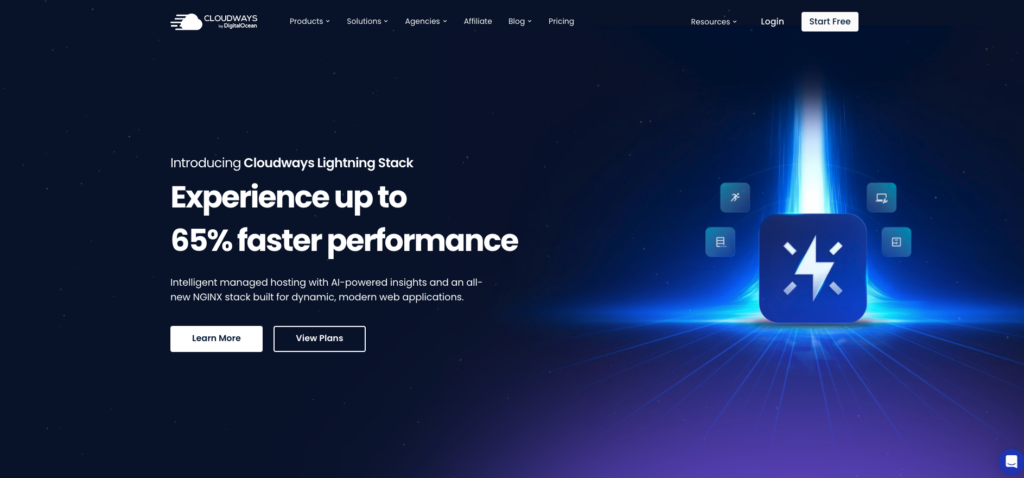
#4 Cloudways (by DigitalOcean) Score: 9.2/10
Managed cloud hosting with raw performance and flexibility
| Price | Platform | Best For | Free Trial / Guarantee |
| From $14/mo | Cloud (DigitalOcean, AWS, Google Cloud) | Intermediate to Advanced | 3-Day Free Trial (no credit card) |
Cloudways occupies a unique position in the hosting market as a managed cloud hosting platform that sits on top of infrastructure providers like DigitalOcean, AWS, and Google Cloud. Now fully owned by DigitalOcean, the platform provides the raw performance of cloud servers with a managed layer that handles server maintenance, security patching, and optimization.
Performance is outstanding. Cloudways servers use SSD storage, built-in Memcached and Redis caching, PHP-FPM with OPcache, Cloudflare Enterprise CDN integration, and HTTP/2 support. In benchmarks, Cloudways consistently outperforms traditional shared hosting by a significant margin. For WordPress sites, the Breeze caching plugin is pre-installed and optimized for the server stack.
The platform gives you genuine flexibility. You can choose your cloud provider and server location from 65 plus data centers worldwide. Scaling is seamless: you can vertically scale your server with a few clicks, and horizontal scaling through cloning makes it easy to handle traffic spikes. You pay only for what you use with hourly billing available.
Server management features include automated backups, one-click SSL installation, staging environments, server monitoring, team collaboration tools, and SFTP/SSH access. The platform supports WordPress, WooCommerce, Laravel, Magento, and other PHP applications. A built-in vulnerability scanner monitors for security threats.
Cloudways is not for everyone. There is no email hosting included and you need to use a third-party email service. The learning curve is steeper than cPanel-based shared hosting. Domain management is handled externally. And the starting price of $14 per month is higher than shared hosts, though you get dedicated cloud resources rather than shared server resources.
| ✓ STRENGTHS | ✗ WEAKNESSES |
| ✓ Genuine cloud performance with dedicated resources | ✗ No email hosting included |
| ✓ Choice of DigitalOcean, AWS, or Google Cloud | ✗ Steeper learning curve than shared hosting |
| ✓ 65+ global data center locations | ✗ Starting price higher at $14/mo |
| ✓ Seamless vertical and horizontal scaling | ✗ Domain management handled externally |
| ✓ Cloudflare Enterprise CDN included | ✗ Limited to PHP-based applications |
| ✓ 3-day free trial with no credit card required | |
| ✓ Pay-as-you-go hourly billing option |
“Cloudways is the ideal stepping stone between shared hosting and full cloud server management. You get cloud performance without the complexity of managing everything yourself.”
– PCMag Editors’ Choice Review (2026)
🎯 Best For: Growing websites needing cloud performance, developers who want infrastructure flexibility, and agencies managing multiple client sites
#5 A2 Hosting Score: 9.0/10
Speed-obsessed hosting with Turbo servers and developer tools
| Price | Platform | Best For | Free Trial / Guarantee |
| From $2.99/mo | Shared, VPS, Dedicated, Reseller | All Levels | Anytime Money-Back Guarantee |
A2 Hosting has carved out a clear identity as the speed-focused hosting provider. Their signature Turbo Boost and Turbo Max plans use LiteSpeed web servers, NVMe storage, and up to 20x faster page load speeds compared to standard hosting. For site owners obsessed with performance metrics and Core Web Vitals scores, A2 delivers.
The Turbo plans include a pre-configured LiteSpeed Cache plugin for WordPress, NVMe SSD storage that is significantly faster than standard SSD, and dedicated resources that prevent other users on the shared server from impacting your site. A2 also includes a free site migration service, free SSL, and Cloudflare CDN integration.
Developer friendliness is a strong suit. A2 provides SSH access, support for multiple PHP versions, Python, Node.js, Ruby, and Perl. Git integration, WP-CLI, and Softaculous auto-installer are included. The hosting supports both cPanel and Plesk depending on the operating system you choose, giving developers freedom to work in their preferred environment.
A2 Hosting offers one of the most generous money-back policies in the industry with their anytime money-back guarantee. While the full refund window is 30 days, after that you can still receive a prorated refund for unused hosting. This level of confidence in their service is rare among hosting providers.
The drawbacks include pricing that is higher than Hostinger for comparable Turbo plans, limited data center locations compared to Cloudways or Hostinger, and basic plans that do not include the Turbo performance features. Customer support quality has been inconsistent in recent user reports, though live chat and phone support are available 24/7.
| ✓ STRENGTHS | ✗ WEAKNESSES |
| ✓ Turbo servers with LiteSpeed and NVMe (up to 20x faster) | ✗ Turbo plans priced higher than basic competitors |
| ✓ Anytime money-back guarantee (prorated) | ✗ Base plans lack Turbo speed features |
| ✓ Excellent developer tool support | ✗ Fewer data center locations |
| ✓ Free site migration service | ✗ Support quality inconsistent in user reports |
| ✓ Support for multiple programming languages | ✗ Renewal prices increase significantly |
| ✓ cPanel and Plesk options available | |
| ✓ Turbo plans include dedicated resources |
“A2 Hosting’s Turbo servers genuinely deliver on their speed promises. If page load time is your top priority, the Turbo plans are among the fastest shared hosting options available anywhere.”
– WebsitePlanet Speed Benchmark (2026)
🎯 Best For: Speed-obsessed site owners, developers needing multi-language support, and anyone prioritizing Core Web Vitals scores
#6 DreamHost Score: 8.9/10

Independent hosting with generous resources and transparent pricing
| Price | Platform | Best For | Free Trial / Guarantee |
| From $2.59/mo | Shared, VPS, Dedicated, Cloud, WordPress | Beginner to Intermediate | 97-Day Money-Back Guarantee |
DreamHost stands out as one of the few remaining independently owned hosting companies, and this independence translates into refreshingly transparent pricing, generous resource allocations, and a customer-first approach. The company has been recommended by WordPress.org alongside Bluehost and is ICANN-accredited for domain registration.
DreamHost offers one of the longest money-back guarantees in the industry at 97 days, giving you over three months to thoroughly test the service before committing. All plans include unlimited bandwidth, free SSL certificates, free domain privacy protection (which most hosts charge $10 to $15 per year for), and pre-installed WordPress with automatic updates.
The custom control panel is unique to DreamHost and takes some getting used to if you are coming from cPanel, but it is clean and functional. The Shared Unlimited plan provides unlimited websites and unlimited SSD storage, which is genuinely generous compared to the tiered limitations at Hostinger or SiteGround. DreamPress managed WordPress plans add server-level caching, staging, and daily backups.
DreamHost also offers DreamCompute, an IaaS cloud service similar to DigitalOcean, giving advanced users full cloud infrastructure access. VPS and dedicated server options round out the lineup for growing businesses that need more power.
The negatives: shared hosting performance is average rather than class-leading, the custom control panel has a learning curve for cPanel users, and there is no phone support. Email support response times can be slow during peak hours. But the combination of transparent pricing, generous resources, and the 97-day guarantee make DreamHost a smart choice for value-oriented users.
| ✓ STRENGTHS | ✗ WEAKNESSES |
| ✓ 97-day money-back guarantee (industry longest) | ✗ Shared hosting performance is average |
| ✓ Unlimited bandwidth and storage on Shared Unlimited | ✗ Custom panel has a learning curve from cPanel |
| ✓ Free domain privacy protection included | ✗ No phone support available |
| ✓ WordPress.org officially recommended | ✗ Email support can be slow at peak times |
| ✓ Independently owned with transparent pricing | ✗ No LiteSpeed server option on shared plans |
| ✓ DreamCompute cloud infrastructure available | |
| ✓ ICANN-accredited domain registrar |
“DreamHost combines generous resources, transparent pricing, and an impressive 97-day money-back guarantee. It is one of the most honest and straightforward hosting providers in an industry that often relies on hidden fees and misleading marketing.”
– PCMag Editorial Review (2026)
🎯 Best For: Value-conscious users wanting generous resources, WordPress bloggers, and anyone who appreciates transparent pricing and a risk-free 97-day trial
#7 HostGator Score: 8.7/10
Affordable and reliable hosting with unmetered resources
| Price | Platform | Best For | Free Trial / Guarantee |
| From $3.75/mo | Shared, WordPress, VPS, Dedicated | Beginner to Intermediate | 30-Day Money-Back Guarantee |
HostGator has been a household name in web hosting for over two decades, and while the landscape has become far more competitive, it remains a reliable and affordable option especially for small business websites. All shared hosting plans come with unmetered bandwidth, free SSL, and a free domain for the first year.
The cPanel control panel is standard across all shared plans, providing a familiar experience for anyone who has used hosting before. One-click WordPress installation, free website migration for one site, and a drag-and-drop website builder are included. The Baby and Business plans allow unlimited websites and include a dedicated IP address and positive SSL upgrade on the Business tier.
HostGator offers one of the most comprehensive product lineups in hosting. Beyond shared hosting, you can seamlessly upgrade to WordPress hosting (with pre-installed performance optimizations), VPS hosting, and dedicated servers. This growth path makes it practical for businesses that expect to scale over time.
Support is available 24/7 via phone, live chat, and email. The extensive knowledge base and video tutorials help with common tasks. HostGator frequently runs promotional pricing that brings entry costs down significantly.
The main criticisms are that performance has not kept pace with newer competitors like Hostinger and SiteGround, the upsells during checkout are aggressive, and renewal pricing is considerably higher than the promotional rates. The hosting uses Apache rather than LiteSpeed, which impacts speed for high-traffic sites.
| ✓ STRENGTHS | ✗ WEAKNESSES |
| ✓ Unmetered bandwidth on all plans | ✗ Performance behind newer competitors |
| ✓ Free domain and SSL included | ✗ Aggressive upsells during checkout |
| ✓ cPanel control panel (industry standard) | ✗ Renewal pricing much higher than promo |
| ✓ Full product lineup from shared to dedicated | ✗ Apache servers (not LiteSpeed) |
| ✓ 24/7 support via phone, chat, email | ✗ Backup features limited on basic plans |
| ✓ Free website migration for one site | |
| ✓ Frequent promotional pricing deals |
“HostGator remains a dependable and affordable option for small businesses. While it may not lead in raw performance, its reliability, familiar cPanel interface, and comprehensive hosting lineup keep it relevant.”
– Forbes Advisor Hosting Roundup (2026)
🎯 Best For: Small business websites, users who prefer cPanel familiarity, and those seeking a full hosting lineup from shared to dedicated under one provider
#8 GoDaddy Score: 8.5/10
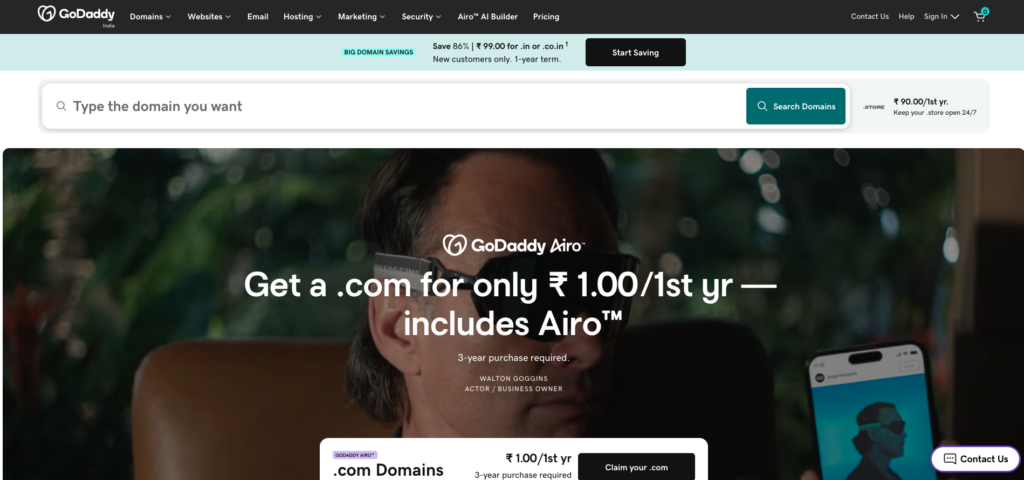
The world’s biggest domain registrar with integrated hosting
| Price | Platform | Best For | Free Trial / Guarantee |
| From $5.99/mo | Shared, WordPress, VPS, Dedicated, Website Builder | Beginners | 30-Day Money-Back Guarantee |
GoDaddy is the world’s largest domain registrar and one of the most recognized names in web hosting, managing over 84 million domain names. For small business owners who want the simplest possible path from registering a domain to having a live website, GoDaddy’s integrated ecosystem is hard to beat.
The GoDaddy Website Builder is one of the easiest drag-and-drop builders available, with AI-assisted design that can generate a functional business website in minutes. WordPress hosting plans include automatic updates, daily malware scans, and one-click staging environments on higher tiers. The dashboard integrates domain management, hosting, email, and marketing tools.
GoDaddy’s managed WordPress hosting runs on a custom infrastructure with built-in caching, free CDN, and automatic daily backups. The Ecommerce plan includes WooCommerce pre-installed with appointment scheduling and payment processing built in. Professional business email through Microsoft 365 is tightly integrated.
The downsides are well-documented: pricing is higher than most competitors for comparable features, the hosting performance is average, and the renewal rates are some of the highest in the industry. Many features that competitors include for free, such as SSL certificates and email, require additional purchases on lower tiers. The shared hosting plans are basic compared to Hostinger or SiteGround.
However, for non-technical small business owners who value brand recognition, an integrated ecosystem, and phone support, GoDaddy’s convenience factor is a legitimate advantage.
| ✓ STRENGTHS | ✗ WEAKNESSES |
| ✓ World’s largest domain registrar (84M+ domains) | ✗ Higher pricing than most competitors |
| ✓ AI-powered website builder included | ✗ Renewal rates are among the steepest |
| ✓ Integrated domain, hosting, email, and marketing | ✗ SSL and email cost extra on lower tiers |
| ✓ Managed WordPress with staging environment | ✗ Average performance on shared hosting |
| ✓ 24/7 phone support available | ✗ Basic resource allocations for the price |
| ✓ Microsoft 365 email integration | |
| ✓ Extensive small business tools |
“GoDaddy is best for small business owners who value convenience and integration over raw value. The all-in-one ecosystem from domain to website to email is genuinely easy to use, even if you pay a premium for that simplicity.”
– NerdWallet Business Tools Review (2026)
🎯 Best For: Non-technical small business owners who want everything domain, hosting, email, and marketing under one roof with phone support
#9 Scala Hosting Score: 8.8/10
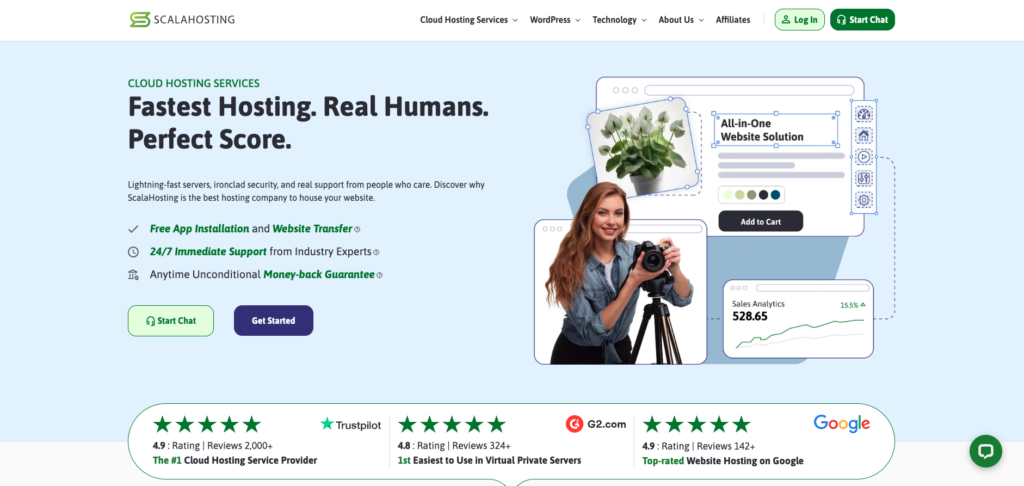
Managed VPS hosting with innovative SPanel technology
| Price | Platform | Best For | Free Trial / Guarantee |
| From $2.95/mo (Shared) / $29.95/mo (Managed VPS) | Shared, Managed VPS, Cloud VPS, WordPress | Intermediate to Advanced | 30-Day Money-Back Guarantee |
Scala Hosting has earned a strong reputation in the VPS hosting space thanks to its proprietary SPanel control panel, which provides a cPanel-equivalent experience at no additional licensing cost. In a market where cPanel license fees have repeatedly increased, SPanel saves VPS users $15 to $45 per month while providing comparable functionality.
The managed VPS hosting is where Scala truly excels. Plans include fully managed server administration, real-time security monitoring through SShield (which blocks 99.998 percent of attacks according to Scala), automatic daily backups, and guaranteed resources that are not shared with other users. The AWS-powered infrastructure provides enterprise-grade reliability.
SPanel includes a built-in WordPress Manager for one-click installation, staging, cloning, and automated updates across multiple WordPress sites. The remote backup feature supports external storage to Amazon S3, Google Drive, or Dropbox. Real-time server monitoring with automated alerts helps prevent issues before they affect your sites.
For shared hosting, Scala offers competitive plans with LiteSpeed servers, NVMe SSD storage, and free migration. However, the company’s true strength and differentiation lie in the VPS segment where SPanel and managed services provide outstanding value compared to competitors like InMotion or Liquid Web.
The trade-offs: shared hosting is decent but not class-leading, the brand is less well-known than major competitors, and the managed VPS starting price of $29.95 per month is an investment that makes sense primarily for businesses with multiple sites or higher traffic requirements.
| ✓ STRENGTHS | ✗ WEAKNESSES |
| ✓ SPanel eliminates expensive cPanel licensing fees | ✗ Shared hosting is good but not class-leading |
| ✓ SShield security blocks 99.998% of attacks | ✗ Less brand recognition than major hosts |
| ✓ Fully managed VPS with AWS infrastructure | ✗ Managed VPS starting at $29.95/mo is an investment |
| ✓ Guaranteed dedicated resources on VPS | ✗ Fewer data center locations than Cloudways |
| ✓ Remote backup to S3, Google Drive, Dropbox | ✗ Learning curve for SPanel if used to cPanel |
| ✓ WordPress Manager with staging and cloning | |
| ✓ Free migration from any host |
“Scala Hosting’s SPanel is the most compelling alternative to cPanel we have seen. Combined with fully managed VPS services and SShield security, Scala delivers genuine value that is hard to find elsewhere in the VPS market.”
– WebsitePlanet VPS Hosting Review (2026)
🎯 Best For: Businesses outgrowing shared hosting, agencies managing multiple sites, and VPS users wanting to avoid cPanel licensing costs
#10 Nexcess (by Liquid Web) Score: 8.6/10

Fully managed hosting built for WordPress and WooCommerce at scale
| Price | Platform | Best For | Free Trial / Guarantee |
| From $21/mo | Managed WordPress, Managed WooCommerce, Managed Cloud | Intermediate to Advanced | 30-Day Money-Back Guarantee |
Nexcess, a Liquid Web brand, provides premium managed hosting specifically engineered for WordPress and WooCommerce. Unlike budget shared hosts, Nexcess allocates genuinely dedicated resources, automatic scaling during traffic spikes, and deep application-level optimization that makes a measurable difference for high-traffic and e-commerce sites.
The WordPress hosting includes auto-scaling to handle traffic surges without manual intervention, image compression and lazy loading built into the hosting stack, iThemes Security Pro and iThemes Sync included at no extra cost, and plugin performance monitoring that identifies slow or problematic plugins. Visual regression testing compares your site before and after updates to catch breaking changes automatically.
For WooCommerce specifically, Nexcess offers cart abandonment recovery, sales performance monitoring, automated WooCommerce plugin updates with visual regression testing, and dynamic page caching that works correctly with personalized cart and checkout pages. This level of e-commerce optimization is extremely rare among hosting providers.
The hosting infrastructure uses Liquid Web’s enterprise-grade data centers with built-in CDN, automatic daily backups with 30-day retention, staging environments, and 24/7 support from WordPress and WooCommerce experts, not generic help desk agents.
At $21 per month to start, Nexcess is priced well above shared hosting. This is not a budget option. It is a premium managed solution for site owners who need reliable performance, e-commerce features, and expert-level support. For serious WooCommerce stores or high-traffic WordPress sites, the investment is easily justified.
| ✓ STRENGTHS | ✗ WEAKNESSES |
| ✓ Auto-scaling handles traffic spikes automatically | ✗ Starting price of $21/mo is premium |
| ✓ Visual regression testing catches update issues | ✗ Overkill for small personal blogs |
| ✓ WooCommerce-specific optimization and monitoring | ✗ Limited to WordPress and WooCommerce sites |
| ✓ iThemes Security Pro included free | ✗ Fewer data center locations than cloud providers |
| ✓ Plugin performance monitoring built in | ✗ Higher tier plans needed for multiple sites |
| ✓ Enterprise-grade Liquid Web infrastructure | |
| ✓ 24/7 expert WordPress and WooCommerce support |
“Nexcess delivers managed WordPress and WooCommerce hosting at a level that most hosts simply cannot match. The auto-scaling, visual regression testing, and e-commerce tools make it worth every penny for serious online stores.”
– PCMag Editors’ Review (2026)
🎯 Best For: Serious WooCommerce stores, high-traffic WordPress sites, and businesses that need enterprise-grade managed hosting with auto-scaling
#11 InMotion Hosting Score: 8.5/10
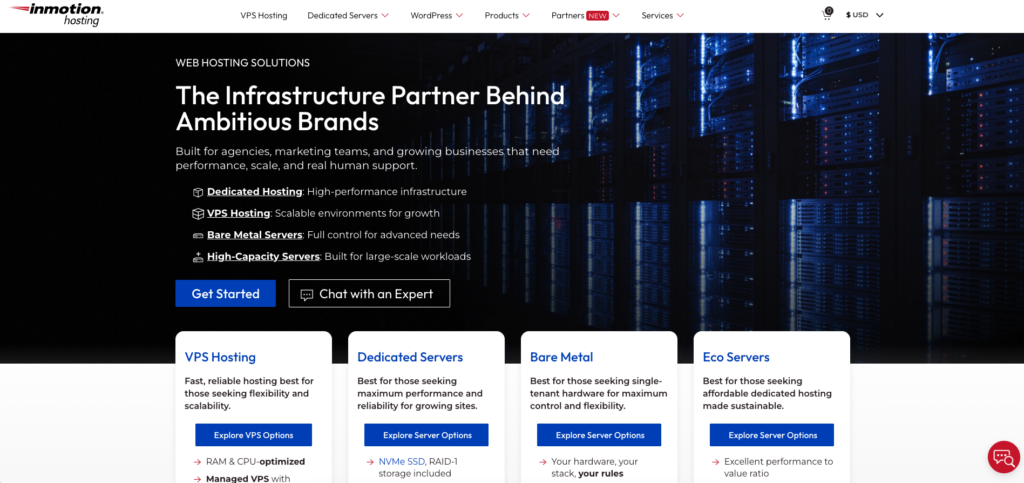
Business-class hosting with excellent support and flexible options
| Price | Platform | Best For | Free Trial / Guarantee |
| From $2.99/mo | Shared, VPS, Dedicated, WordPress, Reseller | All Levels | 90-Day Money-Back Guarantee |
InMotion Hosting has been a reliable player in the hosting industry for over two decades, consistently earning praise for its customer support and business-focused features. The 90-day money-back guarantee is one of the longest in the industry, providing ample time to evaluate the service.
All shared hosting plans include free SSL, unlimited email accounts, marketing tools, and SSD storage. The Launch plan provides one-click WordPress installation, automatic backups, and free domain registration. Higher-tier plans add dedicated IP addresses, advanced caching, and increased resource allocations.
InMotion’s VPS hosting runs on OpenStack cloud infrastructure with burstable RAM, real-time redundancy, and fully managed options. The dedicated servers provide enterprise-grade performance with server management included. This makes InMotion a strong choice for businesses planning to scale from shared hosting to more powerful solutions.
The US-based support team is available 24/7 via phone, chat, and email, and consistently earns positive reviews. InMotion also provides free website migration for up to three websites and includes a website builder on all plans.
The downsides include slower performance compared to LiteSpeed-based hosts, data centers limited to the United States and Europe, and a slightly dated website and dashboard design. Promotional pricing is competitive, but renewal rates can be steep.
| ✓ STRENGTHS | ✗ WEAKNESSES |
| ✓ 90-day money-back guarantee | ✗ Performance behind LiteSpeed-based competitors |
| ✓ Free migration for up to 3 websites | ✗ Data centers limited to US and Europe |
| ✓ OpenStack cloud VPS infrastructure | ✗ Dated website and dashboard design |
| ✓ 24/7 US-based support team | ✗ Renewal rates significantly higher |
| ✓ Unlimited email accounts included | ✗ No LiteSpeed server option on shared plans |
| ✓ Full hosting lineup from shared to dedicated | |
| ✓ Business-focused tools and features |
“InMotion Hosting delivers consistently reliable service backed by genuine US-based support. The 90-day money-back guarantee shows confidence in their service that few competitors can match.”
– Forbes Advisor Hosting Review (2026)
🎯 Best For: US-based businesses wanting reliable support, agencies needing migration assistance, and businesses planning to scale from shared to VPS or dedicated
#12 Namecheap Score: 8.3/10
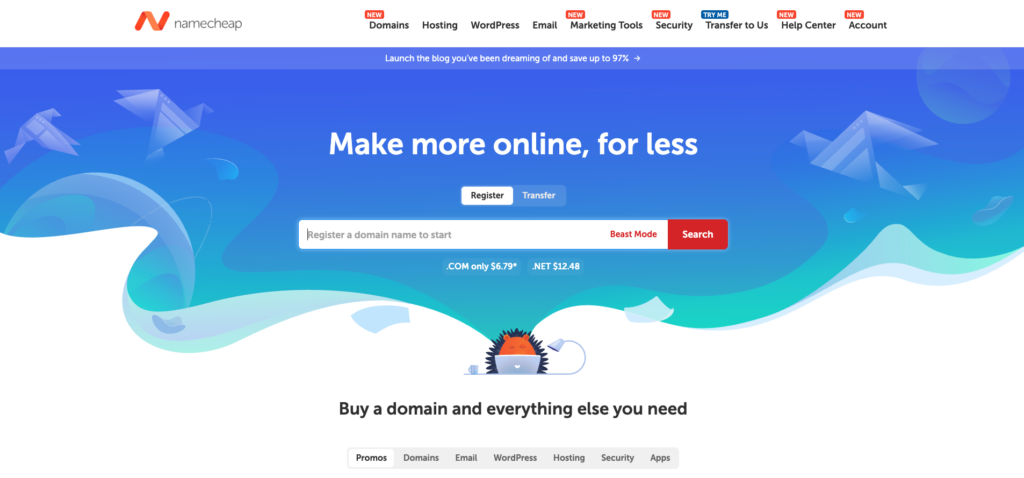
Affordable domain-and-hosting combo with no hidden fees
| Price | Platform | Best For | Free Trial / Guarantee |
| From $1.98/mo | Shared, WordPress, VPS, Dedicated, Reseller | Beginner to Intermediate | 30-Day Money-Back Guarantee |
Namecheap built its reputation as an affordable domain registrar and has expanded into a genuinely competitive hosting provider. With shared hosting plans starting at just $1.98 per month and a commitment to transparent pricing with no hidden fees, Namecheap appeals to budget-conscious users who are tired of bait-and-switch pricing tactics.
All hosting plans include a free domain name, free SSL via Namecheap’s own PositiveSSL certificates, unmetered bandwidth, and cPanel for management. The EasyWP managed WordPress hosting product is particularly noteworthy, running on Namecheap’s own cloud infrastructure with built-in caching, automatic backups, and SFTP access at a very competitive price.
Namecheap provides free WhoisGuard domain privacy on all domains for the lifetime of registration, which most competitors charge annually for. The integration between domain registration and hosting is seamless, and the company’s straightforward approach to pricing means renewal costs, while higher than promotional rates, are less shocking than at many competitors.
Performance is adequate for small to medium websites but does not lead the pack. The data centers are limited compared to global providers, and the shared hosting infrastructure uses Apache rather than LiteSpeed. Support is available 24/7 via live chat, but phone support is not offered.
For users already using Namecheap for domains or looking for the most transparent budget hosting option with no hidden fees, it is an excellent choice.
| ✓ STRENGTHS | ✗ WEAKNESSES |
| ✓ Very low starting price from $1.98/mo | ✗ Performance average for shared hosting |
| ✓ Free lifetime WhoisGuard domain privacy | ✗ No phone support available |
| ✓ No hidden fees or bait-and-switch pricing | ✗ Limited data center locations |
| ✓ EasyWP managed WordPress on cloud infra | ✗ Apache servers rather than LiteSpeed |
| ✓ cPanel included on shared hosting | ✗ Not suitable for high-traffic sites |
| ✓ Seamless domain and hosting integration | |
| ✓ Unmetered bandwidth on all plans |
“Namecheap is one of the most refreshingly honest hosting companies. What you see is what you get, with transparent pricing and free domain privacy that others charge a premium for.”
– TechRadar Budget Hosting Roundup (2026)
🎯 Best For: Budget-conscious users combining domain registration and hosting, WordPress bloggers via EasyWP, and anyone who values transparent no-hidden-fee pricing
#13 WP Engine Score: 9.1/10
The premium managed WordPress platform for serious websites
| Price | Platform | Best For | Free Trial / Guarantee |
| From $20/mo | Managed WordPress, WooCommerce, Headless | Intermediate to Advanced | 60-Day Money-Back Guarantee |
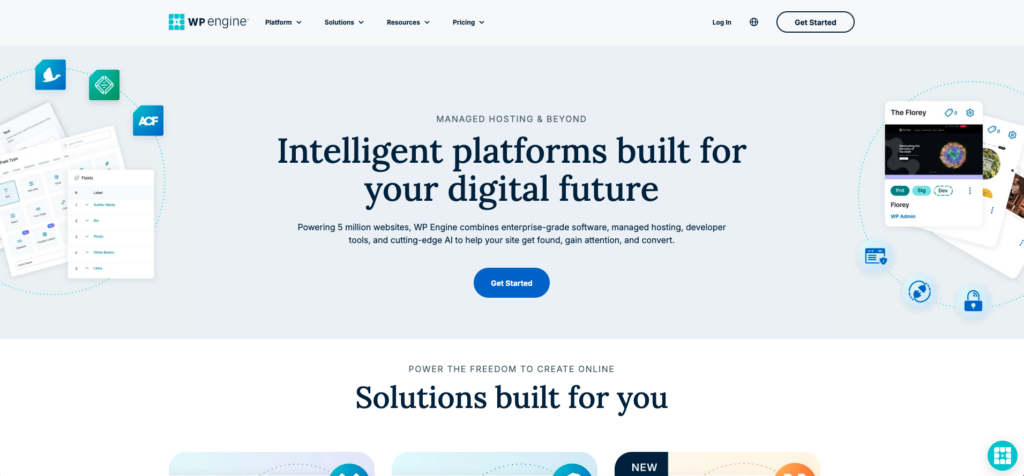
WP Engine is the gold standard for premium managed WordPress hosting. Purpose-built exclusively for WordPress, the platform provides enterprise-grade infrastructure, advanced developer tools, and a hosting experience that is optimized at every level for WordPress performance and security.
The hosting stack includes EverCache proprietary caching technology, a global CDN, automated SSL, daily backups with one-click restore, and a proprietary threat detection and blocking system. WP Engine’s infrastructure is built on Google Cloud Platform and AWS, providing genuine enterprise reliability with a 99.99 percent uptime SLA on higher plans.
Developer features set WP Engine apart: one-click staging environments, local development integration through Local by WP Engine (a popular free tool), Git-based deployments, SSH access, the Genesis Pro framework and StudioPress themes included at no additional cost, and a proprietary transferable site feature for agencies building client sites.
WP Engine recently expanded into headless WordPress hosting with Atlas, enabling developers to build modern JavaScript frontend sites powered by WordPress as a headless CMS. This forward-looking capability positions WP Engine well for the future of WordPress development.
The premium pricing starts at $20 per month for a single site with 25,000 monthly visits. Higher-tier plans scale to support enterprise-level traffic and multi-site setups. This is not a budget option, but for businesses and agencies that depend on WordPress, the reliability, performance, and tooling justify the cost.
| ✓ STRENGTHS | ✗ WEAKNESSES |
| ✓ Enterprise-grade WordPress infrastructure | ✗ Premium pricing from $20/mo for 1 site |
| ✓ EverCache + global CDN for top performance | ✗ WordPress only (no other CMS support) |
| ✓ Genesis framework and StudioPress themes included | ✗ Visitor limits on each plan tier |
| ✓ 60-day money-back guarantee | ✗ No email hosting included |
| ✓ One-click staging and Git deployments | ✗ Some popular plugins are restricted |
| ✓ Local by WP Engine integration | |
| ✓ Headless WordPress via Atlas |
“WP Engine is the hosting provider that serious WordPress businesses trust when performance and reliability are non-negotiable. The developer tools, security, and support are best-in-class.”
– G2 Enterprise Hosting Reviews (2026)
🎯 Best For: Agencies, enterprises, and serious WordPress businesses that need premium performance, developer tools, and enterprise-grade reliability
#14 Kinsta Score: 9.0/10
Premium Google Cloud-powered WordPress hosting with elite performance
| Price | Platform | Best For | Free Trial / Guarantee |
| From $35/mo | Managed WordPress, WooCommerce, Application Hosting | Intermediate to Advanced | 30-Day Money-Back Guarantee |
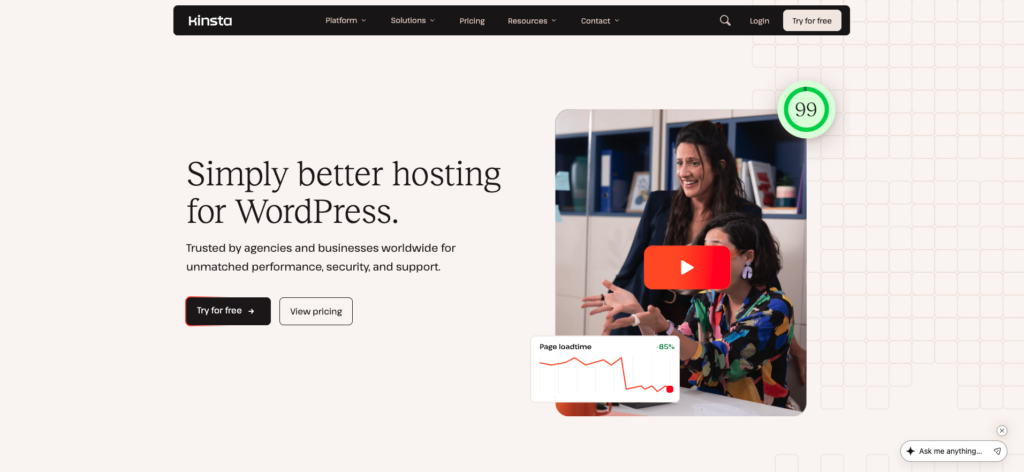
Kinsta delivers some of the fastest WordPress hosting available, running exclusively on Google Cloud Platform’s premium tier infrastructure with C2 virtual machines optimized for high-performance computing. Every site gets its own isolated Linux container with dedicated resources, eliminating the noisy neighbor problems that plague shared hosting.
The proprietary MyKinsta dashboard is beautifully designed and feature-rich, providing one-click staging, automatic daily backups with 14-day retention (30 days on higher plans), built-in APM (Application Performance Monitoring) for identifying slow queries and bottlenecks, and a real-time analytics dashboard. The Cloudflare Enterprise integration includes DDoS protection, WAF, and edge caching at no extra cost.
Kinsta supports 37 global data center locations through Google Cloud, giving you granular control over where your site is hosted for optimal latency. The hosting stack includes Nginx, PHP 8.x, MariaDB, and HTTP/3 support. Free site migrations are handled by the Kinsta team with zero downtime.
Application hosting and database hosting extend Kinsta beyond WordPress, supporting Node.js, Python, Ruby, Go, PHP, and Java applications deployed via Git. This makes Kinsta viable for teams running both WordPress and custom applications.
The pricing is the highest on this list, starting at $35 per month for a single WordPress site. This limits the audience to businesses and professionals who need elite performance and can justify the cost. But for those who can, Kinsta delivers a hosting experience that few competitors can match.
| ✓ STRENGTHS | ✗ WEAKNESSES |
| ✓ Google Cloud Platform premium tier (C2 machines) | ✗ Highest starting price at $35/mo |
| ✓ Cloudflare Enterprise included at no extra cost | ✗ Visitor-based pricing limits scalability value |
| ✓ 37 global data center locations | ✗ No email hosting included |
| ✓ Built-in APM for performance monitoring | ✗ Only WordPress for managed CMS hosting |
| ✓ Application hosting beyond WordPress | ✗ Premium pricing not justified for low-traffic sites |
| ✓ Free zero-downtime site migrations | |
| ✓ Isolated Linux containers for every site |
“Kinsta is the Ferrari of WordPress hosting. The Google Cloud infrastructure, Cloudflare Enterprise integration, and isolated container architecture deliver performance that most hosts simply cannot achieve.”
– WPBeginner Hosting Performance Analysis (2026)
🎯 Best For: High-traffic WordPress sites, performance-critical businesses, and developers who want Google Cloud infrastructure with managed convenience
#15 Liquid Web Score: 8.7/10

Enterprise-grade dedicated and VPS hosting with Heroic Support
| Price | Platform | Best For | Free Trial / Guarantee |
| From $15/mo (VPS) / $169/mo (Dedicated) | VPS, Dedicated, Cloud, Managed WordPress, Managed WooCommerce | Advanced | No Free Trial (fully managed) |
Liquid Web is the hosting provider that businesses turn to when they outgrow shared hosting and need enterprise-grade infrastructure with fully managed support. Known for their Heroic Support promise, Liquid Web guarantees initial response times of under 59 seconds on phone, under 59 seconds on chat, and under 59 minutes on helpdesk tickets.
The VPS hosting runs on VMware with guaranteed resources, full root access, and optional managed services that handle server administration, security, patching, and monitoring. Dedicated servers provide single-tenant hardware with customizable configurations, RAID storage, and enterprise-grade DDoS protection.
Liquid Web’s cloud hosting is built on their proprietary infrastructure and provides dedicated cloud resources with built-in high availability, automatic failover, and managed firewall services. ServerSecure advanced security is included on all managed plans, providing proactive threat monitoring and hardening.
The managed WordPress and WooCommerce hosting through the Nexcess brand provides application-level optimization, while Liquid Web’s core VPS and dedicated products serve as the infrastructure backbone for businesses needing custom server configurations.
Liquid Web is not for beginners or budget shoppers. There is no shared hosting option, no free trial, and the pricing reflects the premium managed infrastructure. But for businesses that need guaranteed resources, guaranteed uptime with financial SLAs, and truly expert-level support, Liquid Web delivers at a level that consumer hosts cannot match.
| ✓ STRENGTHS | ✗ WEAKNESSES |
| ✓ Heroic Support with 59-second response guarantee | ✗ No shared hosting or budget options |
| ✓ 100% uptime SLA with financial compensation | ✗ No free trial period |
| ✓ Enterprise-grade dedicated and VPS hosting | ✗ Premium pricing starting at $15/mo VPS |
| ✓ VMware-powered VPS with guaranteed resources | ✗ Not suitable for beginners |
| ✓ Custom server configurations available | ✗ Complex for simple website needs |
| ✓ ServerSecure advanced security included | |
| ✓ Fully managed services available |
“Liquid Web’s Heroic Support is not just a marketing slogan. The 59-second response guarantee is genuinely upheld, and the technical expertise of the support team is in a different league from consumer hosting providers.”
– Review Signal Enterprise Hosting Analysis (2026)
🎯 Best For: Businesses needing enterprise-grade VPS or dedicated hosting, mission-critical applications, and organizations that require guaranteed uptime SLAs with expert managed support
Full Comparison Table
| Provider | Starting Price | Free Domain | Best For | Score |
| Hostinger | $2.49/mo | Yes | Best overall value + performance | 9.7 |
| Bluehost | $2.95/mo | Yes | WordPress beginners | 9.4 |
| SiteGround | $2.99/mo | No | Support + managed WordPress | 9.3 |
| Cloudways | $14/mo | No | Cloud performance + flexibility | 9.2 |
| WP Engine | $20/mo | No | Premium managed WordPress | 9.1 |
| A2 Hosting | $2.99/mo | No | Speed-focused Turbo hosting | 9.0 |
| Kinsta | $35/mo | No | Elite WordPress performance | 9.0 |
| DreamHost | $2.59/mo | Yes | Transparent pricing + resources | 8.9 |
| Scala Hosting | $2.95/mo | Yes | Managed VPS with SPanel | 8.8 |
| HostGator | $3.75/mo | Yes | Small business reliability | 8.7 |
| Liquid Web | $15/mo | No | Enterprise VPS + dedicated | 8.7 |
| Nexcess | $21/mo | No | WooCommerce at scale | 8.6 |
| GoDaddy | $5.99/mo | No | All-in-one small business | 8.5 |
| InMotion | $2.99/mo | Yes | US business hosting + support | 8.5 |
| Namecheap | $1.98/mo | Yes | Budget + domain combo | 8.3 |
How to Choose the Right Web Hosting Service
Choose Based on Your Experience Level
Complete Beginner: Bluehost (WordPress.org recommended, AI builder), Hostinger (affordable with guided setup), or SoFi-style all-in-one platforms. These minimize decision-making and make it easy to get your first site online.
Growing Site Owner: Hostinger (scales from shared to cloud), SiteGround (premium managed features), or A2 Hosting (Turbo performance). These platforms grow with your traffic and technical needs.
Developer or Agency: Cloudways (cloud flexibility with managed layer), WP Engine (Git deployments, staging, headless), or Kinsta (Google Cloud with APM tools). These provide professional-grade infrastructure and developer workflows.
Enterprise or High Traffic: Liquid Web (dedicated servers, Heroic Support), Kinsta (Google Cloud premium tier), or WP Engine (enterprise WordPress with 99.99% uptime SLA). These deliver guaranteed resources and financial uptime commitments.
Choose Based on Your Website Type
Personal Blog or Portfolio: Hostinger or Namecheap. You don’t need premium managed hosting for a personal site. These provide excellent value with more than enough resources for blogs with moderate traffic.
Small Business Website: Bluehost (easiest setup), HostGator (reliable cPanel hosting), or GoDaddy (integrated domain, email, and marketing tools). The priority is reliability and easy management.
E-Commerce Store: Nexcess (WooCommerce-optimized with auto-scaling), WP Engine (enterprise WooCommerce), or SiteGround (excellent support for troubleshooting). E-commerce sites need reliable performance during traffic spikes and strong security.
High-Traffic Content Site: Cloudways (cloud scalability), Kinsta (isolated containers), or A2 Hosting Turbo (LiteSpeed + NVMe). High-traffic sites need dedicated resources and fast page loads to keep bounce rates low.
Key Factors to Evaluate
1. Server Performance and Speed
The hosting server technology directly impacts your site speed and Core Web Vitals scores. LiteSpeed web servers outperform Apache significantly for WordPress. NVMe SSD storage is 3-6x faster than standard SSD. Look for providers offering built-in caching layers, CDN integration, and HTTP/2 or HTTP/3 support. Hostinger, A2 Hosting Turbo, and Kinsta consistently deliver the fastest performance in benchmarks.
2. Uptime and Reliability
Your website cannot make money or serve visitors if it is down. Look for providers with at least 99.9 percent uptime guarantees backed by financial SLAs. Premium providers like Liquid Web, WP Engine, and Kinsta offer 99.99 percent uptime with service credit compensation if they fail to deliver. Check independent uptime monitoring sites like UptimeRobot reviews and Review Signal for real-world data beyond marketing claims.
3. Pricing Transparency
Web hosting promotional pricing is one of the most misleading areas in technology marketing. Nearly every host advertises a low introductory price that increases dramatically on renewal. When comparing hosts, always check the renewal rate, the required billing term to get the promotional price, and what features are included versus charged extra. Namecheap and DreamHost are notably more transparent than average, while GoDaddy and HostGator have drawn criticism for aggressive upsells.
4. Customer Support
When your website goes down at 2 AM, the quality of customer support becomes the most important feature your host provides. SiteGround, Liquid Web, and WP Engine consistently earn the highest support ratings. Look for hosts with 24/7 availability, multiple contact channels including phone and live chat, WordPress-specific expertise rather than generic help desk agents, and average response times published or independently verified.
5. Scalability
Choose a host that can grow with your website. Starting on shared hosting is fine for most new sites, but you should have a clear upgrade path to VPS, cloud, or dedicated hosting within the same provider. Hostinger, InMotion, and HostGator offer full hosting lineups from shared to dedicated. Cloud providers like Cloudways and Kinsta allow seamless scaling without migration.
6. Security Features
Essential security features should include free SSL certificates, automatic backups with easy restoration, malware scanning and removal, DDoS protection, and a web application firewall. Premium hosts like WP Engine, Kinsta, and Scala Hosting include advanced security monitoring and proactive threat blocking. Always verify backup frequency and retention: daily backups with at least 14-day retention is the standard to look for.
Frequently Asked Questions
Q: What is the best web hosting service for beginners in 2026?
Bluehost is the best overall choice for beginners due to its WordPress.org recommendation, AI website builder, guided onboarding, and 24/7 phone support. Hostinger is the best value option for beginners at just $2.49 per month with an intuitive hPanel interface. For completely hands-off website building, GoDaddy’s AI-powered Website Builder creates functional sites in minutes with no technical knowledge required.
Q: How much does web hosting cost in 2026?
Shared hosting ranges from $1.98 to $5.99 per month on promotional pricing. Managed WordPress hosting starts at $2.99 per month for SiteGround and $20 per month for premium providers like WP Engine and Nexcess. Cloud hosting starts around $14 per month with Cloudways. VPS hosting ranges from $15 to $80 per month depending on resources. Dedicated servers start at $100 or more per month. Always check renewal rates, as they are typically 2-3x higher than promotional pricing.
Q: Is shared hosting good enough for my website?
Shared hosting is perfectly adequate for personal blogs, small business websites, and new online projects receiving fewer than 50,000 monthly visitors. Modern shared hosting from Hostinger or SiteGround with LiteSpeed servers and NVMe storage delivers better performance than premium hosting from five years ago. You should consider upgrading to cloud or VPS hosting when you consistently exceed shared plan resource limits, experience slow page loads during traffic spikes, or need guaranteed dedicated resources.
Q: What is the difference between shared hosting, VPS, cloud, and dedicated hosting?
Shared hosting puts multiple websites on a single server sharing CPU, RAM, and storage, making it the most affordable option. VPS (Virtual Private Server) hosting gives you a dedicated partition of a physical server with guaranteed resources. Cloud hosting distributes your site across multiple virtual servers for better scalability and redundancy. Dedicated hosting provides an entire physical server exclusively for your website. Most sites start on shared hosting and upgrade as they grow.
Q: Do I need managed WordPress hosting?
Managed WordPress hosting is worth the premium if you run a business-critical WordPress site, an e-commerce store, or a high-traffic blog. The automatic updates, security monitoring, staging environments, daily backups, and expert WordPress support save time and reduce risk. For personal blogs or simple business sites, quality shared hosting from Hostinger or Bluehost with WordPress pre-installed provides everything you need at a fraction of the cost.
Q: What uptime should I expect from a good web host?
Industry standard is 99.9 percent uptime, which translates to approximately 8.7 hours of downtime per year. Premium providers like Liquid Web, WP Engine, and Kinsta offer 99.99 percent uptime guarantees backed by financial SLAs, reducing expected downtime to under 52 minutes per year. Always verify uptime claims with independent monitoring data rather than relying solely on provider guarantees.
Q: Should I get a free domain with my hosting plan?
Most shared hosting providers include a free domain for the first year. This is convenient but comes with a trade-off: domain renewal is often priced higher than if you purchased from a dedicated registrar like Namecheap or Cloudflare Registrar. A good strategy is to accept the free domain for the first year, then transfer it to a lower-cost registrar before renewal if the pricing difference is significant.
Q: Can I switch hosting providers later?
Yes. Most quality hosting providers offer free website migration services. Hostinger, SiteGround, InMotion, and Cloudways all provide free migration assistance. WP Engine and Kinsta offer managed migrations handled by their technical teams. The process typically takes 24 to 72 hours and can usually be done with minimal or zero downtime. Always back up your site before initiating any migration.
Q: Is free web hosting worth considering?
Free web hosting is generally not recommended for any serious website. Free hosts typically display advertisements on your site, provide extremely limited resources and bandwidth, offer no customer support, have poor uptime reliability, and may not include SSL certificates. For as little as $1.98 per month with Namecheap or $2.49 per month with Hostinger, you get professional hosting with a custom domain, SSL, and proper support.
Q: What security features should I look for in a web host?
Essential security features include free SSL certificates with auto-renewal, automatic daily backups with at least 14-day retention, malware scanning and removal tools, DDoS protection, a web application firewall, two-factor authentication for account access, and server-level firewalls. Premium hosts like WP Engine, Kinsta, Scala Hosting, and Liquid Web include proactive security monitoring and automated threat blocking that goes beyond basic shared hosting security.
Final Thoughts
The web hosting market in 2026 is remarkably competitive, and that competition benefits you as the consumer. Performance levels that required premium hosting five years ago are now available on $3 per month shared plans. LiteSpeed servers, NVMe storage, and built-in CDNs have become standard features rather than premium upgrades. And managed WordPress hosting has matured to the point where it handles security, updates, backups, and performance optimization automatically.
For the vast majority of website owners, the best approach is straightforward. Choose Hostinger if you want the best combination of performance and value. Go with Bluehost if you are a complete beginner building your first WordPress site and want the most guided experience possible. Pick SiteGround if customer support quality is your top priority. Upgrade to Cloudways when you need genuine cloud resources with dedicated performance. And invest in WP Engine or Kinsta when your WordPress site generates enough revenue to justify premium managed hosting.
For e-commerce specifically, Nexcess provides the deepest WooCommerce optimization available in managed hosting. For VPS users tired of escalating cPanel costs, Scala Hosting’s SPanel is a compelling alternative. And for enterprise or mission-critical applications, Liquid Web’s Heroic Support and dedicated infrastructure remain the gold standard.
The most important decision is not which host you choose – any of the top-rated providers on this list will serve you well. The most important decision is choosing a host that matches your current needs while providing a clear upgrade path for future growth. Start with what you need today, and scale when the time comes.
Disclaimer: This article is for informational purposes only and contains affiliate links. We may earn a commission when you purchase through our links, at no additional cost to you. Pricing and features are accurate as of the publication date but may change. Website performance depends on many factors beyond hosting, including site optimization, content, and traffic patterns. Always review the most current pricing and terms on each provider’s website before purchasing.
