

Social media has never been more fragmented: Instagram, TikTok, LinkedIn, X, Facebook, Threads, Bluesky, Pinterest, YouTube, Mastodon, and more. Fedica reported that the average user is now active on 7.5 different social platforms, and businesses manage content across 8 platforms on average. Eclincher found that managing multiple accounts manually consumes 6–10 hours per week per platform. Without a management tool, you are posting one-by-one across five or more apps, missing comments and DMs, and losing hours that could be spent on strategy.
Marketing 360 observed that social media has become a primary discovery engine where customers research products, read reviews, and seek direct communication. The successful brands in 2026 combine automation with human touch: AI generates the foundation, a person provides the final creative polish. Social media management tools enable this hybrid approach by handling scheduling, analytics, and inbox management while freeing you to focus on content quality and community building.
We synthesized testing data from Zapier (nearly 50 tools tested, March 2026), Buffer (11 tools tried and tested), G2 (market category data), Planable (agency workflow analysis), Fedica (11-tool comparison, Jan 2026), Efficient App (2026 ranked and tested), Eclincher (automation tools, 78% AI stat), Orlo (2026 platform guide), Marketing 360 (2026 trends), and TheCMO (20 free tools). Every pricing, feature, and verdict is sourced from real testing.
How We Tested and Evaluated
We evaluated each tool across seven criteria: Platform Support (which social networks are supported and how well), Scheduling Reliability (does content actually publish on time without bugs), Analytics Depth (vanity metrics vs. actionable insights vs. ROI measurement), Team Collaboration (approval workflows, roles, permissions, client access), Pricing and Value (cost per channel/user/account, free tier generosity), Ease of Use (interface design, learning curve, mobile experience), and Specialty Features (social listening, competitor benchmarking, white-label, ads management). Each tool was assessed for its specific strengths rather than expecting every tool to be everything.
In-Depth Reviews: 10 Best Social Media Management Tools for 2026
1. Buffer
The Best All-Around Social Media Scheduler with the Cleanest Interface and a Generous Free Plan
Our Score: 9.4/10
Quick Facts
| Pricing | Free (3 channels) | Essentials: $6/mo/channel | Team: $12/mo/channel |
| Platforms | Instagram, Facebook, LinkedIn, X, TikTok, Threads, Pinterest, Bluesky, Mastodon, YouTube |
| Key Features | Smart scheduling, AI assistant, analytics, Start Page (link-in-bio), engagement tools, streaks |
| Free Plan | 3 social channels, 10 scheduled posts/channel, basic analytics |
| Best For | Creators, solopreneurs, small teams who value simplicity |
Detailed Review
Buffer is the consensus best all-around social media scheduler for 2026. Efficient App rated it the best social media scheduling app with the best user interface and experience of all tools tested, along with being the most reliable. Zapier tested nearly 50 tools and included Buffer among top picks. Buffer’s own comparison (testing 11 tools) highlighted that it was quick to adapt when new platforms emerge, supporting Threads and Bluesky faster than most competitors.
The interface is Buffer’s defining strength – clean, modern, and clutter-free compared to competitors like Hootsuite and Metricool that feel outdated and clunky. Smart scheduling recommends the best times to post based on engagement data analysis. The AI assistant helps speed up content creation. Start Page provides a customizable link-in-bio alternative. Streak features help you build consistent posting habits. The free plan (3 channels, 10 posts each) is among the most generous for personal use.
Buffer lacks the depth of analytics and reporting that enterprise teams need. Advanced features like social listening, multi-level approval workflows, and white-label reporting are not available. Efficient App noted that Buffer does a better job at social media scheduling on its free tier than what Hootsuite does for $99/month. For creators and small teams who value simplicity and consistent posting over enterprise complexity, Buffer is the clear winner.
Pros & Cons
| PROS | CONS |
|---|---|
| Cleanest interface of all tools tested | Limited analytics vs. enterprise tools |
| Generous free plan (3 channels) | No social listening capability |
| Smart scheduling with engagement-based timing | No multi-level approval workflows |
| Supports 10+ platforms including Bluesky, Mastodon | No white-label reporting for agencies |
| Start Page link-in-bio tool included | Advanced features require per-channel pricing |
| Streak feature for posting consistency | Team collaboration features less mature |
| AI assistant for content creation |
What Reviewers Say
“Buffer has the best interface and user experience. It does a better job at scheduling on its free tier than what Hootsuite does for $99/month.” – Efficient App
BEST FOR
Creators, solopreneurs, and small teams who prioritize clean design, simplicity, and consistent posting over enterprise-level analytics.
2. Hootsuite
The Enterprise-Grade Social Media Platform with 100+ Integrations and Social Listening on All Plans
Our Score: 8.5/10
Quick Facts
| Pricing | Professional: $99/mo (10 channels) | Team: $249/mo | Enterprise: custom |
| Platforms | Instagram, Facebook, LinkedIn, X, TikTok, Pinterest, YouTube, Threads + 100+ app integrations |
| Key Features | Social listening, advanced analytics, team management, approval workflows, Salesforce integration, AI |
| Free Plan | No – 30-day free trial |
| Best For | Enterprise teams, large organizations needing deep integrations |
Detailed Review
Hootsuite is the original social media management platform and remains the go-to for enterprise organizations. Fedica noted that Hootsuite has the largest integration library with 100+ integrations including Salesforce, Monday.com, Wrike, Asana, and dozens more. G2 highlights users’ appreciation for multi-account dashboard management, scheduling features, and analytics. Social listening is available on all plans – not just enterprise – which is a significant advantage over competitors that gate listening behind premium tiers.
The platform supports advanced team management with granular role-based access controls, multi-step approval workflows, and compliance features that regulated industries require. Hootsuite’s Streams feature provides real-time social feeds for monitoring mentions, hashtags, and competitor activity. The advertising integration lets teams manage paid social campaigns alongside organic content from a single dashboard.
Hootsuite’s biggest criticism is pricing and interface feel. Efficient App stated: Hootsuite doesn’t have a friendly user interface (feels quite outdated), is way too feature-rich (overwhelming), and is widely overpriced for small businesses. At $99/month for the Professional plan and $249/month for Teams, Hootsuite is a significant investment. However, for enterprise teams that need the integration depth, compliance features, and social listening capabilities, Hootsuite’s maturity and stability justify the premium.
Pros & Cons
| PROS | CONS |
|---|---|
| 100+ integrations – largest ecosystem (Salesforce, etc.) | $99/mo Professional – expensive for small businesses |
| Social listening on all plans – not just enterprise | Interface feels outdated compared to Buffer/Later |
| Advanced team management and approval workflows | Feature overload can overwhelm new users |
| Advertising integration for paid + organic management | No free plan (30-day trial only) |
| Compliance features for regulated industries | Per-user pricing adds up for teams |
| Most mature platform with longest track record | Learning curve steeper than competitors |
What Reviewers Say
“Hootsuite has the largest integration library with 100+ integrations. Social listening is available on all plans, not just enterprise.” – Fedica
BEST FOR
Enterprise organizations needing deep third-party integrations, social listening on all plans, compliance features, and paid + organic management in one platform.
3. Sprout Social
The Premium Social Media Intelligence Platform for Data-Driven Teams Seeking ROI Measurement
Our Score: 9.0/10
Quick Facts
| Pricing | Standard: $249/seat/mo | Professional: $399/seat/mo | Advanced: $499/seat/mo |
| Platforms | Instagram, Facebook, LinkedIn, X, TikTok, Pinterest, YouTube, WhatsApp, Google Business |
| Key Features | Smart Inbox, social listening, advanced analytics, CRM integration, advocacy tools, AI |
| Free Plan | No – 30-day free trial |
| Best For | Mid-to-large businesses, marketing agencies proving ROI to stakeholders |
Detailed Review
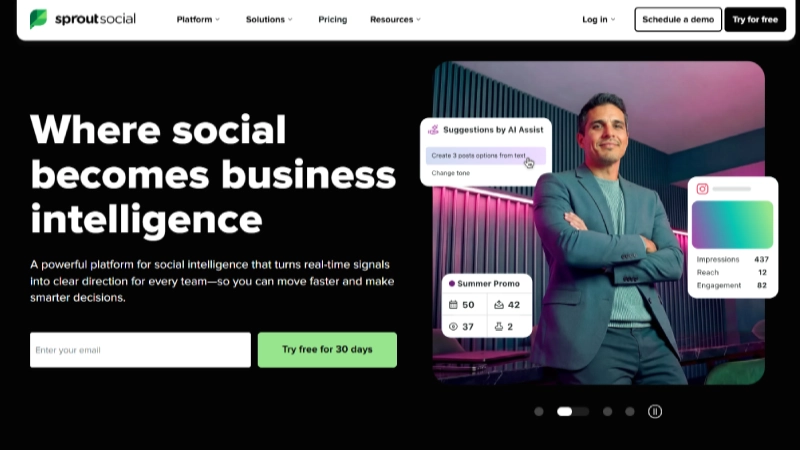
Sprout Social is the premium-tier social media management platform designed for teams that need to prove social media ROI to stakeholders. G2 describes it as a comprehensive solution designed to help businesses effectively engage with audiences, streamline content publishing, and derive actionable insights. Orlo noted that Sprout Social strikes a balance between functionality and ease of use, helping businesses grow while proving ROI to stakeholders.
The Smart Inbox unifies all social messages, mentions, reviews, and DMs across platforms into a single feed. Social listening provides brand monitoring, sentiment analysis, and competitive intelligence. The analytics suite generates presentation-ready reports that map social performance to business outcomes. CRM integration connects social engagement data to customer records, enabling teams to demonstrate how social interactions drive pipeline and revenue.
Sprout Social’s per-seat pricing ($249–$499/month per user) is the highest on this list, making it prohibitively expensive for small businesses. Planable noted that per-user Sprout Social rates make it challenging for agencies managing multiple clients. However, for mid-to-large enterprises where demonstrating social media ROI is a business requirement, Sprout Social’s analytics depth and CRM integration capabilities are unmatched by cheaper alternatives.
Pros & Cons
| PROS | CONS |
|---|---|
| Smart Inbox unifies all social engagement | $249+/seat/month – most expensive on this list |
| Advanced analytics with presentation-ready reports | Prohibitive for small businesses and solopreneurs |
| CRM integration connects social to sales pipeline | Per-seat pricing punishes growing teams |
| Social listening with sentiment analysis | No free plan (trial only) |
| WhatsApp and Google Business Profile support | Overkill for simple scheduling needs |
| Advocacy tools for employee social amplification | Steep learning curve for full feature utilization |
What Reviewers Say
“Sprout Social is ideal for growing businesses and marketing agencies looking for a reliable, insight-led platform that proves ROI to stakeholders.” – Orlo
BEST FOR
Mid-to-large enterprises and agencies that need to prove social media ROI, CRM integration, and presentation-ready analytics for stakeholders.
4. Later
The Visual-First Social Media Planner Built for Instagram, TikTok, and Content Creators
Our Score: 8.8/10
Quick Facts
| Pricing | Starter: $25/mo (1 user, 1 social set) | Growth: $45/mo | Advanced: $80/mo |
| Platforms | Instagram, TikTok, Facebook, LinkedIn, Pinterest, X, YouTube, Threads |
| Key Features | Visual content calendar, link-in-bio (Linkin.bio), best time to post, UGC tools, creator analytics |
| Free Plan | Limited free tier available |
| Best For | Visual content creators, influencers, Instagram/TikTok-focused brands |
Detailed Review
Later was originally built for Instagram and has expanded to become the go-to platform for visual-first social media management. Orlo described it as the go-to platform for influencers, content creators, and early-stage businesses looking to grow through visual storytelling. The visual content calendar lets you drag and drop images and videos to plan your feed’s aesthetic before publishing – a unique feature for Instagram-centric brands where grid appearance matters.
Linkin.bio is Later’s link-in-bio solution that transforms your Instagram feed into a clickable landing page, driving traffic from your posts to specific URLs. Creator analytics provide engagement metrics, audience demographics, and best-time-to-post recommendations. UGC (user-generated content) tools help brands discover, collect, and repost content from their community. The media library provides visual asset management with labels and notes.
Later’s strength in visual planning comes at the expense of some features that text-heavy platforms handle better: LinkedIn long-form posts, X threads, and analytics depth are less robust than Buffer or Hootsuite. The free tier is quite limited. Pricing has increased compared to earlier years. For brands where visual content (Instagram Reels, TikTok, Pinterest) is the primary social strategy, Later’s visual planning tools provide workflow advantages that general-purpose schedulers cannot match.
Pros & Cons
| PROS | CONS |
|---|---|
| Visual content calendar for feed aesthetic planning | Less robust for text-heavy platforms (LinkedIn, X) |
| Linkin.bio – leading link-in-bio solution | Limited free tier |
| Best-time-to-post recommendations | Pricing has increased over time |
| UGC discovery and reposting tools | Analytics depth below Sprout Social/Hootsuite |
| Creator-focused analytics | Not ideal for agencies with many clients |
| Strong Instagram and TikTok optimization | Limited team collaboration features |
What Reviewers Say
“Later is the go-to platform for influencers, content creators, and early-stage businesses looking to grow through visual storytelling and build their brand.” – Orlo
BEST FOR
Visual content creators, Instagram/TikTok-focused brands, influencers, and businesses where feed aesthetic and visual planning are priorities.
READ MORE: Cloudways Review 2026: In-Depth Analysis, Pricing, Performance & Verdict
5. SocialPilot
The Agency-First Social Media Tool with White-Label Reports and the Best Per-Client Pricing
Our Score: 8.9/10
Quick Facts
| Pricing | Professional: $30/mo (10 accounts) | Small Team: $50/mo | Agency: $100/mo | Agency+: $200/mo |
| Platforms | Instagram, Facebook, LinkedIn, X, TikTok, Pinterest, YouTube, Google Business, Threads |
| Key Features | White-label reports, client approval links, sub-dashboards per client, bulk scheduling, AI assistant |
| Free Plan | 14-day free trial |
| Best For | Social media agencies, freelancers managing multiple clients |
Detailed Review
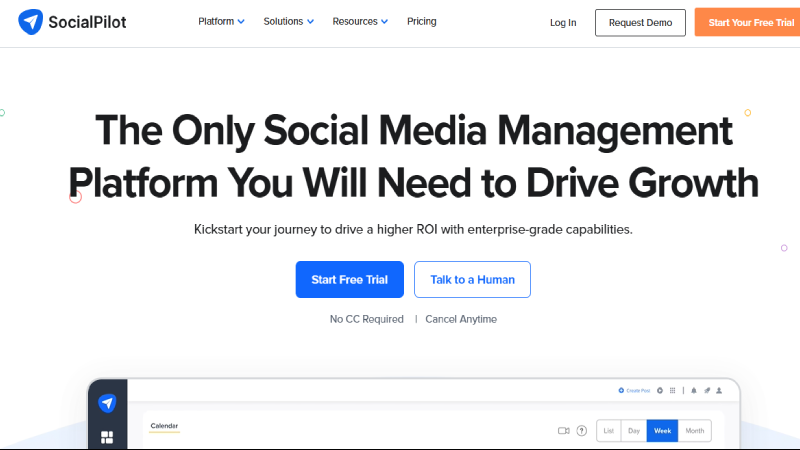
SocialPilot is purpose-built for agencies managing multiple client accounts. Buffer’s comparison noted that SocialPilot is clearly built with agencies in mind – the approval process lets you share direct personalized links (no sign-ups required) that compile everything a client needs to review on a single screen. The whole workflow is designed to be agency-first. White-label reporting lets agencies brand reports with their own logo and styling for a professional client deliverable.
Sub-dashboards for each client keep management separated. Granular team permissions control who can draft, approve, and publish. Bulk scheduling handles high-volume content across dozens of accounts efficiently. The AI assistant helps generate captions and content ideas. At $100/month for the Agency plan (managing up to 50 accounts), the per-account cost is dramatically lower than Hootsuite or Sprout Social for similar scale.
SocialPilot’s interface is functional but less polished than Buffer or Later. Social listening is not included. The analytics depth is solid but does not match Sprout Social’s ROI-focused reporting. The platform is less well-known than Hootsuite or Sprout Social, which may matter when clients ask what tools you use. But for agencies where per-client cost matters more than brand prestige, SocialPilot delivers the best agency value on the market.
Pros & Cons
| PROS | CONS |
|---|---|
| White-label branded reports for clients | Interface less polished than Buffer/Later |
| Client approval links – no client sign-up needed | No social listening included |
| Sub-dashboards per client keep accounts separated | Analytics depth below Sprout Social |
| $100/mo Agency plan for up to 50 accounts | Less brand recognition than competitors |
| Bulk scheduling for high-volume content | Free trial only (no ongoing free plan) |
| Granular team permissions | Limited influencer marketing features |
What Reviewers Say
“SocialPilot is clearly built with agencies in mind. The approval process shares personalized links – no sign-ups required – compiling everything clients need on a single screen.” – Buffer
BEST FOR
Social media agencies and freelancers managing 10+ client accounts who need white-label reporting, client approvals, and cost-effective per-account pricing.
6. Agorapulse
The Inbox-First Social Media Manager with Social Listening and Audience Labeling for Smart Engagement
Our Score: 8.7/10
Quick Facts
| Pricing | Free (3 profiles) | Standard: $49/mo | Professional: $79/mo | Advanced: $119/mo |
| Platforms | Facebook, Instagram, LinkedIn, X, TikTok, Pinterest, YouTube, Threads, Bluesky, Google Business |
| Key Features | Unified inbox, social listening, audience labels, automated inbox sorting, campaign tracking, Zapier |
| Free Plan | Yes – 3 social profiles with basic features |
| Best For | Community managers, brands focused on engagement over broadcasting |
Detailed Review
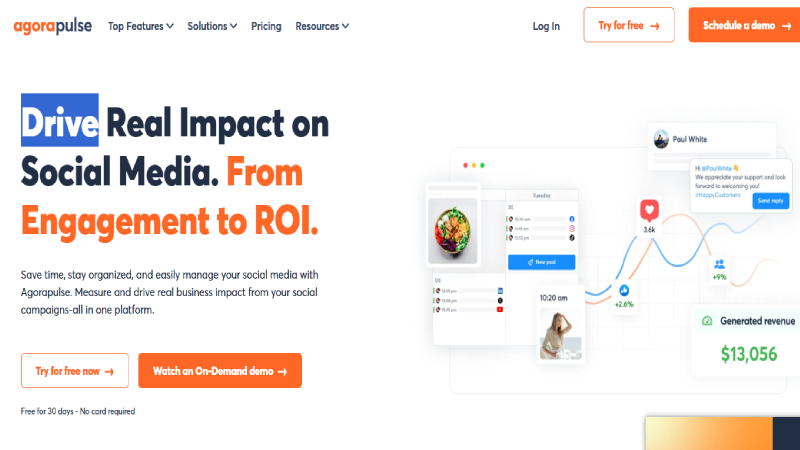
Agorapulse’s defining feature is its unified Inbox that consolidates replies, mentions, DMs, reviews, and comments from organic and paid posts across all platforms into one manageable feed. Zapier highlighted the Inbox as Agorapulse’s standout: it allows you to manage all replies to organic and paid posts, mentions, DMs, and reviews in one place. The Inbox Assistant automatically sorts incoming messages, and team delegation routes items to the most appropriate responder.
Audience labeling is a unique feature: tag individual community members to segment and track interactions over time. This enables community managers to identify brand advocates, frequent commenters, potential leads, and VIP customers within social conversations. Campaign tracking ties every post to specific campaign goals for performance measurement. Planable noted that Agorapulse is well-balanced for agencies managing up to around 15 profiles.
Beyond 15 profiles, Agorapulse’s pricing scales significantly. The free plan (3 profiles) is useful for solopreneurs but limited. Reporting is solid but not as presentation-ready as Sprout Social. The platform recently launched a Zapier integration, expanding automation possibilities. For brands where engagement and community management matter more than simply broadcasting content, Agorapulse’s inbox-first approach provides workflow advantages that posting-focused tools lack.
Pros & Cons
| PROS | CONS |
|---|---|
| Unified inbox for all social engagement | Pricing scales significantly beyond 15 profiles |
| Audience labeling for community segmentation | Free plan limited to basic features |
| Automated inbox sorting with Inbox Assistant | Reporting less presentation-ready than Sprout Social |
| Free plan with 3 social profiles | Paid social monitoring requires higher tiers |
| Campaign tracking ties posts to goals | Interface can feel busy for simple scheduling |
| Bluesky and Threads support | White-label reports limited to higher plans |
What Reviewers Say
“Agorapulse stands out with its Inbox. It manages all replies, mentions, DMs, and reviews in one place with automatic sorting and team delegation.” – Zapier
BEST FOR
Community managers, brands prioritizing engagement and conversation over broadcasting, and teams needing audience segmentation and inbox management.
7. Planable
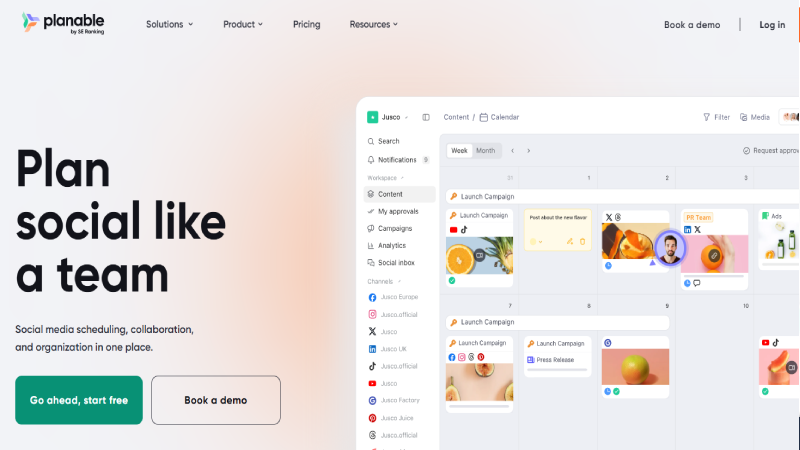
The Content Approval Platform with Four Workflow Modes and Real-Time Feed Mockup Previews
Our Score: 8.6/10
Quick Facts
| Pricing | Free (50 total posts) | Basic: $33/mo/workspace | Pro: $49/mo | Enterprise: custom |
| Platforms | Instagram, Facebook, LinkedIn, X, TikTok, Pinterest, YouTube, Google Business, Threads |
| Key Features | 4 approval modes, feed mockup preview, real-time collaboration, client feedback, content calendar |
| Free Plan | Yes – 50 total scheduled posts |
| Best For | Agencies and teams with complex approval workflows and client review cycles |
Detailed Review
Planable solves the specific problem that slows agencies down the most: getting content reviewed and approved without chaos. The approval system offers four workflow modes (None, Optional, Required, or Multi-level) with distinct roles for internal teammates and external clients. Planable’s description noted that this ensures content is fully reviewed before going live and keeps client-facing communication clean and professional.
The real-time feed mockup shows exactly how posts will appear on each platform before publishing – clients can see the actual visual layout, not just text in a spreadsheet. Real-time collaboration lets team members and clients comment directly on posts, suggest edits, and approve content within the platform. The content calendar provides a visual overview of scheduled content across all platforms and clients.
Planable’s free tier (50 total posts ever, not per month) is very limited – it’s essentially a trial. The per-workspace pricing means agencies with many clients pay for each workspace separately. Analytics and reporting are less robust than Hootsuite or Sprout Social. But for agencies where the content approval bottleneck costs more time than any other workflow issue, Planable’s purpose-built approval system eliminates email chains, missed feedback, and unauthorized publishing.
Pros & Cons
| PROS | CONS |
|---|---|
| Four approval workflow modes (None/Optional/Required/Multi-level) | Free plan limited to 50 total posts (not monthly) |
| Real-time feed mockup previews | Per-workspace pricing adds up for agencies |
| Client and team collaboration on posts | Analytics and reporting are basic |
| Clean, modern interface | No social listening |
| Content calendar with drag-and-drop | Not designed for community management |
| Supports major platforms including Threads | Limited automation features |
What Reviewers Say
“Planable is built around the core problem agencies face: getting content reviewed and approved without chaos. Four approval modes ensure content is fully reviewed before going live.” – Planable
BEST FOR
Agencies and teams with complex, multi-stakeholder content approval workflows where the review and sign-off process is the primary bottleneck.
8. Loomly
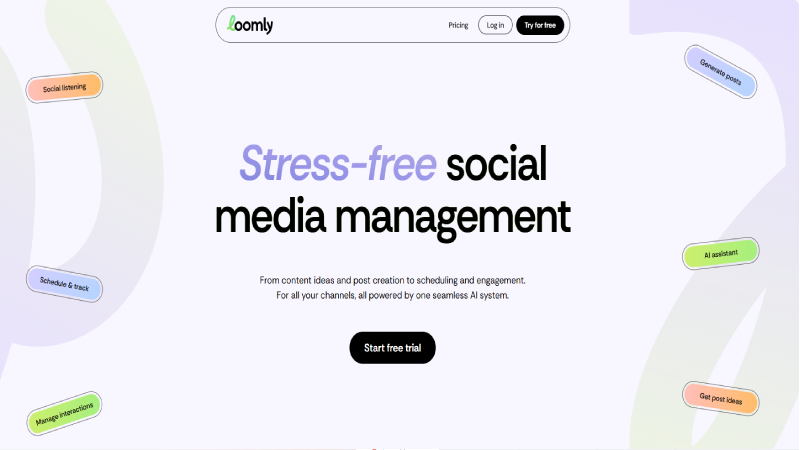
The Guided Post Builder That Coaches You Through Content Creation with Optimization Tips
Our Score: 8.3/10
Quick Facts
| Pricing | Base: $42/mo (2 users, 10 accounts) | Standard: $80/mo | Advanced: $175/mo |
| Platforms | Instagram, Facebook, LinkedIn, X, TikTok, Pinterest, YouTube, Threads, Snapchat, Google Business |
| Key Features | Post optimization tips, content inspiration ideas, hashtag manager, approval workflows, analytics |
| Free Plan | 15-day free trial |
| Best For | Small teams learning social media best practices, beginners wanting guidance |
Detailed Review
Loomly approaches social media management as a coaching tool: when you create a post, it provides real-time optimization tips including hashtag suggestions, best practices for each platform, character count guidance, and content improvement recommendations. Fedica included Loomly in their 11-tool comparison guide. For teams without a dedicated social media expert, Loomly’s guided approach teaches best practices while executing daily workflow.
The content inspiration feature generates post ideas based on trending topics, RSS feeds, holidays, and social media events – solving the common problem of “what do I post today?” The hashtag manager helps organize and reuse hashtag sets for different content types. Approval workflows support team collaboration with review and sign-off before publishing. The post preview shows how content will appear on each platform.
Loomly’s $42/month Base plan includes only 2 users and 10 accounts – pricing that scales steeply for larger teams. The analytics are solid but not as deep as Sprout Social or Hootsuite. Social listening is not included. The guided approach that helps beginners can feel patronizing to experienced social media managers. But for small teams building their social media capability from scratch, Loomly’s coaching approach accelerates learning while maintaining daily publishing consistency.
Pros & Cons
| PROS | CONS |
|---|---|
| ✓ Real-time post optimization tips | ✗ $42/mo Base plan only includes 2 users |
| ✓ Content inspiration generator | ✗ Steep pricing for larger teams |
| ✓ Hashtag manager for organized hashtag sets | ✗ No social listening |
| ✓ Platform-specific best practice guidance | ✗ Analytics depth limited vs. enterprise tools |
| ✓ Preview posts before publishing | ✗ Guided approach may feel basic for experts |
| ✓ Approval workflows for team review | ✗ No free plan (trial only) |
What Reviewers Say
“Loomly provides post optimization tips, content inspiration, and hashtag management that guide teams through social media best practices while maintaining workflow.” – Fedica
BEST FOR
Small teams learning social media, beginners wanting guided optimization, and businesses building their social media capability from scratch.
9. Sendible
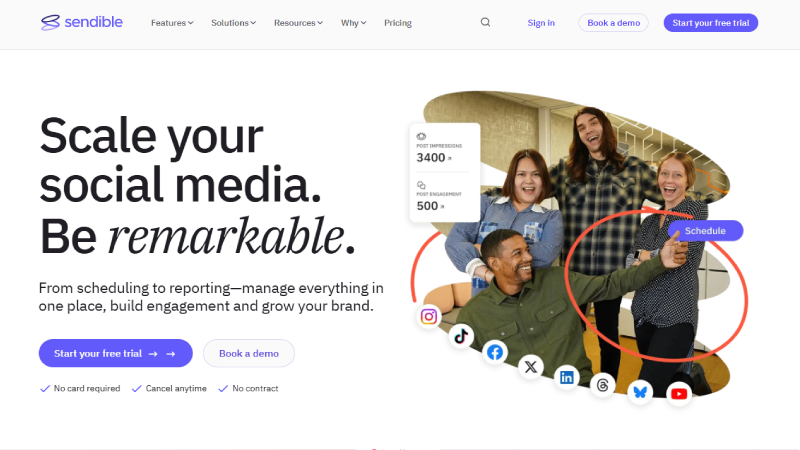
The Agency-Focused Platform with Custom Dashboards per Client and Priority Inbox for Engagement
Our Score: 8.4/10
Quick Facts
| Pricing | Creator: $29/mo (6 profiles) | Traction: $89/mo | White Label: $240/mo | White Label+: $750/mo |
| Platforms | Instagram, Facebook, LinkedIn, X, TikTok, YouTube, Google Business, WordPress, Canva integration |
| Key Features | Custom client dashboards, priority inbox, content suggestions, Canva integration, white-label |
| Free Plan | 14-day free trial |
| Best For | Agencies needing white-label branding and WordPress publishing integration |
Detailed Review
Sendible is designed for agencies that need separate, branded client environments. Eclincher noted that Sendible is designed with agency-specific workflows in mind, alongside Agorapulse. The white-label options (at $240–$750/month) let agencies present the platform as their own branded tool to clients – complete with custom domains, logos, and styling. This level of branding is deeper than SocialPilot’s white-label reports.
The priority inbox filters social engagement by urgency, ensuring that time-sensitive messages (customer complaints, urgent inquiries) surface above routine comments. The WordPress and Canva integrations are unique: publish blog posts directly to WordPress from Sendible, and create social graphics in Canva without leaving the platform. Content suggestion features recommend sharing opportunities based on RSS feeds and topic monitoring.
Sendible’s white-label pricing ($240–$750/month) is expensive for small agencies. The Creator plan at $29/month includes only 6 profiles, which limits even personal use. TikTok and Threads support, while available, is less robust than platforms that prioritize these newer networks. For agencies that need deep white-label branding and WordPress content integration, Sendible provides capabilities that general-purpose tools do not offer.
Pros & Cons
| PROS | CONS |
|---|---|
| ✓ Deep white-label branding (custom domains, logos) | ✗ White-label pricing at $240–$750/mo is expensive |
| ✓ Priority inbox surfaces urgent messages first | ✗ Creator plan limited to 6 profiles |
| ✓ WordPress publishing integration | ✗ TikTok/Threads support less robust |
| ✓ Canva integration for in-platform design | ✗ Interface not as modern as Buffer |
| ✓ Custom client dashboards | ✗ Learning curve for full platform |
| ✓ Content suggestion engine from RSS feeds | ✗ Limited free trial without ongoing free tier |
What Reviewers Say
“Sendible is designed with agency-specific workflows. White-label options let agencies present the platform as their own branded tool to clients.” – Eclincher
BEST FOR
Agencies needing deep white-label branding, WordPress publishing integration, and custom client dashboards with priority inbox engagement.
10. Metricool
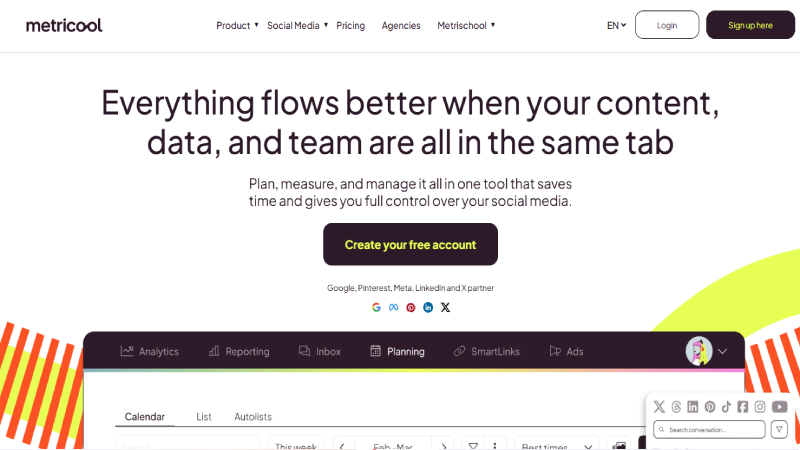
The Budget-Friendly All-in-One with Competitor Benchmarking, Ads Management, and SmartLinks
Our Score: 8.2/10
Quick Facts
| Pricing | Free (1 brand, limited features) | Starter: $22/mo | Advanced: $54/mo | Enterprise: custom |
| Platforms | Instagram, Facebook, LinkedIn, X, TikTok, Pinterest, YouTube, Threads, Twitch, Google Business |
| Key Features | SmartLinks (link-in-bio), competitor benchmarking, ads management, content planner, analytics |
| Free Plan | Yes – 1 brand with basic scheduling and analytics |
| Best For | Budget-conscious small businesses wanting scheduling + ads + analytics in one affordable tool |
Detailed Review
Metricool offers the broadest feature set at the lowest price point on this list: scheduling, analytics, competitor benchmarking, ads management (Facebook and Google), and SmartLinks (link-in-bio tracking) all start at $22/month. TheCMO picked Metricool as #1 for customizable link tracking, highlighting that SmartLinks lets you create trackable links to monitor how audiences interact with social links. The free plan includes 1 brand with basic scheduling and analytics.
Competitor benchmarking lets you compare your social performance against competitors’ accounts without needing their login credentials – enter their profiles and Metricool tracks their posting frequency, engagement rates, and growth. The ads management feature brings Facebook and Google ad creation and monitoring into the same dashboard as your organic social scheduling. Twitch support makes Metricool one of the few tools supporting streaming platforms.
Metricool’s interface feels less polished than Buffer or Later. Efficient App noted it feels quite outdated alongside Hootsuite. The free plan is limited to 1 brand. Customer support responsiveness varies by plan tier. But for budget-conscious small businesses that need scheduling, analytics, competitor tracking, and ad management in a single affordable tool, Metricool’s $22/month Starter plan delivers remarkable value.
Pros & Cons
| PROS | CONS |
|---|---|
| $22/mo for scheduling + analytics + ads + SmartLinks | Interface feels less polished/outdated |
| Competitor benchmarking without login credentials | Free plan limited to 1 brand |
| Facebook and Google ads management built in | Customer support varies by tier |
| SmartLinks for trackable link-in-bio | Less robust than Sprout Social/Hootsuite |
| Free plan for 1 brand | Limited approval workflow features |
| Twitch support – rare among competitors | White-label not available on lower tiers |
What Reviewers Say
“Metricool serves as a versatile social media management tool with customizable link tracking via SmartLinks, helping monitor how audiences interact with social links.” – TheCMO
BEST FOR
Budget-conscious small businesses wanting the most features per dollar: scheduling, analytics, competitor tracking, and ad management at $22/month.
Full Comparison Table
| Tool | Price From | Free Plan | Best For | Key Strength | Score |
| Buffer | $6/ch/mo | Yes (3 ch) | Creators | Cleanest UX | 9.4 |
| Sprout Social | $249/seat | Trial | Enterprise | ROI Analytics | 9.0 |
| SocialPilot | $30/mo | Trial | Agencies | White-label | 8.9 |
| Later | $25/mo | Limited | Visual creators | Feed planning | 8.8 |
| Agorapulse | $49/mo | Yes (3) | Engagement | Unified inbox | 8.7 |
| Planable | $33/mo | 50 posts | Approvals | 4 approval modes | 8.6 |
| Hootsuite | $99/mo | Trial | Enterprise | 100+ integrations | 8.5 |
| Sendible | $29/mo | Trial | White-label | Deep branding | 8.4 |
| Loomly | $42/mo | Trial | Beginners | Post coaching | 8.3 |
| Metricool | $22/mo | Yes (1) | Budget | Ads + analytics | 8.2 |
Decision Guide by Use Case
Best for creators and solopreneurs
Buffer (free plan, cleanest interface) or Later (visual-first planning for Instagram/TikTok). Both are designed for individuals who value simplicity over enterprise features.
Best for agencies managing multiple clients
SocialPilot ($100/mo for 50 accounts with white-label reports) or Sendible ($240+/mo for deep white-label branding). Planable for teams where content approval is the primary bottleneck.
Best for enterprise teams
Sprout Social for ROI measurement and CRM integration. Hootsuite for 100+ third-party integrations and social listening on all plans.
Best for community engagement
Agorapulse for unified inbox management with audience labeling and automated sorting. The inbox-first approach outperforms posting-focused tools for engagement workflows.
Best budget option
Metricool at $22/month for scheduling + analytics + competitor tracking + ad management. Buffer’s free plan for basic scheduling on 3 channels.
Best for content approval workflows
Planable with 4 approval modes (None, Optional, Required, Multi-level) and real-time feed mockup previews for client review.
Frequently Asked Questions
Q1: What is the best free social media management tool?
Buffer offers the best free plan: 3 social channels with 10 scheduled posts per channel, basic analytics, and an AI assistant. Agorapulse’s free plan includes 3 social profiles with basic engagement tools. Metricool’s free plan covers 1 brand with scheduling and analytics. For creators who only need basic scheduling, Buffer’s free tier outperforms what Hootsuite offers at $99/month.
Q2: How much should I spend on social media management tools?
Creators and solopreneurs: $0–25/month (Buffer free or Later Starter). Small businesses: $22–50/month (Metricool, SocialPilot, or Agorapulse). Agencies: $100–250/month (SocialPilot Agency or Sendible). Enterprise: $249–500+/month per seat (Sprout Social or Hootsuite). Calculate based on number of platforms, team members, and whether you need analytics depth, client reporting, or social listening.
Q3: Do I need a social media management tool if I only use one or two platforms?
For one or two platforms, native scheduling (Instagram’s built-in scheduler, LinkedIn’s scheduling feature) may be sufficient. A management tool becomes valuable when you manage 3+ platforms, need analytics across all platforms in one dashboard, manage team approvals, or want AI-assisted content creation. Buffer’s free plan makes the case that even 1–2 platform users benefit from centralized scheduling.
Q4: Which tool is best for Instagram specifically?
Later was built for Instagram and offers the best visual planning tools (feed aesthetic preview, Linkin.bio, UGC tools). Buffer is the best all-around scheduler with strong Instagram support. For Instagram advertising alongside organic posting, Metricool or Hootsuite integrate ad management.
Q5: Can these tools post to TikTok?
Yes. All 10 tools on this list support TikTok scheduling to varying degrees. Buffer, Later, Agorapulse, and SocialPilot offer the most robust TikTok support including video scheduling and basic analytics. Due to TikTok’s API limitations, some features (like direct video publishing for all formats) may require the native TikTok app for final approval.
Q6: What is the difference between social media scheduling and social media management?
Scheduling tools focus on planning and publishing posts across platforms (Buffer, Later). Management tools add engagement (unified inbox, DM management), analytics (performance reporting, ROI measurement), social listening (brand mentions, sentiment), and team collaboration (approval workflows, roles). Most tools on this list offer both scheduling and management features, with the depth varying by price tier.
Final Thoughts
The social media management tool that transforms your business is not the one with the most features – it is the one you actually use every day. Zapier tested nearly 50 tools and concluded that most offer similar core features because they are all limited by the same social network APIs. The real differentiators are interface quality, pricing structure, and specialty features that match your specific workflow.
For most creators and small teams, Buffer’s free plan is the best starting point – clean, reliable, and generous enough for daily use. For agencies, SocialPilot delivers the best per-client value with white-label capabilities. For enterprise teams needing ROI proof, Sprout Social’s analytics are worth the premium. For visual-first creators, Later’s feed planning tools are purpose-built for Instagram and TikTok workflows.
Start a free trial with 2–3 tools from this list that match your use case. Test them with your actual content for a week. Pay attention to: does it save you time or add complexity? Does the scheduling work reliably? Does the analytics tell you something actionable? The answer to those questions – not the feature comparison chart – will tell you which tool is right for your social media strategy.
