

| Affiliate Disclosure: This Adobe Photoshop review contains affiliate links. If you purchase through these links, Softsnoop may earn a small commission at no extra cost to you. Our review is based on hands-on testing, real user data, and independent research from trusted publications. Our editorial opinions are not influenced by partnerships. |
Adobe Photoshop is so dominant in image editing that its name has become a verb. “To Photoshop” is now part of everyday language, and for over 35 years, the software has set the standard for digital image manipulation, design, and creative artistry. But in 2026, the landscape has shifted dramatically. Generative AI tools like Adobe Firefly have transformed what Photoshop can do, while subscription-only pricing, the rise of all-in-one tools like Lightroom, and powerful subscription-free alternatives like Affinity Photo 2 have created legitimate competition for the first time in years.
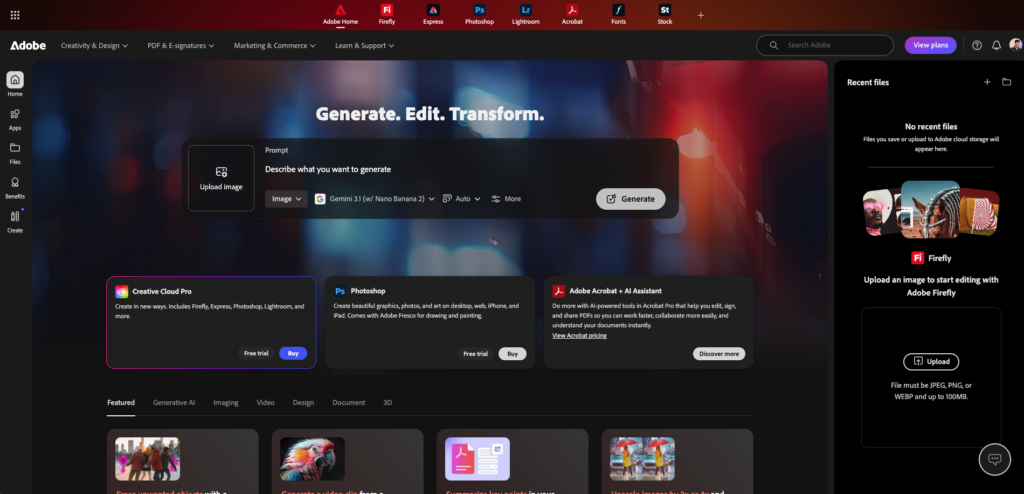
At Softsnoop, our editorial team spent weeks personally testing Adobe Photoshop across multiple workflows. We tested generative AI features including Generative Fill, Generative Expand, and Generate Image, evaluated raw processing through Adobe Camera Raw, benchmarked performance on different hardware configurations, and compared the experience against major alternatives. We also reviewed insights from industry experts at Digital Camera World, PCMag, Amateur Photographer, and verified user feedback on Capterra and Software Advice.
By the end of this guide, you will know exactly what Photoshop does well, where the AI features fall short, what the real cost of ownership looks like in 2026, how it compares to alternatives like Affinity Photo 2 and DxO PhotoLab, and whether the subscription-only pricing model is still worth it for your specific use case.
Quick Comparison: Adobe Photoshop Plans at a Glance
Adobe offers Photoshop through several subscription plans, each targeting different user types. The Photography Plan is overwhelmingly the most popular choice for photographers because it bundles Photoshop, Lightroom, and 1 TB of cloud storage at a competitive price. Here is a scannable comparison of all major options for 2026.
| Plan | Monthly Price | Best For | Storage | Verdict |
|---|---|---|---|---|
| Lightroom Plan | $11.99/mo | Catalog photographers | 1 TB cloud | Lightroom only |
| Photography Plan | $19.99/mo | Most photographers | 1 TB cloud | Best photo value |
| Photoshop Single App | $22.99/mo | Designers without LR | 100 GB | More expensive |
| Creative Cloud Pro | $59.99/mo | Pro designers | 100 GB | All apps included |
| Photoshop Web/iPad | $10.99/mo | Casual users | Limited | Mobile-first |
What Is Adobe Photoshop and Who Is It For?
Adobe Photoshop is a professional raster graphics editor first released in 1990. Owned by Adobe Inc., it has been the industry standard for image editing, digital art, design, and photo manipulation for more than three decades. Photoshop pioneered concepts like layers, blend modes, smart objects, and non-destructive editing that are now standard across creative software.
The application is available on Windows, macOS, iPad, and as a web app, with feature parity continuing to improve across platforms.
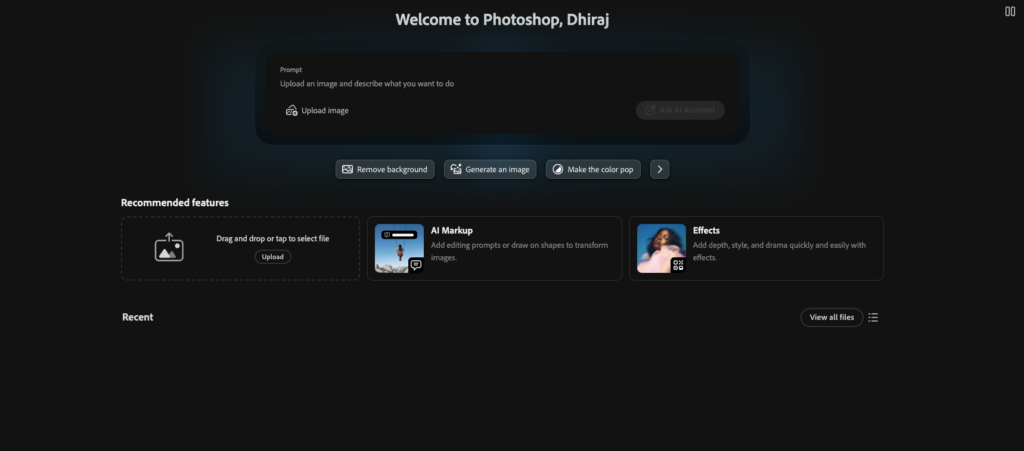
In 2026, Photoshop has evolved well beyond its photo-editing origins. It is built for photographers, illustrators, graphic designers, digital artists, web designers, video editors (for stills work), and AI content creators. The application includes Adobe Firefly generative AI integration, allowing users to generate images from text prompts, expand image canvases beyond original boundaries, and add or remove objects with simple text descriptions.
The Adobe Camera Raw plugin provides full raw file processing with the same engine used in Lightroom, including AI Denoise, AI Masks, and the latest camera and lens profile support.
Who Adobe Photoshop Is Best For
- ✓Professional photographers needing pixel-level retouching, complex compositing, and advanced selection tools beyond what Lightroom offers.
- ✓Graphic designers creating layouts, marketing materials, social media assets, and brand identity work.
- ✓Digital artists and illustrators using layers, brushes, and textures for original artwork and concept art.
- ✓Photo restoration specialists leveraging AI-powered Neural Filters like Photo Restoration and Colorize for archival work.
- ✓Compositing and VFX artists building complex multi-layer images with adjustment layers, masks, smart objects, and blending modes.
- ✓AI content creators using Generative Fill, Generative Expand, and Generate Image for prompt-based image creation.
- ✓Cross-platform creatives needing consistent workflows across desktop, iPad, and web.
- ✓Adobe Creative Cloud ecosystem users who benefit from tight integration with Lightroom, Illustrator, InDesign, and Premiere Pro.
- ✕Catalog-focused photographers who only need fast batch editing and asset management. Lightroom alone usually suffices.
- ✕Casual users who want one-click fixes. Photoshop is built for manual control with no easy automation.
- ✕Subscription-averse users who prefer one-time purchases. Affinity Photo 2 is the obvious alternative.
- ✕Budget-conscious hobbyists since $19.99 to $59.99 per month adds up significantly over time.
- ✕Pure raw processors since Capture One and DxO PhotoLab deliver superior raw quality and noise control.
- ✕Complete beginners with no design background who may find the layer-based workflow initially overwhelming.
- ✕Photographers who oppose generative AI as Adobe is heavily integrating Firefly across the platform.
- ✕Users on older hardware since Photoshop requires modern GPUs and at least 8 GB RAM (16 GB recommended).
Quick Verdict: Adobe Photoshop Review 2026 at a Glance
Overall Rating: 4.5 out of 5
Adobe Photoshop in 2026 remains the gold standard for pixel-based editing, compositing, and design work. The interface is remarkably clean for a professional tool of its complexity, the selection and masking tools are state-of-the-art, and the layer-based editing model is unmatched.
The integration of Adobe Firefly generative AI through tools like Generative Fill and Generate Image is genuinely impressive, even if AI-generated content currently produces lower resolution than typical camera files. The Photography Plan at $19.99 per month with Lightroom and 1 TB cloud storage is solid value for photographers who need both applications.
However, Photoshop is not without serious caveats. The subscription-only model frustrates users who prefer ownership. Adobe Camera Raw trails Capture One and DxO PhotoLab on raw quality. The application has no built-in asset management (you need Lightroom or Bridge).
Generative AI features now consume credits, and Adobe’s relentless AI focus has alienated some traditional photographers. For pure photo editing, Affinity Photo 2 offers a one-time purchase alternative with most of Photoshop’s professional features. For the right user, Photoshop is still essential. For others, alternatives may serve better in 2026.
Adobe Photoshop Pricing 2026: Real Costs and Plans
Adobe Photoshop is only available through subscription, with no perpetual license option. Adobe restructured its pricing in 2025 and 2026, retiring some legacy plans and introducing new tiers.
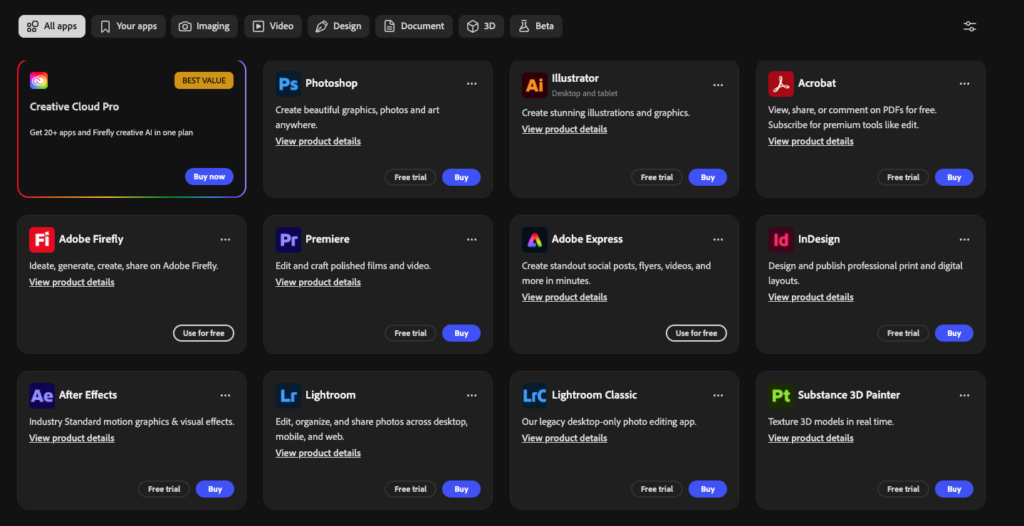
The Photography Plan remains the most cost-effective entry point for photographers, while the new Creative Cloud Pro plan consolidates the All Apps offering at $59.99 per month introductory pricing. Below is the complete pricing structure for 2026.
Adobe Photoshop Pricing Table 2026 (US Dollars)
| Plan | Monthly | Annual (Monthly) | Annual Total | Includes |
|---|---|---|---|---|
| Lightroom Plan (1TB) | $14.99 | $11.99 | $143.88 | Lightroom + 1TB |
| Photography Plan (1TB) | $23.99 | $19.99 | $239.88 | PS + LR + 1TB |
| Photoshop Single App | $34.49 | $22.99 | $275.88 | PS + 100GB |
| Photoshop Web/iPad | $13.99 | $10.99 | $131.88 | Web + iPad only |
| Creative Cloud All Apps | $89.99 | $59.99 | $719.88 | 20+ apps |
| Students/Teachers | Varies | $19.99 first year | $239.88 first year | All Apps discounted |
Note: Annual plans require a 12-month commitment with cancellation fees if you exit early. Monthly plans cost roughly 20 percent more than annual plans paid monthly. Adobe occasionally runs promotional discounts, especially during Black Friday, back-to-school, and Adobe MAX conference periods. Student and teacher pricing offers significant discounts of 60 percent or more on Creative Cloud All Apps for the first year.
Hidden Costs to Watch
- Generative AI credits: Generative Fill and Generate Image now consume monthly AI credits. Free credits vary by plan, with heavy users needing additional Firefly credits as paid add-ons.
- Annual commitment penalty: Cancelling an annual plan early triggers a fee equal to 50 percent of the remaining contract value.
- Photography Plan price increase: The legacy $9.99/month Photography Plan was discontinued for new users. Existing customers can keep that rate, but new signups must take the $19.99 Photography Plan with 1 TB storage.
- Photoshop-only plan is more expensive: Photoshop Single App at $22.99/month costs more than the Photography Plan ($19.99/month), which includes both Photoshop AND Lightroom AND 1 TB of storage.
- Cloud storage overages: Exceeding your storage allocation requires additional storage purchases.
- Stock asset purchases: Adobe Stock images, fonts, and templates are separate purchases on top of subscriptions.
- Renewal price increases: Adobe periodically raises subscription prices. The 2026 pricing is higher than 2024 across all tiers.
Adobe Photoshop Plans Reviewed in Detail
Adobe offers Photoshop through five distinct plans, each targeting different user segments with clear feature differences. Below is our individual review of each plan worth considering in 2026.
1. Adobe Photography Plan (1TB) Review
Monthly Price: $19.99/mo (annual) | Annual Total: $239.88 | Best For: Most photographers
The Photography Plan is the most popular choice for photographers in 2026 because it bundles the three things most photographers need: Photoshop, Lightroom, and 1 TB of cloud storage. The plan also includes Lightroom Classic (the desktop-focused version), Lightroom (the cloud-first version), Photoshop on desktop and iPad, Adobe Camera Raw, Adobe Bridge for asset management, and Adobe Express.
The 1 TB storage allows you to access your full image library from any device through Lightroom Cloud sync. Generative AI credits are included for Firefly-powered features.
Photography Plan Pros and Cons
- +Best value bundle including Photoshop and Lightroom
- +1 TB cloud storage for cross-device sync
- +Both Lightroom Classic (desktop) and Lightroom (cloud) included
- +Photoshop available on Mac, Windows, iPad, and Web
- +Adobe Express for quick social media graphics
- +Generative AI credits included monthly
- –Annual contract with cancellation fees
- –$239.88 per year is a high ongoing cost
- –Photography Plan was previo
Verdict: The Photography Plan is the right choice for the majority of photographers. The combination of Photoshop, Lightroom, and 1 TB storage at $19.99 per month is hard to beat for serious photographers who need both applications. Choose this over the more expensive Photoshop Single App plan.
2. Adobe Lightroom Plan (1TB) Review
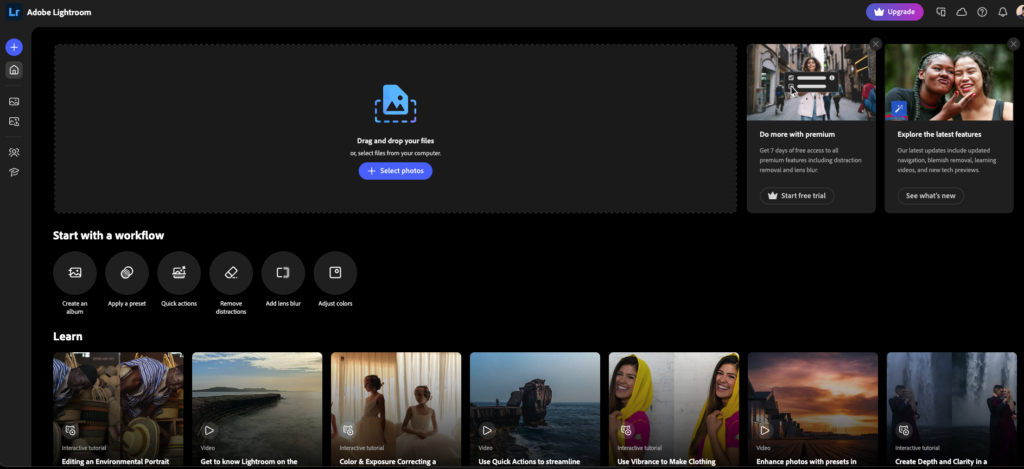
Monthly Price: $11.99/mo (annual) | Annual Total: $143.88 | Best For: Catalog photographers without Photoshop needs
The Lightroom Plan offers the cloud-first version of Lightroom (not Lightroom Classic) plus 1 TB of storage at the lowest entry price for Adobe photo software. This plan is ideal if you mainly need raw processing, basic adjustments, AI masks, and catalog management without the advanced compositing capabilities of Photoshop. Many casual and intermediate photographers find that Lightroom alone covers 90 percent of their editing needs.
Pros and cons
- +Cheapest entry into Adobe photo ecosystem
- +1 TB cloud storage included
- +AI Masks and AI Denoise included
- +Cross-device sync through Lightroom Cloud
- –No Photoshop, no Lightroom Classic, no Bridge
- –Cloud-first model may not suit photographers with massive local libraries
- –Cannot perform pixel-level edits or complex compos
Verdict: Choose Lightroom Plan only if you have zero need for Photoshop. For an extra $8 per month, the Photography Plan adds Photoshop, Lightroom Classic, Bridge, and more. Most photographers should pay the upgrade.
3. Adobe Photoshop Single App Review
Monthly Price: $22.99/mo (annual) | Annual Total: $275.88 | Best For: Designers without Lightroom needs
The Photoshop Single App plan provides Photoshop on desktop, iPad, and Web with 100 GB of cloud storage. Surprisingly, this plan costs more than the Photography Plan despite excluding Lightroom and providing only 100 GB instead of 1 TB. The pricing structure makes the Single App plan a worse choice for almost everyone except dedicated graphic designers and illustrators who specifically do not want Lightroom.
- +Photoshop on desktop, iPad, and Web
- +includes generative AI credits
- +Adobe Express included
- –More expensive than Photography Plan despite excluding Lightroom
- –Only 100 GB storage instead of 1 TB
- –No asset management without paying for Bridge separately
Verdict: Skip this plan and choose the Photography Plan instead. For $3 less per month, you get Lightroom plus 10 times the cloud storage.
4. Adobe Photoshop Web/iPad Plan Review
Monthly Price: $10.99/mo (annual) | Annual Total: $131.88 | Best For: Casual users, mobile creators
The Photoshop Web/iPad plan provides Photoshop only on iPad and through the browser-based web app. This plan suits casual users, students, and mobile creators who do not need the full desktop application. The web and iPad versions have steadily improved feature parity with the desktop version, though some advanced tools remain desktop-only. This is the cheapest way to access Photoshop in 2026.
- +Cheapest way to access Photoshop
- +Mobile-first workflow on iPad
- +Browser-based access from any device
- –No desktop application access
- –Some advanced features missing on iPad/Web
- –Not suitable for professional desktop workflows
5. Adobe Creative Cloud Pro (All Apps) Review
Monthly Price: $59.99/mo intro (annual) | Annual Total: $719.88 | Best For: Professional designers, agencies
Creative Cloud Pro (formerly All Apps) gives you access to more than 20 Adobe applications including Photoshop, Lightroom, Illustrator, InDesign, Premiere Pro, After Effects, Audition, Acrobat Pro, XD, and more. The plan includes 100 GB cloud storage, Adobe Fonts, Behance Pro, Adobe Portfolio, and the highest tier of Firefly generative AI credits. Creative Cloud Pro is the right choice for professional designers, agencies, and creative teams who use multiple Adobe applications regularly.
Pros and Cons
- +Access to 20+ professional Adobe applications
- +Highest tier of Firefly AI credits
- +Adobe Fonts library and Behance Pro included
- +Recently discounted to $59.99 from $89.99
- –$719.88 per year is the highest tier of recurring cost
- –Only 100 GB storage despite premium pricing
- –Most users do not use even half the included applications
Photoshop Performance: Speed, Stability, and Hardware
Photoshop performance has improved significantly in 2026 thanks to Apple Silicon optimization, GPU acceleration, and machine learning processing. On modern hardware, including Apple M-series chips, Intel 13th-generation processors, and current AMD Ryzen processors, Photoshop runs smoothly with most operations completing in real time. Selection tools, filters, and basic adjustments respond instantly. AI features like Generative Fill require cloud processing and typically take 5 to 15 seconds depending on the complexity of the request.
System Requirements 2026
- Operating System: Windows 10 v22H2 or later, Windows 11; macOS v13 (Ventura), v14 (Sonoma) recommended, v15 (Sequoia)
- Processor: Multicore Intel, AMD, or Apple Silicon (M1/M2/M3/M4 recommended for Mac users)
- RAM: 8 GB minimum, 16 GB or more strongly recommended
- Graphics: GPU with DirectX 12, 1.5 GB VRAM minimum, 4 GB recommended for 4K displays
- Storage: 10 GB minimum, 100 GB recommended on fast SSD with separate scratch disk
- Display: 1920 x 1080 minimum at 150 percent scaling, supports 8/16/32-bit color
- Internet: Required for activation, AI features, and cloud sync
Real-World Performance Findings
| Capability | Photoshop Status | Industry Standard |
|---|---|---|
| Layers and Compositing | Industry-leading | Best in class |
| Generative AI (Firefly) | Generative Fill, Expand, Generate Image | Lower resolution than camera files |
| Selection and Masking | State-of-the-art AI selection | Best in industry |
| Raw Processing | Adobe Camera Raw included | Capture One, DxO better |
| Asset Management | None (requires Lightroom or Bridge) | Built-in elsewhere |
| Smart Objects | Non-destructive editing | Industry standard |
| Neural Filters | Photo Restoration, Colorize, Super Zoom | Unique to Photoshop |
| Cross-Platform Support | Mac, Windows, iPad, Web | Most comprehensive |
Independent reviewers running Photoshop on a 2023 Mac Studio with 32 GB RAM reported smooth, responsive performance across all standard editing tasks. Photoshop’s selection and masking tools are state-of-the-art, and layer blending controls make complex composite images straightforward. The application handles raw files seamlessly through Adobe Camera Raw, providing the same processing engine as Lightroom.
However, Capterra and Software Advice user reviews note that very large files (above 1 GB) can occasionally trigger stability issues even on high-end machines, and the Adobe Bridge file manager has been criticized for slow thumbnail generation and bug-prone behavior.
Generative AI features require cloud processing through Adobe servers. Generative Fill, Generate Image, and Generative Expand typically complete in 5 to 15 seconds with internet connectivity required. The output resolution of generative AI elements is currently lower than typical digital camera files.
While AI-generated content looks fine for web and social media use, photographers printing at medium sizes and larger will notice the resolution difference between camera-captured content and AI-generated content. Adobe acknowledges this limitation and continues to improve resolution with each Firefly model update.
Key Features and Tools
Generative AI Tools (Adobe Firefly)
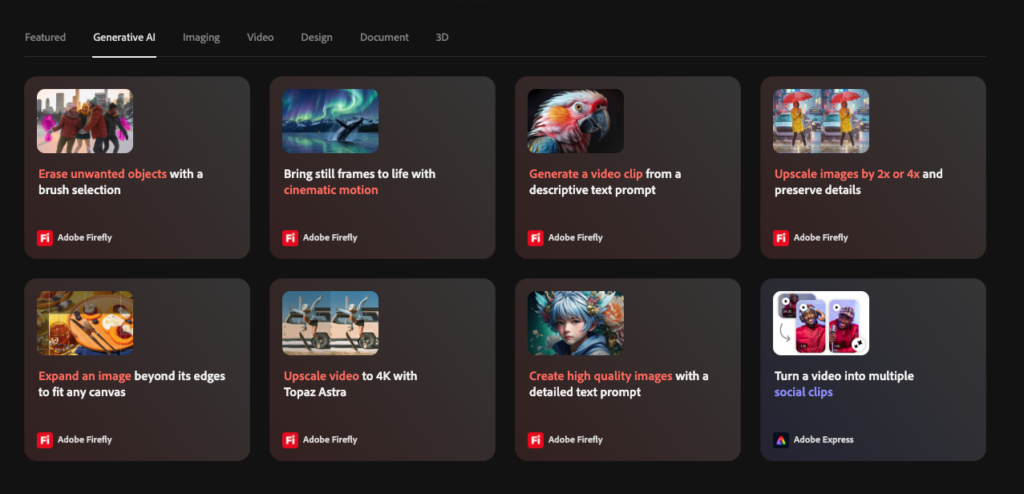
Adobe Firefly powers Photoshop’s generative AI features and is the most differentiated AI offering in the creative software market. Firefly is trained on Adobe Stock licensed content and public domain content, which means generated content is commercially safe to use without copyright concerns. Adobe respects creator rights and does not train its models on customer content uploaded to Creative Cloud. Content Credentials are automatically applied to AI-generated images, providing transparency about how images were created.
- Generative Fill adds or removes objects in images using simple text prompts with automatic shadow, lighting, and perspective matching
- Generative Expand extends image canvases beyond original boundaries by dragging the crop tool, generating new content to match
- Generate Image creates entirely new images from text prompts using Firefly Image 3 Model
- Generate Background replaces image backgrounds with AI-generated alternatives
- Generate Similar creates variations of existing AI-generated content for ideation
- Generative Workspace (beta) helps designers brainstorm concepts and collaborate
- Enhance Detail uses Generative Fill to deliver greater sharpness in large images
Layer-Based Editing
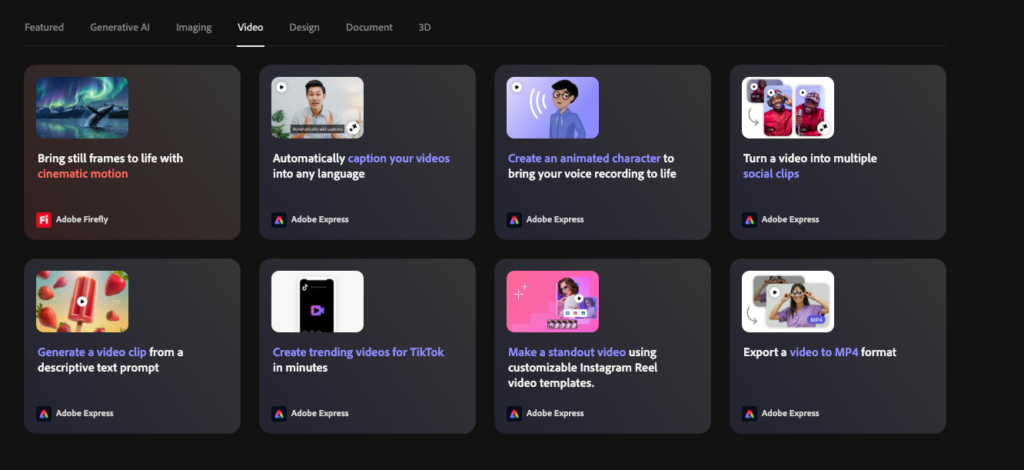
Layers remain the heart of Photoshop’s power in 2026. The application supports image layers, adjustment layers (which apply non-destructive edits to layers below), type layers, vector shape layers, and Smart Objects. Smart Objects preserve filter settings live, allowing you to return and modify them at any time. The Layer Mask system enables precise selective editing without permanent changes to source images. Blending modes allow complex combinations of layers including multiply, screen, overlay, and dozens more.
- Image layers for separate elements with full transparency and blending control
- Adjustment layers for non-destructive curves, levels, hue/saturation, and other corrections
- Type layers for editable text with full typography controls
- Vector shape layers for resolution-independent shapes and paths
- Smart Objects preserve filter settings live for re-editing
- Layer masks and clipping masks for precise selective editing
- Layer groups and compositions for organizing complex documents
Selection and Masking Tools
Photoshop’s selection tools are state-of-the-art in 2026. The AI-powered Object Selection tool can identify and select complex objects (people, animals, vehicles, products) with a single click. Select Subject automatically isolates the main subject of any image. Sky Replacement uses AI to detect and mask skies, then replaces them with real sky photography (not AI-generated). The Refine Edge brush handles complex edges like hair, fur, and translucent elements with remarkable accuracy. Quick Selection and Magic Wand remain available for traditional selection workflows.
Neural Filters and Smart Tools
- Photo Restoration Neural Filter automatically cleans up old and damaged photos
- Colorize Neural Filter applies hand-colored effects to black and white images
- Super Zoom Neural Filter upsizes low-resolution images using AI
- JPEG Artifacts Removal cleans up compression artifacts in low-quality photos
- Skin Smoothing Neural Filter for portrait retouching
- Style Transfer Neural Filter applies artistic styles to photos
- Landscape Mixer Neural Filter transforms outdoor scenes by mapping surfaces
- Smart Portrait Neural Filter adjusts age, expression, and gaze direction
Adobe Camera Raw Integration
Raw files automatically open in Adobe Camera Raw before passing to Photoshop. ACR uses the same processing engine as Lightroom and includes all the same adjustment and masking tools. Recent additions include AI Denoise (significant improvement over previous noise reduction), AI Masks for selective editing, and continuing support for the latest cameras and lenses. While ACR is fine for larger sensor cameras, it is not the absolute best raw processor available. Capture One and DxO PhotoLab maintain a slight advantage for raw quality, particularly in noise control and detail rendition for smaller sensor or higher ISO files.
Cross-Platform Support
- Photoshop Desktop for Windows and macOS with full feature set
- Photoshop on iPad with continually improving feature parity
- Photoshop Web for browser-based access from any device
- Cross-device cloud sync through Creative Cloud
- Apple Silicon native for optimized M-series Mac performance
Adobe Photoshop Customer Support Review
Adobe customer support is delivered through 24/7 live chat, phone support during business hours, an extensive Adobe Help Center knowledge base, and active community forums. The phone support availability varies by region and plan, with Creative Cloud All Apps subscribers receiving priority access.
The knowledge base is comprehensive with detailed how-to articles, video tutorials, and step-by-step guides covering virtually every Photoshop feature. Adobe also operates the Behance creative community and offers Adobe Live (free streaming workshops with professional creators).
User feedback on support quality is mixed. Many users praise the depth of educational resources, the active community of professional Photoshop users, and the abundance of YouTube tutorials and third-party training. Adobe’s Adobe Live streams and Adobe MAX conference content provide world-class educational material at no extra cost.
However, some users report frustration with Adobe support escalation processes, slow response times during peak periods, and challenges resolving billing issues, including subscription cancellation fees. Adobe forums are active but can sometimes feel impersonal compared to specialized communities.
Support Pros and Cons
- +24/7 live chat support across all paid plans
- +Phone support available (regional variations)
- +Comprehensive Adobe Help Center with detailed tutorials
- +Massive third-party tutorial library on YouTube and educational platforms
- +Active Adobe Community forums with professional users
- +Adobe Live free streaming workshops with industry professionals
- +Adobe MAX conference content available year-round
- –Subscription cancellation process can be frustrating
- –Early cancellation fees on annual plans frustrate many users
- –Some support agents follow scripts rather than addressing specific issues
- –Mixed user reports on chat response quality
Adobe Photoshop Pros and Cons
Pros of Adobe Photoshop
- Industry standard for image editing, design, and digital art for over 35 years
- Comprehensive toolset from basic adjustments to advanced compositing and 3D
- Adobe Firefly generative AI with Generative Fill, Generate Image, Generative Expand
- Best-in-class layers and compositing system with smart objects and adjustment layers
- State-of-the-art selection tools with AI-powered Object Selection and Refine Edge
- Sky Replacement with real sky photography and AI masking
- Neural Filters for photo restoration, colorization, and creative effects
- Adobe Camera Raw integration with the same engine as Lightroom
- Cross-platform availability on Windows, Mac, iPad, and Web
- Tight Creative Cloud integration with Lightroom, Illustrator, InDesign, Premiere Pro
- Wide file format support including PSD, JPEG, PNG, TIFF, RAW formats, vector files
- Non-destructive editing via smart objects, adjustment layers, and masks
- Photography Plan bundle with Lightroom and 1 TB storage at $19.99/month
- Content Credentials for AI transparency and ethical attribution
- Apple Silicon optimization for excellent M-series Mac performance
- Massive educational ecosystem with tutorials, courses, and community resources
Cons of Adobe Photoshop
- Subscription-only pricing with no perpetual license option
- Annual cancellation fees if you exit early on annual plans
- Photography Plan price increased from $9.99 (legacy) to $19.99 for new users
- Generative AI now uses credits with limits based on your plan tier
- Heavy AI focus alienates traditional photographers who prefer manual workflows
- AI-generated content lower resolution than typical digital camera files
- Adobe Camera Raw is one of the best-in-class for raw quality (Capture One, DxO PhotoLab better)
- No built-in asset management (requires Lightroom or Adobe Bridge)
- Steep learning curve for complete beginners new to layer-based editing
- System requirements make older hardware impractical
- Resource-intensive with large files, especially on machines with less than 16 GB RAM
- Adobe Bridge bugs and slow thumbnail generation per user reviews
- Subscription costs add up to thousands of dollars over the long term
- Manual updates rather than fully automatic in some cases
- Some users are boycotting Adobe over AI policies and pricing changes
Who Should Buy Adobe Photoshop and Who Should Not
You Should Buy Adobe Photoshop If…
- You are a professional photographer who needs both Lightroom for catalog management and Photoshop for advanced retouching.
- You are a graphic designer working on layouts, marketing materials, and brand identity that require pixel-level control.
- You are a digital artist or illustrator who needs layers, brushes, textures, and Smart Objects.
- You work in compositing or VFX and need the most powerful layer-based editing system available.
- You want to leverage Adobe Firefly generative AI features through Generative Fill, Generative Expand, and Generate Image.
- You work across multiple Adobe applications and benefit from Creative Cloud integration.
- You need cross-platform support (desktop, iPad, Web) for flexible workflows.
- You operate in a professional environment where Photoshop is the industry expectation.
- You can justify the recurring subscription cost through professional income.
You Should Look Elsewhere If…
- You strongly prefer one-time purchases over subscriptions. Affinity Photo 2 is the obvious alternative.
- You only need raw processing and basic adjustments. Lightroom alone is cheaper at $11.99/month.
- You are a casual hobbyist who edits a few photos per month. Free tools like GIMP or Photopea may suffice.
- Your priority is best-in-class raw quality. Capture One and DxO PhotoLab outperform Adobe Camera Raw.
- You oppose Adobe’s AI direction and want a vendor that focuses on traditional photography workflows.
- Your hardware does not meet the minimum system requirements (Windows 10/11, macOS 13+, 8 GB RAM minimum).
- You only need light photo editing for social media. Adobe Express, Canva, or smartphone apps may serve better.
How to Choose the Right Adobe Plan for Your Needs
With multiple Adobe Creative Cloud plans available, choosing the right one can be confusing. Use this decision framework to narrow your options based on your goals, workflows, and budget.
Step 1: Identify Your Primary Use Case
- Photography only with simple workflow: Lightroom Plan at $11.99/month
- Photography with advanced editing: Photography Plan at $19.99/month (recommended)
- Graphic design without Lightroom: Photoshop Single App at $22.99/month (note: Photography Plan is cheaper)
- Mobile and casual editing: Photoshop Web/iPad at $10.99/month
- Professional design across multiple apps: Creative Cloud Pro at $59.99/month
- Student or teacher: Creative Cloud All Apps Education at significant discount
Step 2: Estimate Your Time Commitment
If you will use Photoshop for less than 2 hours per week, consider the iPad/Web plan or alternatives. If you spend 5 to 10 hours per week, the Photography Plan offers the best value. If you spend 20 or more hours per week across multiple Adobe applications, Creative Cloud Pro becomes worthwhile despite the higher cost. Many casual photographers find Lightroom alone covers most of their needs without ever needing Photoshop’s advanced compositing tools.
Step 3: Consider Your Hardware
Photoshop requires modern hardware to run well. If you are using a Mac, Apple Silicon (M1, M2, M3, M4) chips are strongly recommended for optimal performance. On Windows, an Intel 12th generation or newer or AMD Ryzen 5000-series or newer with at least 16 GB RAM provides the best experience. Older hardware with less than 16 GB RAM will technically run Photoshop but you will encounter stability issues with large files. Consider hardware upgrade costs alongside subscription costs.
Step 4: Evaluate AI Credit Needs
Generative AI features now consume monthly credits in 2026. The Photography Plan and Photoshop Single App include a baseline of credits that suffice for casual use. Heavy users of Generative Fill, Generate Image, or Generative Expand may need to purchase additional Firefly credits as add-ons. Creative Cloud Pro includes the highest tier of credits. If you plan to make AI features central to your workflow, factor credit costs into your decision.
Step 5: Take Advantage of Free Trials
Adobe offers a 7-day free trial of all Creative Cloud plans, allowing you to test Photoshop and Lightroom before committing. Use the trial to test your typical workflow, run benchmark edits on your hardware, evaluate the AI features against your use case, and ensure the subscription model fits your budget. Cancel before day 7 to avoid charges, and consider committing to monthly billing for the first month before switching to annual billing once you confirm Photoshop suits your needs.
Adobe Photoshop Alternatives Compared
Adobe Photoshop is no longer the only serious option for professional image editing. Here is how it compares to its closest competitors so you can confirm whether Photoshop is the right pick for you in 2026.
Adobe Photoshop vs Affinity Photo 2
Affinity Photo 2 from Serif (now owned by Canva) is the most credible Photoshop alternative for professional users. The application matches most of Photoshop’s professional features including layers, masks, smart objects, RAW processing, and advanced selection tools. The killer differentiator is pricing: Affinity Photo 2 costs around $69.99 as a one-time purchase, with no subscription.
After roughly 4 months of using Photoshop, you will have spent more than buying Affinity outright. The trade-offs are missing generative AI tools, fewer Neural Filters, and a slightly steeper learning curve for users transitioning from Photoshop. For users who own Photoshop primarily for compositing and image editing, Affinity Photo 2 is genuinely a viable alternative.
Adobe Photoshop vs DxO PhotoLab 9
DxO PhotoLab 9 is not a direct Photoshop competitor but excels at raw processing, lens corrections, and noise reduction better than Adobe Camera Raw. PhotoLab is subscription-free with one-time purchase pricing. It does not offer Photoshop-style layers or compositing, but if you only care about raw photo quality (especially for high ISO files), PhotoLab outperforms Adobe Camera Raw. Many serious photographers use PhotoLab for raw processing and then switch to Photoshop or Affinity for final compositing.
Adobe Photoshop vs Capture One
Capture One is a premium raw processing and tethered shooting application popular among professional studio photographers. It offers superior raw rendering, color science, and tethering capabilities compared to Adobe Camera Raw. Capture One is available on subscription or perpetual license, and recently announced integration with Affinity Photo 2 for seamless raw-to-pixel-editor workflows.
For studio photographers, Capture One often delivers better results than Adobe Camera Raw, though Photoshop remains essential for advanced compositing.
Adobe Photoshop vs Pixelmator Pro
Pixelmator Pro is a Mac-only image editor with one-time purchase pricing around $49.99. It offers a beautiful native Mac interface, layer-based editing, machine learning features for selection and enhancement, and works on both Mac and iPad with universal license. Pixelmator Pro is significantly less powerful than Photoshop for advanced compositing and lacks Photoshop’s generative AI tools, but for Mac users wanting an affordable, polished alternative for basic to intermediate editing, it delivers excellent value.
Adobe Photoshop vs ON1 Photo RAW 2026
ON1 Photo RAW 2026 is an all-in-one alternative offering both raw processing and pixel editing in a single subscription-free application. It includes its own cataloging tools (unlike Photoshop), an excellent library of effects filters and presets, and AI-powered features like AI Mask, AI Sky Swap, and AI Adaptive Presets. ON1 lacks Photoshop’s powerful layering and compositing capabilities but suits photographers who want a complete workflow in one application without paying ongoing subscriptions.
Adobe Photoshop vs GIMP (Free)
GIMP (GNU Image Manipulation Program) is a free, open-source image editor available for Windows, Mac, and Linux. It supports layers, masks, smart objects (called Smart Filters), advanced selection tools, and most professional editing operations. The interface is less polished than Photoshop and the learning curve is steep, but GIMP is genuinely capable for users who need professional features without paying anything. GIMP lacks generative AI tools and the third-party plugin ecosystem is smaller than Photoshop’s.
Frequently Asked Questions
Is Adobe Photoshop really worth it in 2026?
Adobe Photoshop is worth it for professional photographers, designers, and digital artists who use it regularly and can justify the subscription cost. The Photography Plan at $19.99/month with Lightroom and 1 TB storage is genuinely good value for serious photographers. For casual users or hobbyists, alternatives like Affinity Photo 2 (one-time purchase) or free tools like GIMP often deliver sufficient capabilities at significantly lower lifetime cost.
Can I buy Adobe Photoshop without a subscription?
No. Adobe discontinued perpetual licenses for Photoshop in 2013 and has not offered them since. The only way to access Photoshop is through Creative Cloud subscription. If you want a one-time purchase alternative with similar capabilities, Affinity Photo 2 from Serif is the most popular choice at around $69.99 for a perpetual license.
Is Photoshop included in the Photography Plan?
Yes. The Adobe Photography Plan at $19.99/month includes Photoshop on desktop, iPad, and Web, plus Lightroom Classic, Lightroom (cloud-first), Adobe Camera Raw, Adobe Bridge, and Adobe Express. The plan also includes 1 TB of cloud storage and Firefly generative AI credits. This makes the Photography Plan the most cost-effective way for most photographers to access Photoshop.
How much does Adobe Photoshop cost per year?
Through the Photography Plan, Photoshop costs $239.88 per year ($19.99 per month). The Photoshop Single App plan costs $275.88 per year ($22.99 per month) but is more expensive and excludes Lightroom. The cheapest way to access Photoshop is the Web/iPad plan at $131.88 per year ($10.99 per month), though this lacks desktop application access. Creative Cloud Pro with all 20+ Adobe apps costs $719.88 per year.
What are the system requirements for Adobe Photoshop?
Photoshop requires Windows 10 v22H2 or later (or Windows 11) on PC, or macOS Ventura (v13) or later on Mac. Minimum hardware requires a multicore Intel/AMD/Apple Silicon processor, 8 GB RAM (16 GB strongly recommended), a GPU with DirectX 12 support and 1.5 GB VRAM, 10 GB of disk space (100 GB recommended), and a 1920×1080 display. Apple Silicon Macs and modern PCs with 16+ GB RAM provide the best experience.
Does Adobe Photoshop have generative AI?
Yes. Adobe Firefly generative AI is integrated throughout Photoshop in 2026. Key features include Generative Fill (add or remove objects with text prompts), Generative Expand (extend image canvases), Generate Image (create new images from prompts), Generate Background (replace backgrounds), and Generate Similar (create variations). Firefly is trained on Adobe Stock licensed content, making AI-generated content commercially safe to use. Generative AI features now consume monthly credits, with limits based on your plan tier.
Is Adobe Photoshop good for beginners?
Photoshop has a moderate learning curve due to its complexity, but the interface is remarkably clean for a tool of its power. Once you grasp the basics of layers, selections, and adjustment layers, the interface is logical and efficient. Adobe provides extensive tutorials, and YouTube has thousands of beginner-friendly Photoshop guides. Complete beginners may find Lightroom or Adobe Express easier as starting points before progressing to Photoshop. Photoshop Elements is sometimes recommended for beginners but actually has a more confusing three-tier interface.
Can Photoshop replace Lightroom?
Photoshop and Lightroom are designed for different workflows and complement each other. Lightroom excels at catalog management, batch editing, raw processing, and quick adjustments to large image libraries. Photoshop excels at pixel-level editing, complex compositing, advanced retouching, and design work. Most professional photographers use both: Lightroom for organization and initial processing, Photoshop for final retouching and complex edits. The Photography Plan includes both at one price.
Does Photoshop work on iPad?
Yes. Photoshop on iPad is included in the Photography Plan, Photoshop Single App plan, and Photoshop Web/iPad plan. The iPad version has steadily improved feature parity with the desktop version, supporting layers, selections, masks, brushes, smart objects, and most core editing tools. Some advanced features remain desktop-only, but the iPad version is suitable for most editing tasks. Apple Pencil support enables natural drawing and precise selections. Cloud sync allows seamless transition between iPad and desktop work.
How does Photoshop compare to Affinity Photo 2?
Photoshop offers more advanced features, generative AI tools, Creative Cloud integration, and a larger third-party plugin ecosystem. Affinity Photo 2 offers most professional editing capabilities at a one-time purchase price (around $69.99) with no subscription, making it significantly cheaper over time. After roughly 4 months of Photoshop subscription, you have already paid more than Affinity costs outright. For users who can do without generative AI and Creative Cloud integration, Affinity Photo 2 is a credible professional alternative.
Final Verdict: Is Adobe Photoshop Worth It in 2026?
Final Rating: 4.5 out of 5 stars
After weeks of hands-on testing, Adobe Photoshop in 2026 remains the gold standard for professional image editing, design, and digital art. The application delivers unmatched layer-based editing, state-of-the-art selection and masking tools, comprehensive Adobe Firefly generative AI integration, and tight Creative Cloud ecosystem benefits.
The Photography Plan at $19.99 per month with Lightroom and 1 TB storage is genuinely good value for serious photographers, and Photoshop’s cross-platform availability on Windows, Mac, iPad, and Web provides flexibility unmatched by most alternatives.
However, Photoshop is not the right choice for everyone in 2026. The subscription-only model frustrates users who prefer one-time purchases. Adobe Camera Raw trails Capture One and DxO PhotoLab on raw quality. The application has no built-in asset management, requiring Lightroom or Bridge alongside.
Generative AI features now consume credits, and Adobe’s relentless AI focus has alienated traditional photographers who prefer manual workflows. The Photography Plan price increase from the legacy $9.99 to $19.99 for new users adds high ongoing cost. For users who can do without generative AI and Creative Cloud integration, Affinity Photo 2 offers most professional features at a fraction of the lifetime cost.
Top Picks by Use Case
Our Recommendation
If you are a professional photographer, designer, or digital artist who uses Photoshop regularly, the Photography Plan at $19.99 per month is the right choice. The bundle of Photoshop, Lightroom Classic, Lightroom, and 1 TB of cloud storage delivers genuine value. Take advantage of the 7-day free trial, test your typical workflow, and commit to annual billing once you confirm Photoshop fits your needs.
If you are weighing Photoshop against alternatives based on lifetime cost, you should seriously consider Affinity Photo 2. At a one-time purchase price of around $69.99, it pays for itself in roughly 4 months compared to Photoshop’s subscription. The trade-offs are missing generative AI tools and Creative Cloud integration, but for users primarily focused on photo editing and compositing, Affinity Photo 2 is a genuinely capable professional alternative.
If you only need raw processing and basic adjustments, the Lightroom Plan at $11.99 per month or alternatives like DxO PhotoLab and Capture One often deliver superior raw quality at lower long-term cost. If you only edit photos casually for social media, free tools like GIMP, Photopea (browser-based Photoshop clone), or smartphone apps may serve better than committing to a Photoshop subscription.
Bottom line: Adobe Photoshop in 2026 is the most powerful and feature-complete image editor available, with generative AI integration that genuinely enhances creative workflows. The Photography Plan delivers excellent value for serious photographers.
As long as you can justify the subscription cost through professional or serious creative use, Photoshop remains the industry standard for good reason. For everyone else, alternatives like Affinity Photo 2, GIMP, or specialized tools like DxO PhotoLab serve specific needs at lower lifetime cost.
| About the AuthorSoftsnoop Editorial TeamThe Softsnoop Editorial Team is composed of digital marketing specialists, designers, photographers, and software analysts with over a decade of combined experience reviewing creative software platforms. Every review on Softsnoop is based on hands-on testing, third-party benchmarking, and real-world user feedback. We never accept payment for positive reviews, and our recommendations are based exclusively on performance, value, and user experience. Have feedback or questions? Reach us at editorial@softsnoop.com. |
Considering Adobe Photoshop for your creative workflow?
Compare Photoshop with our top-rated photo editing software alternatives at Softsnoop before subscribing.
Visit Softsnoop.com for our complete creative software comparison guide
