

Smartphone cameras in 2026 are more powerful than ever. The iPhone 16 Pro shoots 48MP ProRAW files, Samsung’s Galaxy S24 Ultra captures stunning 200MP images, and even mid-range devices produce photos that would have required a DSLR just a few years ago. But clicking the shutter is only half the equation — a great photo editing app transforms a good shot into a stunning one.
The photo editing app landscape has matured dramatically. AI-powered tools can remove unwanted objects with a brush stroke, intelligently adjust lighting, generate depth-of-field blur, enhance resolution, and detect subjects and skies for selective editing — all from your phone. Professional-grade RAW editing, once exclusive to desktop software, is now standard on mobile. Non-destructive editing, cloud sync across devices, and film-emulation presets have become expected features rather than premium luxuries.
Whether you are a professional photographer editing RAW files from a mirrorless camera, a travel enthusiast who wants their vacation photos to pop, a social media creator producing daily content, or simply someone who wants better family snapshots — there is a photo editing app perfectly suited to your needs and budget. This guide reviews the 10 best options and helps you choose wisely.
How We Tested and Scored These Apps
Every app was tested on iPhone 15 Pro (iOS) and Samsung Galaxy S24 Ultra (Android) using a standardized set of 25 test images including RAW files, low-light shots, portraits, landscapes, and heavily compressed social media images. Our scoring criteria:
- Editing Depth – Range and precision of adjustment tools, RAW support, selective editing, and color grading capabilities.
- AI & Automation – Quality of AI-powered features: auto-enhance, object removal, background detection, and generative tools.
- Ease of Use – Interface design, learning curve, and how quickly a new user can produce a polished edit.
- Export Quality – Output resolution, format options, metadata preservation, and sharing integration.
- Value for Money – Feature-to-price ratio, free tier generosity, and subscription vs. one-time pricing fairness.
- Platform & Ecosystem – iOS and Android availability, cross-device sync, and integration with device photo libraries.
- 2026 Relevance – Recent updates, active development, and alignment with current photography and social media trends.
Detailed Reviews: All 10 Best Photo Editing Apps (Ranked)
#1. Adobe Lightroom Mobile – The Professional’s Gold Standard
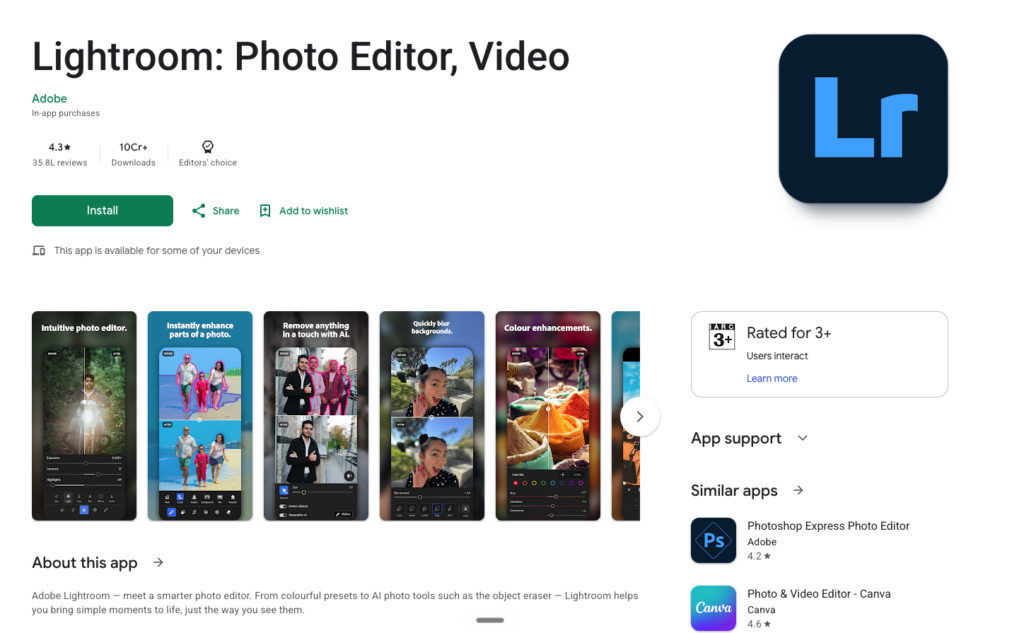
9.3/10 Professional RAW Editor
| Pricing | Platform | Skill Level | Category |
| Free (limited) | $11.99/mo (1TB) | $14.99/mo (Photography Plan) | iOS, Android, Desktop, Web | Beginner–Advanced | Professional RAW Editor |
What It Is & Why It Matters in 2026
Adobe Lightroom Mobile remains the undisputed champion for professional mobile photo editing in 2026. It delivers the same non-destructive, RAW-capable editing engine as the desktop version, with seamless cloud synchronization across every device you own. The app handles DNG files captured on your phone without a subscription, plus native RAW formats from Canon, Nikon, Sony, Fujifilm, and other camera brands with a Creative Cloud plan.
Recent AI additions have been game-changing: Generative Remove eliminates unwanted objects with a single brush stroke, Lens Blur creates convincing depth-of-field effects in post, and the new Distraction Removal tool automatically identifies and removes reflections, power lines, and background distractions. The 2025–2026 updates added Scene Enhance for outdoor photo optimization, faster RAW preview generation, and improved masking with AI-powered subject and sky detection.
Cross-device editing is where Lightroom truly shines – start an edit on your iPhone during a shoot, refine it on your iPad at a café, and finalize it on your desktop at home, all without exporting a single file. The $11.99/month standalone plan with 1TB of cloud storage is actually better value than the $14.99/month Photography Plan with only 20GB, an anomaly from Adobe’s December 2024 price restructuring worth noting.
| ✅ PROS | ❌ CONS |
| Industry-leading RAW editing with full non-destructive workflow | Requires a monthly subscription – no one-time purchase option |
| AI-powered Generative Remove, Lens Blur, and Distraction Removal | Free tier is heavily limited (no RAW import from cameras, no selective edits) |
| Seamless cloud sync across phone, tablet, and desktop | $14.99/mo Photography Plan gives only 20GB vs $11.99/mo plan’s 1TB (confusing pricing) |
| Professional-grade selective masking with subject and sky detection | Can drain battery during heavy RAW processing on older devices |
| Massive library of presets and community-created profiles | Learning curve for advanced features like masking and color grading |
“Lightroom is still the gold standard for non-destructive RAW editing. The AI tools added in the past year have genuinely transformed my mobile workflow.” – Professional Photographer, ThemFrames
Best For: Serious photographers who want RAW editing, cloud sync, and a desktop-to-mobile workflow
#2. Snapseed – The Best Free Editor – No Catches, No Gimmicks
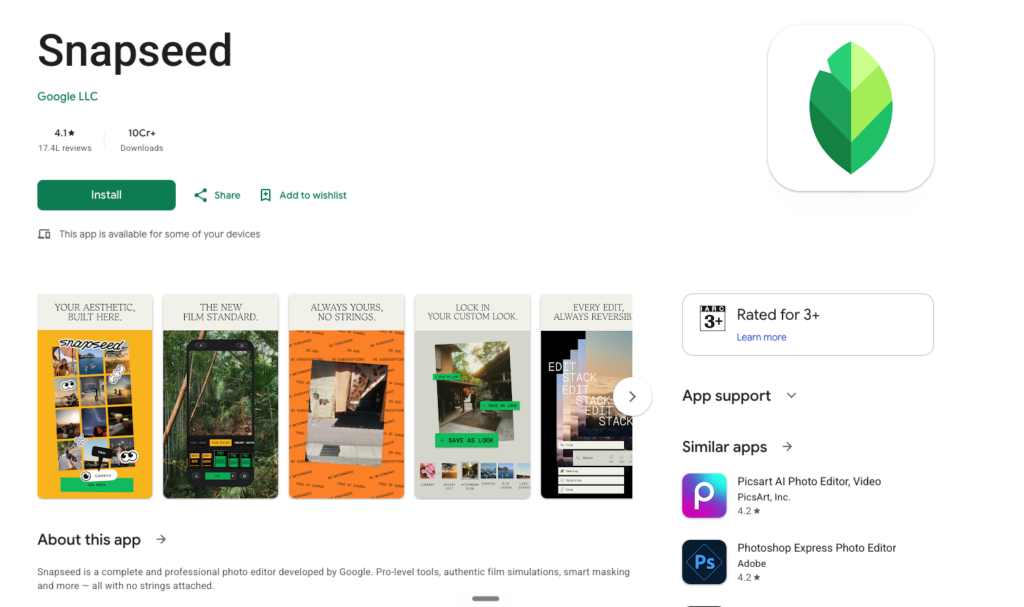
9.0/10 Free Professional Editor
| Pricing | Platform | Skill Level | Category |
| Completely Free – no ads, no in-app purchases, no subscriptions | iOS, Android | Beginner–Intermediate | Free Professional Editor |
What It Is & Why It Matters in 2026
Snapseed, developed by Google, is one of the most remarkable free apps on any platform. It packs 29 professional-grade editing tools into a clean, ad-free interface without asking for a single penny – no subscriptions, no in-app purchases, no watermarks, and no advertisements. This alone makes it an anomaly in 2026’s mobile app landscape.
The tool set includes Healing (object removal), Perspective correction, Curves, Selective adjustment brushes, HDR Scape, Portrait enhancement, Head Pose adjustment, Drama and Vintage filters, Lens Blur, double exposure, and comprehensive tonal adjustments. Its Stacks system works like non-destructive layers, auto-recording every editing step so you can revisit and modify any adjustment independently. RAW file editing is supported, and the app handles DNG files with surprising capability for a free tool.
PCMag named Snapseed the “Best Free Mobile Photo Editing App” for 2026 after three decades of photo software testing – a testament to its enduring quality. Google announced renewed development investment in late 2024 and early 2025, suggesting the app will continue receiving meaningful updates. If you install only one free photo editor on your phone, this is the one.
| ✅ PROS | ❌ CONS |
| Completely free with zero ads, watermarks, or in-app purchases | Lacks modern AI automation like background removal and generative fill |
| 29 professional tools including Healing, Curves, Selective edits, and RAW support | No cloud sync or cross-device editing capability |
| Non-destructive Stacks system lets you revisit any edit at any time | Development historically slower than subscription-funded competitors |
| Lightweight (~35MB) and works smoothly even on older devices | No batch editing or preset sharing between users |
| PCMag’s “Best Free Mobile Photo Editing App” for 2026 | Interface can feel dated compared to newer, more polished apps |
“Snapseed is one of those apps I downloaded thinking I’d use it once… and then never deleted. It’s clean, it’s free, and it just works.” – Creator, iAppList
Best For: Everyone who wants powerful, professional editing tools without paying a single penny
#3. Photomator – The Lightroom Killer for Apple Users
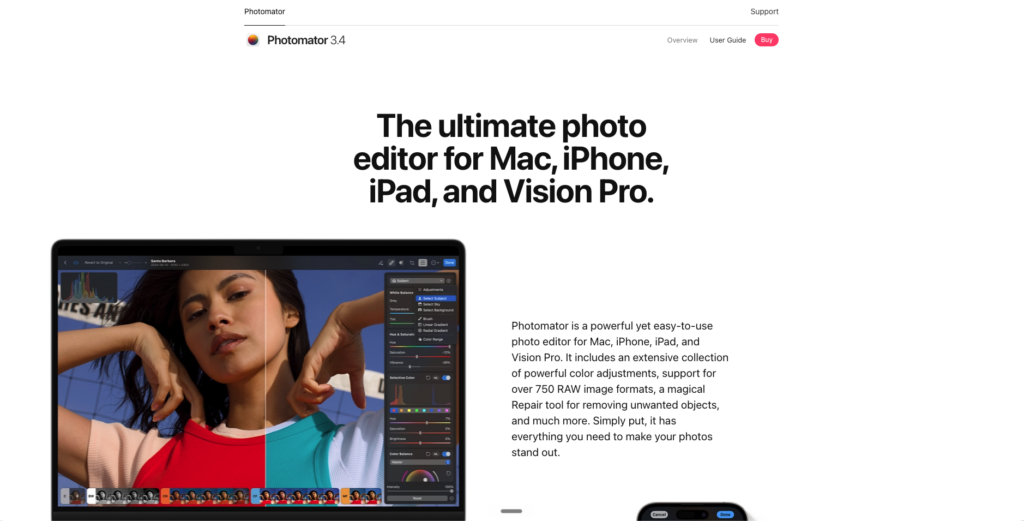
8.8/10 Apple Ecosystem Pro Editor
| Pricing | Platform | Skill Level | Category |
| $34.99/yr or $119 one-time lifetime purchase | iOS, iPadOS, macOS, visionOS (Apple only) | Beginner–Advanced | Apple Ecosystem Pro Editor |
What It Is & Why It Matters in 2026
Photomator, from the Pixelmator Team (now acquired by Apple), has emerged as the most compelling Lightroom alternative for Apple ecosystem users in 2026. It provides deep, non-destructive RAW editing with full Apple ProRAW support, ML-powered automatic adjustments (Super Resolution, Denoise, White Balance), selective masking with AI subject and sky detection, color grading, batch editing, and comprehensive tonal controls – all wrapped in a beautifully clean interface that feels like a natural extension of iOS. What truly sets Photomator apart is its seamless integration with the Apple Photos library.
Unlike Lightroom which requires importing photos into its own ecosystem, Photomator reads directly from your existing Photos library. Edits sync automatically across iPhone, iPad, and Mac via iCloud, with sidecar files preserving non-destructive adjustments. At $34.99/year or a $119 one-time lifetime purchase, the savings compared to Lightroom’s $143.88/year are substantial – and meaningful over time. Apple’s acquisition of the Pixelmator Team in early 2025 adds confidence that this app will receive continued investment and deeper OS integration.
| ✅ PROS | ❌ CONS |
| One-time $119 lifetime purchase or affordable $34.99/yr subscription | Apple ecosystem exclusive – no Android, Windows, or web support |
| Native Apple Photos library integration – no importing required | Color grading tools are not as deep as Lightroom’s |
| Full ProRAW support with non-destructive editing and iCloud sync | Retouching brush has limitations compared to Lightroom’s Generative Remove |
| ML-powered Super Resolution, Denoise, and automatic adjustments | No perspective correction tool (requires a separate app) |
| Clean, intuitive interface that feels native to iOS and macOS | RAW noise reduction can sometimes produce over-smoothed results |
“I switched from Lightroom to Photomator after Adobe’s price hike. It has almost everything I need and the iOS integration is extraordinary.” – Travel Photographer, NoCameraBag
Best For: iPhone and iPad photographers who want Lightroom-quality editing without a monthly subscription
#4. VSCO – The Aesthetic Creator’s Film Lab
8.2/10 Film Presets & Creative Editor
| Pricing | Platform | Skill Level | Category |
| Free (limited) | Plus $29.99/yr | iOS, Android | Beginner | Film Presets & Creative Editor |
What It Is & Why It Matters in 2026
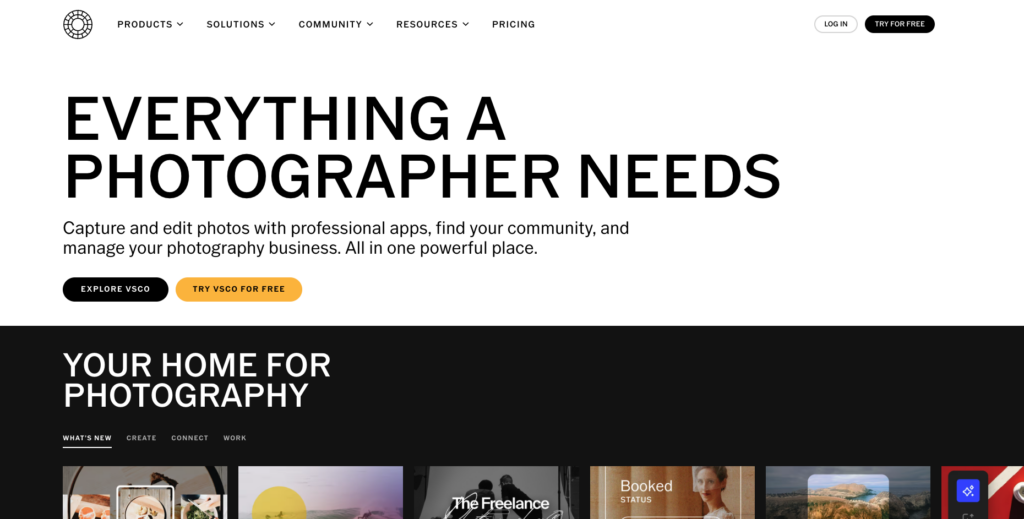
VSCO has carved out a unique position in the photo editing world by focusing on what it does best: delivering the most authentic, beautiful film emulation presets available on mobile. With over 200 presets in the Plus plan – many meticulously recreating the look of specific film stocks like Kodak Portra, Fuji Superia, and Ilford HP5 – VSCO transforms smartphone photos into images with the warmth, grain, and character of analogue photography.
Beyond presets, the editing toolkit includes HSL color adjustments, split-toning, grain controls, and basic tonal adjustments, though it notably lacks Curves editing. The 2025 VSCO Capture update integrated presets directly into the iPhone camera viewfinder, and the AI Lab tools speed up creative workflows. VSCO Canvas provides AI-assisted mood boarding for photoshoot planning.
The platform also functions as a social network with a creator community, though one refreshingly free of public like counts and follower metrics. The critical caveat: widespread user complaints document aggressive paywall practices, with features previously available for free being locked behind the Plus subscription. Test the free tier thoroughly before committing.
| ✅ PROS | ❌ CONS |
| Industry-leading film emulation presets (200+ in Plus plan) | Aggressive paywall – features previously free are now subscription-gated |
| Beautiful, design-conscious interface that inspires creativity | No Curves editing tool (significant omission for advanced users) |
| VSCO Capture integrates presets directly into the iPhone camera | Widespread user complaints about buggy performance and paywalls |
| Community platform without toxic follower/like count culture | Limited editing depth compared to Lightroom or Snapseed |
| AI Lab tools and Canvas mood boarding for workflow efficiency | Many longtime users have migrated away citing value concerns |
“VSCO presets remain unmatched for authentic film looks. But the paywall creep is frustrating – test the free version carefully before subscribing.” – Mobile Photography Guide, Lovable.dev
Best For: Photographers and creators who love film-inspired aesthetics and a community-driven platform
#5. Darkroom – The Sleek Powerhouse for Apple Photographers
8.6/10 Premium Apple Photo Editor
| Pricing | Platform | Skill Level | Category |
| Free (limited) | $9.99/mo or $49.99/yr or $99.99 lifetime | iOS, iPadOS, macOS (Apple only) | Beginner–Advanced | Premium Apple Photo Editor |
What It Is & Why It Matters in 2026
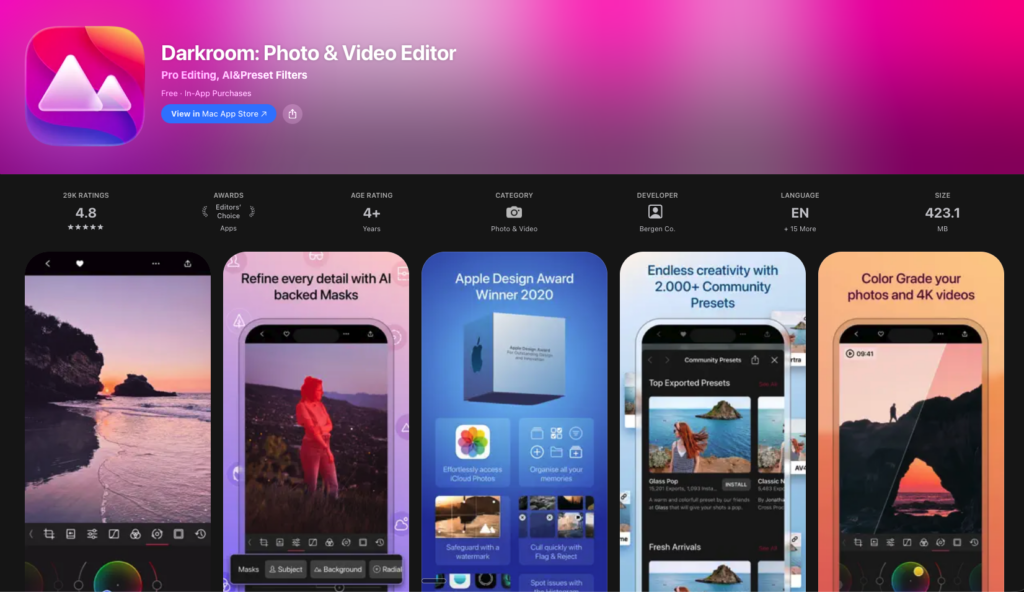
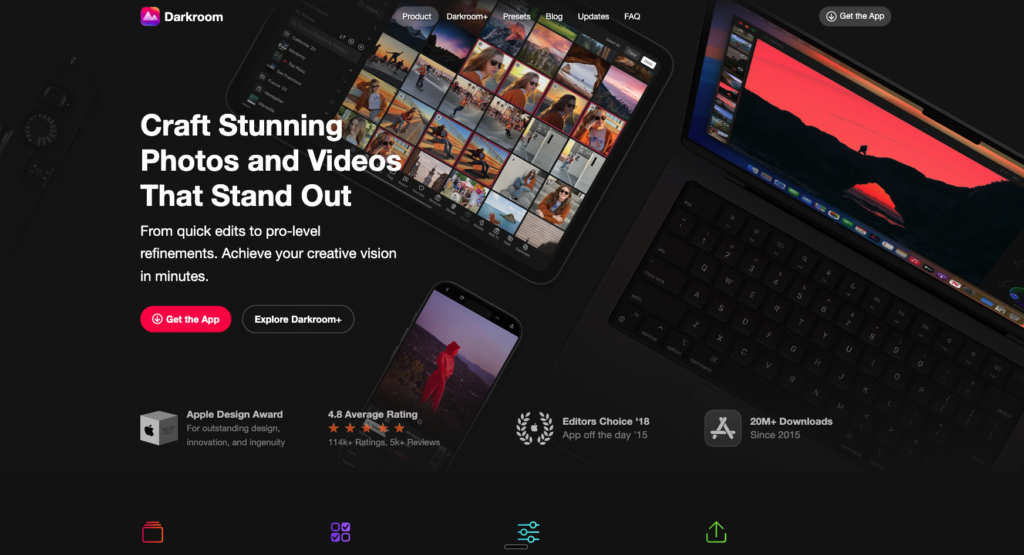
Darkroom is the photo editing app that feels like it was designed by someone who actually loves photography. Its interface is sleek, intuitive, and fast, with every tool precisely placed for efficient editing on touch screens. The app accesses your entire Apple Photos library directly, eliminating the import/export friction that plagues many editors.
Editing features include full Curves control, HSL adjustments, split-tone color grading, selective color, RAW support, batch editing with copy-paste adjustments, and real-time previews on every adjustment. Non-destructive editing means you can experiment freely and revert at any time. What makes Darkroom particularly beloved by Instagram and content creators is its speed – you can copy a complete edit from one photo and apply it across dozens of images in seconds, making it a batch editing powerhouse.
The app supports custom filter creation, allowing you to save and share your own editing recipes. At $49.99/year or $99.99 for a lifetime purchase, it sits between Snapseed (free) and Lightroom ($143.88/year) and delivers exceptional value for Apple ecosystem users.
| ✅ PROS | ❌ CONS |
| Direct Apple Photos library integration – no importing needed | Apple ecosystem exclusive – no Android or Windows |
| Full Curves, HSL, split-tone, and selective color tools | AI features are limited compared to Lightroom and Picsart |
| Lightning-fast batch editing with copy-paste adjustments | Free tier has export restrictions |
| Non-destructive editing with real-time preview on all adjustments | Slightly more expensive than Photomator for similar functionality |
| Lifetime purchase option ($99.99) for subscription-averse users | No advanced retouching or object removal tools built in |
“Darkroom feels like it was made for people who care about how their photos look but don’t want to spend forever editing. Everything happens in real-time.” – Creator, iAppList
Best For: iPhone and iPad users who want fast, professional editing with a premium interface
#6. PicsArt – The Social Media Content Creation Powerhouse
7.8/10 AI-Powered Creative Suite
| Pricing | Platform | Skill Level | Category |
| Free (3 saves/day) | Gold $13/mo or $55/yr | iOS, Android, Web | Beginner | AI-Powered Creative Suite |
What It Is & Why It Matters in 2026
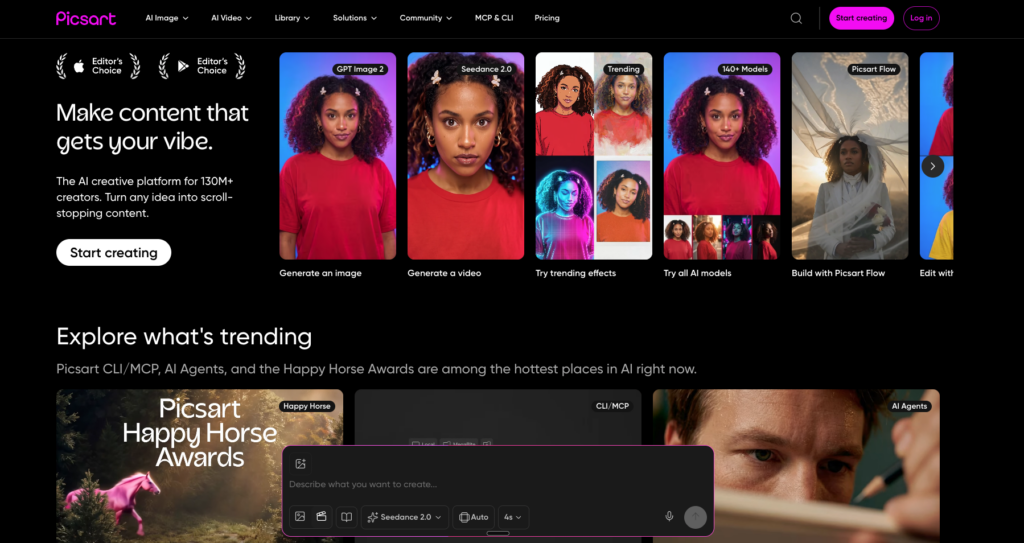
PicsArt has evolved far beyond a simple photo editor into a comprehensive content creation platform with over 150 million monthly active users. It targets social media marketers with 80,000+ professionally designed templates optimized for Instagram, TikTok, YouTube, and other platforms.
The AI toolkit includes 25+ tools covering background removal, AI Expand (adapting content to different aspect ratios), AI Writer for caption generation, low-quality image enhancement, and style transfer effects. Photo editing features include filters, effects, stickers, text overlays, drawing tools, collage makers, and basic retouching. The app excels at creating social media graphics, marketing materials, and branded content quickly – it is more Canva than Lightroom in its approach.
The free tier is usable but limited to 3 saves per day, which pushes regular users toward the Gold subscription. While PicsArt is not the choice for serious photography editing, it is an excellent tool for content creators who need to produce platform-ready visuals at scale.
| ✅ PROS | ❌ CONS |
| 80,000+ templates for every major social media platform | Free tier limited to only 3 saves per day |
| 25+ AI tools including background removal, AI Expand, and style transfer | Not suitable for serious photography or RAW editing |
| All-in-one content creation: photos, collages, graphics, and text | Gold subscription is expensive at $13/mo for what is essentially a social tool |
| Massive community with shared stickers, effects, and remixes | Interface can feel cluttered with promotional content and ads |
| Cross-platform availability including a web editor | AI tools can produce inconsistent results, especially on complex edits |
“PicsArt is less of a photo editor and more of a social media content factory. For that specific purpose, it’s incredibly efficient.” – Marketing Team Lead, Creative Bloq
Best For: Social media marketers and content creators who need templates, AI tools, and quick graphic design
#7. Adobe Photoshop Express – Quick Fixes Powered by Adobe’s Engine
7.5/10 Quick Edit Tool
| Pricing | Platform | Skill Level | Category |
| Free (core features) | Premium $4.99/mo or $34.99/yr | iOS, Android | Beginner | Quick Edit Tool |
What It Is & Why It Matters in 2026
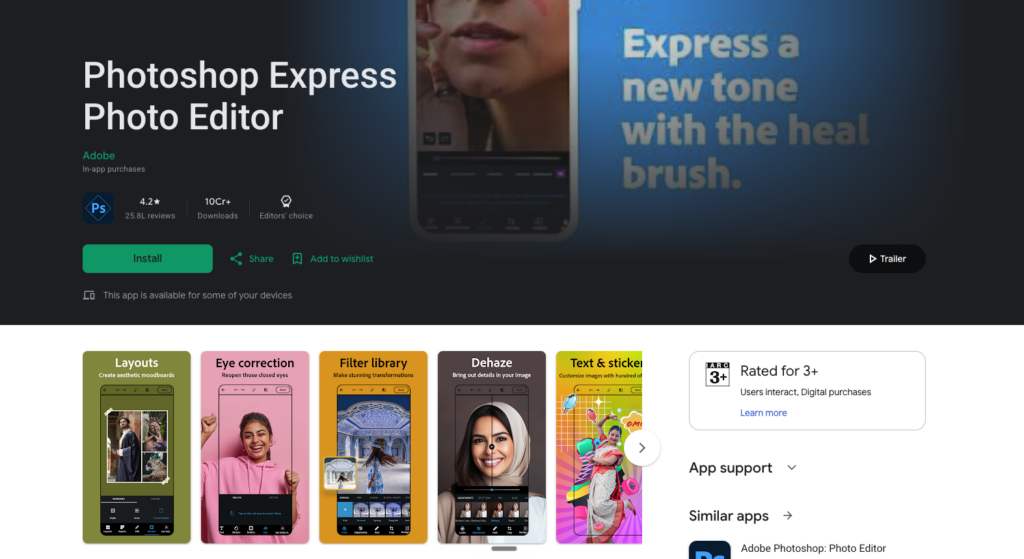
Adobe Photoshop Express is the simplified, mobile-first sibling of the world’s most famous image editor. It strips away Photoshop’s complexity and delivers a focused set of tools for quick photo enhancement: one-tap auto-adjustments, filters, cropping, text and sticker overlays, blemish removal, red-eye fix, collage creation, and basic retouching.
The AI-powered auto-enhance analyzes your photo and applies balanced corrections to exposure, contrast, and color with a single tap – perfect for users who want better photos without learning manual editing. Premium unlocks additional features including advanced healing, selective edits, and premium filters. Photoshop Express works well as a quick-fix tool for casual photographers who want reliable results without a learning curve.
However, for users willing to invest a bit more time, Snapseed offers significantly more editing depth for free, and Lightroom provides a much more comprehensive experience. Photoshop Express is best positioned as an entry point into Adobe’s ecosystem rather than a destination editor.
| ✅ PROS | ❌ CONS |
| One-tap auto-enhance delivers consistently good results | Significantly less powerful than Snapseed (which is also free) |
| Clean, beginner-friendly interface with guided workflows | Premium subscription adds limited value for the price |
| Free core features without watermarks | No RAW editing or advanced color grading tools |
| Adobe’s AI engine provides reliable, balanced corrections | Cannot replace Lightroom for serious editing needs |
| Excellent collage maker with customizable layouts | Some features require Adobe account login |
“Photoshop Express is perfect for beginners exploring mobile editing. But once you’re ready for more, Snapseed and Lightroom are natural next steps.” – Reviewer, CyberLink Blog
Best For: Beginners and casual users who want reliable, quick edits backed by Adobe’s technology
#8. TouchRetouch – The One-Trick Wonder That Does Its Trick Perfectly
8.5/10 Object Removal Specialist
| Pricing | Platform | Skill Level | Category |
| $2.49 one-time purchase (iOS) | $1.99 (Android) | iOS, Android | Beginner | Object Removal Specialist |
What It Is & Why It Matters in 2026
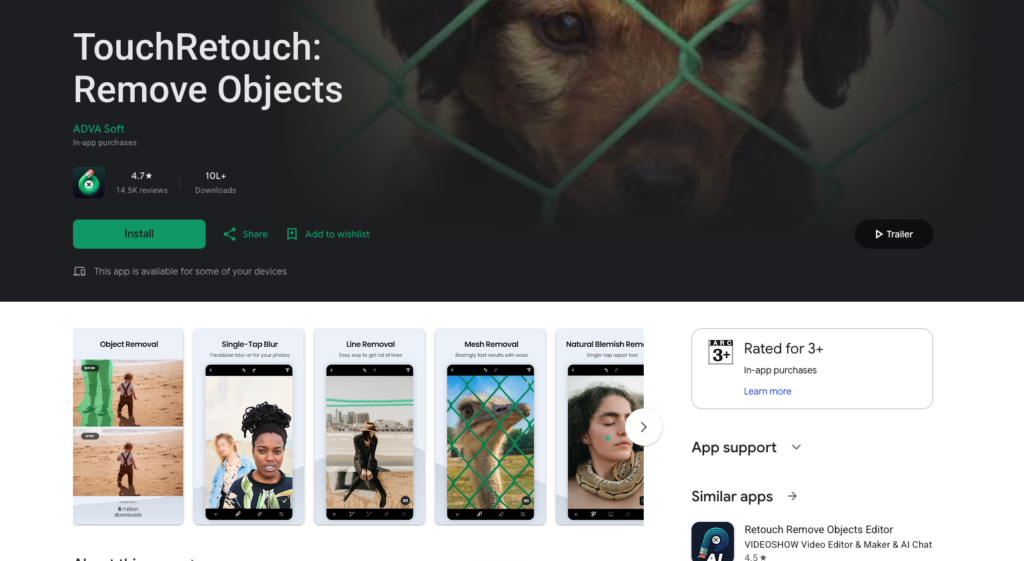
TouchRetouch has survived over a decade of iPhone spring cleanings for one simple reason: it does one thing and does it exceptionally well. The app specializes in removing unwanted elements from photos – tourists photobombing your landmark shots, power lines cutting through a sunset, blemishes on a portrait, fences obstructing a view, or any distraction that diminishes an otherwise perfect image.
You simply mark what you want removed, and the app’s algorithms intelligently fill the area with surrounding texture and detail. In 2024, the developers added AI-powered automatic person detection that identifies and selects all people in a photo with a single tap, making it trivially easy to remove crowds from travel photos. The app also handles 360-degree photos and supports before/after comparison views.
At $2.49 for a one-time purchase, TouchRetouch delivers extraordinary value. It is not a general-purpose editor – you will still need Snapseed or Lightroom for tonal adjustments and color work – but as a specialized complement to your main editing app, it is indispensable.
| ✅ PROS | ❌ CONS |
| Best-in-class object and person removal on mobile | Single-purpose app – does not replace a general photo editor |
| AI-powered automatic person detection (added 2024) | Complex removals near detailed areas can produce artifacts |
| Incredibly simple to use – just mark and remove | No batch processing for removing the same object across multiple photos |
| One-time purchase under $3 with no subscription required | Interface could benefit from a modern redesign |
| Supports 360-degree photo editing | Limited control over fill algorithms compared to Photoshop |
“TouchRetouch has survived many spring cleanings on my iPhone. It does one thing and does it extremely well – every photographer needs it.” – Travel Photographer, NoCameraBag
Best For: Anyone who needs to remove unwanted objects, people, power lines, or blemishes from photos
#9. Pixlr – The Free Browser-Friendly All-Rounder
7.3/10 Cross-Platform Casual Editor
| Pricing | Platform | Skill Level | Category |
| Free (3 saves/day) | Premium $4.99/mo or $24.99/yr | iOS, Android, Web | Beginner | Cross-Platform Casual Editor |
What It Is & Why It Matters in 2026
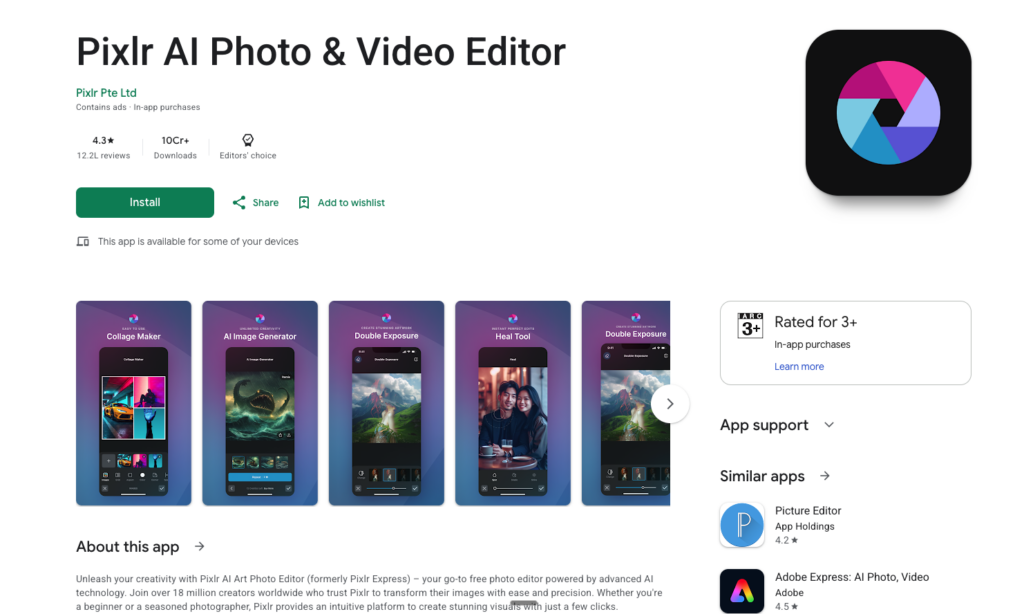
Pixlr offers a solid photo editing experience across mobile apps and web browsers, making it one of the most accessible editors available. The free tier includes AI-powered enhancements, filters, effects, text overlays, collage tools, and basic adjustments. The interface is clean and straightforward, designed for users who want quick improvements without a learning curve. AI features include one-tap enhancement, background removal, and style transfer effects.
The web editor adds layer-based editing capabilities that make Pixlr a lightweight Photoshop alternative for browser-based workflows. The main limitation is the 3-save-per-day cap on the free tier, which forces regular users toward the Premium subscription. At $24.99/year for Premium, the value is reasonable, unlocking unlimited saves, additional AI tools, and an ad-free experience.
Pixlr works best for casual editors and social media users who need quick fixes across multiple devices, but serious photographers will find it lacking compared to Snapseed (free with no limits) or Lightroom.
| ✅ PROS | ❌ CONS |
| Available on mobile, web, and browser – no installation required on desktop | Free tier capped at only 3 saves per day |
| Clean, approachable interface for beginners | Editing tools are shallow compared to Snapseed or Lightroom |
| AI-powered one-tap enhancements and background removal | AI features are basic and can produce inconsistent results |
| Web editor offers layer-based editing (rare for free web tools) | Ads on the free tier can be intrusive |
| Affordable Premium subscription at $24.99/year | Not suitable for RAW editing or professional photography |
“Pixlr is the quick-and-easy choice when you need a web-based edit. For anything deeper, reach for Snapseed or Lightroom.” – Reviewer, Lovable.dev
Best For: Casual editors who want decent tools across mobile and web without heavy commitment
#10. Google Photos (Built-In Editor) – The Editor You Already Have – Better Than You Think
7.6/10 Built-In AI Editor
| Pricing | Platform | Skill Level | Category |
| Free (core edits) | Google One from $1.99/mo (storage + premium features) | iOS, Android, Web | Beginner | Built-In AI Editor |
What It Is & Why It Matters in 2026
Google Photos has quietly evolved from a simple gallery app into a surprisingly capable photo editor – one that over a billion people already have installed. The 2025–2026 updates significantly expanded its editing capabilities, especially for Android users. You can now circle any object in a photo and the app offers to erase it, move it, or completely reimagine the selected area with AI-generated alternatives.
The Auto Enhance Lighting feature intelligently adjusts exposure, shadows, and highlights. Portrait Light lets you change the direction and intensity of light on faces in post-production. Magic Eraser removes unwanted objects and distractions. Color Pop isolates your subject in color while converting the background to black and white. HDR effects can be applied to any photo retroactively. Standard editing tools include cropping, rotation, filters, and manual adjustments for brightness, contrast, saturation, warmth, and more.
While these features are impressive for a built-in app, many of the most exciting AI tools (Magic Eraser, Portrait Light, HDR effect) require a Google One subscription or Pixel phone. For Android users who want solid editing without installing anything new, Google Photos is genuinely capable.
| Pros | Cons |
|---|---|
| Already installed on every Android device – zero friction to start | Best AI features locked behind Google One subscription or Pixel phones |
| AI-powered Magic Eraser and object reimagination tools | Editing tools are less powerful than dedicated editors |
| Auto Enhance Lighting produces consistently good results | No RAW editing or professional color grading |
| 15GB of free cloud storage with automatic backup | iOS version receives updates later than Android |
| Constantly improving through Google’s AI research investment | Not a replacement for Snapseed or Lightroom for serious editing |
“Google Photos editor is shockingly good for something that comes free on your phone. Magic Eraser alone makes Google One worth considering.” – Tech Reviewer, iGeeksBlog
Best For: Android users who want AI-powered editing without downloading another app
Full Comparison Table: All 10 Apps
Compare every app at a glance:
| # | App | Platform | Pricing | Score | Best For |
| 1 | Adobe Lightroom Mobile | iOS | Free (limited) | 9.3/10 | Serious photographers |
| 2 | Snapseed | iOS | Completely Free – no ads, no in-app purchases, no subscriptions | 9.0/10 | Everyone |
| 3 | Photomator | iOS | $34.99/yr or $119 one-time lifetime purchase | 8.8/10 | iPhone and iPad photographers |
| 4 | VSCO | iOS | Free (limited) | 8.2/10 | Photographers and creators |
| 5 | Darkroom | iOS | Free (limited) | 8.6/10 | iPhone and iPad users |
| 6 | PicsArt | iOS | Free (3 saves/day) | 7.8/10 | Social media marketers and content creators |
| 7 | Adobe Photoshop Express | iOS | Free (core features) | 7.5/10 | Beginners and casual users |
| 8 | TouchRetouch | iOS | $2.49 one-time purchase (iOS) | 8.5/10 | Anyone |
| 9 | Pixlr | iOS | Free (3 saves/day) | 7.3/10 | Casual editors |
| 10 | Google Photos (Built-In Editor) | iOS | Free (core edits) | 7.6/10 | Android users |
Buyer’s Guide: Which App Is Right for You?
By Budget
$0 – Completely Free
Snapseed is the undisputed champion of free photo editing – 29 professional tools, no ads, no watermarks, no catches. Google Photos’ built-in editor is also surprisingly capable for Android users. Adobe Photoshop Express offers free core features for quick fixes. All three are excellent starting points that cost nothing.
Under $50/Year
Photomator ($34.99/yr) provides Lightroom-quality editing for Apple users at a fraction of Lightroom’s cost. VSCO Plus ($29.99/yr) is the choice for film-preset enthusiasts. Pixlr Premium ($24.99/yr) covers casual cross-platform editing. Darkroom ($49.99/yr) delivers premium Apple-native editing.
Under $3 – One-Time Purchase
TouchRetouch ($2.49) is a must-have specialist for object removal. At this price, it should be on every photographer’s phone.
Lifetime Purchase (No Ongoing Costs)
Photomator ($119 lifetime), Darkroom ($99.99 lifetime), and TouchRetouch ($2.49 one-time) let you escape the subscription treadmill entirely.
Professional Subscription
Adobe Lightroom Mobile ($11.99/mo with 1TB) remains the professional standard for photographers who need RAW editing, cloud sync, and the most advanced AI tools available on mobile.
By Use Case
Professional RAW Photography
Adobe Lightroom Mobile is the clear winner for RAW workflows with cross-device sync. Photomator is the best alternative for Apple users who want to avoid Adobe’s subscription.
Quick Everyday Photo Enhancement
Google Photos (built-in) and Snapseed handle quick edits without downloading anything new. Adobe Photoshop Express is another reliable option for one-tap improvements.
Social Media Content Creation
PicsArt excels at creating platform-ready graphics and social content. VSCO is best for achieving aesthetic, film-inspired looks for Instagram.
Removing Objects and Distractions
TouchRetouch is purpose-built for this and unmatched in the category. Google Photos’ Magic Eraser is a solid free alternative.
Film-Inspired Aesthetics
VSCO’s presets are the industry benchmark for authentic film emulation. Darkroom also offers excellent custom filter creation.
By Platform
iPhone & iPad Users
You have the richest selection. Our recommended stack: Lightroom or Photomator as your primary editor, Snapseed for quick free edits, TouchRetouch for object removal, and Darkroom or VSCO for creative presets.
Android Users
Snapseed is your top free option. Lightroom Mobile provides the best professional experience. Google Photos’ built-in editor handles quick AI-powered edits. PicsArt covers social media content creation.
Frequently Asked Questions
1. What is the best completely free photo editing app in 2026?
Snapseed, without question. It offers 29 professional-grade editing tools including RAW support, Healing, Curves, Selective adjustments, and HDR – all completely free with no ads, watermarks, or in-app purchases. Google’s continued investment in the app makes it the best free editor on both iPhone and Android.
2. Is Adobe Lightroom Mobile worth the subscription?
For serious photographers who shoot RAW and edit across multiple devices, yes. Lightroom’s non-destructive RAW editing, AI-powered tools, and seamless cloud sync are unmatched. However, if you are an Apple user doing moderate editing, Photomator at $34.99/year delivers 80–90% of Lightroom’s capability at about 25% of the cost.
3. Which photo editing app is best for Instagram?
For aesthetic, film-look presets: VSCO. For template-based social content creation: PicsArt. For professional editing that makes your photos stand out: Lightroom or Darkroom. For quick, reliable edits: Snapseed.
4. Can I edit RAW photos on my phone?
Yes. Adobe Lightroom Mobile, Snapseed, Photomator, and Darkroom all support RAW file editing including DNG files captured on your phone. For RAW files from cameras (Canon CR3, Nikon NEF, Sony ARW), Lightroom with a Creative Cloud subscription offers the broadest format support.
5. What is the best photo editing app for removing people from photos?
TouchRetouch is the specialist tool for this at just $2.49 one-time. Its AI-powered person detection makes removing tourists from travel photos trivially easy. Google Photos’ Magic Eraser and Lightroom’s Generative Remove are also effective alternatives.
6. Do I need multiple photo editing apps?
Most photographers benefit from a small toolkit rather than one all-in-one app. A practical setup might be: one primary editor (Lightroom, Photomator, or Snapseed) for core adjustments, TouchRetouch for object removal, and optionally VSCO or Darkroom for creative presets. Keep your toolkit small and master each app rather than bouncing between a dozen.
Final Thoughts
Mobile photo editing in 2026 has reached a level of capability that would have been unthinkable a few years ago. AI-powered tools handle tasks that once required hours of manual work. Non-destructive RAW editing runs smoothly on phones. Film-emulation presets produce stunning aesthetic results with a single tap. And the best part? Many of these tools are completely free.
Our top three recommendations cover most photographers: Adobe Lightroom Mobile for professionals who need the full workflow, Snapseed for anyone who wants powerful free editing without compromises, and Photomator for Apple users seeking Lightroom-quality results without the subscription burden. Add TouchRetouch for $2.49 and you have a professional mobile editing toolkit for under $40/year – or even completely free if you stick with Snapseed and Google Photos.
The best photo editing app is the one that makes you excited to edit. Download one, learn it well, and watch your photos transform.
Disclaimer: Prices, features, and platform availability are accurate as of March 2026 but may change. Check each app’s official website or app store listing for current information. Some links in this article may be affiliate links – this does not affect our editorial independence or scoring.
