

You do not need to download software to merge, split, compress, convert, edit, or sign PDFs. These 10 free online PDF tools work entirely in your browser – from any device, any operating system, anywhere. We tested each tool’s free limits, output quality, privacy practices, and real-world usability to rank the best options for 2026.
The days of downloading a 500MB PDF editor to merge two files are over. In 2026, free online PDF tools handle virtually every PDF task directly in your browser: merge, split, compress, convert (to and from Word, Excel, PowerPoint, images), edit text, add signatures, fill forms, run OCR on scanned documents, redact sensitive information, and more. The tools are accessible from any device – Windows, Mac, Linux, Chromebook, iPad, or phone – without installing anything.
But not all free online PDF tools are equal. Some advertise as free but add watermarks to your output, limit you to one task per hour, or lock essential features behind paywalls. Others collect your uploaded files for unknown purposes. This guide evaluates 10 online PDF tools based on what actually matters: how many tasks are genuinely free, what limits apply, whether watermarks are added, how files are handled for privacy, and whether the output quality matches professional standards.
We cross-referenced testing data from TechRadar (hands-on reviews), PCWorld (40+ years of software testing), AI:Productivity (real workflow testing), Life Guide (15 free tools ranked), Denser.ai (AI PDF tools), ToolistHub (converter quality ratings), and real user experiences from Reddit and app review platforms. Every “free” claim in this guide has been verified against actual free-tier limitations.
Quick Verdict: Our Top 4 Free Online PDF Tools
| No | Tool | Best For | Free Tools | Score |
|---|---|---|---|---|
| 1 | iLovePDF | All-Around Suite | 25+ | 9.5/10 |
| 2 | PDF24 Tools | Zero Restrictions | 44+ | 9.3/10 |
| 3 | Smallpdf | Modern UX / Mobile | 20+ | 9.2/10 |
| 4 | Sejda | Edit Existing Text | 30+ | 8.8/10 |
How We Tested and Evaluated
We evaluated each online PDF tool across seven criteria:
- Number of Free Tools (how many distinct PDF operations are available without paying)
- Free Tier Limits (daily task caps, file size restrictions, page limits)
- Output Quality (formatting preservation, conversion accuracy)
- Watermarks (whether free outputs include branding)
- Privacy and Security (file encryption, auto-deletion, data handling)
- Registration Requirements (whether you can use tools without creating an account)
- Usability (interface design, mobile responsiveness, processing speed).
Each tool was tested with real PDF files including text documents, formatted reports, scanned pages, and form-heavy PDFs.
1. iLovePDF
The Most Complete Free Online PDF Suite with 25+ Tools and a Clean, Intuitive Interface
Our Score: 9.5/10
Detailed Review
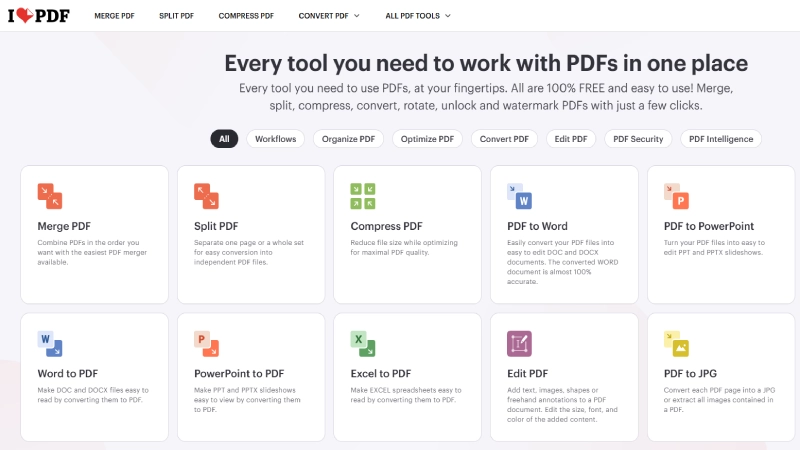
iLovePDF is the most comprehensive free online PDF toolkit available in 2026, offering over 25 individual tools that cover virtually every PDF task imaginable: merge, split, compress, convert (PDF to/from Word, Excel, PowerPoint, JPG), edit, annotate, sign, add page numbers, watermark, unlock, protect, rotate, OCR, and more.
Life Guide rated it 4.8/5, calling it a comprehensive suite with a clean interface and perfect for merging, splitting, and compressing. TechRadar included it among the top free online PDF options.
The interface is the cleanest among online PDF tools – each task has its own dedicated page with a large upload area and minimal distractions. Files are encrypted during upload and automatically deleted from servers after processing, addressing privacy concerns.
The premium tier ($4/month or $48/year) adds batch processing, larger file sizes, and the ability to edit existing PDF text – but the free tier covers the majority of occasional PDF needs without registration.
The free tier limits batch processing (you process files one at a time) and has file size restrictions on some tools. The premium-locked text editing feature means you cannot modify existing PDF text content on the free plan – you can only add new text annotations. Processing speed depends on server load.
For users who handle PDFs daily, the $4/month premium is genuinely worth it. For occasional use (a few PDFs per week), the free tier is more than sufficient.
Pros & Cons
- +25+ free online tools – most comprehensive suite
- +Clean, intuitive interface per tool
- +No registration required for basic use File size
- +Files encrypted and auto-deleted after processing
- +Free compress, merge, split, convert
- +Accessible from any browser on any device
- –Text editing requires premium ($4/mo)
- –Batch processing limited on free tier
- –File size restrictions on some tools
- –Processing speed varies by server load
- –Premium push after free tasks
- –Watermark removal requires paid plan
What Reviewers Say
“iLovePDF is a comprehensive suite of PDF tools with a clean interface. Perfect for merging, splitting, and compressing. Rating: 4.8/5.” – Life Guide
- ✓Most users needing an all-around online PDF suite for merging, splitting, compressing, and converting – the best starting point for any PDF task.
2. Smallpdf
The Modern, Design-Forward PDF Platform with 20+ Tools and No Watermarks on Free Outputs
Our Score: 9.2/10
Detailed Review
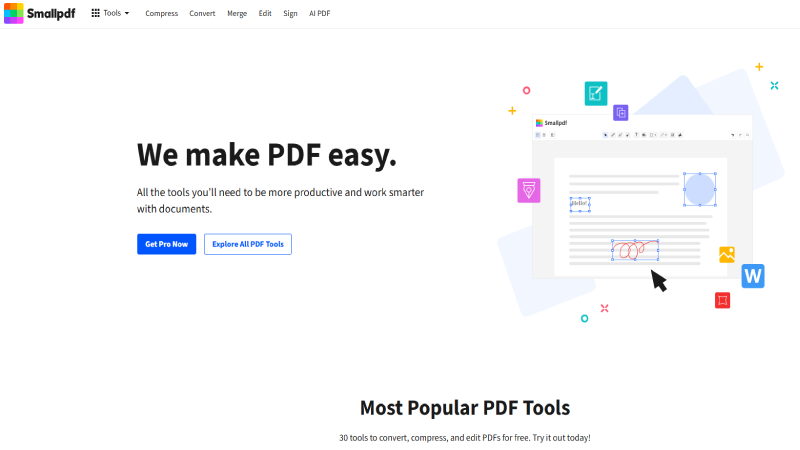
Smallpdf takes a different approach from everyone else: it runs entirely in the browser with a polished, modern interface that makes PDF tasks feel effortless.
AI: Productivity noted that for quick one-off tasks like compressing a file before emailing, converting PDF to Word, or merging two documents, Smallpdf is the fastest path from needing something done to getting it done. TechRadar found Smallpdf delightfully easy to use on smaller screens, making it the best choice for mobile PDF work.
A critical advantage: Smallpdf does not add watermarks to free outputs. Many online PDF tools stamp their branding on your processed files unless you pay – Smallpdf does not. The free plan gives access to all 20+ tools (compress, convert, merge, split, sign, edit) with daily task limits rather than feature gates.
The file processing happens on Smallpdf’s servers with 1-hour auto-deletion. An optional desktop app is available for Windows users who want offline processing.
The daily task limit is the primary friction point: you will hit the cap quickly if processing more than a handful of files. Once limited, Smallpdf pushes hard for the Pro upgrade ($12/month or $9/month billed annually).
Files are stored on servers for 1 hour before deletion, which privacy-conscious users should consider for sensitive documents. But for occasional use without watermark concerns, Smallpdf delivers the most modern and mobile-friendly free PDF experience.
Pros & Cons
- +PROS CONS
- +No watermarks on free outputs – rare advantage
- +Modern, polished interface – best design
- +20+ tools all accessible on free tier
- +Excellent mobile browser experience
- +Desktop app available for Windows
- +1-hour auto-deletion of processed files
- –Daily task limit on free tier – hits quickly
- –Pro pricing at $12/mo is higher than competitors
- –Files stored on servers for 1 hour
- –Aggressive upgrade prompts after limit
- –Some conversion quality below Adobe
- –No Mac desktop app
What Reviewers Say
“Smallpdf does not add watermarks to free outputs, which is a notable advantage over many online PDF tools. All 20+ tools accessible on free tier.” – AI: Productivity
- ✓Quick one-off PDF tasks, mobile users, anyone who needs watermark-free output, and users who value clean design and UX.
3. PDF24 Tools (Online)
44+ Free Online PDF Tools with No Registration and No Restrictions – The Hidden Champion
Our Score: 9.3/10
Detailed Review
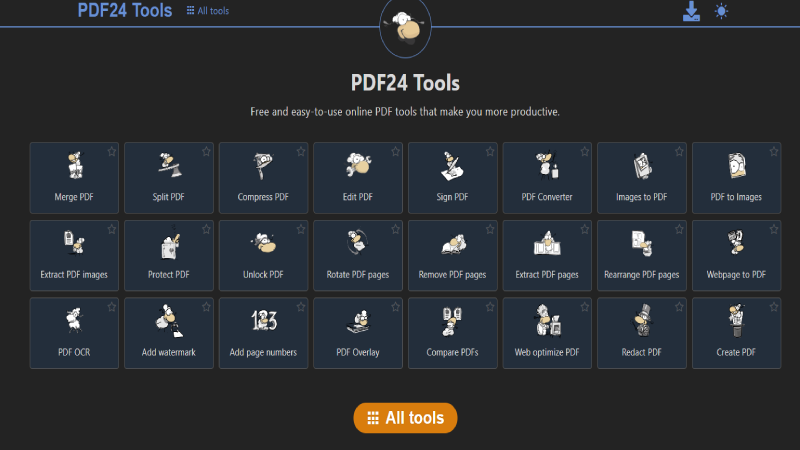
PDF24 Tools is the hidden champion of free online PDF tools. With 44+ individual tools – more than any other platform on this list – PDF24 offers the widest range of PDF operations completely free: merge, split, compress, convert (to/from Word, Excel, PowerPoint, images), edit, sign, OCR, compare two PDFs, redact, add page numbers, watermark, rotate, protect, unlock, and more.
Life Guide rated it 4.5/5, highlighting 44+ free tools with no registration required. TechRadar named PDF24 Creator the best overall free PDF tool on Windows.
The distinguishing factor: PDF24 imposes zero daily task limits, adds no watermarks, and requires no registration or account creation. You can process as many files as you want, as many times as you want, completely anonymously.
This makes it the most genuinely free online PDF platform available. The compare tool (comparing two PDFs side by side) and the redact tool are capabilities that many paid PDF editors charge for.
PDF24’s interface is functional but less polished than Smallpdf or iLovePDF – the 44+ tool grid can feel overwhelming on first visit. Some advanced editing capabilities (like modifying existing text within a PDF) are basic compared to paid editors.
Processing speed is adequate but not the fastest for large files. For users who need maximum free PDF capability with zero strings attached, PDF24 Tools is the clear winner on features-per-dollar (which is infinite, since it costs nothing).
Pros & Cons
- +PROS CONS
- +44+ free tools – most extensive suite available
- +Zero daily limits, zero watermarks
- +No registration or account required
- +PDF comparison tool – rare free feature
- +Redaction tool included for free
- +Completely anonymous usage
- –Interface less polished than Smallpdf/iLovePDF
- –44+ tools grid can overwhelm new users
- –Text editing capabilities are basic
- –Processing speed adequate but not fastest
- –Less mobile-optimized than Smallpdf
- –No premium tier means slower feature development
What Reviewers Say
“PDF24 offers 44+ free PDF tools with no registration required. Great variety of conversion options. Rating: 4.5/5.” – Life Guide
- ✓Power users wanting maximum free PDF tools, privacy-conscious users avoiding registration, and anyone needing PDF comparison or redaction for free.
4. Adobe Acrobat Online
The Industry Standard’s Free Online Tools – Best Conversion Quality from the Creators of PDF
Our Score: 8.7/10
Detailed Review
Adobe invented the PDF format, and their online tools deliver the highest conversion quality available – period. When converting PDF to Word, Excel, or PowerPoint, Adobe’s engine preserves formatting, tables, images, and layouts with accuracy that no other free tool matches.
ToolistHub rated Adobe’s conversion quality 5/5, the only tool to receive a perfect quality score. PCWorld confirmed that Adobe Acrobat Pro remains the industry standard, and even the free online tools benefit from the same underlying conversion engine.
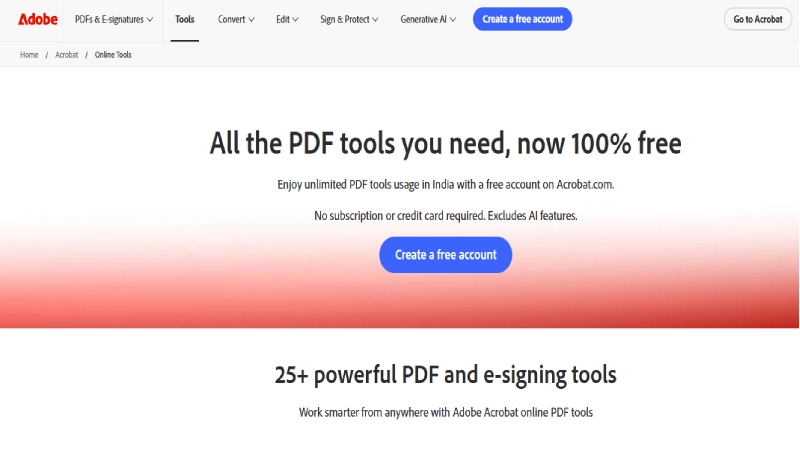
The free online tools include PDF conversion (to/from Word, Excel, PowerPoint, JPG), compression, merge, split, e-signature, form filling, and page organization. The interface integrates with Adobe Document Cloud, so files can be saved, shared, and accessed across devices if you create a free Adobe account. The security infrastructure is enterprise-grade – Adobe’s cloud meets SOC 2 and ISO 27001 compliance standards.
Adobe’s free tier is the most restrictive on this list: only 2 tasks per day without an account, and certain tools require free account creation. The gap between free and paid ($19.99/month for Acrobat Pro) is enormous.
The constant upsell to paid plans is aggressive. But when document accuracy matters – legal contracts, financial reports, academic papers with complex formatting – Adobe’s conversion quality justifies the 2-task-per-day limitation for occasional critical-accuracy needs.
Pros & Cons
- +Best conversion quality – 5/5 accuracy rating
- +Created by the inventors of PDF format
- +Enterprise-grade security (SOC 2, ISO 27001)
- +Free e-signature and form filling
- +Adobe Document Cloud integration
- +Professional-grade output formatting
- –Interface less polished than
- –Smallpdf/iLovePDF
- –44+ tools grid can overwhelm new users
- –Text editing capabilities are basic
- –Processing speed adequate but not fastest
- –Less mobile-optimized than Smallpdf
- –No premium tier means slower feature development
What Reviewers Say
“Adobe’s online converter offers reliable performance backed by the company that invented the PDF format. Conversion quality: 5/5.” – ToolistHub
- ✓Professional users needing the highest conversion accuracy for legal, financial, or complex documents – when quality matters more than quantity.
5. Sejda
The Generous Free Online PDF Editor with Direct Text Editing and 3 Free Tasks Per Day
Our Score: 8.8/10
Detailed Review
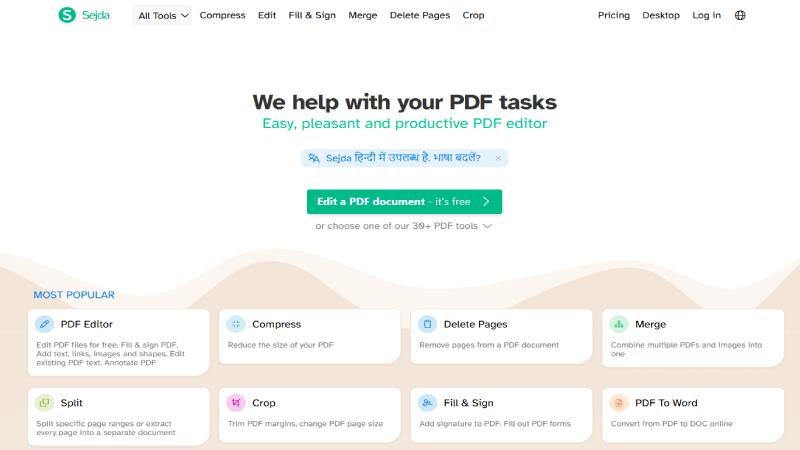
Sejda’s standout feature is direct text editing in the browser – you can click on existing text in a PDF and modify it, change fonts, resize, and reposition content without any download or payment. TechRadar highlighted Sejda as a good free PDF editor online with a large selection of tools including reordering/deleting pages, filling and signing files, and redacting sensitive data, all for free within limits. The ability to edit existing PDF text online for free is rare – most competitors (iLovePDF, Smallpdf) lock this behind paid plans.
The free tier allows 3 tasks per day with a limit of 50 pages or 50 MB per file. This is more generous than Adobe’s 2-task limit and sufficient for most occasional users. The 30+ tools include merge, split, compress, convert, sign, OCR, redact, watermark, flatten, crop, and more. Files are automatically deleted after 2 hours – a reasonable privacy window.
The 50-page and 50MB limits per task restrict use for large documents. The daily 3-task cap means heavy users will hit limits quickly. Some advanced features and batch operations require the paid Web Week ($5 for 7 days) or Pro subscription ($7.50/month).
The interface is functional but not as visually polished as Smallpdf. For users who specifically need to edit existing text in a PDF without downloading software or paying, Sejda is the most capable free option.
Pros & Cons
- +Free direct text editing in PDF – rare capability
- +3 free tasks per day – more than Adobe
- +30+ tools including OCR and redaction
- +No registration required
- +Files auto-deleted after 2 hours
- +50-page/50MB per task is generous
- –50-page and 50MB limits per task
- –3-task daily cap limits heavy use
- –Interface less polished than competitors
- –Pay-per-week option can add up
- –Some batch features require Pro
- –Large documents may exceed free limits
What Reviewers Say
“Sejda is a good free PDF editor online with a large selection of tools for reordering, filling, signing, and redacting – all for free within limits.” – TechRadar
- ✓Users who need to edit existing text in PDFs online for free, and anyone needing free redaction capability for sensitive documents.
6. PDF Candy
The All-in-One Online PDF Suite with 80+ Tools and a One-Task-Per-Hour Free Model
Our Score: 8.5/10
Detailed Review
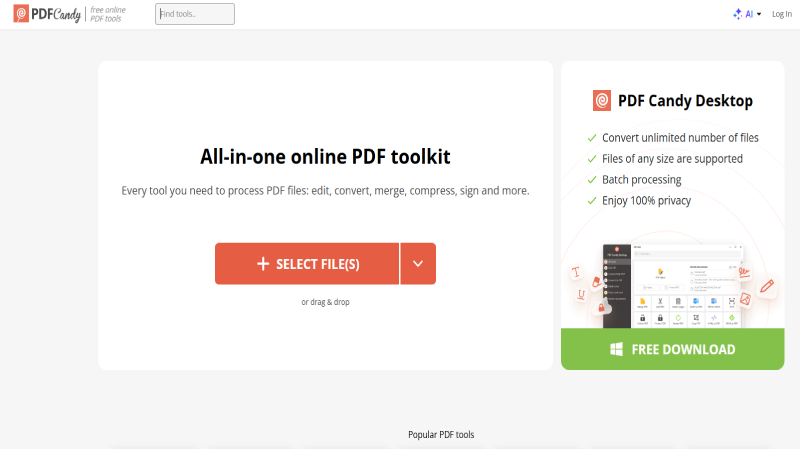
PDF Candy offers the largest number of individual tools of any online PDF platform: over 80 distinct operations covering every conceivable PDF task plus many niche operations like PDF to TIFF, PDF to BMP, HTML to PDF, EPUB to PDF, MOBI to PDF, and more. TechRadar reviewed PDF Candy as a brilliant online PDF tool, noting that while the free tier limits you to one task per hour, it provides access to all available tools.
The breadth of format conversion is unmatched: PDF Candy converts between PDF and virtually every document, image, and ebook format. The OCR functionality handles scanned documents. The edit tool allows adding text, images, and annotations. Security tools include password protection, unlocking, and digital signatures.
For niche conversion needs that other tools do not support (like EPUB to PDF or DjVu to PDF), PDF Candy is often the only free option available.
The one-task-per-hour limit is the most unusual restriction on this list – it does not cap daily tasks but forces you to wait 60 minutes between operations. For single tasks this is fine; for batch work it is impractical. The premium plans ($6/month, $4/month annual, or $99 perpetual license) remove all limits. The perpetual license at $99 is a unique value proposition for users who need ongoing access without recurring costs.
Pros & Cons
- +80+ tools – largest selection available
- +Niche format conversions (EPUB, MOBI,
- +DjVu)
- +No registration required
- +Perpetual license option ($99 one-time)
- +All tools accessible on free tier
- +OCR included for scanned documents
- –1 task per hour-unusual and frustrating limit
- –Impractical for batch or multi-file workflows
- –Interface cluttered with 80+ tool options
- –Some conversions lower quality than Adobe
- –Desktop app Windows-only
- –Premium required for practical daily use
What Reviewers Say
“PDF Candy provides access to all available tools on the free tier. One task per hour may be acceptable for occasional users but far from ideal for regular work.” – TechRadar
- ✓Users needing niche format conversions (EPUB, MOBI, DjVu to PDF), occasional single-task users, and anyone interested in the $99 perpetual license.
7. PDFescape
The Browser-Based PDF Form Filler and Annotator with Free Editing for Documents Under 100 Pages
Our Score: 8.0/10
Detailed Review
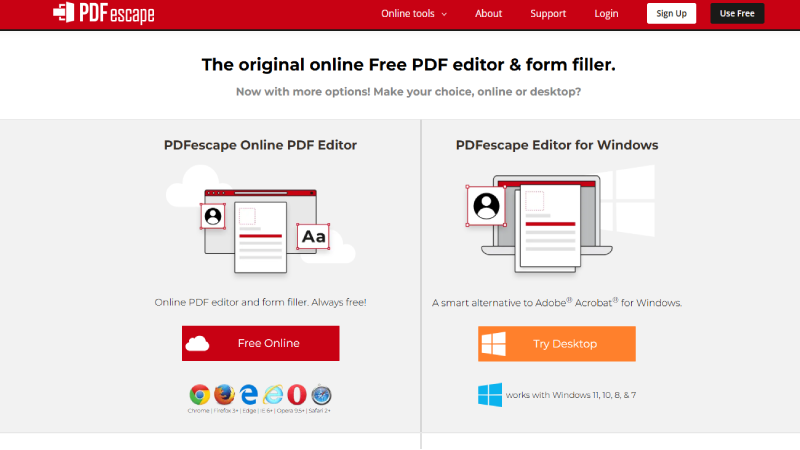
PDFescape specializes in two things that many people actually need most from a PDF tool: filling out PDF forms and adding annotations. The online editor opens PDFs directly in the browser where you can fill form fields, add text blocks, insert images, draw shapes, add links, and sign documents – all without downloading anything.
ToolistHub included PDFescape among free PDF editor options, and Gartner-adjacent review platforms note its accessibility for quick form work.
The free tier is surprisingly capable for documents under 100 pages and 10MB: form filling, text insertion, image placement, drawing tools, page management (reorder, rotate, delete pages), link insertion, and basic annotations. The ability to password-protect PDFs and add digital signatures is included at no cost.
For the common use case of filling out a government form, signing a contract, or annotating a document for review, PDFescape handles these workflows without friction.
PDFescape cannot modify existing PDF text – you can only add new content on top of the existing document. The 100-page and 10MB limits restrict use for larger files. The interface feels dated compared to modern tools like Smallpdf or iLovePDF.
Advanced features like OCR, conversion, and batch processing are not available. But at $2.99/month for Premium (the cheapest paid tier of any tool on this list), the upgrade path is affordable for users who outgrow the free tier.
Pros & Cons
- +Free form filling and signature – common need
- +No registration required
- +Works entirely in browser
- +Free password protection for PDFs
- +Free annotations and text insertion
- +Cheapest premium tier ($2.99/mo) on this list
- –Cannot modify existing PDF text
- –100-page and 10MB file limits
- –Interface feels dated
- –No OCR or format conversion
- –No batch processing
- –Limited compared to iLovePDF or PDF24
What Reviewers Say
“PDFescape is the free PDF editor and converter you need. Add text, shapes, photos, or signatures to PDFs entirely online.” – PDFescape
- ✓Users who primarily need to fill PDF forms, add signatures, and annotate documents – the most common everyday PDF tasks.
8. ChatPDF
The AI-Powered PDF Tool That Lets You Chat with Your Documents – No Signup Required
Our Score: 8.6/10
Detailed Review
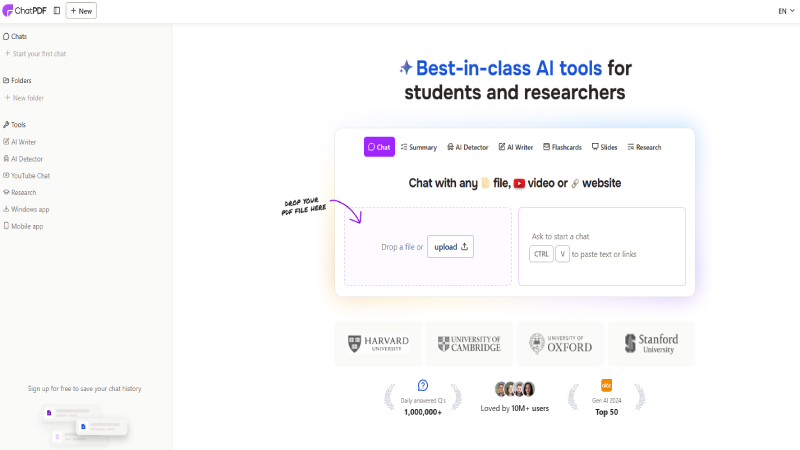
ChatPDF represents the new category of AI-powered PDF tools that emerged in 2025–2026. Instead of editing or converting PDFs, ChatPDF lets you upload a document and ask questions about it in natural language.
Denser.ai rated ChatPDF as the fastest way to get a free PDF summary, noting zero friction: upload a file and start asking questions in under 30 seconds with no email verification, no signup, nothing. The side-by-side layout shows your document alongside the chat window.
For students reviewing textbooks, professionals scanning long reports, lawyers previewing contracts, or researchers processing academic papers, ChatPDF transforms a 90-page document into an interactive conversation.
You can ask for summaries, extract key points, find specific information, compare sections, and get plain-language explanations of complex content. The AI understands context and can answer follow-up questions about the document.
The free tier is restrictive: 2 PDFs per day, 3 questions per PDF, and a 10MB file size cap. The Plus plan ($20/month) is expensive compared to traditional PDF tools. AI answers do not replace careful reading for legal or compliance purposes – always verify critical information against the source document.
But for quickly understanding what a long document is about and extracting its key points, ChatPDF is a genuinely new capability that traditional PDF tools cannot replicate.
Pros & Cons
- +Chat with PDFs using natural language Al
- +No signup required – zero friction
- +Summarize long documents in seconds
- +Side-by-side document and chat view
- +Extract key points and answer specific questions
- +Genuinely new capability vs. traditional tools
- –2 PDFs/day and 3 questions/PDF on free tier
- –10MB file size limit
- –Plus plan expensive ($20/mo)
- –Al answers require verification for accuracy
- –Not an editor – cannot modify PDFs
- –Cannot handle scanned/image PDFs without OCR
What Reviewers Say
“ChatPDF is the fastest way to get a free PDF summary. Zero friction – upload and start asking questions in under 30 seconds, no signup.” – Denser.ai
- ✓Students, researchers, lawyers, and professionals who need to quickly understand or summarize long PDF documents without reading every page.
9. Soda PDF Online
The Full-Featured Browser-Based PDF Editor with Real Text and Image Editing in the Free Tier
Our Score: 8.3/10
Detailed Review
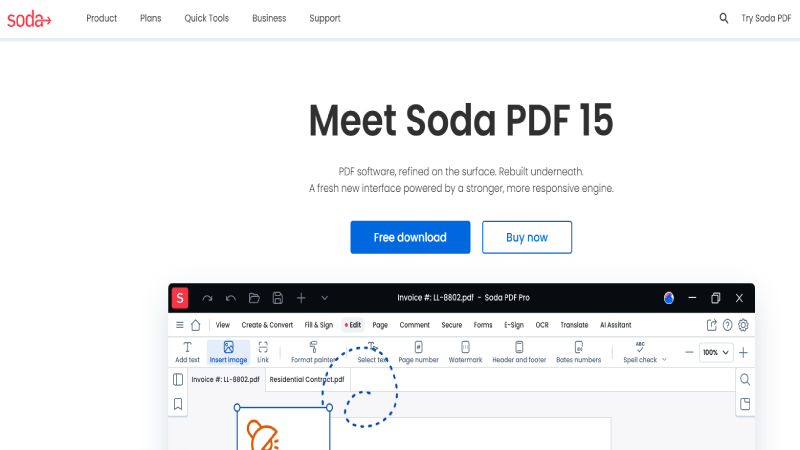
Soda PDF Online offers genuine in-browser PDF editing: you can modify existing text, change fonts, resize and reposition images, and restructure document content directly in the browser without any download. ToolistHub rated Soda PDF’s conversion quality 3/5, and TechRadar noted it as an online and desktop PDF solution with moderate free features.
The browser-based editing interface is more capable than most online tools that only allow adding annotations on top of existing content.
The free tier provides access to the full editing toolset, along with merge, split, compress, convert, sign, OCR, and protection tools. The limitation is quantity rather than capability: after 3 tasks, you hit the paywall.
The Standard plan at $48/year ($4/month effective) is competitively priced for users who need ongoing online PDF editing. Both desktop (Windows and Mac) and online versions are available.
Soda PDF’s 3-task free limit is among the most restrictive after Adobe’s 2-task cap. Conversion quality is moderate (3/5) compared to Adobe’s 5/5. The account requirement for some features adds friction.
The interface can feel busy with upsell prompts. For users who specifically need in-browser PDF text and image editing (not just annotations), Soda PDF’s capability is genuine, but the free tier is essentially a trial rather than a sustainable free tool.
Pros & Cons
- +Real text and image editing in browser
- +Full editing toolset on free tier
- +OCR for scanned documents
- +Competitive annual pricing ($48/yr)
- +Desktop apps for Win and Mac
- +Complete convert, merge, split suite
- –3-task limit – essentially a trial
- –Account required for some features
- –Conversion quality moderate (3/5)
- –Upsell prompts throughout interface
- –Free tier not sustainable for regular use
- –Desktop required for heavy editing
What Reviewers Say
“Soda PDF offers both online and desktop versions with moderate free features. Provides genuine text and image editing in the browser.” – ToolistHub / TechRadar
- ✓Users who need to edit actual text and images in PDFs through the browser and are willing to subscribe ($4/mo) for regular use.
10. Google Docs (PDF Import)
Google’s Free PDF-to-Editable-Document Pipeline – Already in Your Google Account
Our Score: 8.1/10
Detailed Review
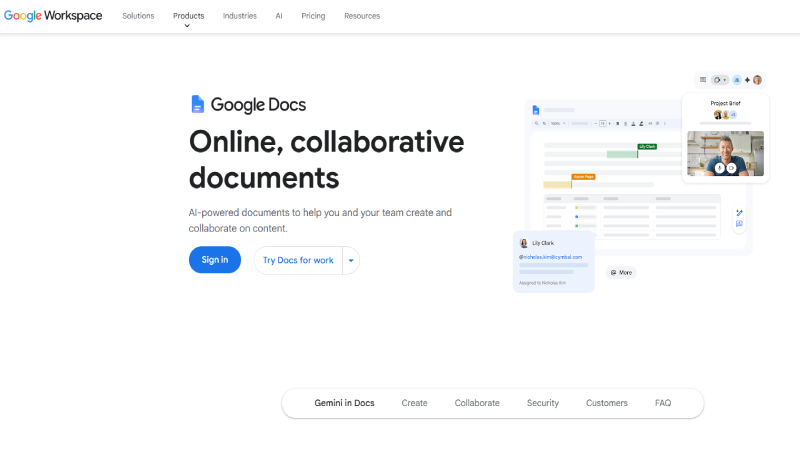
Many people do not realize that Google Docs can open PDF files directly and convert them into editable documents. Simply upload a PDF to Google Drive, right-click and select “Open with Google Docs,” and the content is converted into an editable document that you can modify, share, and collaborate on.
When finished, export back to PDF via File > Download > PDF. There is no separate tool to visit, no upload limit, and no daily cap – it works for every PDF you upload to Drive.
For simple, text-heavy PDFs (letters, reports, articles), Google Docs does a reasonable job of preserving content structure. The collaborative editing features of Google Docs (comments, suggestions, simultaneous editing) then apply to the converted document, making it ideal for team review workflows.
The entire process lives within Google’s cloud security infrastructure and your existing Google account.
Google Docs’ PDF conversion struggles with complex layouts: multi-column designs, tables, images with text wrapping, headers/footers, and formatted forms often lose their structure during conversion.
The output is a Google Doc, not a PDF editor – you are working in a word processor, not a dedicated PDF tool. For complex or visually designed PDFs, use Adobe Acrobat Online or Sejda instead. But for simple text PDFs that need collaborative editing, Google Docs is free, familiar, and already in your workflow.
Pros & Cons
- +Completely free with a Google account
- +No daily limits or restrictions
- +Collaborative editing (comments, suggestions)
- +Familiar Google Docs interface
- +Works on any device with browser
- +Export back to PDF when finished
- –Struggles with complex PDF layouts
- –Tables and images often lose formatting
- –Not a true PDF editor – word processor
- –Headers/footers may be stripped
- –Multi-column layouts break during conversion
- –Form fields are not preserved
What Reviewers Say
“Google Docs can open PDF files directly and convert them into editable documents. Ideal for simple text PDFs and collaborative team review.” – Google Workspace
- ✓Google Workspace users, team collaboration on simple text PDFs, and anyone wanting a completely free PDF editing workflow without visiting external sites.
Full Comparison Table: Free Limits at a Glance
| Tool | Free Tools | Daily Limit | Watermark? | Signup? | Score |
|---|---|---|---|---|---|
| iLovePDF | 25+ | Limited batch | No | No | 9.5 |
| PDF24 Tools | 44+ | Unlimited | No | No | 9.3 |
| Smallpdf | 20+ | Few/day | No | No | 9.2 |
| Sejda | 30+ | 3/day | No | No | 8.8 |
| Adobe Online | 10+ | 2/day | No | Some | 8.7 |
| ChatPDF | AI Chat | 2 PDFs/day | N/A | No | 8.6 |
| PDF Candy | 80+ | 1/hour | No | No | 8.5 |
| Soda PDF | 15+ | 3 tasks | No | Some | 8.3 |
| Google Docs | Import/Edit | Unlimited | No | Google acct | 8.1 |
| PDFescape | Form/Annotate | Unlimited* | No | No | 8.0 |
Decision Guide: Which Free PDF Tool Should You Use?
Best for merging, splitting, and compressing
iLovePDF for the cleanest interface and best overall experience. PDF24 Tools for unlimited free processing with no restrictions. Both handle these common tasks excellently.
Best for converting PDF to Word/Excel
Adobe Acrobat Online for the highest conversion accuracy (5/5 quality). iLovePDF for good quality with fewer restrictions. Smallpdf for quick, clean conversions.
Best for editing existing text in a PDF
Sejda for free direct text editing (3 tasks/day). Soda PDF Online for real text and image editing. PDFescape for form filling and annotations.
Best for signing PDF documents
Smallpdf for the best mobile signing experience. iLovePDF for comprehensive free signing. Adobe Acrobat Online for professional e-signatures.
Best for AI-powered document analysis
ChatPDF for instant AI chat with PDFs without signup. Google Docs for collaborative editing. Both represent new approaches beyond traditional PDF tools.
Best for maximum free capability with zero restrictions
PDF24 Tools is the clear winner: 44+ tools, no daily limits, no watermarks, no registration. If you want truly unlimited free PDF processing, PDF24 is unmatched.
Frequently Asked Questions
Q1: Are free online PDF tools safe to use?
Reputable tools like iLovePDF, Smallpdf, and PDF24 use encryption during file transfer and auto-delete files after processing (typically within 1–2 hours). However, you are uploading files to third-party servers. For highly sensitive documents (legal contracts, financial records, medical information), consider whether the tool’s privacy policy meets your requirements. PDF24’s no-registration model offers the most anonymous usage.
Q2: Which free online PDF tool has no limits?
PDF24 Tools is the only major online PDF platform with zero daily task limits, zero watermarks, and zero registration requirements. You can process as many files as you want, as many times as you want. iLovePDF and Smallpdf have daily limits on their free tiers. Adobe Acrobat Online limits you to 2 tasks per day.
Q3: Can I edit text in a PDF online for free?
Yes. Sejda allows you to click on existing text in a PDF and modify it directly in the browser (3 free tasks per day, 50 pages max). Soda PDF Online also offers real text editing (3 free tasks). Most other tools (iLovePDF, Smallpdf) only allow adding new text annotations on top of existing content – they cannot modify the original text without a paid upgrade.
Q4: Which free online PDF tool has the best conversion quality?
Adobe Acrobat Online provides the highest conversion quality (rated 5/5 by ToolistHub) because Adobe invented the PDF format and their conversion engine preserves complex formatting, tables, and layouts better than any alternative. The trade-off is a 2-task-per-day free limit. For good quality with fewer restrictions, iLovePDF and Smallpdf deliver strong conversion results.
Q5: Can I use these PDF tools on my phone or tablet?
Yes. All 10 tools on this list work in mobile browsers since they are entirely web-based. Smallpdf is specifically optimized for mobile use and was rated the best on smaller screens by TechRadar. iLovePDF and PDF24 also work well on mobile. No app downloads are required – just open the tool in your phone’s browser.
Q6: Do free online PDF tools add watermarks to my files?
The reputable tools on this list (iLovePDF, Smallpdf, PDF24, Sejda, Adobe) do not add watermarks to free outputs. This is a key differentiator from lower-quality free tools. AI:Productivity specifically highlighted that Smallpdf does not add watermarks, which is a notable advantage. Always check before processing important documents.
