


Last updated: September 2026 · 18 min read
Key takeaways
Quick verdict: our top 4 picks
The best email management apps at a glance
| # | Tool | Best for | Price |
|---|---|---|---|
| 1 | Superhuman (Editor’s choice) | Best for power users who live in their inbox | $25 /mo billed yearly |
| 2 | Spark Mail (Best value) | Best for individuals who want AI on a budget | Free or $99 /yr on Plus |
| 3 | Shortwave (Best AI for Gmail) | Best for Gmail users who want AI search and drafting | Free or $18 /mo on Pro |
| 4 | SaneBox (No switching needed) | Best for keeping your current email app | $7 /mo or about $59 a year |
Full comparison table: all 10 email management apps
Pricing, free plans and standout features compared
| Tool | Best for | Starting price | Free plan / trial | Standout feature | SoftSnoop rating | CTA |
|---|---|---|---|---|---|---|
| Superhuman (Editor’s choice) | Power users | $25/mo (annual) | No free plan, card-required trial | 100+ single-key shortcuts | 9.3/10 | See pricing |
| Spark Mail | Budget AI client | $99/yr (Plus) | Free plan | Smart Inbox + Gatekeeper | 9.1/10 | See pricing |
| Shortwave | Gmail + AI | $18/mo (Pro) | Free plan, 90-day search | AI search across your history | 8.9/10 | See pricing |
| SaneBox | Any inbox, no switch | $7/mo | 14-day trial | Works on any IMAP account | 8.8/10 | See pricing |
| Missive | Teams sharing an address | $14/user/mo (annual) | 30-day trial | Assign, comment, co-write drafts | 8.7/10 | See pricing |
| Clean Email | Bulk cleanup | $29.99/yr | Free up to 1,000 emails | Auto Clean rules + Unsubscriber | 8.5/10 | See pricing |
| Microsoft Outlook | Microsoft 365 users | Free | Free with ads | Focused Inbox + calendar | 8.4/10 | See pricing |
| Canary Mail | Privacy + AI on a budget | $36/yr (Growth) | Free plan | PGP and lifetime licence option | 8.3/10 | See pricing |
| Gmail | Free default | Free | Free with ads | Auto tabs + powerful filters | 8.2/10 | See pricing |
| HEY | Screening out noise | $99/yr | 30-day trial | The Screener for new senders | 7.8/10 | See pricing |
Prices checked in September 2026 against vendor pricing pages and recent third-party pricing reviews. Prices are in USD and can vary by region.
10 Best Email management Apps in 2026
1. Superhuman: Best for power users who live in their inbox
Superhuman quick facts
| Spec | Details |
|---|---|
| Best for | Founders, executives and sales teams handling 100+ emails a day |
| Starting price | $25/user/mo billed yearly ($30 monthly) |
| Free tier | No free plan; trial requires a card |
| Platforms | Mac, Windows, iOS, Android, web |
| Works with | Gmail, Google Workspace, Outlook, Microsoft 365 |
| Standout feature | Single-key shortcuts and Split Inbox |
| SoftSnoop rating | 9.3/10 |
Superhuman is built around one idea: every action should take one keystroke. Press E to archive, R to reply, H to snooze. Gmail and Outlook usually need two or three keys, or a mouse click, for the same thing.
That difference sounds small. At 150 emails a day, it adds up to hundreds of saved actions every week.
Split Inbox is the other big win. It sorts incoming mail into streams like VIP, team, calendar and newsletters, so you handle similar emails in one batch. The AI layer writes drafts in your tone, summarizes long threads and reminds you when someone has not replied.
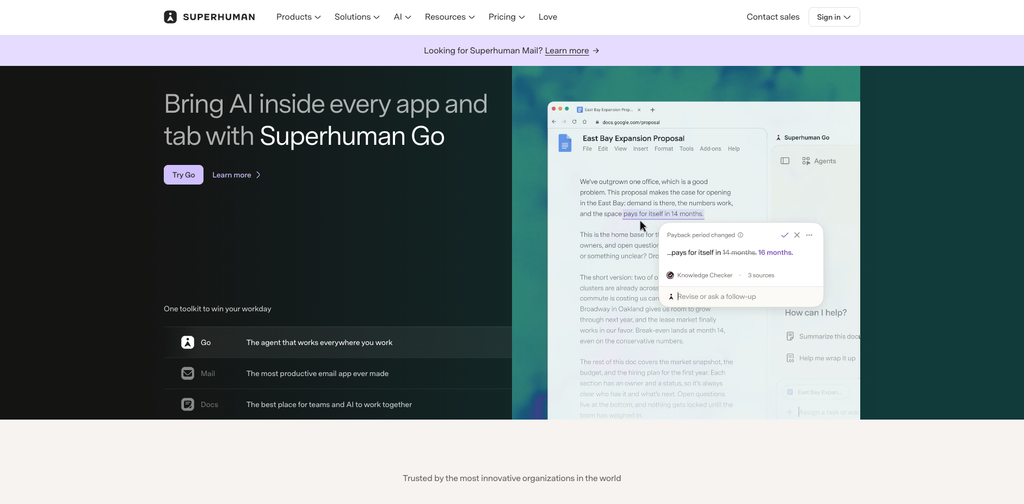
The pricing detail most reviews miss: “Superhuman” now sells two things. The Superhuman Suite Free and Pro plans include Grammarly, Docs and the Go assistant, but not the email app. Mail starts at the Starter plan.
The Business plan ($33 per month yearly, $40 monthly) adds Auto Drafts, Ask AI, custom auto labels and HubSpot, Salesforce and Pipedrive panels. Upgrading costs an extra $96 per user per year on annual billing. Only sales teams that live in a CRM will earn that back.
time to clear a 200-email inbox in Superhuman vs Gmail web, measured by tester.
- +Fastest triage of any app we tested, thanks to single-key shortcuts
- +Split Inbox batches similar emails without manual filters
- +AI drafts, summaries and follow-up reminders are built in on every plan
- +Works with both Gmail and Outlook accounts
- –Costs $300 a year per user even on annual billing
- –No free plan, so you can only try it through a trial
- –No real shared inbox for addresses like support@
Who it’s best for / Who should skip it
- ✓People whose time in email directly converts to revenue, such as founders, executives, recruiters and sales reps.
- ✕Anyone handling fewer than 50 emails a day, or a team that needs one shared inbox. You will pay a premium for speed you will not use.
What the community says
Long-term users on G2 and in public customer interviews often describe Superhuman as hard to give up once the shortcuts become habit. The most common complaint is price, followed by teams outgrowing it because it is built around one person’s inbox.
Superhuman Starter: $25 / user / mo (billed yearly · $30 month to month)
Split Inbox · AI drafts and summaries · Gmail and Outlook support
2. Spark Mail: Best for individuals who want AI on a budget
Spark Mail quick facts
| Spec | Details |
|---|---|
| Best for | Individuals and small teams who want a polished, smart inbox |
| Starting price | $99/yr on Plus ($8.25/mo), Pro $199/yr |
| Free tier | Yes, with Smart Inbox and unlimited accounts |
| Platforms | Mac, Windows, iOS, iPadOS, Android |
| Works with | Gmail, Outlook, iCloud, Yahoo, any IMAP account |
| Standout feature | Smart Inbox and Gatekeeper sender screening |
| SoftSnoop rating | 9.1/10 |
Spark by Readdle is the app we recommend to most people who want something nicer than the built-in mail app. It works with almost any email account and runs on every major platform.
The free plan is the most generous of any premium client here. You get the Smart Inbox, which groups email into Personal, Notifications and Newsletters, plus a unified inbox for all your accounts.
Paid plans add the AI assistant for drafting and summaries, and Gatekeeper. Gatekeeper holds emails from new senders until you approve or block them, which cuts cold outreach dramatically.
The pricing shift to know about: Spark’s individual Premium plan cost $59.99 a year in 2025. The 2026 lineup starts at $99 a year for Plus. That is a 65% increase, so older “best of” lists quoting $5 a month are out of date.
Pro, at $199 a year, is mainly worth it for teams. For a single user, the jump from Plus to Pro doubles the cost for features like read statuses that most people can live without.
Gatekeeper, number of new-sender emails held over the test period.
- +Free plan is strong enough for many people to never upgrade
- +Works with Gmail, Outlook, iCloud and any IMAP account
- +Gatekeeper screens unknown senders before they hit your inbox
- +Light team features like shared drafts and private comments
- –Plus now costs $99 a year, up from $59.99 in 2025
- –Stores email login tokens on its servers, which some security teams reject
- –Team features are lighter than a true shared inbox
Who it’s best for / Who should skip it
- ✓Anyone who wants a smarter, cross-platform inbox and would rather not pay Superhuman prices.
- ✕Companies with strict data policies that ban third-party servers holding email credentials.
What the community says
Users consistently praise the free plan and the Smart Inbox. Longer-term reviewers report that the app felt slower and less stable after the Spark 3 redesign, and privacy-focused reviewers repeatedly flag its server-side credential storage.
Spark Plus: $99 / year (about $8.25 a month · free plan available)
Smart Inbox · AI drafting and summaries · Gatekeeper
3. Shortwave: Best for Gmail users who want AI search and drafting
Shortwave quick facts
| Spec | Details |
|---|---|
| Best for | Gmail and Google Workspace users who want an AI-first inbox |
| Starting price | Pro from $18/mo; Business around $24 to $30/seat |
| Free tier | Yes, with 90 days of search history |
| Platforms | Web, Mac, Windows, iOS, Android |
| Works with | Gmail and Google Workspace only |
| Standout feature | AI search that answers questions from your email history |
| SoftSnoop rating | 8.9/10 |
Shortwave was built by former Google Inbox engineers, and it feels like the spiritual successor. Emails are bundled by type, and the whole app is designed around an AI assistant.
That assistant is the reason to switch. You can ask it to find “the contract Sarah sent in March” or summarize a 40-message thread, and it answers from your actual mail. Zapier’s reviewer switched to Shortwave specifically for its search.
It can also sort email, unsubscribe you from newsletters, draft replies and create reminders.
The limit to check first: Shortwave only works with Gmail and Google Workspace. If your work email runs on Microsoft 365, it is not an option.
The pricing trend: The free plan limits search to 90 days and adds a “Sent with Shortwave” signature. The individual paid plan now sits around $18 a month, roughly double the old Personal plan. Shortwave is clearly prioritizing business seats.
- +The most useful AI search of any email app we tested
- +Bundles make newsletters and notifications easy to clear
- +Free plan lets you try the core experience
- +Strong desktop and mobile apps
- –Gmail and Google Workspace only, no Outlook support
- –Free plan limits search history to 90 days
- –Paid plan price has roughly doubled for individuals
Who it’s best for / Who should skip it
- ✓Heavy Gmail users who search their inbox constantly and want AI to do the digging.
- ✕Anyone on Outlook or Microsoft 365, and security teams that will not allow a full-mailbox cloud index.
What the community says
Early adopters are frustrated by the price increases and the shrinking free plan. Reviewers also note the founding team launched a separate AI agent product, Tasklet, in 2025, and some question how much focus Shortwave still gets.
Shortwave Pro: $18 / mo (verify current billing terms on the vendor page)
AI search · AI drafting in your voice · Unlimited history
4. SaneBox: Best for keeping the email app you already use
SaneBox quick facts
| Spec | Details |
|---|---|
| Best for | People who refuse to switch email apps |
| Starting price | Snack $7/mo, about $59/yr on annual billing |
| Free tier | No, 14-day free trial |
| Platforms | Works inside any email app on any device |
| Works with | Gmail, Outlook, iCloud, Yahoo, any IMAP account |
| Standout feature | SaneLater folder that learns what can wait |
| SoftSnoop rating | 8.8/10 |
SaneBox is not an email app. It is a filter that runs on your email server, so it works in Gmail, Outlook, Apple Mail or any app you already like.
It watches how you handle email, then moves less important messages into folders like SaneLater and SaneNews. Your inbox shows only what matters. A daily digest lists what was filtered, so nothing is lost.
Other features include SaneBlackHole (drag a sender in and never see them again), SaneReminders for follow-ups and snoozing.
The billing trap: Plans are split by how many features you can switch on. Snack gives you only 2 features and 1 email account. Lunch gives you 6 features and 2 accounts for $12 a month. Dinner unlocks everything and 4 accounts for $36 a month.
Longer billing cuts the cost a lot. Paying for 2 years brings Snack to roughly $4.50 a month, about a third cheaper than paying monthly.
Note that SaneBox filtering is learned sorting, not generative AI. It will not write replies for you.
- +Zero switching cost, it works in the email app you already use
- +Works with every major provider and any IMAP account
- +SaneBlackHole removes a sender with one drag
- +Daily digest means nothing gets lost
- –No free plan after the 14-day trial
- –Snack limits you to 2 features and 1 account
- –No AI drafting or reply writing
Who it’s best for / Who should skip it
- ✓People happy with their email app who just want less noise in the inbox.
- ✕Anyone who wants AI to draft replies, or who expects a new app experience.
What the community says
Users like that it works everywhere without learning a new app. The main criticisms are that it is rule-based rather than true AI, and that the useful features sit on the pricier Lunch and Dinner plans.
SaneBox Lunch: $12 / mo (bigger discounts on 1-year and 2-year billing)
SaneLater filtering · SaneReminders · SaneBlackHole
5. Missive: Best for teams sharing one email address
Missive quick facts
| Spec | Details |
|---|---|
| Best for | Teams answering support@, sales@ or client inboxes together |
| Starting price | $14/user/mo billed yearly ($18 monthly) |
| Free tier | No, 30-day trial with no card |
| Platforms | Mac, Windows, Linux, iOS, Android, web |
| Works with | Gmail, Outlook, IMAP, plus SMS and WhatsApp channels |
| Standout feature | Assign emails, comment internally and co-write drafts |
| SoftSnoop rating | 8.7/10 |
A personal email app cannot fix a shared inbox. When five people answer support@, the problem is ownership: who is handling this, and has anyone replied?
Missive solves exactly that. You assign a conversation to one person and it leaves everyone else’s inbox. Teammates discuss it in an internal comment thread instead of forwarding. Two people can edit the same draft in real time, like a Google Doc.
Rules can route mail by keyword, spread work round-robin or let AI label incoming messages.
The cost cliff to plan for: Missive’s Starter plan is capped at 5 users. A 5-person team pays $70 a month on annual billing.
Hire a sixth person and you must move to Productive at $24 per user. That team now pays $144 a month, more than double, for one extra seat. Budget for this before you grow.
- +True shared inbox with assignment and internal comments
- +Real-time collaborative drafts
- +Handles email, SMS and WhatsApp in one place
- +30-day trial with no credit card
- –Starter plan caps at 5 users, then cost more than doubles
- –Everyone must switch to a new app
- –Collaborative drafts do not sync back to Gmail drafts
Who it’s best for / Who should skip it
- ✓Agencies, accounting firms, support and ops teams where several people answer the same addresses.
- ✕Solo users. You will pay team prices for features you will never touch.
What the community says
Teams that moved from Front often cite similar features at a lower price. Common complaints are a learning curve for people coming from plain Gmail and thinner power-user customization than dedicated personal clients.
Missive Starter: $14 / user / mo (billed yearly · $18 month to month)
Shared inboxes · Assignment and comments · Collaborative drafts
6. Clean Email: Best for cleaning up a bloated inbox
Clean Email quick facts
| Spec | Details |
|---|---|
| Best for | Clearing years of newsletters, receipts and notifications |
| Starting price | $29.99/yr for 1 account ($9.99 monthly) |
| Free tier | Yes, clean up to 1,000 emails |
| Platforms | Web, iOS, Android, Mac |
| Works with | Gmail, Outlook, Yahoo, iCloud, AOL, any IMAP account |
| Standout feature | Auto Clean rules that keep the inbox tidy after cleanup |
| SoftSnoop rating | 8.5/10 |
Clean Email is the tool for the inbox with 40,000 unread emails. It groups your mail into Smart Folders by sender and type, so you can delete, archive or label thousands of messages in a few clicks.
Unsubscriber stops newsletters in bulk. Screener holds first-time senders for approval. Auto Clean rules then keep things tidy automatically, which is what separates it from a one-time cleanup.
The pricing math: Every paid plan includes every feature. You only pay for how many accounts you connect.
Paying monthly for one account costs $119.88 a year. The annual plan costs $29.99. That is 75% cheaper for the same product.
The 5-account plan at $49.99 a year works out to about $10 per inbox, which is excellent for families or freelancers juggling several addresses. Note that web and in-app prices can differ, so check both.
- +Clears thousands of emails in minutes with bulk actions
- +Free plan cleans up to 1,000 emails, no card needed
- +Every paid plan includes every feature
- +Works with almost every provider
- –Monthly billing is 4x the price of annual
- –Not an email app, you still read mail elsewhere
- –Pricier per inbox than simple unsubscribe tools on a single account
Who it’s best for / Who should skip it
Best for: Anyone whose storage is full or whose inbox is buried in years of promotional email.
- ✕People with a clean inbox who only need to unsubscribe from a few newsletters.
What the community says
Reviewers find the 1,000-email free cap fair for testing. The most common criticism is that it is more expensive per mailbox than simpler unsubscribe tools if you only have one account.
Clean Email 1 Account: $29.99 / year ($9.99 month to month · free for 1,000 emails)
Smart Folders · Unsubscriber · Auto Clean rules
7. Microsoft Outlook: Best free option for Microsoft 365 users
Microsoft Outlook quick facts
| Spec | Details |
|---|---|
| Best for | Windows users and anyone on Microsoft 365 |
| Starting price | Free; ad-free with Microsoft 365 Basic at $1.99/mo |
| Free tier | Yes, with ads |
| Platforms | Windows, Mac, iOS, Android, web |
| Works with | Outlook.com, Microsoft 365, Gmail, iCloud, IMAP |
| Standout feature | Focused Inbox plus a full calendar in one window |
| SoftSnoop rating | 8.4/10 |
Outlook is the most improved free email app of the last few years. It is now free on Mac and iPhone, and the new Outlook for Windows replaced the old Windows Mail app.
Focused Inbox splits important email from everything else, and it learns when you move a message between tabs. The built-in calendar, file integrations and separate work and personal profiles make it the strongest free app for professionals.
What the free version lacks: The new Outlook for Windows shows a few ads and, per Microsoft’s own feature comparison, still lacks some classic Outlook features. Paying $1.99 a month for Microsoft 365 Basic removes the ads.
- +Free on every major platform
- +Focused Inbox learns what matters to you
- +Calendar, contacts and files in one app
- +Works with Gmail and IMAP, not just Microsoft accounts
- –Ads in the free version
- –New Outlook for Windows still misses some classic features
- –Can feel crowded if you want a minimal app
Who it’s best for / Who should skip it
- ✓Anyone on Microsoft 365 or Windows who wants a capable app without paying.
- ✕Minimalists and Gmail power users who rely on labels and Gmail search.
What the community says
Reviewers widely call Outlook a surprise favourite on Mac and iPhone. Power users on Windows are split, with many saying the new desktop app dropped tools they relied on.
Microsoft 365 Basic: $1.99 / mo (Outlook itself is free with ads)
Ad-free Outlook · Focused Inbox · Calendar built in
8. Canary Mail: Best for privacy and AI on a small budget
Canary Mail quick facts
| Spec | Details |
|---|---|
| Best for | Privacy-minded professionals who want AI without a big subscription |
| Starting price | Growth $36/yr; Pro+ $100/yr |
| Free tier | Yes, with unified inbox and templates |
| Platforms | Mac, Windows, iOS, Android |
| Works with | Gmail, Outlook, iCloud, Yahoo, Zoho, Fastmail, IMAP |
| Standout feature | PGP encryption and a one-time lifetime licence option |
| SoftSnoop rating | 8.3/10 |
Canary Mail combines AI and security at the lowest paid price on this list. Growth costs $36 a year and adds the AI Copilot for drafts and summaries, read receipts, send later and an inbox cleaner.
Pro+ at $100 a year adds PGP encryption, SecureSend, phishing and impersonation detection. That makes Canary the pick for lawyers, consultants and anyone emailing sensitive files.
Two billing quirks: Canary does not offer monthly billing at all, only yearly or lifetime. And each licence is single-user and tied to one email ID, so check that before buying for multiple addresses.
The lifetime option is rare in this category. If you hate subscriptions, it is worth a look.
- +Cheapest paid AI email client at $36 a year
- +End-to-end encryption and phishing protection on Pro+
- +Lifetime licence option, no subscription needed
- +Free plan supports unlimited accounts
- –No monthly billing option
- –Licences are single-user and tied to one email ID
- –Smaller company and review base than Spark or Outlook
Who it’s best for / Who should skip it
- ✓Professionals who handle sensitive email and want AI help without paying $300 a year.
- ✕Teams that need a proper shared inbox, which is only an add-on here.
What the community says
Canary holds a 4.4 out of 5 rating on G2, where reviewers rate it highly for ease of setup and support. Most criticism centers on its smaller feature depth for teams.
Canary Growth: $36 / year (yearly or lifetime · free plan available)
AI Copilot · Read receipts · Send later
9. Gmail: Best free default, especially on Android
Gmail quick facts
| Spec | Details |
|---|---|
| Best for | Android users and anyone who wants powerful free filters |
| Starting price | Free |
| Free tier | Yes, with ads in the Promotions and Social tabs |
| Platforms | Web, Android, iOS |
| Works with | Gmail natively, plus Outlook and IMAP accounts in the app |
| Standout feature | Automatic inbox tabs and advanced search filters |
| SoftSnoop rating | 8.2/10 |
Before you pay for anything, set Gmail up properly. Most people never do.
Gmail’s tabs automatically sort Primary, Social and Promotions. Its filters can label, archive, forward or delete mail based on sender, subject, keywords or size. Combined with labels, that handles a surprising amount of email management for free.
The mobile app is purpose-built rather than a shrunken web page, which is why it tops most Android lists.
Where free runs out: 15 GB of free storage is shared across Gmail, Google Drive and Google Photos. There is no bulk unsubscribe on the scale of Clean Email, and no one-key triage like Superhuman.
- +Completely free with powerful filters and labels
- +Automatic tabs sort promotions and social mail
- +Excellent Android app
- +Best search of any free email app
- –15 GB storage is shared with Drive and Photos
- –Ads appear in the Social and Promotions tabs
- –Works best with Gmail accounts, less so with others
Who it’s best for / Who should skip if
- ✓Anyone who has not yet tried filters and labels, and Android users who want a fast default app.
- ✕People with 100+ emails a day who need speed tools, AI drafting or bulk cleanup.
What the community says
Users rate the Android app and search highly. The ads in the secondary tabs and the shared 15 GB limit are the most common complaints.
**Gmail: Free ** (15 GB shared with Drive and Photos)
Automatic tabs · Filters and labels · Fast mobile apps
10. HEY: Best for screening out unwanted email
HEY quick facts
| Spec | Details |
|---|---|
| Best for | Individuals who want to rethink email from scratch |
| Starting price | $99/yr (HEY for You); $12/user/mo for your own domain |
| Free tier | No, 30-day trial |
| Platforms | Web, Mac, Windows, Linux, iOS, Android |
| Works with | HEY addresses only; no IMAP, Gmail or Outlook connection |
| Standout feature | The Screener approves every new sender |
| SoftSnoop rating | 7.8/10 |
HEY, from the makers of Basecamp, is an email service and app in one. Its best idea is the Screener: the first time anyone emails you, you decide whether they ever reach you again.
Newsletters go to The Feed, receipts go to the Paper Trail, and only approved people land in the main “Imbox.” It also blocks tracking pixels by default.
The big catch: HEY does not connect to Gmail or Outlook. You get a new @hey.com address, or you pay $12 per user a month to use your own domain. To use it with an old address, you have to forward mail, and replies come from HEY.
Billing is yearly only for personal accounts. Short, premium addresses cost extra, with three-character addresses priced at $349 a year.
- +The Screener stops unwanted senders permanently
- +Blocks email tracking pixels by default
- +Clean separation of newsletters, receipts and real mail
- +Apps on every platform, including Linux
- –Cannot connect Gmail, Outlook or IMAP accounts
- –Yearly billing only for personal plans
- –Renamed features and a playful design put some users off
Who it’s best for / Who should skip it
- ✓People ready to start fresh with a new address and a stricter way of handling email.
- ✕Anyone who needs to keep using an existing Gmail or work address.
What the community says
Fans say the Screener changed how they feel about email. Critics dislike the renamed features, such as “Imbox,” and the design, and many stop at the lack of Gmail and Outlook support.
HEY for You: $99 / year (yearly billing only · 30-day trial)
The Screener · Tracker blocking · 100 GB storage
Feature comparison: what each app can actually do
| Feature | Superhuman | Spark | Shortwave | SaneBox | Missive | Clean Email | Outlook | Canary | Gmail | HEY |
|---|---|---|---|---|---|---|---|---|---|---|
| Free plan | No | Yes | Yes | No | No | Yes | Yes | Yes | Yes | No |
| Works with Outlook accounts | Yes | Yes | No | Yes | Yes | Yes | Yes | Yes | Yes | No |
| AI drafting | Yes | Yes | Yes | No | Yes | No | Paid add-on | Yes | Paid add-on | No |
| Sender screening | Partial | Yes | Partial | Yes | Partial | Yes | No | Partial | No | Yes |
| Bulk unsubscribe | Partial | Partial | Yes | Yes | No | Yes | Yes | Yes | Partial | No |
| True shared inbox | No | Partial | Partial | No | Yes | No | Partial | Add-on | No | No |
| Monthly billing | Yes | Yes | Yes | Yes | Yes | Yes | Yes | No | n/a | No |
[VERIFY: confirm every “Partial” and “Add-on” cell during hands-on testing before publishing.]
What you will actually pay: 3 worked examples
Headline prices hide the real cost. Here is what three common setups cost over one year, using annual billing wherever it is offered.
Example 1: One professional who wants AI help
| App | Plan | Cost per year |
|---|---|---|
| Canary Mail | Growth | $36 |
| Spark | Plus | $99 |
| Shortwave | Pro | about $216 |
| Superhuman | Starter | $300 |
Superhuman costs about 8 times more than Canary for the same basic job. It only pays off if you truly process 100 or more emails a day and value its speed.
Example 2: Someone who just wants a cleaner inbox
| App | Plan | Cost per year |
|---|---|---|
| Gmail filters | Free | $0 |
| Clean Email | 1 account, annual | $29.99 |
| SaneBox | Snack, annual | about $59 |
| Clean Email | 1 account, paid monthly | $119.88 |
Paying Clean Email monthly costs 4 times more than paying yearly. If you commit to a tool, commit on the annual plan.
Example 3: A 6-person team sharing support@
| Setup | Monthly cost | Cost per year |
|---|---|---|
| Missive Starter (only works up to 5 users) | Not allowed | n/a |
| Missive Productive, 6 users | $144 | $1,728 |
| Spark Pro, 6 users | about $100 | $1,194 |
| Superhuman Starter, 6 users | $150 | $1,800 |
Spark is cheaper, but it is collaboration-lite, not a true shared inbox. Superhuman costs the most and still does not give the team a shared address to own. For real team ownership, Missive is the right tool, just plan for the 5-user cliff.
Buyer’s guide: how to choose an email management app
By goal
Pick by what you want to fix
- ✅ Process email faster: Superhuman, or Spark if the budget is tight.
- ✅ Find old emails instantly: Shortwave, if you are on Gmail.
- ✅ Keep your current app: SaneBox for filtering, Clean Email for cleanup.
- ✅ Stop unwanted senders: HEY’s Screener, Spark’s Gatekeeper or Clean Email’s Screener.
- ✅ Share an inbox with a team: Missive.
- ✅ Protect sensitive email: Canary Mail Pro+ with PGP encryption.
- ✅ Spend nothing: Gmail or Outlook, set up properly with filters and focused tabs.
By skill level
Beginners: Start with Gmail or Outlook and spend 30 minutes on filters, labels or Focused Inbox. Add Clean Email if your inbox is already buried.
Intermediate users: Try Spark’s free plan. It gives you a smarter inbox with almost no learning curve, and you can upgrade to Plus later.
Power users: Trial Superhuman or Shortwave. Both reward the time you put into learning shortcuts and AI commands.
Team leads: Run Missive’s 30-day trial with the whole team on one shared address. Measure whether “who is handling this?” messages drop.
How to choose: 5-question checklist
- Which email provider are you on? Shortwave is Gmail only. HEY needs its own address. Everything else works with Gmail and Outlook.
- Do you want to switch apps? If not, go with SaneBox or Clean Email.
- Is this for one person or a team? Teams sharing an address need Missive, not a personal client.
- How many emails do you get a day? Under 50, stick with free tools. Over 100, speed tools like Superhuman pay for themselves.
- Will you pay yearly? Annual billing saves 17% on Superhuman and up to 75% on Clean Email. Canary and HEY do not offer monthly billing at all.
FAQ
What is the best email management app in 2026?
Superhuman is the best email management app for heavy users because of its speed and AI features. For most people, Spark offers the best value with a strong free plan. If you do not want to switch apps, SaneBox adds smart filtering to the inbox you already use.
What is the best free email management app?
Spark has the strongest free plan of any dedicated email app, with Smart Inbox and unlimited accounts. Gmail and Outlook are also free and very capable once you set up filters or Focused Inbox. Clean Email’s free plan cleans up to 1,000 emails.
Is Superhuman worth $30 a month?
Superhuman is worth it if you handle 100 or more emails a day and your time is expensive, such as founders, executives or sales reps. On annual billing it costs $25 a month. For lighter email users, Spark or Canary give you AI features for a fraction of the price.
What is the difference between an email client and an email management tool?
An email client is the app you read and send mail in, like Spark or Outlook. An email management tool can also work on top of your existing client, like SaneBox or Clean Email. The practical difference is that clients require switching apps, while add-on tools do not.
Can I use an email management app with Outlook?
Yes. Superhuman, Spark, SaneBox, Missive, Clean Email and Canary Mail all work with Outlook and Microsoft 365 accounts. Shortwave only supports Gmail and Google Workspace, and HEY only works with HEY addresses or your own domain on HEY.
Are email management apps safe?
Reputable email management apps connect through official OAuth sign-in, so they never see your password. Some, like Spark, store login tokens on their servers to power features like send later. If your company has strict data rules, check each app’s security page or choose one that processes mail on your device.
How do I clean up thousands of emails quickly?
Use a bulk cleanup tool like Clean Email, which groups emails by sender so you can delete or archive thousands at once. Then add unsubscribe and auto-clean rules so the clutter does not return. Gmail search filters like “older_than:1y category:promotions” also work for free.
What is the best email management app for teams?
Missive is the best choice for teams that share addresses like support@ or sales@. It adds assignment, internal comments and collaborative drafts. Budget carefully: its Starter plan is capped at 5 users, and the next plan more than doubles the monthly cost for a 6-person team.
Verdict: which email management app should you get?
Our final picks
| # | Tool | Best for | Price |
|---|---|---|---|
| 1 | Superhuman (Top pick) | Best overall for heavy email users | $25 /mo billed yearly |
| 2 | Spark Mail (Best value) | The smartest inbox for the money | $99 /yr on Plus |
| 3 | Gmail (Best free) | Free and powerful once you set up filters | Free |
If you live in your inbox, Superhuman is the one to beat. If you want most of that experience for a third of the price, choose Spark. And if you would rather not pay at all, a well-configured Gmail or Outlook takes you further than most people expect.
