

In 2026, over 80% of small businesses use cloud-based accounting software, making it the default standard rather than a premium choice. The shift from spreadsheets and desktop software to cloud platforms has accelerated dramatically, driven by AI-powered automation, real-time bank feeds, and the need for remote accessibility. According to a survey by Clutch, 95% of small business owners believe accounting software positively impacts their operations.

Yet choosing the wrong platform remains one of the most costly mistakes a small business can make. A mismatch between your business needs and your accounting tool creates data chaos, tax compliance risks, and wasted hours on manual workarounds. The best accounting software for your business is not necessarily the most popular or most expensive it is the one that matches your transaction volume, invoicing style, industry requirements, and growth trajectory.
This guide evaluates 10 accounting platforms across the full spectrum of small business needs from completely free tools for solopreneurs to enterprise ERP systems for venture-backed startups. We analyzed the provided SERP competitor articles from PCMag, TGG Accounting, CNBC Select, ZDNet, and others, cross-referenced user reviews from Capterra, G2, and TrustRadius, and verified all pricing as of March 2026.
Quick Verdict: Our Top 4 Picks
| Software | Best For | Starting Price | Score |
|---|---|---|---|
| QuickBooks Online | All-Around Best | $30/mo | 9.5/10 |
| Xero | Global / Multi-Currency | $15/mo | 9.2/10 |
| Zoho Books | Best Free Plan | Free | 8.8/10 |
| FreshBooks | Invoicing & Services | $19/mo | 8.7/10 |
How We Tested and Evaluated
Each platform was assessed through a standardized small business simulation: setting up a chart of accounts, connecting a bank feed, creating and sending 10 invoices, categorizing 50 transactions, generating a profit and loss report, and running a bank reconciliation. We evaluated seven core criteria: Ease of Setup and Daily Use (time from signup to productive bookkeeping), Core Accounting Depth (double-entry, reconciliation, journal entries, reporting), Invoicing and Payment Collection (invoice customization, online payments, automation), Automation and AI (auto-categorization, error detection, recurring workflows), Integration Ecosystem (bank feeds, payroll, e-commerce, CRM), Scalability (growth path without platform migration), and Pricing Transparency (true total cost including add-ons and scaling).
A key insight from our competitor analysis: the software your accountant can access costs less in the long run than the cheapest tool your accountant cannot use. CPA compatibility was weighted heavily in our scoring, reflecting the practical reality that most small businesses work with external financial professionals.
In-Depth Reviews: 10 Best Accounting Software for Small Business in 2026
1. QuickBooks Online
Our Score: 9.5/10
The Gold Standard for Small Business Accounting in the Cloud
Quick Facts
| Pricing | Simple Start: $30/mo | Essentials: $60/mo | Plus: $90/mo | Advanced: $200/mo |
| Platform | Web-based, iOS, Android, Windows (Desktop) |
| Category | Full Accounting / Invoicing / Payroll / Inventory |
| Skill Level | Beginner to Advanced |
| Free Plan | No 30-day free trial (frequent 50% off promos for first 3 months) |
| Developer | Intuit, Inc. |
Detailed Review
QuickBooks Online (QBO) remains the most widely used accounting software for small businesses worldwide in 2026, serving over 7 million businesses globally. It sets the gold standard for cloud-based financial management with robust reporting, AI-powered error detection, automated bank reconciliation, and an ecosystem of 750+ app integrations that connect to virtually every business tool you already use from PayPal and Shopify to Gusto and Square.
The 2026 updates introduced AI-powered Report Insights and Anomaly Detection that analyze over a year’s worth of financial data to identify inaccuracies and unusual trends in real time. Questionable items are flagged with a six-month data snapshot, giving business owners immediate visibility into potential problems before they become costly. The invoicing system is highly customizable, supporting online payment options that get businesses paid 2–3 times faster than traditional methods.
QuickBooks’ greatest competitive advantage is its CPA compatibility. More accountants and bookkeepers are trained on QuickBooks than any other platform, which means your financial advisor can access your books directly, reducing communication friction and errors. The Simple Start plan at $30/month covers core needs for solopreneurs, while the Plus plan at $90/month adds project tracking, inventory, and budgeting for growing teams of up to 5 users. Frequent promotional discounts (often 50% off for 3 months) make the entry point even more accessible.
| PROS | CONSCONS |
|---|---|
| Most widely used unmatched CPA and accountant compatibility | Pricing escalates significantly at higher tiers |
| AI-powered anomaly detection and reporting insights | Can feel complex for absolute beginners |
| 750+ app integrations including PayPal, Shopify, and Square | Some advanced features require Plus or Advanced plans |
| Robust invoicing with online payments (2–3x faster collection) | Customer support quality varies by plan level |
| Built-in payroll, inventory tracking, and project management | Per-user pricing adds costs for growing teams |
| Excellent mobile app for on-the-go financial management |
BEST FOR: U.S.-based small businesses, agencies, e-commerce sellers, contractors, and any business that works with an accountant or bookkeeper.
What the Community Says
“QuickBooks sets the gold standard for small-business accounting software. Its AI-powered anomaly detection is a game-changer for catching errors early.” CNBC Select
2. Xero
Our Score: 9.2/10
The Modern Cloud Accounting Platform with Unlimited Users and Global Reach
Quick Facts
| Pricing | Early: $15/mo | Growing: $42/mo | Established: $78/mo |
| Platform | Web-based, iOS, Android |
| Category | Cloud Accounting / Invoicing / Bank Reconciliation |
| Skill Level | Beginner to Advanced |
| Free Plan | No 30-day free trial (frequent 50% off promos) |
| Developer | Xero Ltd. |
Detailed Review
Xero is QuickBooks’ strongest global competitor, particularly dominant in the UK, Australia, and New Zealand, with a rapidly growing U.S. presence. Its standout advantage is unlimited user access at every pricing tier a critical differentiator for collaborative teams and businesses that need their accountant, bookkeeper, and multiple team members accessing the system simultaneously without per-seat costs adding up.
The automated bank reconciliation engine matches transactions in seconds, and many bookkeepers describe Xero’s reconciliation workflow as the best in the industry. Multi-currency accounting is built into the platform natively, making Xero the clear choice for businesses with international clients or suppliers. The Established plan includes predictive cash flow forecasting that helps small business owners see financial risks and opportunities before they materialize.
Xero’s App Marketplace offers connections to over 1,000 third-party tools, and the real-time collaboration features allow accountants to log in and resolve issues without email back-and-forth. The Early plan at $15/month is attractively priced but limited to 20 invoices and 5 bills per month most active businesses will need the Growing plan at $42/month for unlimited transactions. Payroll is a separate add-on in most regions, which adds to total cost.
| PROS | CONS |
|---|---|
| Unlimited users at every plan no per-seat charges | Early plan limited to 20 invoices/month restrictive for most businesses |
| Best-in-class bank reconciliation automation | Payroll is a separate add-on cost in most regions |
| Native multi-currency support for international businesses | U.S. customer support less mature than in UK/AU markets |
| Over 1,000 app integrations in the marketplace | Fewer industry-specific features than QuickBooks |
| Predictive cash flow forecasting on Established plan | Reporting depth may require add-ons for complex needs |
| Clean, modern interface praised by accountants globally |
BEST FOR: International businesses, UK/AU/NZ companies, multi-currency operations, and collaborative teams that value unlimited user access.
What the Community Says
“Reconciliation is a joy in Xero. It works for both beginners and power users, especially outside the U.S.” SDO CPA
3. FreshBooks
Our Score: 8.7/10
The Invoicing Powerhouse Built for Freelancers and Service Businesses
Quick Facts
| Pricing | Lite: $19/mo (5 clients) | Plus: $33/mo (50 clients) | Premium: $60/mo (unlimited) |
| Platform | Web-based, iOS, Android |
| Category | Invoicing / Time Tracking / Expense Management |
| Skill Level | Beginner |
| Free Plan | No 30-day free trial |
| Developer | FreshBooks (2ndSite Inc.) |
Detailed Review
FreshBooks started life as invoicing software and has evolved into a comprehensive accounting solution, but its invoicing DNA remains its greatest strength. For freelancers, consultants, designers, and service-based businesses that bill clients by the hour or by project, FreshBooks delivers the most polished invoicing experience in the market with customizable templates, automated payment reminders, late fee calculation, and integrated online payment processing.
The built-in time tracking lets you log billable hours across projects and automatically generate invoices from tracked time, eliminating the gap between work performed and payment collected. Expense tracking integrates directly with bank accounts and credit cards, and the mobile app lets you snap receipt photos for instant categorization. FreshBooks reports highlight profitability per client and per project critical insight for agencies and consultants managing multiple contracts.
FreshBooks is consistently rated highest for customer service among accounting platforms, with human support available by phone across offices in Europe, the U.S., and Mexico. The trade-off is that FreshBooks is not designed for product-based businesses inventory management is basic, and the accounting features, while improved, do not match QuickBooks or Xero in depth. The client-based pricing tiers can also become restrictive as your client base grows.
| PROS | CONS |
|---|---|
| Best invoicing experience in the market customizable and automated | Client-based pricing limits growth on lower plans |
| Built-in time tracking with automatic invoice generation | Inventory management is basic, not for product businesses |
| Excellent profitability reporting by client and project | Fewer integrations than QuickBooks (100+ vs 750+) |
| Top-rated customer service with human phone support | Accounting depth limited compared to QBO or Xero |
| Intuitive mobile app for receipts and expense tracking | CPA access not as seamless as QuickBooks |
| 256-bit SSL encryption for strong data security |
BEST FOR: Freelancers, consultants, agencies, and service-based businesses that primarily bill clients by hour, project, or retainer.
What the Community Says
“FreshBooks cut my invoice time in half. If invoicing is a major part of your business, FreshBooks does it better than anyone.” SelfEmployed.com
4. Zoho Books
Our Score: 8.8/10
Feature-Rich Accounting with a Free Plan and Deep Ecosystem Integration
Quick Facts
| Pricing | Free ($50K revenue) | Standard: $15/mo | Professional: $40/mo | Premium: $60/mo |
| Platform | Web-based, iOS, Android |
| Category | Cloud Accounting / Invoicing / Inventory / Tax |
| Skill Level | Beginner to Intermediate |
| Free Plan | Yes for businesses under $50K annual revenue (1,000 invoices/year) |
| Developer | Zoho Corporation |
Detailed Review
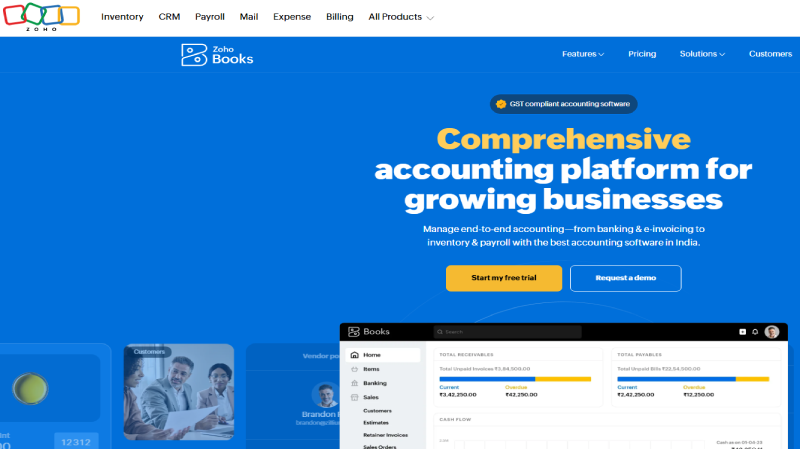
Zoho Books offers one of the most feature-rich free accounting plans available, making it an exceptional starting point for early-stage businesses with limited transaction volume. The free plan supports up to 1,000 invoices per year, multiple payment channels, a customer portal, and access to 50+ financial reports significantly more generous than Wave’s free offering in terms of reporting capability.
What distinguishes Zoho Books is its seamless integration with the broader Zoho ecosystem of 45+ business applications. If your business already uses Zoho CRM, Zoho Projects, or Zoho Inventory, adding Zoho Books creates a unified technology stack where data flows automatically between sales, operations, and finance without manual re-entry. The Standard plan at $15/month adds automated workflows, recurring invoicing, and multi-currency support at pricing that undercuts both QuickBooks and Xero at equivalent feature levels.
Zoho Books includes automatic sales tax calculation, expense tracking, purchase order management, and project accounting with time billing. The mobile app lets you create invoices, track expenses, and view dashboards on the go. For businesses planning to scale, the Premium plan at $60/month adds inventory management with warehouse tracking, vendor portal, and advanced budgeting. The interface has a learning curve for users unfamiliar with Zoho’s ecosystem, but the value-to-cost ratio is exceptional.
| PROS | CONS |
|---|---|
| Generous free plan for businesses under $50K revenue | Free plan restricted to businesses under $50K annual revenue |
| Deep integration with Zoho’s 45+ business application ecosystem | Interface learning curve for new Zoho users |
| Automatic sales tax calculation across all plans | Smaller third-party integration ecosystem than QBO |
| Competitive pricing undercuts QuickBooks and Xero at similar features | U.S. payroll requires external integration |
| Customer portal and vendor portal included | Less accountant familiarity compared to QuickBooks |
| 1,000 free invoices per year on the free plan |
BEST FOR: Early-stage businesses, Zoho ecosystem users, and budget-conscious small businesses that want maximum features at minimum cost.
What the Community Says
“Zoho Books offers one of the best free accounting plans for small businesses. A cost-effective starting point with solid invoicing and expense tracking.” TGG Accounting
5. Wave
Our Score: 8.0/10
Completely Free Accounting and Invoicing for Solopreneurs and Micro-Businesses
Quick Facts
| Pricing | Accounting & Invoicing: Free forever | Payments: 2.9% + $0.60 per transaction | Payroll: From $20/mo |
| Platform | Web-based, iOS, Android |
| Category | Free Accounting / Invoicing / Receipt Scanning |
| Skill Level | Beginner |
| Free Plan | Yes core accounting and invoicing completely free forever |
| Developer | Wave Financial Inc. (H&R Block) |
Detailed Review
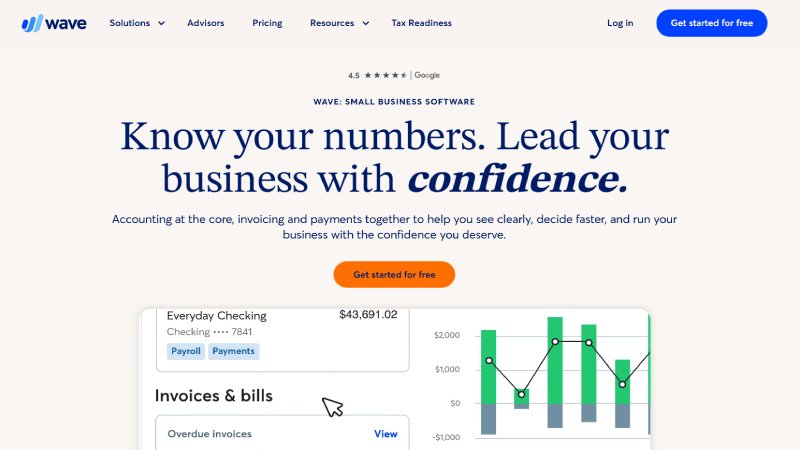
Wave takes a radically different approach to accounting software: the core product is completely free, forever. There are no monthly fees, no user limits, and no feature locks on the essential accounting and invoicing tools. Wave generates revenue from optional payment processing (2.9% + $0.60 per transaction) and payroll services, meaning you can manage your books, send invoices, and track expenses without spending a dollar.
For solopreneurs, side hustlers, and very small businesses with straightforward financial needs, Wave provides everything required: income and expense tracking, bank connection with automatic transaction import, unlimited invoicing, receipt scanning, and standard financial reports including profit and loss, balance sheet, and sales tax summaries. The interface is deliberately simple new users can be productive within minutes, not hours.
Wave’s limitations become apparent as businesses grow. There is no inventory management, multi-currency support is limited, the integration ecosystem is small compared to QuickBooks or Xero, and customer support on the free tier is minimal. Many businesses start with Wave and migrate to QuickBooks or Xero when their needs outgrow the platform. However, for the early stages of business when every dollar counts, Wave eliminates accounting software from your expense list entirely.
| PROS | CONS |
|---|---|
| Core accounting and invoicing completely free no catches | No inventory management capabilities |
| Unlimited invoices, users, and bank connections | Limited integrations compared to paid platforms |
| Simple interface with near-zero learning curve | Customer support is minimal on the free tier |
| Receipt scanning via mobile app included free | No multi-currency support for international businesses |
| Standard financial reports (P&L, balance sheet, tax summaries) | Reporting is basic no custom reports or budgeting tools |
| Now backed by H&R Block for added stability |
BEST FOR: Solopreneurs, freelancers, side hustles, and very small businesses that need free accounting software with basic invoicing and expense tracking.
What the Community Says
“Wave is the best free accounting software for small businesses. Zero monthly cost is hard to beat for basic bookkeeping needs.” Multiple SERP Sources
Read More: Best CRM Software for Small Business in 2026
6. Sage Accounting
Our Score: 8.3/10
Dependable Cloud Accounting with Strong Compliance and Global Presence
Quick Facts
| Pricing | Start: $10/mo | Standard: $25/mo |
| Platform | Web-based, iOS, Android |
| Category | Cloud Accounting / Invoicing / Cash Flow |
| Skill Level | Beginner to Intermediate |
| Free Plan | No 30-day free trial |
| Developer | Sage Group plc |
Detailed Review
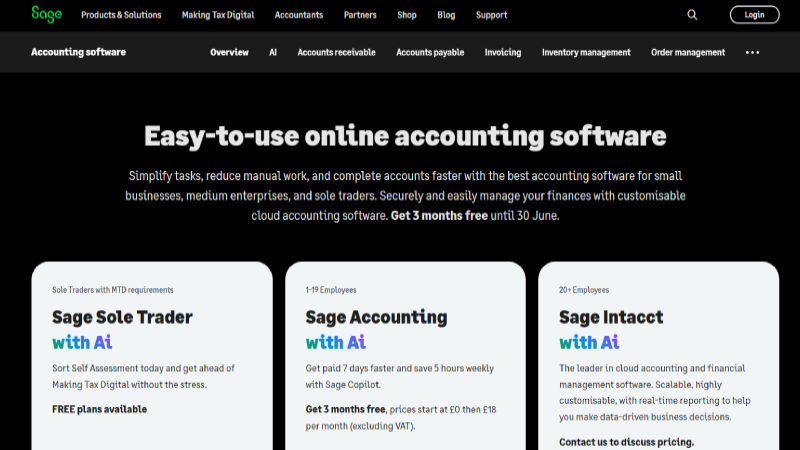
Sage Accounting (formerly Sage One and Sage Business Cloud Accounting) brings the reliability and compliance expertise of one of the world’s longest-established accounting software companies to cloud-based small business accounting. With an entry price of just $10/month, Sage offers a genuinely affordable path into professional accounting software that includes invoicing, bank reconciliation, expense tracking, and real-time cash flow dashboards.
Sage’s strength lies in its compliance-focused features and global presence. The platform handles VAT returns, Making Tax Digital compliance in the UK, and multi-country tax requirements more natively than most competitors. For small businesses concerned about regulatory compliance or operating across multiple tax jurisdictions, Sage provides built-in safeguards that reduce the risk of filing errors.
The Standard plan at $25/month adds quotes and estimates, purchase invoicing, and enhanced reporting. While Sage’s interface is not as modern or visually polished as Xero, it is functional, reliable, and backed by a support team with decades of accounting software expertise. Sage integrates with over 150 business applications and offers a migration path to Sage Intacct for businesses that grow into mid-market territory.
| PROS | CONS |
|---|---|
| Very affordable entry at $10/month | Interface less modern than Xero or FreshBooks |
| Strong compliance features for tax and VAT | Smaller app marketplace than QuickBooks or Xero |
| Backed by one of the world’s oldest accounting software companies | Limited inventory management on base plans |
| Real-time cash flow dashboards included | Less popular with accountants than QBO in the U.S. |
| Migration path to Sage Intacct for growing businesses | Reporting less sophisticated than premium competitors |
| 30-day free trial to evaluate |
BEST FOR: Compliance-conscious small businesses, UK-based companies needing MTD support, and budget-focused teams wanting reliable accounting at low cost.
What the Community Says
“Sage Accounting focuses on simple, dependable bookkeeping with strong compliance features that businesses can rely on year after year.” SelfEmployed.com
7. Patriot Accounting
Our Score: 7.9/10
Ultra-Simple American-Made Accounting at Rock-Bottom Pricing

Quick Facts
| Pricing | Basic: $20/mo | Premium: $30/mo |
| Platform | Web-based |
| Category | Basic Accounting / Payroll / Invoicing |
| Skill Level | Beginner |
| Free Plan | No 30-day free trial |
| Developer | Patriot Software, LLC |
Detailed Review
Patriot Accounting fills a specific niche in the market: U.S.-based small businesses that need straightforward, no-frills accounting software at the lowest possible paid price point. At $20/month for the Basic plan with unlimited users and customers, Patriot delivers core bookkeeping, invoicing, and expense tracking without the feature bloat that makes larger platforms overwhelming for non-accountant business owners.
The Premium plan at $30/month adds recurring invoicing, estimates, account reconciliation, and enhanced reporting. Patriot’s integrated payroll service (available as a separate product) is popular among small businesses for its simplicity and U.S.-specific tax compliance. The interface prioritizes clarity over sophistication every feature is accessible without digging through complex menus or configuration wizards.
Patriot’s limitations include a web-only platform (no dedicated mobile app), basic reporting compared to QuickBooks or Xero, and a smaller integration ecosystem. However, for U.S. small businesses with 1–20 employees that need reliable accounting and payroll from a single vendor at transparent pricing, Patriot offers excellent value with personalized U.S.-based customer support.
| PROS | CONS |
|---|---|
| Very affordable at $20–30/month with unlimited users | Web-only no dedicated mobile app |
| Simple interface designed for non-accountant business owners | Basic reporting compared to premium competitors |
| Integrated U.S. payroll service available | Smaller integration ecosystem |
| Free U.S.-based phone and email support | U.S.-only no multi-currency or international support |
| 30-day free trial with no credit card required | Limited inventory and project management features |
| Transparent pricing with no hidden fees |
BEST FOR: U.S.-based micro-businesses, brick-and-mortar shops, and small teams that want the simplest paid accounting software with integrated payroll.
What the Community Says
“Patriot is popular among micro-businesses and solopreneurs for its ultra-simple interface and rock-bottom pricing with no per-user charges.” ERP Peers
8. Xero (Starter Alternative: Kashoo)
Our Score: 7.7/10
Streamlined Single-Entry Accounting for Non-Accountants
Quick Facts
| Pricing | TrulySmall Accounting: $22/mo | Kashoo: $30/mo |
| Platform | Web-based, iOS |
| Category | Simplified Accounting / Invoicing |
| Skill Level | Beginner |
| Free Plan | No 14-day free trial |
| Developer | Kashoo Cloud Computing Inc. |
Detailed Review
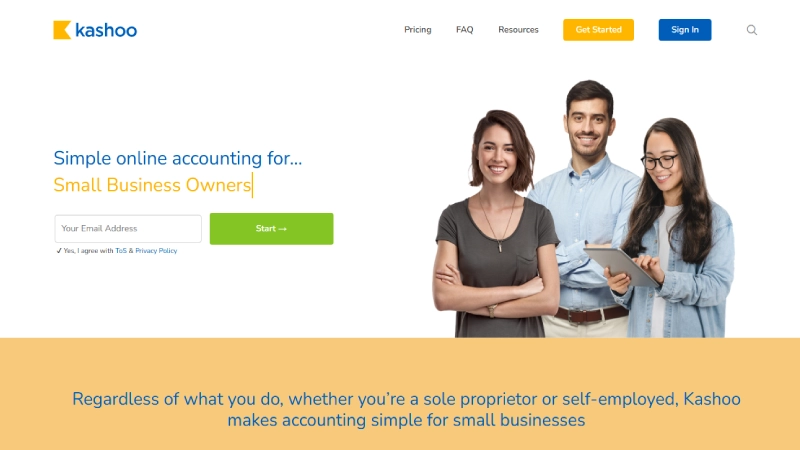
Kashoo takes the opposite approach to QuickBooks and Xero by deliberately eliminating accounting complexity. Its TrulySmall Accounting product at $22/month uses single-entry bookkeeping (rather than double-entry) with AI-powered transaction categorization that automatically learns your spending patterns. For non-accountant business owners who find traditional accounting software intimidating, Kashoo provides a genuinely different experience.
The platform automatically connects to your bank accounts, categorizes transactions using machine learning, generates income and expense reports, and prepares tax-ready summaries all without requiring you to understand debits, credits, or chart of accounts. Invoicing is integrated, and the interface is stripped to essentials. Kashoo is designed for one specific user: the small business owner who needs financial clarity but does not want to learn accounting.
Kashoo’s full product at $30/month adds double-entry accounting, multi-currency support, and journal entries for businesses that need traditional accounting functionality. The platform is particularly popular in Canada and among very small service businesses. The trade-off is limited integrations, basic reporting, and a smaller ecosystem compared to mainstream platforms.
| PROS | CONS |
|---|---|
| AI-powered automatic transaction categorization | Very limited integrations compared to major platforms |
| Single-entry option eliminates accounting complexity | Basic reporting no custom dashboards or budgeting |
| Designed specifically for non-accountant business owners | Small user community and limited third-party resources |
| Tax-ready reports generated automatically | Not suitable for businesses with complex accounting needs |
| Clean, minimal interface with fast setup | Canadian-focused less U.S. CPA compatibility |
| 14-day free trial available |
BEST FOR: Non-accountant small business owners, Canadian businesses, and solopreneurs who want AI-simplified bookkeeping without learning accounting.
What the Community Says
“Kashoo is a great option for business owners who find traditional accounting software overwhelming. AI categorization does the heavy lifting.” Industry Reviews
9. NetSuite (Oracle)
Our Score: 8.5/10
Enterprise-Grade ERP Accounting for Fast-Scaling Small Businesses
Quick Facts
| Pricing | Custom pricing (typically $999+/mo base + per-user fees) |
| Platform | Web-based, iOS, Android |
| Category | ERP / Cloud Accounting / Inventory / CRM |
| Skill Level | Advanced |
| Free Plan | No demo available on request |
| Developer | Oracle Corporation |
Detailed Review
NetSuite by Oracle appears on this list because a specific category of small businesses needs it: fast-scaling companies that are outgrowing QuickBooks or Xero and need enterprise-grade financial management, inventory control, and multi-entity accounting before they hit the mid-market stage. If your small business is raising venture capital, managing complex inventory across multiple locations, or preparing for significant growth, implementing NetSuite early prevents a painful migration later.
NetSuite is a full ERP (Enterprise Resource Planning) system that combines accounting, CRM, inventory management, order management, HR, and e-commerce into a single cloud platform. The financial management module delivers real-time dashboards, multi-subsidiary consolidation, revenue recognition, and global compliance capabilities that simply do not exist in small business accounting tools.
The reality is that NetSuite is expensive and complex. Pricing typically starts at $999/month base plus per-user fees, and implementation requires professional assistance. This makes it appropriate only for small businesses with significant revenue, complex operations, or funded growth trajectories. For the right business at the right stage, NetSuite provides a platform that scales from $1M to $100M+ in revenue without needing to be replaced.
| PROS | CONS |
|---|---|
| True ERP combining accounting, CRM, inventory, and operations | Expensive typically $999+/month plus per-user fees |
| Multi-entity and multi-currency consolidation | Requires professional implementation and configuration |
| Real-time financial dashboards with drill-down capability | Overkill for most small businesses under $2M revenue |
| Revenue recognition and advanced compliance features | Steep learning curve requiring dedicated training |
| Scales from small business to enterprise without platform change | Long implementation timeline (weeks to months) |
| Backed by Oracle’s infrastructure and support |
BEST FOR: Venture-backed startups, fast-scaling e-commerce businesses, multi-entity operations, and small businesses preparing for significant growth.
What the Community Says
“For fast-growing SMBs that need multi-entity consolidation and complex inventory, NetSuite prevents the painful migration that growth-stage companies dread.” ERP Peers
10. Gnu Cash
Our Score: 7.5/10
Free Open-Source Desktop Accounting for Tech-Savvy Small Business Owners
Quick Facts
| Pricing | Completely free and open-source |
| Platform | Windows, macOS, Linux |
| Category | Desktop Accounting / Personal Finance / Small Business |
| Skill Level | Intermediate |
| Free Plan | Free forever (open-source) |
| Developer | GnuCash Community (Open-Source) |
Detailed Review
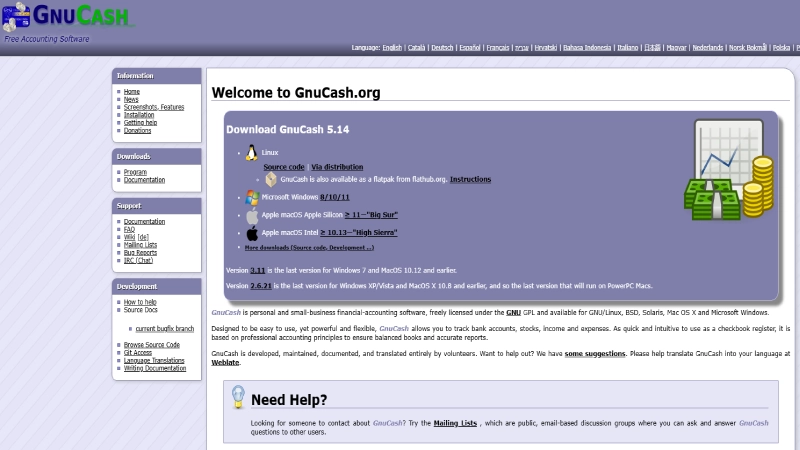
GnuCash is the free, open-source accounting option for small business owners who prefer desktop software, want complete control over their financial data, and have enough accounting knowledge to manage double-entry bookkeeping without hand-holding. Unlike cloud platforms, GnuCash stores your data locally, giving you full ownership without monthly fees, data limits, or vendor lock-in.
The software supports double-entry accounting, invoicing, accounts payable/receivable, budgeting, and financial reporting including profit and loss, balance sheet, and cash flow statements. For small businesses with straightforward accounting needs that do not require cloud collaboration, real-time bank feeds, or extensive integrations, GnuCash delivers legitimate accounting functionality at zero cost.
Gnu Cash’s limitations are the flip side of its strengths. There is no cloud sync, no mobile app, no automatic bank feeds, and no customer support beyond community forums and documentation. The interface is functional but dated. However, for tech-savvy business owners, Linux users, privacy-conscious operators, and anyone philosophically opposed to subscription software, GnuCash is a capable tool that has served small businesses for over two decades.
| PROS | CONS |
|---|---|
| Completely free with no limitations or subscriptions | Desktop-only no cloud access or mobile app |
| Full double-entry accounting capabilities | No automatic bank feeds or real-time reconciliation |
| Data stored locally complete privacy and control | Interface is dated and not beginner-friendly |
| Available on Windows, Mac, and Linux | No CPA collaboration features |
| No vendor lock-in or subscription dependency | Very limited integrations with modern business tools |
| Over 20 years of active development and community support |
BEST FOR: Tech-savvy small business owners, Linux users, privacy-focused operators, and anyone wanting free desktop accounting without cloud dependency.
What the Community Says
“GnuCash is capable desktop accounting for users who want data control and zero subscription costs. It’s been reliable for over two decades.” Open-Source Community
Full Comparison Table: All 10 Accounting Platforms
| Software | Starting Price | Free Plan | Best For | Users | Score |
|---|---|---|---|---|---|
| QuickBooks Online | $30/mo | No (trial) | All-Around | 1–25 | 9.5 |
| Xero | $15/mo | No (trial) | Global | Unlimited | 9.2 |
| Zoho Books | $15/mo | Yes (<$50K) | Value | Unlimited | 8.8 |
| FreshBooks | $19/mo | No (trial) | Services | Varies | 8.7 |
| NetSuite | $999+/mo | No | Scaling ERP | Custom | 8.5 |
| Sage | $10/mo | No (trial) | Compliance | 1+ | 8.3 |
| Wave | Free | Yes | Solopreneurs | Unlimited | 8.0 |
| Patriot | $20/mo | No (trial) | U.S. Simple | Unlimited | 7.9 |
| Kashoo | $22/mo | No (trial) | Non-Accountants | 1 | 7.7 |
| GnuCash | Free | Yes | Desktop/Privacy | 1 | 7.5 |
Buyer’s Guide: How to Choose the Right Accounting Software
By Budget
Free Options
Wave offers the most complete free cloud accounting. Zoho Books provides a feature-rich free plan for businesses under $50K revenue. GnuCash delivers free desktop accounting for tech-savvy users.
Under $30/month
Sage ($10/mo), Xero Early ($15/mo), Zoho Standard ($15/mo), FreshBooks Lite ($19/mo), Patriot Basic ($20/mo), and Kashoo ($22/mo) provide professional accounting at budget-friendly prices.
$30–$100/month Growth Tier
QuickBooks Simple Start ($30/mo), QuickBooks Essentials ($60/mo), Xero Growing ($42/mo), and QuickBooks Plus ($90/mo) offer the depth needed for growing businesses with multiple users, inventory, and project tracking.
$100+/month Advanced / ERP
QuickBooks Advanced ($200/mo) and NetSuite ($999+/mo) serve businesses with complex multi-entity, inventory, or enterprise reporting requirements.
By Business Type
Freelancers & Consultants
FreshBooks for invoicing and time tracking. Wave for free basics. Zoho Books for maximum features at minimum cost.
Service-Based Businesses
FreshBooks or QuickBooks Online. Both excel at project profitability, time billing, and client management with different strengths in invoicing vs. reporting depth.
Product / E-Commerce Businesses
QuickBooks Plus for integrated inventory. Xero for multi-currency international sales. NetSuite for complex multi-warehouse inventory and order management.
International Operations
Xero for native multi-currency and global compliance. Zoho Books for ecosystem value. NetSuite for multi-entity consolidation across countries.
Frequently Asked Questions
Q1: What is the best accounting software for small business overall?
QuickBooks Online is the most widely recommended accounting software for small businesses due to its comprehensive features, 750+ integrations, CPA compatibility, and proven track record with over 7 million businesses. It offers the best balance of functionality, scalability, and professional support.
Q2: What is the best free accounting software for small business?
Wave offers the most complete free accounting solution with unlimited invoicing, bank connections, and financial reports. Zoho Books provides a more feature-rich free plan for businesses under $50K annual revenue. GnuCash is the best free desktop option for tech-savvy users who prefer local data storage.
Q3: How much should a small business spend on accounting software?
Most small businesses spend between $20 and $90 per month on accounting software. Solopreneurs can start free with Wave or Zoho Books. Growing businesses with 3–5 users typically land on QuickBooks Essentials ($60/mo) or Xero Growing ($42/mo). The key is matching your plan to your actual transaction volume and user needs.
Q4: Should I choose QuickBooks or Xero for my small business?
Choose QuickBooks if you work with a U.S.-based accountant (most are QBO-trained), need integrated payroll, or want the largest integration ecosystem. Choose Xero if you operate internationally, need multi-currency support, or value unlimited user access without per-seat charges.
Q5: Can I do my own bookkeeping with accounting software?
Yes, modern accounting software automates much of the bookkeeping process through bank feed connections, automatic transaction categorization, and recurring invoice scheduling. However, most accountants recommend having a professional review your books at least quarterly for accuracy and tax optimization.
Q6: When should I upgrade from free to paid accounting software?
Upgrade when your transaction volume exceeds free plan limits, when you need payroll integration, when reporting requirements become more complex, or when your accountant cannot access your current platform. Most growing businesses outgrow free tools within 12–18 months.
Final Thoughts
After analyzing 20+ accounting platforms, the pattern is clear: the best accounting software for your small business is the one that matches your current complexity while providing a path to grow. Starting with an overcomplicated tool wastes time and money; starting with an oversimplified tool creates migration headaches later. For most U.S.-based small businesses, Quick Books Online remains the safest default choice it has the deepest accountant compatibility, the largest integration ecosystem, and proven scalability. For international businesses or teams that value unlimited users, Xero delivers exceptional value with a modern interface. Budget-conscious startups should explore Zoho Books’ free plan before paying for any software, and service businesses will find FreshBooks’ invoicing capabilities unmatched.
If you are just starting out and every dollar matters, Wave and Gnu Cash prove that professional accounting does not require a monthly subscription. And for the rare small business scaling rapidly toward mid-market complexity, implementing Net Suite early prevents the most painful migration in business software.
Remember: software records transactions, but it does not interpret them. The best accounting setup combines the right software with regular professional oversight whether from an in-house bookkeeper, a fractional CFO, or a trusted CPA. Choose your tool, get your team using it this week, and build the financial clarity that drives confident business decisions.
