

Here’s how it works, what it costs per user, and how to pick one.
Last updated: September 2026 · 14 min read SoftSnoop earns a commission if you buy through links on this page. It never changes which tools we recommend or where they rank.
Key takeaways
- Print management software sits between your users and your printers. It intercepts every print job, applies your rules to it, records who printed what, and releases the job only when it should be released.
- The four jobs it does are cost control, security, driver/queue automation, and reporting. Most buyers arrive for one of those and stay for the other three.
- Cloud tools publish per-user prices; on-premise and MFD tools do not. Expect roughly $2–$6 per user per month for cloud platforms, and a quote-only conversation for anything that puts software on the copier panel.
- Per-queue pricing punishes small printer fleets. Vasion Print starts around $121.80/month for 25 print queues – cheap at 500 users, brutal at 30.
- There are genuinely free tiers. ezeep Blue is free for up to 10 users and MyQ Smart is free for a single multifunction printer. Both are real products, not trials.
- The licence fee is rarely the whole cost. Card readers, embedded MFD licences, annual maintenance at up to 20% of licence value, and implementation time all land on the invoice afterwards.
Print management software pricing at a glance
Verified against vendor pricing pages in September 2026, or against G2/Capterra listings where the vendor does not publish. Prices change often – check the live page before you buy.
| Tool | Best for | Pricing model | Entry price | Free tier |
|---|---|---|---|---|
| ezeep Blue | Small teams and coworking spaces | Per named user/month | Pro €3.45/user/mo monthly, €2.75 annual (10-user minimum) | Yes – up to 10 users |
| Printix | Microsoft 365 / Entra ID shops | Per active user/month | $2.09/user/mo (15–50 users, monthly billing) | 1-month trial, first month free |
| PaperCut NG | Schools and SMBs wanting perpetual licensing | Perpetual, banded by user count | ~$435–459 for 25 users | Free trial |
| PaperCut MF | Copier fleets needing panel integration | Per device, via reseller quote | Quote only | Free trial |
| Vasion Print (ex-PrinterLogic) | Killing print servers at 100+ queues | Per print queue/month | ~$121.80/mo for 25 queues; ~$109.60 at 50+ | Trial only |
| MyQ | Single-site offices testing the waters | Per device tier | Quote for paid tiers | Yes – MyQ Smart, 1 MFP |
| PrinterAdmin Print Job Manager | Budget on-premise tracking | Perpetual, per server / user band | Via vendor store | 30-day trial |
Reading the table: if your printer count is low and your user count is high, per-queue pricing wins. If your user count is low and your printer count is high, per-user pricing wins. That single ratio decides more of your bill than any feature comparison will.
What print management software actually is
Print management software is a control layer that sits between the people who press Ctrl+P and the machines that produce paper. Every job passes through it. Before anything reaches a printer, the software checks who sent it, whether they are allowed to send it, whether the settings comply with policy, and whether the job should print now or wait for the person to physically walk to the device and authenticate.
That is the whole idea. Everything else – the reporting dashboards, the ID card readers, the driver deployment, the chargeback codes – is built on top of that one interception point.
It helps to name what it is not. It is not a printer driver, though it often manages drivers. It is not a document management system, though some suites bundle scanning and capture. And it is not the same thing as managed print services (MPS), which is a commercial arrangement where a vendor supplies and maintains your hardware. Print management software is the tooling; MPS is a contract. Providers frequently sell both together, which is where the confusion starts.
The plain-English definition: software that centralises control, tracking, security and cost recovery for every printer, copier and multifunction device in an organisation.
What it does: the eight core functions
Nearly every product in this category is assembled from the same eight capabilities. Vendors differentiate on how well each is executed, not on which ones exist.
1. Print tracking and accounting. Every job is logged: user, device, page count, colour versus mono, simplex versus duplex, document name, timestamp, cost. This is the raw material for everything else. Without it you are guessing at your print spend, and organisations almost always guess low.
2. Quotas and rules. Give each user or department a page allowance or a monetary balance. Set rules that force duplex by default, block colour on documents over a certain length, or route large jobs to the cheaper high-volume device instead of the desktop unit next to the CFO. Rules are where the savings actually come from – a default that flips colour to greyscale saves more than any report ever will.
3. Secure print release (pull printing). The job is held in a queue rather than printed immediately. The user walks to any enrolled device, taps a badge or enters a PIN, and the document prints while they are standing there. Two things happen: confidential documents stop sitting in output trays, and every job someone sent by accident and never bothered to collect quietly expires unprinted. In most deployments that second effect is a bigger cost saving than the security benefit that justified the purchase.
4. Follow-me printing. The same mechanism, extended across the fleet – send once, release at whichever device you happen to walk up to. It removes the entire concept of “my printer,” which is what makes hot-desking and multi-floor offices workable.
5. Driver and queue management. Push the correct driver and queue to the correct machine without touching Group Policy. For most IT teams this is the feature that removes the most tickets, and it is the one they underestimate at evaluation time.
6. Chargeback and cost recovery. Attach a client code, matter number or project code to a job so printing can be rebilled. Standard in law firms, accountancy practices and agencies. In education this becomes prepaid student balances and top-up.
7. Reporting and analytics. Usage by user, department, device and time period. Colour ratio. Device utilisation, which tells you which machine is under-used and can be removed from the lease at renewal. Sustainability numbers – pages, trees, CO2 – increasingly show up in ESG reporting.
8. Mobile, guest and BYOD printing. Print from a phone, a Chromebook, a personal laptop, or a visitor’s device without joining the corporate domain. This capability is the single biggest reason the category was rebuilt for the cloud between 2020 and 2024.
How it works under the hood
The mechanics matter because they determine what breaks, what it costs, and what you have to install.
Step 1 – Interception.
The user prints to what looks like an ordinary printer or a virtual “cloud” queue. The job is captured before it reaches the device, either by a client agent on the workstation, a print server, or a cloud endpoint.
Step 2 – Identification and analysis.
The software attaches an identity – usually from Active Directory, Entra ID or Google Workspace – and parses the job: page count, colour, paper size, duplex setting. It calculates a cost using your configured per-page rates.
Step 3 – Policy enforcement.
Rules run. The job may be allowed through, silently modified (colour to greyscale, simplex to duplex), held for approval, or blocked with a message explaining why.
Step 4 – Hold or release.
With secure release enabled, the job waits in a queue. The user authenticates at the device – badge, PIN, mobile app, or the embedded panel app – and the job prints. Unclaimed jobs are deleted after a set period, typically 24 hours.
Step 5 – Logging.
The completed job is written to the database. Reports, quota deductions and chargeback entries all draw from that record.
The part that varies most between products is Step 4. Releasing a job from a web page or mobile app works on any printer and costs nothing extra. Releasing it from an embedded app on the copier’s own touchscreen requires a per-device licence and a device the vendor supports. Releasing it with a card tap requires physical readers. Each step up that ladder adds cost, and vendors rarely make the ladder visible during a demo.
Three architectures, three different bills
Server-based (traditional). Print servers hold the queues; the management software sits on or alongside them. Mature, works offline, and you own the infrastructure. You also own the patching, the failover, and the server licences. Typical of PaperCut NG/MF and PrinterAdmin deployments.
Serverless / direct IP. A central management console pushes queue configuration directly to endpoints, and jobs travel straight from workstation to printer without a server hop. This is Vasion Print’s core pitch, and it is why their pricing is per print queue rather than per user – the queue is the unit of management. Best fit for organisations with many sites and few IT staff per site.
Cloud-native. Everything runs as a SaaS platform; a lightweight connector or a small hardware hub links your printers to it. Printix and ezeep Blue are built this way. Fastest to deploy, lowest infrastructure burden, and it prices per user per month – which is excellent value at 40 users and progressively less compelling at 4,000.
The honest summary: cloud wins on time-to-value and on hybrid/remote work, on-premise wins on offline resilience and on very large user counts, and serverless wins when you have far more people than printers spread across many locations.
Do you actually need it?
Five signals that say yes:
- Nobody in the organisation can tell you what printing costs per month without opening a spreadsheet and estimating.
- Documents sit in output trays. Someone has, at some point, picked up a payslip that was not theirs.
- Printer tickets are a recurring, unloved part of the IT queue.
- You are hybrid, and people need to print from home offices, personal laptops or phones.
- You bill clients for printing, or you charge students, and you currently do it on trust.
Two signals that say not yet:
- Fewer than about 15 people and one printer. The minimum service fees on cloud plans – Printix charges a floor of roughly $29.85/month for tenants under 15 users – make the maths awkward. Start with a free tier instead.
- Your print volume is genuinely low and falling. Automating a small problem is still work.
Print management software pricing explained
There are four pricing models in this market, and the first thing to do with any quote is work out which one you are looking at.
1. Per user, per month (cloud)
The dominant model for cloud-native tools, and the only one with reliably published prices.
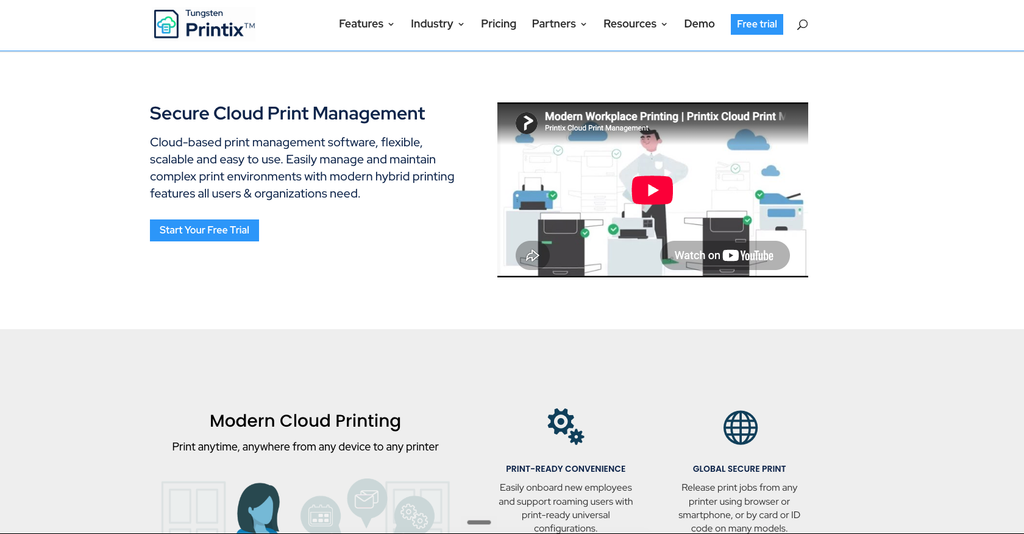
Printix charges $2.09 per user per month on its Starter plan for 15–50 users, billed monthly by card, with the first month free. Critically, Printix bills on active users – anyone who logged into the service at least once during the billing cycle. Someone who leaves stops being billable at the end of that month. Enterprise pricing is quote-based with volume discounts, and education plans charge only for staff and faculty while students are free.
ezeep Blue publishes in euros: Pro at €3.45 per user per month billed monthly, or €2.75 billed annually, with a 10-user minimum. Business is €5.95 monthly / €4.75 annually and is the tier where secure pull printing with follow-me, Entra ID group sync and CSV reporting appear. ezeep counts named users – anyone invited to the admin portal occupies a seat, whether they print or not. That distinction between named and active users is worth several hundred dollars a year at 100 seats.
What to expect: $2–$6 per user per month is the realistic band. Annual billing saves roughly 20%.
2. Per print queue or per device
Vasion Print (formerly PrinterLogic) prices by print queue: around $121.80 per month for a 25-queue minimum, dropping to roughly $109.60 per month at 50+ queues, with 100+ queues quoted individually. Reviewers consistently note that off-premises printing and some identity-linking features sit outside the base subscription.
This model is the great divider. At 25 queues and 800 users it is one of the cheapest options per head in the market. At 25 queues and 60 users it is one of the most expensive. Do this arithmetic before the demo, not after.
MFD-embedded products – PaperCut MF, uniFLOW, MyQ’s paid tiers – also price per device, because each copier needs a licensed embedded application. This is why they are quote-only: the vendor needs your device list before a number exists.
3. Perpetual licence
PaperCut NG is the reference point: roughly $435–459 for a licence covering up to 25 users, scaling with user bands (one distributor quotes around $886 for 150 users). It is a one-time purchase, but annual maintenance for updates and support runs up to 20% of the licence value, so treat it as a large year-one payment followed by a smaller recurring one.
PrinterAdmin’s Print Job Manager is licensed per server with perpetual terms and no mandatory annual fee, which makes it one of the cheapest routes to basic tracking and release if you are comfortable running it yourself.
Perpetual wins if you will keep the software five years or more and your user count is stable. Subscription wins if you are growing, shrinking, or moving to cloud within that window.
4. Free tiers
Two are worth knowing about, and both are permanent products rather than trials.
ezeep Blue’s free plan covers up to 10 users with one connector, driver-free endpoints across every major OS, unlimited user print jobs, and printer profiles. It excludes group management, admin-assigned printers, reporting and pull printing.
MyQ Smart is free for a single multifunction printer, covering deployment and basic device management. It excludes advanced features, the device terminal, and support.
For a ten-person studio with one good MFD, either of these may be the correct final answer rather than a stepping stone.
The costs nobody quotes you
Budget for these separately. They are the difference between a quote and an invoice.
Card readers. If you want badge authentication, each device needs a reader. ezeep leases a Hub with a MIFARE reader at €16.40/month or €187/year, and a LEGIC/HID version at €17.80/month. Other vendors sell readers outright at $150–$400 per device. On a 20-device fleet this is not a rounding error.
Connector or hub hardware. ezeep’s standalone Hub is €8.90/month or €96.12/year per unit, and how many you need depends on how segmented your network is. Software connectors are free but require an always-on Windows machine, which has its own cost.
Embedded MFD licences. Putting the vendor’s app on the copier panel is licensed per device, separately from your user subscription. This is the most common source of quote shock.
Annual maintenance on perpetual licences. Up to 20% of licence value per year for updates and support.
Implementation. Reader mounting on copiers often requires the manufacturer’s technician, and that is billable time you will not see in the software quote.
Modules sold separately. Mobile print, web print, scanning and OCR are add-ons in several suites rather than base features. Ask for the line-item breakdown, not the bundle price.
A worked example: 120 users, 14 printers
A single-site professional services firm. Hybrid working, three floors, no client chargeback requirement, Microsoft 365 throughout.
- Printix at $2.09/user/month → about $251/month, or roughly $3,000/year, before any enterprise volume discount.
- ezeep Blue Business at €4.75/user/month annually → about €570/month, plus hub hardware. More expensive here, but the only one of the three with a free tier you could have piloted on.
- Vasion Print at 25 queues → about $121.80/month. Cheapest of the three, because 14 printers sits under the 25-queue floor and you are effectively paying for capacity you have not used.
- PaperCut NG perpetual at the 150-user band → roughly $886 one time, plus up to ~$177/year maintenance. Lowest five-year total, highest year-one effort, and no cloud release without additional components.
The ranking flips entirely if you change one variable. At 400 users the per-queue option wins outright. At 40 users the free tier wins. Run your own numbers before you read anyone’s “best of” list, including ours.
How to choose: a 7-question checklist
- What is your user-to-printer ratio? Above roughly 20:1, look hard at per-queue pricing. Below 10:1, stay with per-user.
- Do you need release at the copier panel, or is a phone or web release enough? Panel release means per-device licences and a compatibility check against your exact copier models.
- Named users or active users? At any organisation with contractors, seasonal staff or turnover, active-user billing is materially cheaper.
- Which identity provider? Entra ID, Google Workspace or on-premise AD. Native integration versus “supported via connector” is a real difference in setup hours.
- Are you keeping print servers? If the answer is no, serverless and cloud shortlist themselves and half the market drops out.
- Do you need chargeback? Client/matter codes are a specialist requirement. If you need them, they are non-negotiable and they narrow the field fast.
- What is the five-year total? Licence, maintenance, readers, hubs, embedded licences, implementation. Compare that number, not the monthly headline.
Implementation: what the first 30 days look like
Week 1 – Measure. Turn on tracking with every rule disabled. Do nothing else. You need a baseline of what actually gets printed before you change anything, and it protects you when someone claims the new system broke their workflow.
Week 2 – Pilot one department. Pick a tolerant team, not the busiest one. Deploy the client, enrol devices, verify the driver push.
Week 3 – Introduce release, then rules. Secure release first, because users experience it as a security improvement. Rules second, because users experience those as a restriction. The order genuinely affects adoption.
Week 4 – Roll out and set defaults. Duplex and greyscale as defaults across the board. Announce the change with the baseline numbers from week 1 – people accept policy far more readily when they can see the waste it addresses.
Then leave it alone for a quarter and compare. That comparison is your renewal negotiation.
Mistakes that make the project fail
- Buying on feature count instead of the pricing model. The model determines your bill; the features rarely differ enough to matter.
- Skipping the device compatibility check. “Supports all major brands” and “supports your specific 2019 Ricoh with that firmware” are different claims.
- Deploying rules on day one. Restrictions without a visible baseline read as arbitrary, and arbitrary policies get worked around.
- Forgetting the reader budget. The most common reason a print project goes over budget.
- Not testing what happens when the internet drops. Ask every cloud vendor this directly and get the answer in writing.
- Ignoring the exit. Can you export your print history if you leave? Ask before you sign, not at renewal.
FAQ
What is print management software in simple terms?
It is software that sits between users and printers, applies your rules to every print job, records who printed what, and can hold jobs until the person authenticates at the device. It exists to cut cost, secure documents and reduce IT workload.
How much does print management software cost?
Cloud platforms publish roughly $2–$6 per user per month. Per-queue products such as Vasion Print start near $121.80/month for 25 queues. Perpetual licences like PaperCut NG start around $435 for 25 users plus annual maintenance of up to 20%. Anything involving copier panel integration is quote-only.
Is there free print management software?
Yes. ezeep Blue is free for up to 10 users, and MyQ Smart is free for one multifunction printer. Both are permanent free tiers, not trials, and both exclude advanced features such as pull printing and reporting.
Does it work with any printer?
Basic tracking and release usually work with any network printer. Embedded release at the copier’s own touchscreen requires a device the vendor explicitly supports, and the supported list is shorter than the marketing implies. Check your exact models before signing.
What is pull printing?
Pull printing holds a job in a queue until the user authenticates at a device – badge, PIN or app – and releases it. It prevents documents sitting in output trays and automatically deletes jobs nobody collects.
How much can it actually save?
Most of the saving comes from two things: uncollected jobs that never print, and defaults that push colour to greyscale and simplex to duplex. Vendor case studies quote large percentages; treat them as directional and measure your own baseline for a month before believing any number.
Is print management software the same as managed print services?
No. Print management software is the tooling you license. Managed print services is a commercial contract where a provider supplies, maintains and often finances the hardware. The two are frequently sold together.
The short verdict
If you are under 10 people with one printer, start on ezeep Blue’s free plan and stop reading. If you are a Microsoft 365 organisation between 15 and a few hundred users, Printix at $2.09 per active user is the most straightforward per-user option. If you have far more people than printers spread across multiple sites, Vasion Print’s per-queue model will almost certainly be cheapest. If you want to own the software outright and are happy running it yourself, PaperCut NG remains the reference perpetual licence.
Whatever the shortlist, work out your user-to-printer ratio and your five-year total cost first. That one calculation eliminates most of the market before you take a single demo.
Updated September 2026: verified Printix Starter pricing and the sub-15-user minimum service fee against printix.net/pricing; updated ezeep Blue Pro and Business tiers and Hub hardware pricing against ezeep.com/pricing; refreshed Vasion Print per-queue bands; added the worked 120-user cost example.
Sources for pricing: printix.net/pricing · ezeep.com/pricing · G2 (Vasion Print, MyQ, ThinPrint) · Capterra and Software Advice (PaperCut) · printeradmin.com. All figures checked September 2026 and subject to change.
