

The animation industry in 2026 is experiencing a remarkable convergence: AI-assisted workflows are reducing tedious repetitive tasks, real-time rendering engines are eliminating painful preview wait times, and free tools like Blender are achieving feature parity with software that costs thousands annually. Whether you dream of creating the next Studio Ghibli masterpiece, producing motion graphics for Fortune 500 clients, or simply animating your first bouncing ball, there has never been a better time to start.
But this abundance of choice creates a genuine challenge. Should a beginner start with Blender or Pencil2D? Is Toon Boom Harmony worth its premium price over the one-time-purchase Moho Pro? Does a marketing professional really need After Effects, or will Vyond handle their needs at a fraction of the complexity? The answers depend entirely on your goals, budget, preferred animation style, and career aspirations.
This guide is structured around a progression from beginner to professional, covering 10 animation tools that span the full spectrum of 2D hand-drawn, 2D rigged, 3D character, motion graphics, and business animation. We tested each tool through standardized production tasks, cross-referenced community reviews from Capterra, G2, TrustRadius, and Reddit, and evaluated real-world pricing as of March 2026. The result is an actionable roadmap that helps you invest your time and money in the right tool for where you are today and where you want to be tomorrow.
How We Tested and Evaluated
Each application was tested through a set of standardized animation tasks: creating a short character animation sequence, producing a 15-second motion graphics loop, building and rigging a simple character, and evaluating render output quality. We assessed seven core criteria across all tools: Animation Capability (depth and quality of core animation features), Learning Curve (how quickly a new user becomes productive), Output Quality (final render and export quality), Platform and Ecosystem (device support, plugin availability, and community resources), Pricing and Value (cost relative to features, including hidden fees and hardware requirements), Workflow Efficiency (speed from concept to final output), and Industry Relevance (how valued the skill is in job markets and studio pipelines).
We specifically analyzed the SERP-ranking competitor articles from TechRadar, Creative Bloq, Vyond, G2, and several other expert sources to identify which tools consistently appear across professional recommendations. Our tool selection prioritizes software that appears in multiple authoritative sources and has a proven track record with real production users not just marketing claims. Scores reflect weighted averages with animation capability and industry relevance carrying the heaviest weight.
In-Depth Reviews: 10 Best Animation Software Tools for 2026
1. Blender
Our Score: 9.4/10
The Free Open-Source Powerhouse for 3D Animation and Beyond
Quick Facts
| Pricing | Completely free and open-source (GNU GPL) |
| Platform | Windows, macOS, Linux |
| Category | 3D Animation / Modeling / VFX / 2D (Grease Pencil) |
| Skill Level | Beginner to Professional |
| Free Trial | Free forever |
| Developer | Blender Foundation |
Detailed Review
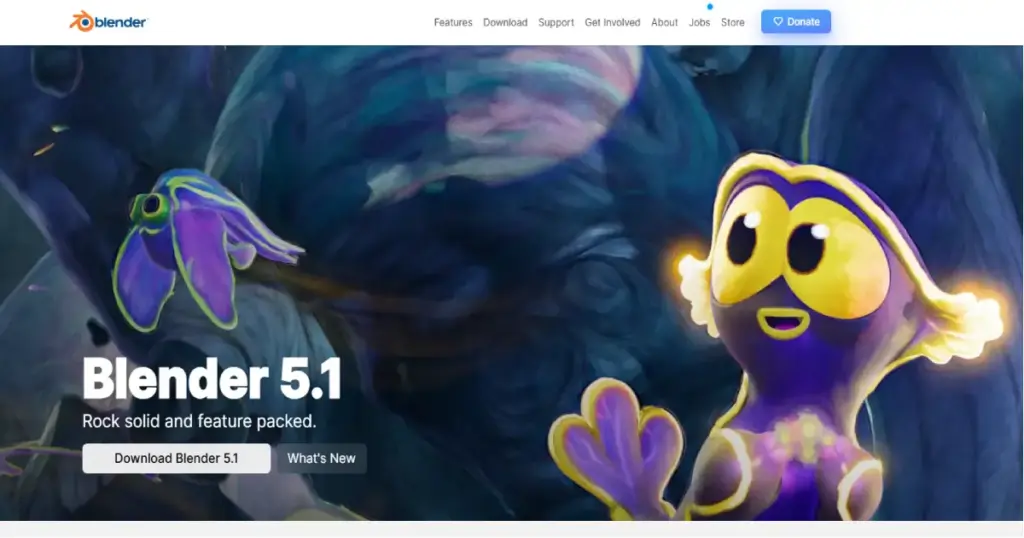
Blender is the undisputed champion of free animation software in 2026, delivering a full professional-grade 3D pipeline that rivals tools costing thousands of dollars annually. It covers the entire spectrum modeling, rigging, animation, simulation, rendering, compositing, motion tracking, video editing, and even 2D animation through its revolutionary Grease Pencil toolset. For anyone starting their animation journey without a budget, Blender is the obvious first choice.
The software has earned serious industry credibility in recent years, with major studios incorporating it into production pipelines. Its Cycles and EEVEE render engines produce stunning photorealistic and real-time results respectively, while the sculpting tools rival ZBrush for organic modeling. The 2D Grease Pencil system has matured into a legitimate 2D animation workflow, blending hand-drawn aesthetics with 3D camera movements in ways no other single application can match.
Blender’s greatest asset beyond its zero price tag is an extraordinarily active global community. Thousands of free tutorials on YouTube, dedicated learning platforms like Blender Guru, and a constantly growing asset library mean you will never lack for learning resources. The development pace is aggressive, with major feature releases landing multiple times per year. From a career standpoint, Blender proficiency is increasingly valued alongside Maya and Cinema 4D in job listings across gaming, film, and advertising.
| PROS | CONS |
|---|---|
| Completely free with no limitations or watermarks | Interface has a steep learning curve for beginners |
| Full 3D pipeline: modeling, rigging, animation, rendering, compositing | Some studio pipelines still require Maya-specific skills |
| Revolutionary Grease Pencil for 2D animation in 3D space | Performance can lag on very complex scenes vs. optimized paid tools |
| Massive community with thousands of free tutorials | Plugin ecosystem smaller than Maya or Cinema 4D |
| Cycles and EEVEE render engines produce professional results | No dedicated customer support (community-driven only) |
| Active development with frequent major updates |
What the Community Says
“Blender is a fan favorite for a reason. It’s free, packed with features, and constantly being improved by a global community of artists.” Ellie Motion
BEST FOR: Budget-conscious beginners, indie animators, 3D generalists, and anyone who wants a complete animation toolkit at zero cost.
2. Autodesk Maya
Our Score: 9.3/10
The Industry Standard for Professional 3D Character Animation and VFX
Quick Facts
| Pricing | $1,945/year (standard) | $305/year (Indie) | Free for students |
| Platform | Windows, macOS, Linux |
| Category | 3D Animation / Modeling / Rigging / VFX |
| Skill Level | Intermediate to Professional |
| Free Trial | 30-day free trial | Free educational license |
| Developer | Autodesk, Inc. |
Detailed Review
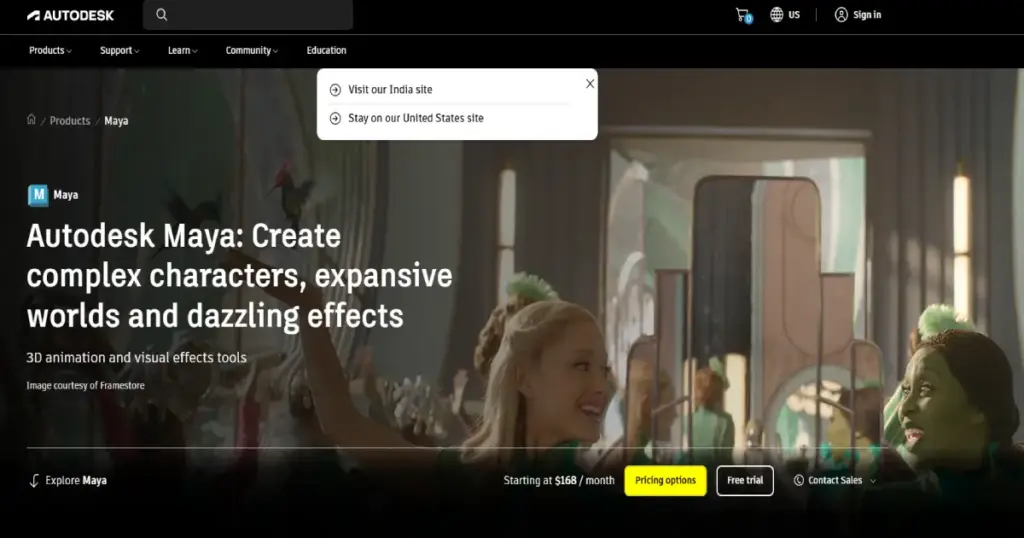
Autodesk Maya remains the gold standard for professional 3D animation in 2026, used by virtually every major Hollywood VFX studio, AAA game developer, and broadcast animation house. If your career ambition is to work at Pixar, Industrial Light & Magic, Weta Digital, or any major studio, Maya proficiency is essentially a prerequisite. Its character animation, rigging, and simulation tools are unmatched in depth and flexibility.
Maya 2026 arrived with significant upgrades to performance and rigging workflows, plus continued Arnold renderer integration at no extra cost a substantial value add for studios that would otherwise pay $630/year separately for Arnold Premium. The Python and MEL scripting capabilities allow teams to build custom tools and automate complex pipelines, which is why large studios with dozens of artists gravitate toward Maya over more self-contained alternatives.
The Maya Indie license at $305/year has been a game-changer for solo animators and small studios earning under $100,000 annually, making the software accessible at a fraction of its standard price. Students and educators can access Maya completely free through Autodesk’s Education Community. The learning curve is steep, but the investment in mastering Maya pays dividends across the widest range of professional animation careers.
| PROS | CONS |
|---|---|
| Absolute industry standard for film, TV, and game animation | Expensive standard license at $1,945/year |
| Unmatched rigging and character animation depth | Steep learning curve requiring months of dedicated study |
| Arnold renderer included at no additional cost | Known for occasional instability on complex scenes |
| Python/MEL scripting for custom pipeline tools | Overkill for hobbyists or simple animation projects |
| Maya Indie ($305/year) makes it accessible to solo creators | Subscription-only model with no perpetual license |
| Free for students and educators |
What the Community Says
“If your goal is to work in a major animation studio or film VFX pipeline, Maya is the tool you need to master.” AnimStarter
BEST FOR: Aspiring studio professionals, VFX artists, character animators, and anyone targeting careers at major film or game studios.
3. Adobe After Effects
Our Score: 9.1/10
The Undisputed King of Motion Graphics and Visual Effects Compositing
Quick Facts
| Pricing | $22.99/mo (annual plan) | $59.99/mo (CC All Apps) | Free 7-day trial |
| Platform | Windows, macOS |
| Category | Motion Graphics / Visual Effects / Compositing |
| Skill Level | Intermediate to Professional |
| Free Trial | 7-day free trial |
| Developer | Adobe Inc. |
Detailed Review
Adobe After Effects continues to dominate as the industry standard for motion graphics, title design, visual effects compositing, and animated explainer videos in 2026. Whether you are creating broadcast graphics for television, animated social media content, logo animations for brands, or sophisticated VFX compositing for film, After Effects is the tool most professionals reach for first. Its layer-based composition system and extensive expression engine offer virtually unlimited creative possibilities.
The 2026 updates introduced enhanced AI-powered features for rotoscoping and motion tracking, significantly reducing the tedious manual work that previously consumed hours of production time. The integration with other Adobe Creative Cloud applications particularly Premiere Pro for video editing and Illustrator for vector assets creates a seamless production pipeline that no competitor can fully replicate. The massive ecosystem of third-party plugins (from companies like Red Giant, Video Copilot, and Boris FX) extends After Effects’ capabilities into territories that would require multiple standalone applications.
After Effects does demand serious hardware to run smoothly, and the subscription pricing model remains a point of contention among freelancers and small studios. However, for anyone pursuing a career in motion design, broadcast graphics, or video post-production, After Effects proficiency is essentially non-negotiable. The sheer volume of tutorials, courses, and community resources available makes it one of the most learnable professional tools despite its complexity.
| PROS | CONS |
|---|---|
| Absolute industry standard for motion graphics and VFX compositing | Subscription-only pricing with no perpetual license option |
| Massive third-party plugin ecosystem extends capabilities enormously | Requires powerful hardware for smooth performance |
| Seamless integration with Premiere Pro, Illustrator, and Photoshop | Steep learning curve especially for complex expressions |
| AI-enhanced rotoscoping and motion tracking in 2026 | Preview rendering can be painfully slow on large projects |
| Enormous library of tutorials and learning resources | Not designed for frame-by-frame character animation |
| Expression engine enables powerful procedural animation |
What the Community Says
“After Effects is the key to great motion video. There’s no software right now that can even remotely compete with this for motion graphics.” Capterra Review
BEST FOR: Motion designers, broadcast graphics artists, VFX compositors, and video professionals who need industry-standard animation tools.
4. Toon Boom Harmony
Our Score: 9.0/10
The Professional Studio Standard for 2D Animation Production
Quick Facts
| Pricing | Essentials: $25/mo | Advanced: $63/mo | Premium: $117/mo |
| Platform | Windows, macOS |
| Category | 2D Animation / Rigging / Compositing |
| Skill Level | Intermediate to Professional |
| Free Trial | 21-day free trial |
| Developer | Toon Boom Animation Inc. |
Detailed Review
Toon Boom Harmony is the definitive professional 2D animation software, used to produce many of the animated television series, feature films, and web cartoons you watch today. Shows like Rick and Morty, The Simpsons, Bob’s Burgers, and countless other major productions rely on Harmony’s powerful rigging, drawing, and compositing pipeline. If you aspire to work in professional 2D animation studios, Harmony is the tool you need on your resume.
What sets Harmony apart from simpler 2D tools is its advanced bone rigging and deformation system, which allows animators to create sophisticated cut-out animation with character rigs that move fluidly and naturally. The software supports both traditional frame-by-frame animation and modern rigged workflows, with true 3D space integration that lets you place 2D elements in a three-dimensional environment with camera moves. The compositing engine built directly into the timeline eliminates the need to round-trip to After Effects for many effects tasks.
Harmony comes in three tiers: Essentials for beginners and students, Advanced for serious freelancers, and Premium for professional studios needing the full suite of rigging, compositing, and pipeline tools. While the pricing is higher than most alternatives, the investment is justified for anyone pursuing professional 2D animation careers. The 21-day free trial provides ample time to evaluate whether the tool matches your workflow needs.
| PROS | CONS |
|---|---|
| Industry standard for professional 2D animated TV shows and films | Premium tier is expensive at $117/month |
| Advanced bone rigging and deformation for sophisticated character rigs | Steep learning curve, especially for rigging workflows |
| Supports both frame-by-frame and cut-out animation workflows | No perpetual license subscription only |
| Built-in compositing engine reduces need for external VFX tools | Windows and Mac only no Linux support |
| True 3D space integration for camera moves and multiplane effects | Interface can feel dated compared to modern alternatives |
| Scalable pricing across three tiers for different user levels |
What the Community Says
“Toon Boom Harmony is widely recognized for its user-friendly interface and comprehensive toolset that streamlines professional 2D animation production.” SelectHub
BEST FOR: Professional 2D animators, animation studios producing TV series or films, and students targeting careers in broadcast animation.
5. Adobe Animate
Our Score: 8.5/10
Versatile 2D Animation for Web, Games, and Interactive Content
Quick Facts
| Pricing | $22.99/mo (annual plan) | Included in CC All Apps at $59.99/mo |
| Platform | Windows, macOS |
| Category | 2D Animation / Interactive Content / Web Animation |
| Skill Level | Beginner to Intermediate |
| Free Trial | 7-day free trial |
| Developer | Adobe Inc. |
Detailed Review
Adobe Animate, the successor to the legendary Flash, has evolved into a capable 2D animation tool that excels at creating interactive content, web animations, animated banners, educational materials, and simple cartoon episodes. Its vector-based drawing tools and symbol-based animation system make it particularly efficient for creating reusable character assets that can be animated with minimal frame-by-frame work.
For beginners stepping into 2D animation, Animate offers a gentler learning curve than Toon Boom Harmony while still providing professional output quality. The timeline is intuitive, the drawing tools feel familiar to anyone who has used other Adobe products, and the ability to export to HTML5 Canvas, WebGL, and SVG makes it uniquely suited for interactive web projects that other animation tools cannot easily handle. The integration with the broader Adobe ecosystem means assets flow smoothly between Illustrator, Photoshop, and After Effects.
Read More: Best Photo Editing Software in 2026: 15 Top Picks Reviewed
While Animate lacks the advanced rigging and compositing features that professional studios need for broadcast-quality 2D animation, it occupies a valuable middle ground for freelancers, educators, web designers, and indie creators who need versatile 2D animation capabilities without the complexity and cost of studio-grade tools. The abundance of Adobe-certified tutorials and the massive online learning community make getting started straightforward.
Pros & Cons
| PROS | CONS |
| ✓ Intuitive vector-based drawing and animation tools | ✗ Subscription pricing with no one-time purchase option |
| ✓ Excellent for interactive web and HTML5 Canvas content | ✗ Lacks advanced rigging compared to Toon Boom Harmony |
| ✓ Gentler learning curve than Toon Boom Harmony | ✗ Not suitable for complex broadcast-quality 2D production |
| ✓ Seamless integration with Adobe Creative Cloud ecosystem | ✗ Performance can be sluggish with heavy vector scenes |
| ✓ Strong export options including HTML5, WebGL, and video | ✗ Symbol-based workflow feels limiting for traditional animators |
| ✓ Large community with abundant tutorials and resources |
What the Community Says
“Adobe Animate is powerful but learner-friendly with tons of tutorials and a large community for support.” LTX Studio
BEST FOR: Web designers, educators creating interactive content, indie animators, and freelancers who need versatile 2D animation within the Adobe ecosystem.
6. Cinema 4D
Our Score: 8.7/10
The Most Approachable Professional 3D Tool for Motion Designers
Quick Facts
| Pricing | $94/mo (annual) | Perpetual license available | Free for students |
| Platform | Windows, macOS |
| Category | 3D Animation / Motion Graphics / Modeling |
| Skill Level | Beginner to Professional |
| Free Trial | 14-day free trial | Free educational license |
| Developer | Maxon (Nemetschek Group) |
Detailed Review
Cinema 4D has earned its reputation as the most approachable professional 3D animation software, making it the go-to choice for motion graphics designers, advertising studios, and broadcast designers who need high-quality 3D output without Maya’s punishing learning curve. Its tight integration with Adobe After Effects through the Cineware pipeline allows seamless round-tripping between 3D scenes and motion graphics compositions.
Where Cinema 4D truly shines is in motion graphics workflows. The MoGraph module a set of procedural animation tools for creating complex animated graphics from simple rules is unmatched by any competitor. Cloners, effectors, fields, and dynamics work together to produce sophisticated animated sequences that would take far longer to create manually in Maya or Blender. This is why Cinema 4D dominates title sequences, commercial graphics, and broadcast design.
For beginners entering 3D, Cinema 4D’s interface is widely regarded as the most designer-friendly in the industry. Tools are logically organized, the viewport is responsive, and Maxon’s learning resources are excellent. The free educational license removes the financial barrier for students, and the Redshift renderer (included with subscription) delivers GPU-accelerated production-quality rendering. While not as deep as Maya for character animation, Cinema 4D covers 90% of what most motion designers need.
| PROS | CONS |
|---|---|
| ✓ Most intuitive interface among professional 3D applications | ✗ Expensive subscription for freelancers at $94/month |
| ✓ Unmatched MoGraph tools for procedural motion graphics | ✗ Character animation tools less advanced than Maya |
| ✓ Seamless integration with Adobe After Effects via Cineware | ✗ Smaller community than Blender or Maya |
| ✓ Redshift GPU renderer included with subscription | ✗ Some advanced features require additional Maxon products |
| ✓ Free educational licenses for students | ✗ Windows and Mac only no Linux support |
| ✓ Excellent stability rarely crashes even on complex scenes |
What the Community Says
“Cinema 4D is widely regarded as the most approachable professional 3D animation software with an interface designed for designers.” LTX Studio
BEST FOR: Motion graphics designers, advertising studios, broadcast designers, and beginners entering professional 3D who want the most learnable tool.
7. Moho Pro
Our Score: 8.4/10
Smart Rigging and Automation for Efficient 2D Character Animation
Quick Facts
| Pricing | Moho Pro: $399.99 one-time | Moho Debut: $59.99 one-time |
| Platform | Windows, macOS |
| Category | 2D Animation / Character Rigging |
| Skill Level | Beginner (Debut) to Professional (Pro) |
| Free Trial | 30-day free trial |
| Developer | Lost Marble / Smith Micro |
Detailed Review
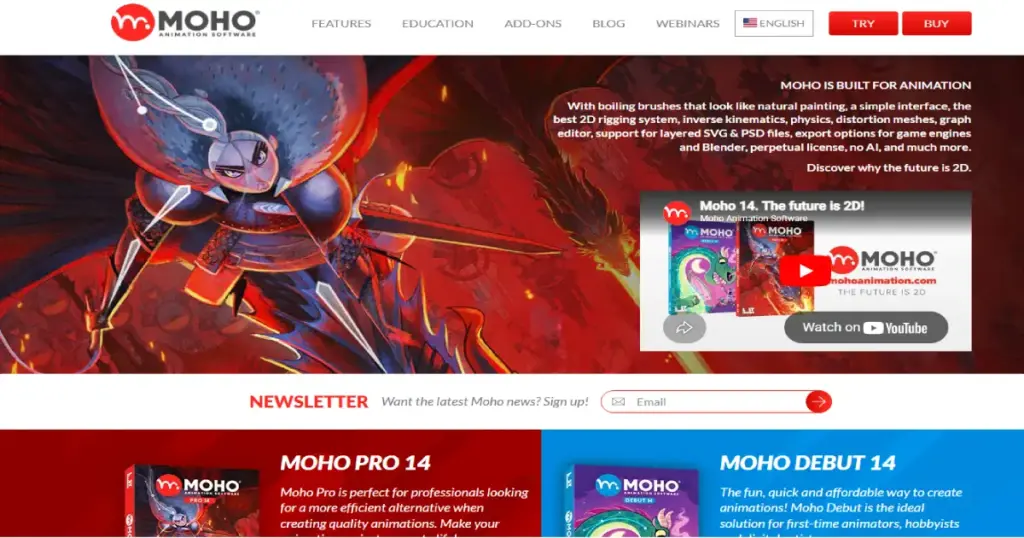
Moho Pro (formerly Anime Studio) occupies a valuable niche as a dedicated 2D character animation tool that emphasizes smart rigging and automation over frame-by-frame work. Its signature Smart Bones system lets animators create complex character movements with intuitive bone-based rigs, producing smooth, lifelike animation without drawing every individual frame. For indie creators, small studios, and animators who prioritize efficiency, Moho is a compelling alternative to the more expensive Toon Boom Harmony.
The one-time purchase model is a major differentiator in a market increasingly dominated by subscriptions. At $399.99 for Moho Pro (with the entry-level Moho Debut at just $59.99), the lifetime value proposition is exceptional compared to Toon Boom’s monthly billing. The software includes vector drawing tools, a physics engine for realistic movement simulation, particle effects, and camera controls with depth of field features typically found only in more expensive professional suites.
Moho Debut serves as an ideal stepping stone for beginners who want to learn 2D animation rigging concepts before investing in professional tools. The upgrade path to Moho Pro is straightforward when you outgrow Debut’s capabilities. While Moho lacks the broadcast pipeline integration and advanced compositing of Toon Boom Harmony, it delivers excellent results for YouTube series, explainer videos, short films, and indie game cinematics at a fraction of the cost.
| PROS | CONS |
|---|---|
| ✓ One-time purchase no subscription required | ✗ Smaller community and fewer tutorials than major competitors |
| ✓ Smart Bones rigging system for efficient character animation | ✗ Not widely used in major studio production pipelines |
| ✓ Moho Debut ($59.99) is an excellent affordable entry point | ✗ Vector drawing tools less refined than Toon Boom or Adobe |
| ✓ Built-in physics engine and particle effects | ✗ Limited compositing compared to Harmony Premium |
| ✓ 30-day free trial to evaluate before purchasing | ✗ Interface can feel dated in places |
| ✓ Excellent for indie animation and YouTube content |
What the Community Says
“Moho Pro features all the tools to not only get started in 2D animation but also make professional shows. It’s a complete package.” Creative Bloq
BEST FOR: Indie 2D animators, YouTube series creators, small studios, and anyone wanting professional character animation without subscription costs.
8. Procreate Dreams
Our Score: 8.3/10
Intuitive Frame-by-Frame Animation Designed for iPad Artists
Quick Facts
| Pricing | $19.99 one-time purchase |
| Platform | iPad only (iPadOS) |
| Category | 2D Animation / Frame-by-Frame / Motion Graphics |
| Skill Level | Beginner to Intermediate |
| Free Trial | No (one-time purchase) |
| Developer | Savage Interactive Pty Ltd |
Detailed Review
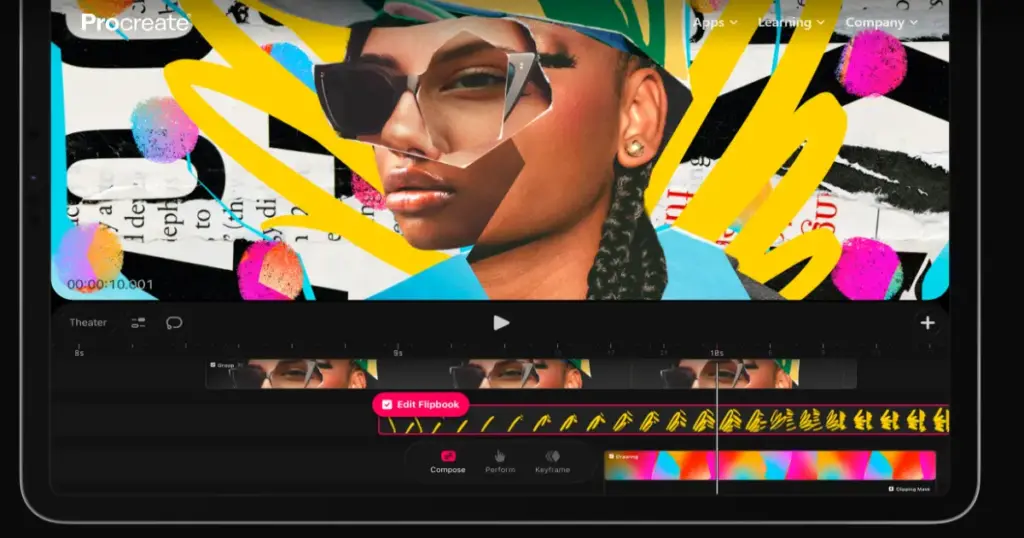
Procreate Dreams brings the beloved Procreate experience into the world of animation, offering an intuitive, touch-based interface that makes frame-by-frame animation genuinely enjoyable on iPad. Built by the same team behind the wildly popular Procreate illustration app, Dreams inherits the same philosophy of elegant simplicity powerful tools that stay out of your way and let you focus on creating. At just $19.99 with no subscription, it is the most affordable dedicated animation app for iPad.
The app excels at hand-drawn animation workflows where artists sketch, paint, and animate directly with Apple Pencil. Traditional onion skinning, customizable layers, and an easily editable timeline that responds to pinch, zoom, and Apple Pencil gestures create a workflow that feels distinctly different from desktop animation software more organic, more immediate, more fun. The animation tools are complemented by Procreate’s renowned brush engine, meaning your animated frames benefit from the same beautiful brushwork that made Procreate famous.
While Dreams currently has limitations, a maximum of 250 layers and track render limits that depend on your iPad model, it is well-suited for animated shorts, social media animations, storyboard animatics, and experimental projects. For artists already comfortable with Procreate’s drawing interface, the transition to Dreams for animation is remarkably smooth. It does not replace desktop software for complex production work, but it opens up animation to a massive audience of digital artists who already own iPads.
| PROS | CONS |
| ✓ Incredible $19.99 one-time price best value in animation | ✗ iPad-only no desktop or Android version |
| ✓ Intuitive touch-based workflow designed for Apple Pencil | ✗ Limited to 250 layers per project |
| ✓ Leverages Procreate’s acclaimed brush engine | ✗ Not suitable for complex production animation pipelines |
| ✓ Perfect for hand-drawn frame-by-frame animation | ✗ No bone rigging or cut-out animation tools |
| ✓ Natural onion skinning and gesture-based timeline | ✗ Performance dependent on iPad model and generation |
| ✓ No subscription buy once, create forever |
What the Community Says
“Procreate Dreams is just unmatched and unrivalled for hand-drawn animation on iPad. The touch-based workflow feels incredibly natural.” Creative Bloq
BEST FOR: iPad-owning artists, hand-drawn animators, hobbyists, and creators who want accessible frame-by-frame animation at an unbeatable price.
9. Vyond
Our Score: 8.2/10
The Fastest Path from Idea to Professional Animated Business Video
Quick Facts
| Pricing | Essential: $25/mo | Premium: $54/mo | Professional: $92/mo |
| Platform | Web-based (browser) | Vyond Mobile app |
| Category | Business Animation / Explainer Videos / eLearning |
| Skill Level | Beginner (no animation experience needed) |
| Free Trial | 14-day free trial |
| Developer | Vyond (GoAnimate) |
Detailed Review
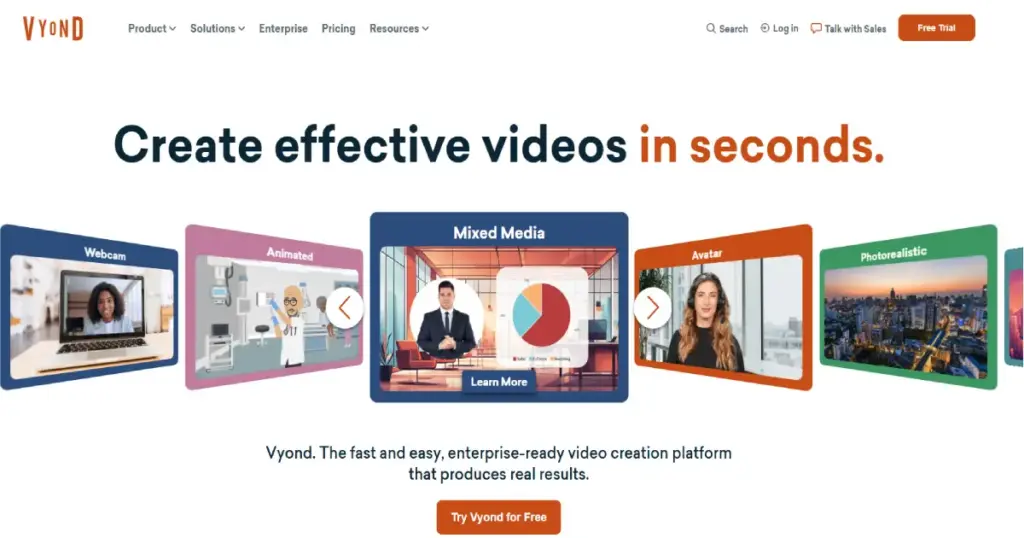
Vyond is purpose-built for business users who need professional animated videos without any animation background. If your goal is creating training videos, marketing explainers, sales enablement content, or internal communications and you need results in hours rather than weeks Vyond is likely your best option. The platform combines AI-powered video generation with a drag-and-drop studio that makes animation accessible to marketing managers, HR professionals, and corporate trainers.
The Vyond Go AI feature allows users to generate animated videos from text prompts, while Vyond Studio provides more granular control for users who want to customize every detail. Pre-built character templates, scene libraries, and prop collections mean you can produce polished animated content without drawing a single frame. The AI avatar system creates custom characters that can lip-sync to recorded or text-to-speech audio, enabling rapid production of personalized training and communication videos.
Vyond excels in its specific niche but is not a replacement for traditional animation software. The output style is recognizably template-based, which may not suit creative projects requiring unique artistic vision. However, for business applications where speed, consistency, and professional appearance matter more than artistic originality, Vyond delivers exceptional value. The platform handles the technical complexity so you can focus on your message.
| PROS | CONS |
|---|---|
| ✓ No animation experience required truly drag-and-drop | ✗ Output looks template-based not suited for artistic projects |
| ✓ AI-powered video generation from text prompts | ✗ Monthly subscription can be expensive for occasional use |
| ✓ Massive library of pre-built characters, scenes, and props | ✗ Limited creative control compared to traditional animation tools |
| ✓ Extremely fast production create videos in hours | ✗ Not suitable for broadcast-quality or cinematic animation |
| ✓ Web-based with no software installation needed | ✗ Requires internet connection for all work |
| ✓ Purpose-built for business communication use cases |
What the Community Says
“Vyond is an all-in-one AI video creation platform with the most user-friendly and versatile animation tools on the market for business users.” Vyond Blog
BEST FOR: Business professionals, marketing teams, HR departments, corporate trainers, and anyone needing professional animated videos without animation skills.
10. Pencil2D
Our Score: 7.8/10
Lightweight Free Tool for Learning Traditional Hand-Drawn Animation
Quick Facts
| Pricing | Completely free and open-source |
| Platform | Windows, macOS, Linux |
| Category | 2D Animation / Hand-Drawn / Frame-by-Frame |
| Skill Level | Beginner |
| Free Trial | Free forever |
| Developer | Pencil2D Community (Open-Source) |
Detailed Review
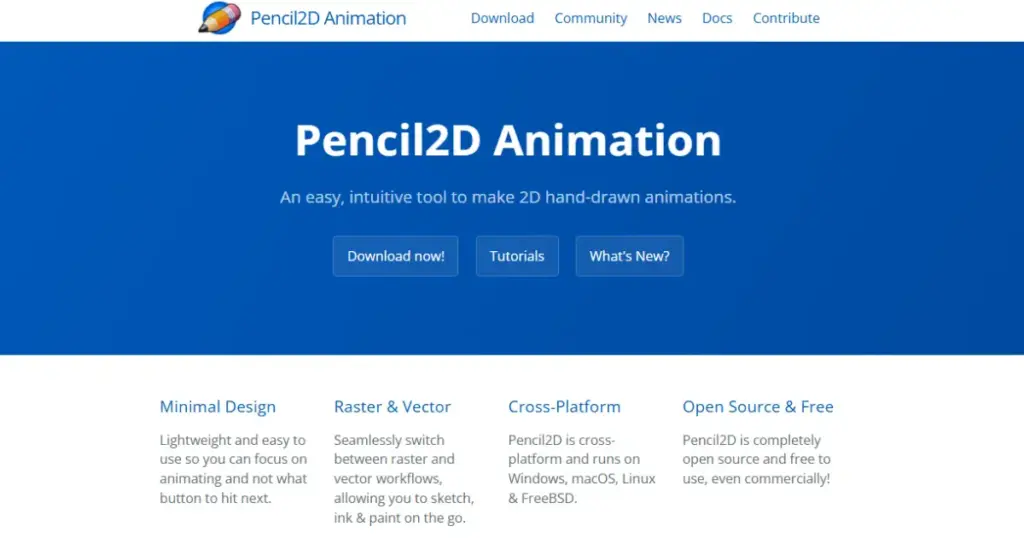
Pencil2D is the purest, simplest entry point into hand-drawn animation available today. This free, open-source application strips away the complexity of professional tools and focuses exclusively on what matters most for learning traditional animation: drawing frames, playing them back, and understanding the fundamental principles of movement, timing, and spacing. If you are picking up animation for the very first time, Pencil2D lets you start creating within minutes of installation.
The interface is deliberately minimal a canvas, a timeline, onion skinning controls, and basic vector and bitmap drawing tools. There are no bone rigs to configure, no complex compositing layers to manage, and no subscription fees to worry about. This simplicity is the point. Pencil2D teaches you to animate the way Disney’s Nine Old Men learned: by drawing one frame at a time and understanding how each frame relates to the next. This foundational understanding transfers directly to every other animation tool on this list.
While Pencil2D is too limited for professional production work, it is an invaluable learning tool and rapid prototyping environment. Many animation educators recommend it as a starting point before students move to more complex software. The application runs smoothly on low-end hardware, making it accessible to students and aspiring animators in regions where powerful computers are not readily available.
| PROS | CONS |
|---|---|
| ✓ Completely free with no limitations | ✗ Too basic for professional production work |
| ✓ Simplest possible interface zero learning curve | ✗ Very limited drawing tools compared to any competitor |
| ✓ Perfect for learning fundamental animation principles | ✗ No rigging, compositing, or advanced features |
| ✓ Runs well on low-end hardware | ✗ Small development team with slower update cycles |
| ✓ Available on Windows, Mac, and Linux | ✗ No audio lip-sync or advanced timeline features |
| ✓ No registration, no ads, no subscriptions |
What the Community Says
“Pencil2D is lightweight, open-source software specifically designed for hand-drawn 2D animation with a simple, intuitive interface.” LTX Studio
BEST FOR : Complete beginners learning animation fundamentals, students, educators teaching animation principles, and artists who want the simplest possible sketching-to-animation workflow.
Full Comparison Table: All 10 Animation Tools
| Software | Price | Platforms | Animation Type | Free Option | Score |
|---|---|---|---|---|---|
| Blender | Free | Win/Mac/Linux | 3D + 2D | Yes | 9.4 |
| Autodesk Maya | From $305/yr | Win/Mac/Linux | 3D | Student free | 9.3 |
| After Effects | $22.99/mo | Win/Mac | Motion Graphics | 7-day trial | 9.1 |
| Toon Boom Harmony | From $25/mo | Win/Mac | 2D Professional | 21-day trial | 9.0 |
| Cinema 4D | $94/mo | Win/Mac | 3D + MoGraph | 14-day trial | 8.7 |
| Adobe Animate | $22.99/mo | Win/Mac | 2D + Interactive | 7-day trial | 8.5 |
| Moho Pro | $399.99 once | Win/Mac | 2D Rigging | 30-day trial | 8.4 |
| Procreate Dreams | $19.99 once | iPad | 2D Hand-Drawn | No | 8.3 |
| Vyond | From $25/mo | Web-based | Business Video | 14-day trial | 8.2 |
| Pencil2D | Free | Win/Mac/Linux | 2D Hand-Drawn | Yes | 7.8 |
Buyer’s Guide: How to Choose the Right Animation Software
By Budget
Free Options
Blender is the clear winner for free 3D animation, offering a complete professional pipeline at zero cost. For 2D hand-drawn animation, Pencil2D provides the simplest learning environment, while Blender’s Grease Pencil offers a more advanced free 2D option. Students should also note that both Maya and Cinema 4D offer free educational licenses.
Under $25/month
Procreate Dreams ($19.99 one-time) is the best value for iPad animators. Adobe Animate and After Effects start at $22.99/month on annual plans. Toon Boom Harmony Essentials at $25/month is the most affordable entry into professional 2D animation. Vyond’s Essential plan at $25/month covers business animation needs.
$50–$100/month Professional Tier
Cinema 4D ($94/month), Toon Boom Harmony Advanced ($63/month), and Adobe Creative Cloud All Apps ($59.99/month) serve professional freelancers and mid-size studios. Moho Pro at $399.99 one-time purchase offers exceptional long-term value in this range.
$100+/month Studio / Enterprise
Toon Boom Harmony Premium ($117/month) and Autodesk Maya ($1,945/year standard) target professional studios with broadcast and film-level production requirements. Maya Indie at $305/year is a significant discount for qualifying independent creators.
By Experience Level :
Complete Beginners
Start with Pencil2D (simplest 2D), Procreate Dreams (most intuitive iPad experience), or Blender (most capable free tool). These options let you learn fundamental animation principles without financial commitment or overwhelming complexity.
Intermediate Animators
Level up with Adobe Animate (2D interactive), Moho Pro (2D rigging), Cinema 4D (approachable 3D), or After Effects (motion graphics). These tools offer professional output quality while remaining learnable within weeks to months.
Professional / Studio Animators
Professionals should target Maya (3D character animation and VFX), Toon Boom Harmony Premium (2D broadcast production), After Effects (motion graphics compositing), or Cinema 4D (3D motion design). These are the tools studios list in job requirements.
By Animation Type :
3D Character Animation & VFX
Maya is the industry standard for studio work. Blender is the best free alternative with growing professional adoption. Cinema 4D excels specifically in 3D motion graphics for advertising and broadcast.
2D Traditional / Frame-by-Frame
Toon Boom Harmony for professional broadcast production. Procreate Dreams for iPad-based hand-drawn animation. Pencil2D for learning fundamentals at zero cost.
2D Rigged / Cut-Out Animation
Toon Boom Harmony Advanced/Premium for studio-level rigging. Moho Pro for indie and freelance production at a one-time cost. Adobe Animate for simpler rigged projects within the Adobe ecosystem.
Motion Graphics & Title Design
After Effects is the undisputed leader. Cinema 4D integrates seamlessly with AE for 3D motion graphics. Together, they form the dominant motion design pipeline used by the majority of agencies and studios worldwide.
Business & Explainer Videos
Vyond is purpose-built for non-animators who need professional business video content. Its AI-powered tools and template library produce polished results without any animation skills.
Frequently Asked Questions (FAQs)
Q1: What is the best free animation software for beginners in 2026?
For 3D animation, Blender is the clear winner it offers a complete professional pipeline completely free. For 2D hand-drawn animation, Pencil2D provides the simplest starting point with zero learning curve. Students should also explore free educational licenses from Maya and Cinema 4D, which provide access to industry-standard tools at no cost during your education.
Q2: Is Blender good enough for professional animation work?
Yes, increasingly so. Blender has been used in professional production by studios worldwide, and its capabilities rival paid software costing thousands annually. Many job listings now include Blender alongside Maya. That said, some major studio pipelines are still built specifically around Maya, so learning both gives you maximum career flexibility.
Q3: What animation software do major studios like Pixar and Disney use?
Most major studios use Autodesk Maya as their primary 3D animation tool, often supplemented by proprietary in-house software. For 2D animation, Toon Boom Harmony is the industry standard used in shows like Rick and Morty, Bob’s Burgers, and many others. After Effects is widely used for motion graphics and compositing across virtually all studios.
Q4: Should I learn 2D or 3D animation first?
Most animation educators recommend starting with 2D animation to learn fundamental principles like timing, spacing, squash and stretch, and anticipation. These principles transfer directly to 3D. Tools like Pencil2D or Procreate Dreams are excellent for learning 2D basics before transitioning to Blender or Maya for 3D.
Q5: Can I create professional animations on an iPad?
Yes, but with limitations. Procreate Dreams ($19.99) is excellent for hand-drawn 2D animation on iPad. Clip Studio Paint also offers animation features on iPad. However, for complex 3D animation, rigging, or broadcast-quality 2D production, desktop software remains necessary. iPad tools are best for hand-drawn animation, storyboarding, and short-form content.
Q6: Is After Effects or Blender better for animation?
They serve different purposes. After Effects excels at motion graphics, title design, VFX compositing, and layer-based animation. Blender excels at 3D character animation, modeling, and full scene creation. Many professionals use both: Blender for 3D elements and After Effects for compositing, motion graphics, and final output. They complement rather than compete with each other.
Final Thoughts
The animation software landscape in 2026 offers something remarkable: a clear, accessible path from absolute beginner to working professional without any single tool acting as an insurmountable barrier. You can start animating today with Pencil2D or Blender at zero cost, progress to intermediate tools like Moho Pro or Cinema 4D as your skills develop, and ultimately master industry standards like Maya, Toon Boom Harmony, or After Effects when you are ready for professional-level work.
The key insight from our extensive testing is this: the best animation software is the one that matches your current skill level and immediate goals. Beginners who jump straight into Maya will likely burn out from frustration, while experienced animators using Pencil2D will feel constrained. Choose the tool that sits just slightly above your current comfort zone challenging enough to push your growth, but accessible enough to keep you creating.
For those on a budget, Blender’s complete free 3D pipeline and Procreate Dreams’ $19.99 2D animation toolkit make professional-quality animation accessible to everyone. For professionals and studios, Maya, Toon Boom Harmony, and the After Effects/Cinema 4D combination continue to define industry standards. And for business users who need animated content without animation expertise, Vyond’s AI-powered platform delivers polished results in hours rather than weeks.
Whatever your starting point, the principles of great animation remain unchanged: appealing movement, clear storytelling, and persistent practice. The software is your instrument the artistry is yours. Pick a tool from this list, create your first animation today, and begin the most rewarding creative journey available in the digital age.
