

We tested every major social media management platform -from free schedulers to enterprise-grade suites with analytics, social listening, and team collaboration. Here’s which ones are actually worth your time and money.
Updated: July 20, 2026 | 35 min read | 15 platforms reviewed
Quick Verdict -Our Top 5 Picks
| Category | Winner | Starting Price | Free Plan? | Why |
|---|---|---|---|---|
| 🏆 Best Overall | Buffer | Free; $5/ch/mo | Yes | Simplest UI, 11 platforms, per-channel pricing |
| 📊 Best Analytics | Sprout Social | $199/mo | No (30-day trial) | #1 on G2, Smart Inbox, ViralPost, AI Assist |
| 🎯 Best for Agencies | SocialPilot | $25.50/mo | No (14-day trial) | White-label, bulk scheduling, client approvals |
| 🤝 Best Collaboration | Planable | $33/mo | Yes (50 posts) | 4-level approvals, real-time editing, feed preview |
| 💰 Best Free Option | Buffer / Metricool | Free | Yes | Buffer: 3 channels free. Metricool: 50 posts/mo free |
Managing social media in 2026 has become simultaneously more powerful and more complex. With over 5.4 billion active social media accounts worldwide and the average user active on 7.5 different platforms, the challenge for businesses, agencies, and creators is not whether to be on social media but how to manage a consistent, engaging presence across an increasingly fragmented landscape without burning out.
The social media management tool category has matured significantly. AI-powered content generation is now standard. Platforms like Bluesky, Threads, and Mastodon have joined the established networks, requiring tools that keep pace with new channels.
Enterprise platforms like Sprout Social and Hootsuite have deepened their analytics and social listening capabilities, while affordable alternatives like Buffer and SocialPilot have closed the feature gap dramatically. The result is a market where the right tool depends entirely on your specific needs, team size, and budget.
We analyzed every major social media management platform using data from Zapier, G2, PCMag, Buffer, Planable, EvergreenFeed, and real user reviews from Reddit’s r/socialmedia, r/marketing, and r/digital_marketing communities.
We evaluated scheduling capabilities, analytics depth, supported platforms, collaboration features, pricing transparency, AI tools, and overall value. This guide covers 15 platforms across every use case from solo creators to enterprise teams.
How We Tested and Ranked
Every platform was evaluated across seven criteria: supported social networks and publishing capabilities, analytics and reporting depth, team collaboration and approval workflows, pricing structure and value for money, AI and automation features, social listening and engagement tools, and real user sentiment from independent review platforms.
Tools that excelled across multiple categories scored highest, with extra weight given to pricing transparency and real-world usability rather than feature lists alone.
1. Buffer Score: 9.6/10
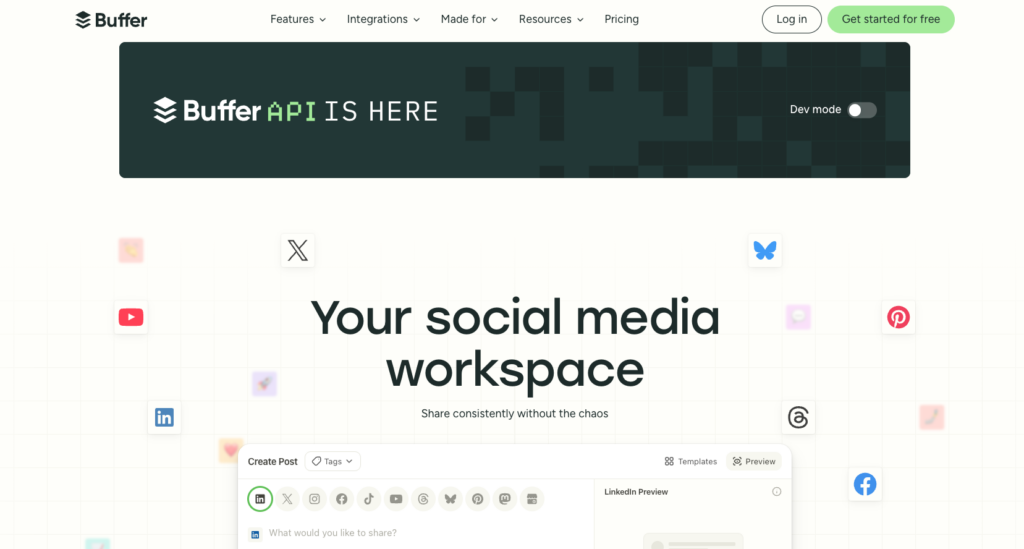
The simplest and most affordable way to manage all your social media accounts
| Pricing | Platforms Supported | Best For | Free Plan / Trial |
| Free; from $6/mo per channel | FB, IG, X, LinkedIn, TikTok, YouTube, Pinterest, Threads, Bluesky, Mastodon, GBP | All Levels | Free plan (3 channels); 14-day trial on paid |
Buffer has spent over a decade refining what it means to be a straightforward social media scheduling tool, and in 2026, it remains the best option for solopreneurs, creators, and small businesses who want simplicity without sacrificing capability.
The interface is clean, fast, and distraction-free. You can draft, schedule, and publish content across all major social platforms from a single dashboard in minutes.
The per-channel pricing model is Buffer’s most compelling differentiator. Instead of paying for a bundle that includes features and channels you do not need, you pay $6 per month per connected social channel on the Essentials plan.
Managing three Instagram accounts and two LinkedIn profiles? That is $30 per month with full analytics and engagement tools. This granular pricing makes Buffer the most cost-effective option for lean teams and solo managers.
Buffer supports an impressive 11 social networks including Facebook, Instagram, X, LinkedIn, TikTok, YouTube, Pinterest, Threads, Bluesky, Mastodon, and Google Business Profile. The free plan allows up to three connected channels with 10 scheduled posts each, which is genuinely usable for small businesses getting started.
The Essentials plan unlocks unlimited scheduling, detailed analytics, engagement features, and the AI Assistant for caption generation.
The Start Page feature provides a customizable link-in-bio landing page that ties into your social presence, saving you from needing a separate tool like Linktree.
The Ideas board offers a Kanban-style workflow for brainstorming and developing post concepts before they enter your scheduling queue. While these are not revolutionary features, having them integrated into your scheduling tool reduces context-switching.
Buffer’s limitations are transparent: it lacks social listening capabilities, has no unified inbox for managing DMs across platforms, and the analytics, while solid, are not as deep as enterprise tools like Sprout Social or Hootsuite.
The collaboration features on the Team plan at $12 per channel are functional but basic compared to dedicated agency tools like Planable or SocialPilot. But for its target audience of individuals and small teams, Buffer delivers exactly what is needed without the bloat.
| ✓ STRENGTHS | ✗ WEAKNESSES |
| ✓ Simplest interface in the category | ✗ No social listening or monitoring features |
| ✓ Per-channel pricing ($6/mo) is highly cost-effective | ✗ No unified inbox for DMs |
| ✓ Generous free plan with 3 channels | ✗ Analytics less deep than enterprise tools |
| ✓ Supports 11 social networks including Bluesky and Mastodon | ✗ Collaboration features are basic |
| ✓ Start Page link-in-bio included | ✗ Has a history of changing pricing structures |
| ✓ AI Assistant for caption generation | |
| ✓ Consistent and reliable publishing |
“Buffer is renowned for its simplicity, clean user interface, and accessible pricing model, making it a go-to choice for small businesses and creators who need a reliable scheduler without a hefty price tag.”
-Evergreen Feed Editorial Review (2026)
🎯 Best For: Solopreneurs, creators, and small businesses wanting the simplest and most affordable social media scheduling solution
2. Hootsuite Score: 9.2/10
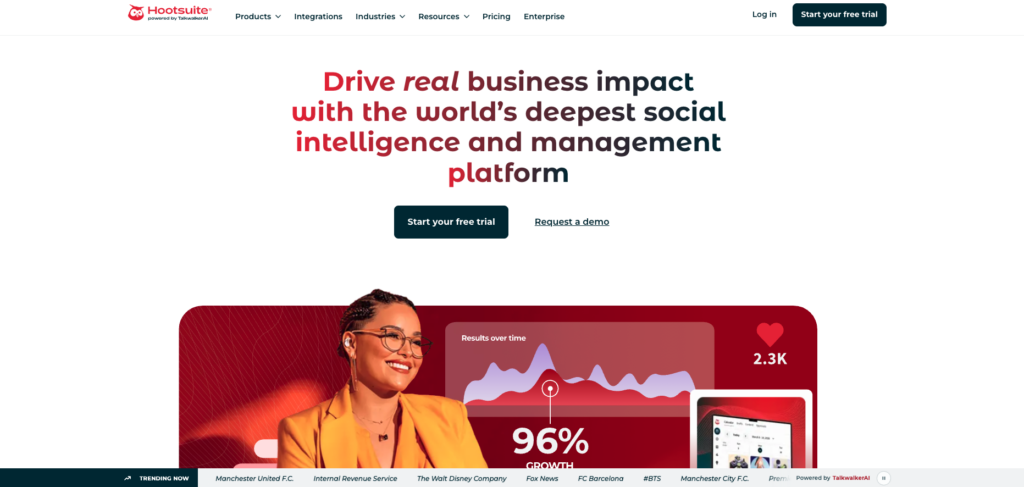
The enterprise standard for full-featured social media management
| Pricing | Platforms Supported | Best For | Free Plan / Trial |
| From $99/mo (Standard) | FB, IG, X, LinkedIn, TikTok, YouTube, Pinterest, Threads + 20 more via integrations | Teams & Enterprise | 30-day free trial on all paid plans |
Hootsuite is the legacy giant of social media management, serving over 18 million users globally and maintaining its position as the go-to platform for mid-size to enterprise organizations.
The centralized dashboard allows teams to manage scheduling, publishing, monitoring, analytics, and customer engagement across virtually every major social network from a single interface.
The platform’s strength lies in its depth. The content calendar provides a comprehensive bird’s-eye view of all scheduled content across every connected account. The streams-based monitoring dashboard lets you track mentions, keywords, hashtags, and competitor activity in real time.
Analytics are robust, with customizable reports that can be exported and shared with stakeholders. For enterprise users, the Talkwalker-powered social listening capabilities provide genuine competitive intelligence.
The Advanced plan adds unlimited social accounts, team approval workflows, bulk scheduling for up to 350 posts, and enhanced analytics with competitor benchmarking.
The Enterprise plan unlocks unlimited users, Employee Advocacy tools, advanced security features, custom integrations, and a dedicated account manager with priority support.
Hootsuite’s biggest challenge in 2026 is its pricing. The Standard plan starts at $99 per month for a single user with up to 10 social accounts. The Advanced plan jumps to $199 per month. Enterprise pricing requires custom quotes with annual commitments typically starting around $15,000 per year.
These prices have increased substantially over the past two years, and the elimination of the free plan has pushed budget-conscious users toward alternatives like Buffer, SocialPilot, and Metricool.
The interface has also drawn criticism for feeling cluttered and outdated compared to newer competitors. The mobile app is functional but less polished than Buffer or Later. However, for organizations that need robust analytics, team governance, approval workflows, and enterprise-grade security, Hootsuite remains the benchmark. The depth of integrations with over 150 apps and the maturity of its feature set justify the premium for teams that can leverage its full capabilities.
| ✓ STRENGTHS | ✗ WEAKNESSES |
| ✓ Most comprehensive feature set in the category | ✗ Expensive: $99/mo minimum, no free plan |
| ✓ 18M+ users with proven enterprise reliability | ✗ Interface feels cluttered and dated |
| ✓ Advanced social listening via Talkwalker | ✗ Pricing has increased 40%+ in recent years |
| ✓ 150+ app integrations | ✗ Mobile app less polished than competitors |
| ✓ Robust team governance and approval workflows | ✗ Advanced features locked behind expensive tiers |
| ✓ Bulk scheduling up to 350 posts | ✗ Per-user pricing makes team costs escalate quickly |
| ✓ Employee Advocacy tools on Enterprise |
“Hootsuite is the second best social media management platform on the market. You really just need a platform for scheduling, managing across multiple social accounts, and response management, and Hootsuite delivers on all of that.”
-SoftwareAdvice User Review (2026)
🎯 Best For: Mid-size to enterprise teams needing comprehensive social media management with advanced analytics, social listening, and team collaboration tools
3. Sprout Social Score: 9.4/10
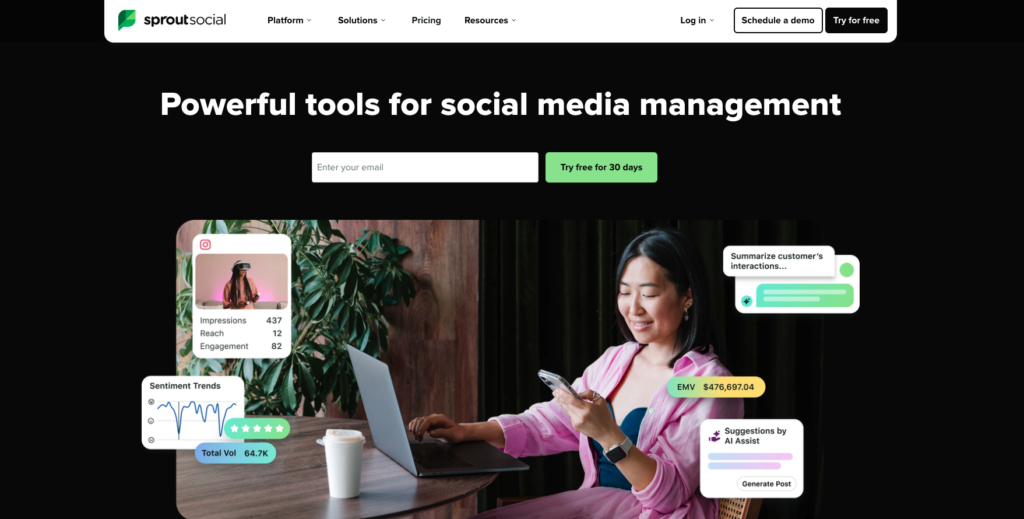
The premium analytics and engagement platform for data-driven social teams
| Pricing | Platforms Supported | Best For | Free Plan / Trial |
| From $199/mo (Standard) | FB, IG, X, LinkedIn, TikTok, YouTube, Pinterest, Threads, WhatsApp, Messenger, GBP | Enterprise & Agencies | 30-day free trial |
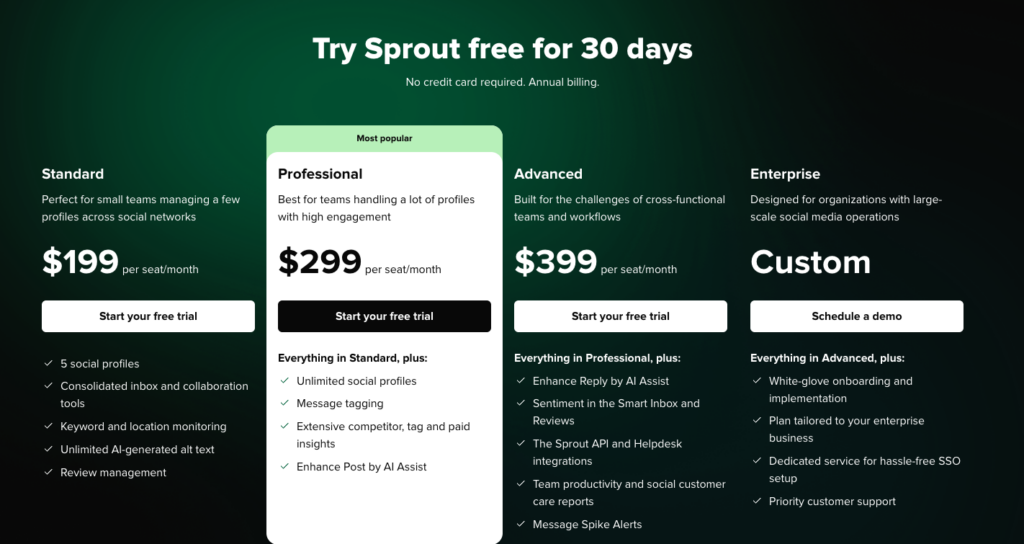
Sprout Social positions itself as the premium tier of social media management, and its analytics capabilities genuinely justify that positioning. The platform was named the number one Best Software Product on G2 in 2024 and continues to earn the highest user satisfaction ratings in independent reviews. For organizations where data-driven social strategy is a business priority, Sprout Social is the benchmark.
The analytics suite is where Sprout Social shines brightest. Custom report building, cross-network performance dashboards, competitor benchmarking with paid and organic reporting, and audience demographics analysis provide insights that go far beyond what most social tools offer.
The AI Assist feature helps optimize copy, identify best posting times, and surface trending topics. The ViralPost technology identifies optimal posting windows for maximum engagement based on your specific audience behavior.
The Smart Inbox centralizes messages, comments, mentions, and reviews from every connected platform into a single unified feed with tagging, assignment, and collision detection for team workflows.
This is especially valuable for customer service teams managing high volumes of social interactions. The CRM-like contact profiles track every interaction with each person across all social channels.
Sprout Social supports 11 platforms including WhatsApp and Facebook Messenger, which makes it one of the few tools that handles messaging apps alongside traditional social networks. The publishing calendar is clean and visual, with approval workflows and asset libraries built in. The social listening add-on provides deep sentiment analysis, trend tracking, and competitive intelligence.
The pricing is the primary barrier. The Standard plan starts at $199 per month for one user, with each additional user costing $199 per month. Social listening is an additional paid add-on. For small businesses, this pricing is prohibitive.
But for agencies, enterprise brands, and organizations that treat social media as a strategic business function, Sprout Social delivers the analytical depth and workflow sophistication that cheaper tools simply cannot match.
| ✓ STRENGTHS | ✗ WEAKNESSES |
| ✓ Best-in-class analytics and reporting | ✗ Most expensive tool on this list ($199/mo minimum) |
| ✓ Named #1 Software Product on G2 | ✗ Per-user pricing adds up rapidly for teams |
| ✓ Smart Inbox with CRM-like contact profiles | ✗ Social listening is a paid add-on |
| ✓ ViralPost optimal timing technology | ✗ Overkill for small businesses and solopreneurs |
| ✓ Supports WhatsApp and Messenger | ✗ Some advanced reports only on Professional+ tiers |
| ✓ AI Assist for copy optimization | |
| ✓ Exceptional customer support and onboarding |
“For organizations where security, compliance, and multi-user collaboration are non-negotiable, Sprout Social remains a benchmark tool with consistent high rankings and strong user satisfaction.”
-EvergreenFeed Best Social Media Software (2026)
🎯 Best For: Enterprise organizations, agencies, and data-driven social teams that need premium analytics, CRM-like engagement tools, and sophisticated team workflows
4. SocialPilot Score: 9.1/10
The best value social media tool for agencies and multi-client management
| Pricing | Platforms Supported | Best For | Free Plan / Trial |
| From $25.50/mo | FB, IG, X, LinkedIn, TikTok, YouTube, Pinterest, GBP, Threads | Agencies & Freelancers | 14-day free trial on all plans |
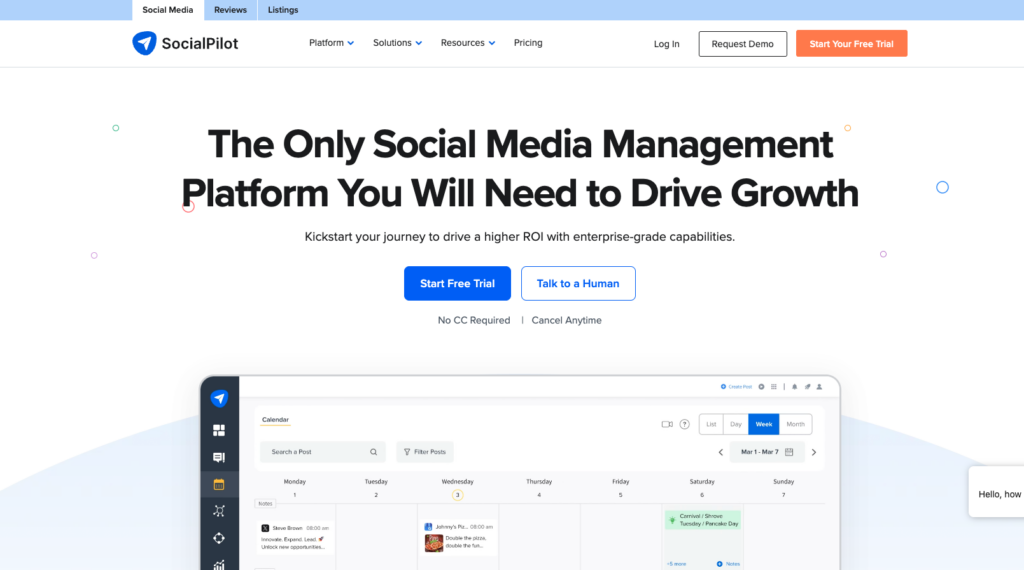
SocialPilot has quietly become one of the most compelling options for social media agencies and freelance managers in 2026. At a starting price of $25.50 per month, it offers bulk scheduling for up to 500 posts, content calendar management, client approval workflows, and white-label reporting, a feature set that rivals tools costing three to five times as much.
The platform’s agency-first design is evident throughout. You can create separate sub-dashboards for each client, share personalized approval links that require no signup, and white-label the entire platform with custom branding for a seamless client experience. Granular team permissions control exactly which team members can access which client accounts and what actions they can perform.
SocialPilot supports nine major social networks and includes an AI Assistant for content generation, a built-in Canva integration for visual content creation, RSS feed auto-posting, and bulk scheduling via CSV upload. The analytics provide per-platform performance data with exportable PDF reports branded with your agency’s logo.
The content curation feature suggests trending content in your niche that you can share directly to your clients’ accounts, saving hours of content discovery time. The browser extension lets you schedule content from anywhere on the web. And the pricing scales reasonably: the Agency+ plan at $170 per month supports unlimited clients and up to 75 social accounts.
The trade-offs: SocialPilot lacks social listening capabilities, the unified inbox for engagement is less sophisticated than Sprout Social or Agorapulse, and the interface, while functional, is not as visually polished as Buffer or Later. But for agencies that need to manage many clients at a reasonable cost with professional-grade features, SocialPilot delivers exceptional value that is genuinely difficult to beat.
| ✓ STRENGTHS | ✗ WEAKNESSES |
| ✓ Best agency value starting at $25.50/mo | ✗ No social listening features |
| ✓ White-label reports and platform branding | ✗ Unified inbox less sophisticated than premium tools |
| ✓ Bulk scheduling up to 500 posts | ✗ Interface not as polished as competitors |
| ✓ Client approval links with no signup required | ✗ No free plan available |
| ✓ Granular team permissions and client dashboards | ✗ Limited advanced analytics compared to Sprout Social |
| ✓ Built-in Canva integration | |
| ✓ Agency+ plan: unlimited clients, 75 accounts |
“SocialPilot is cost-effective for agencies managing multiple clients on a budget. At $25.50 per month starting price with bulk scheduling for 500 or more posts, it delivers agency-grade features at a fraction of the price of competitors.”
-Fedica Blog Comparison Guide (2026)
🎯 Best For: Social media agencies, freelance managers, and multi-client operations that need white-label reporting, client approvals, and bulk scheduling at an affordable price
5. Pallyy – Score: 9.0/10
Pallyy is built for small social media agencies managing multiple clients
| Pricing | Platforms Supported | Best For | Free Plan / Trial |
|---|---|---|---|
| Free forever; paid from $15/mo (Starter), $25/mo (Pro), $99/mo (Agency) | IG, FB, X, LinkedIn, TikTok, YouTube, Pinterest, Threads, Bluesky, Google Business Profile | Agencies, freelancers & multi-brand teams | Free plan + 14-day trial on paid plans |
Pallyy solves the pricing problem that makes most social tools painful for agencies: it charges by brand, not by channel or by seat. One “social set” holds up to 11 connected accounts, so a client posting to Instagram, TikTok, Facebook, LinkedIn and Pinterest counts as one billable unit, not five. The Agency plan is $99/month for 10 social sets – roughly $9.90 per client per month, against the $199-per-seat floor at the enterprise end of this list. For a freelancer running six retainers, that difference is the whole margin.
The workflow is built around client approvals rather than bolted on. Shared client calendars run on a custom domain, external reviewers can comment and approve without a paid seat, and post history logs who changed what. Ko-fi, whose team is featured in Pallyy’s customer stories, singled out the approval flow as effective from day one.
The rest of the stack is complete rather than best-in-class: a drag-and-drop calendar with queue scheduling, AI captions, an Instagram grid preview, a unified inbox covering Instagram DMs and comments, Facebook messages and reviews, TikTok and LinkedIn comments, and Google reviews, plus a branded link-in-bio page. Analytics retention runs five years on Pro and above, with Instagram competitor tracking for up to 10 accounts.
The catch is seats. Pro is a single-user plan – team invites don’t appear until Agency at $99/month, a steep step for a two-person shop. Custom reports and report export are Agency-only too, so smaller teams building client decks will export manually. And there’s no social listening at any tier; Pallyy is a publishing, engagement and reporting tool, not an intelligence platform.
| ✓ STRENGTHS | ✗ WEAKNESSES |
|---|---|
| ✓ Per-brand pricing – 11 accounts count as one social set | ✗ Pro is single-user; team seats start at Agency ($99/mo) |
| ✓ ~$9.90 per client/month on the Agency plan | ✗ Custom reports and export are Agency-tier only |
| ✓ Client approvals, comments and shared calendars on a custom domain | ✗ No social listening or sentiment analysis at any tier |
| ✓ Genuinely usable free plan (15 posts/mo, no time limit) | ✗ Free plan is image-only – no video, carousels or Reels |
| ✓ Unified inbox includes Google reviews and TikTok comments | ✗ 30-day analytics retention on Free and Starter |
| ✓ 5-year analytics retention from Pro up | |
| ✓ Public API access from the $15 Starter plan |
“Hands down the best social media scheduling platform! We will honestly never go back to any other.”
– The Glow Up Marketing, marketing agency (Pallyy customer stories)
🎯 Best For: Agencies, freelancers and small teams managing several brands who need client approvals and multi-account publishing without per-seat or per-channel pricing.
Who should skip it: Enterprise teams needing social listening, competitive intelligence or more than 30 brands under one roof.
6. Later Score: 8.9/10
The visual-first platform built for Instagram and visual content creators
| Pricing | Platforms Supported | Best For | Free Plan / Trial |
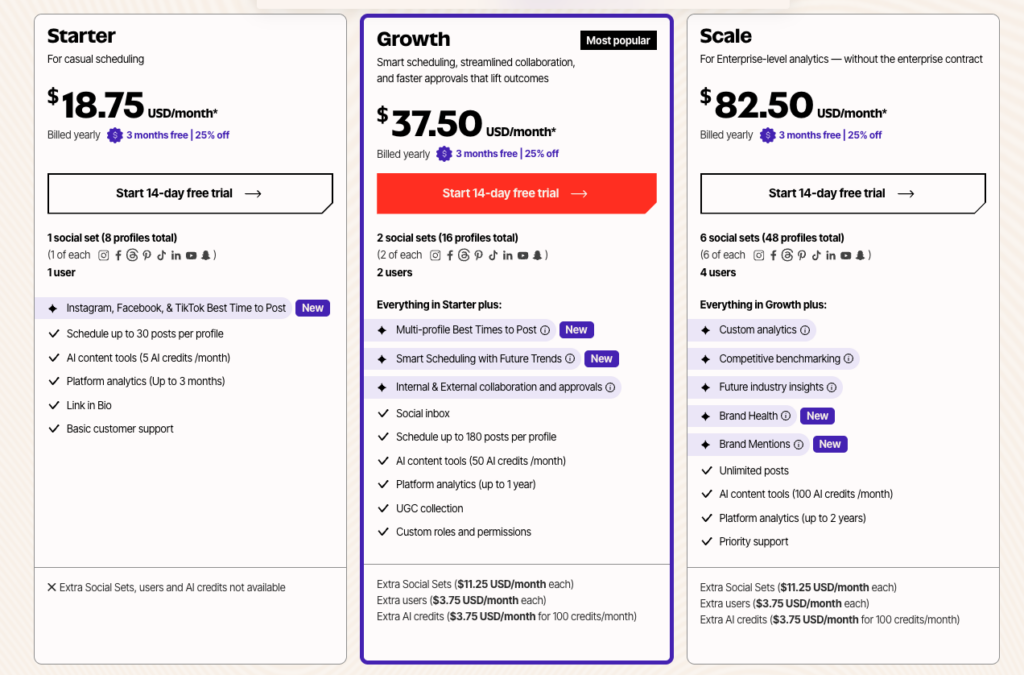
| From $18.75/mo (billed annually) | IG, FB, TikTok, LinkedIn, X, Pinterest, YouTube, Threads | Creators & Visual Brands | Free plan (1 social set); 14-day trial on paid |
Later has evolved from a simple Instagram scheduling tool into a comprehensive visual-first social media platform, and its roots in visual content management remain its core strength. For brands, creators, and marketers whose social strategy is driven by images and video, particularly on Instagram, TikTok, and Pinterest, Later provides the best visual planning experience available.
The visual content calendar lets you drag and drop media to plan your Instagram grid layout before publishing, preview how your feed will look to followers, and maintain visual consistency across your brand. The media library provides centralized asset management with labels, notes, and usage tracking. Linkin.bio creates a shoppable landing page that turns your Instagram feed into a clickable, revenue-generating experience.
Later supports eight social platforms and includes an AI caption writer, best-time-to-post recommendations, hashtag suggestions, and Instagram Stories scheduling. The analytics dashboard tracks engagement, reach, follower growth, and conversion data from your Linkin.bio page. User-generated content discovery tools help you find and repost content from your community.
The free plan is limited to one social set (one profile per platform) with 5 posts per profile per month. Paid plans start at $18.75 per month billed annually and unlock unlimited posts, advanced analytics, and multi-user collaboration. The Growth plan at $37.50 per month adds Linkin.bio conversion tracking and advanced Instagram analytics.
Later’s limitations become apparent for non-visual workflows. The scheduling capabilities for text-heavy platforms like LinkedIn and X are functional but not as refined as Buffer or Hootsuite. Social listening and unified inbox features are absent. And the pricing can add up for agencies managing many accounts. But for visual-first brands and Instagram-centric strategies, Later’s planning tools are unmatched.
| ✓ STRENGTHS | ✗ WEAKNESSES |
| ✓ Best visual content planning and grid preview | ✗ Weakest for text-heavy platforms like LinkedIn |
| ✓ Linkin.bio shoppable landing page | ✗ No social listening or unified inbox |
| ✓ Strong Instagram, TikTok, and Pinterest features | ✗ Free plan very limited (5 posts per profile) |
| ✓ UGC discovery and reposting tools | ✗ Pricing adds up for agencies with many accounts |
| ✓ Free plan available for getting started | ✗ Less comprehensive analytics than enterprise tools |
| ✓ AI caption writer and hashtag suggestions | |
| ✓ Media library with centralized asset management |
“Later has evolved from a simple Instagram scheduler into a genuine visual-first social media platform. For brands and creators whose strategy revolves around visual content, the grid preview and Linkin.bio features remain unmatched.”
-Buffer Resources Best Tools Guide (2026)
🎯 Best For: Visual content creators, Instagram-centric brands, e-commerce businesses using shoppable feeds, and anyone whose social strategy is driven by images and video
7. Planable Score: 9.0/10
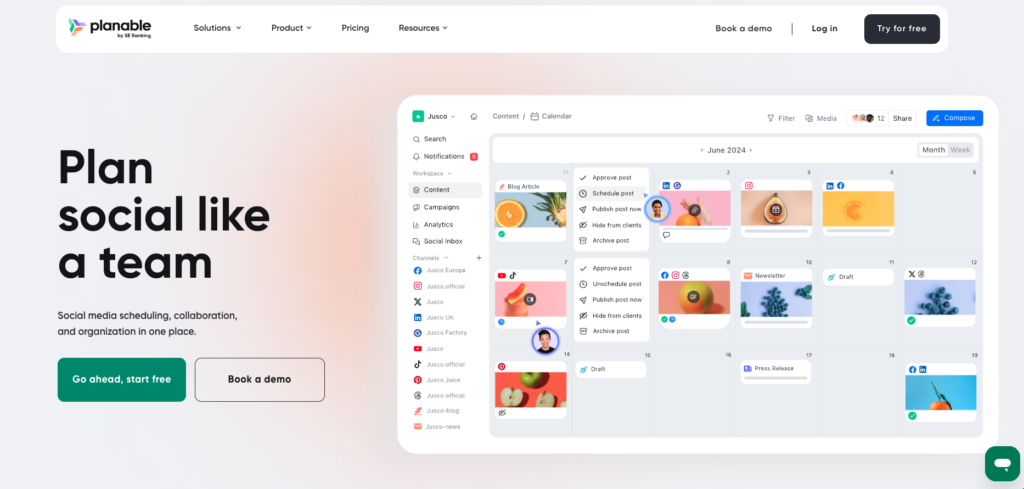
The collaboration and approval platform designed for teams and agencies
| Pricing | Platforms Supported | Best For | Free Plan / Trial |
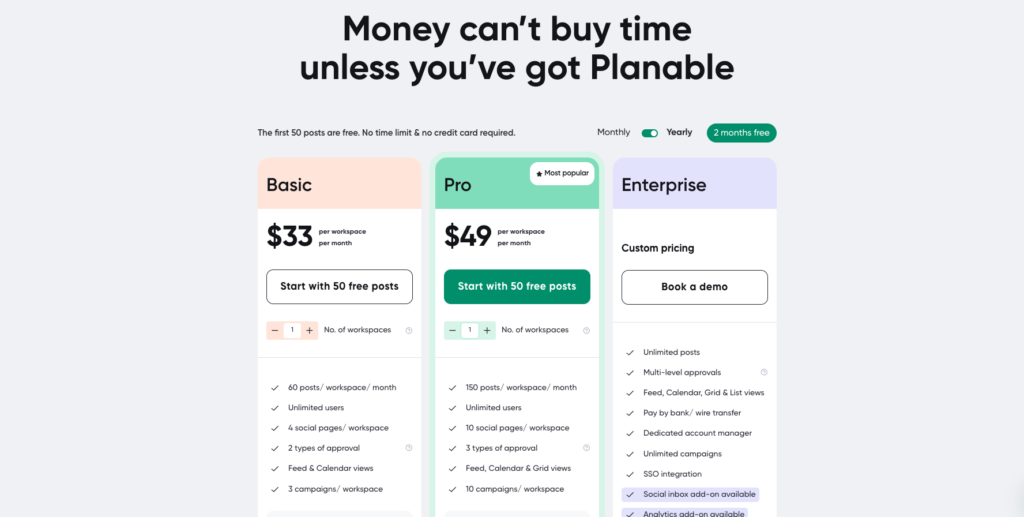
| From $33/mo (per workspace) | FB, IG, X, LinkedIn, TikTok, YouTube, Pinterest, GBP, Threads | Teams & Agencies | Free plan (50 posts total); no credit card required |
Planable has built its entire identity around one thing: making social media collaboration and approvals effortless. For teams and agencies where content goes through multiple rounds of review, feedback, and client sign-off before publishing, Planable provides the most streamlined workflow in the category.
The platform’s approval system offers four levels: none, optional, required, and multi-level. This flexibility means you can set up simple single-approver workflows for small teams or complex multi-stage approval chains for enterprise brands with legal, compliance, and marketing sign-offs. Internal and external comments are separated so clients only see what is relevant to them.
Content creation happens directly in a feed mockup that shows exactly how your post will appear on each platform. Real-time collaboration allows multiple team members to work on content simultaneously, similar to Google Docs for social media. Post templates save reusable layouts for recurring content types. The sync feature lets you group content for simultaneous cross-platform publishing while allowing per-platform customization.
Planable supports nine social platforms and offers a visual content calendar, analytics and reporting, iOS and Android apps, and Universal Content for managing blogs, newsletters, and other marketing materials alongside social posts. The free plan includes 50 total posts with no credit card required, making it easy to test before committing.
The limitations: Planable’s analytics are functional but not as deep as Sprout Social or Hootsuite. Social listening is not available. The pricing is per-workspace rather than per-channel, which can be more or less cost-effective depending on your structure. And the platform is primarily focused on content creation and approval rather than comprehensive social media management. But for its core use case of team collaboration and client approvals, Planable is the best tool available.
| ✓ STRENGTHS | ✗ WEAKNESSES |
| ✓ Best-in-class approval workflows (4 levels) | ✗ Analytics less deep than enterprise competitors |
| ✓ Real-time collaboration like Google Docs for social | ✗ No social listening capabilities |
| ✓ Internal vs external comment separation | ✗ Per-workspace pricing structure can be complex |
| ✓ Feed mockup preview for every platform | ✗ Primarily focused on content creation and approvals |
| ✓ Universal Content for blogs, newsletters, etc. | ✗ Not a comprehensive all-in-one management tool |
| ✓ Free plan with 50 posts (no credit card) | |
| ✓ Post templates for recurring content |
“Planable is the best client-facing social media tool we have ever used, and we have used a lot. The collaboration and approval workflows are in a league of their own for agency work.”
-Aisha M., Co-founder at Creative Label (Planable Customer Stories)
🎯 Best For: Marketing teams needing multi-level approval workflows, agencies managing client content reviews, and any organization where content collaboration and sign-off processes are critical
8. Agorapulse Score: 8.9/10
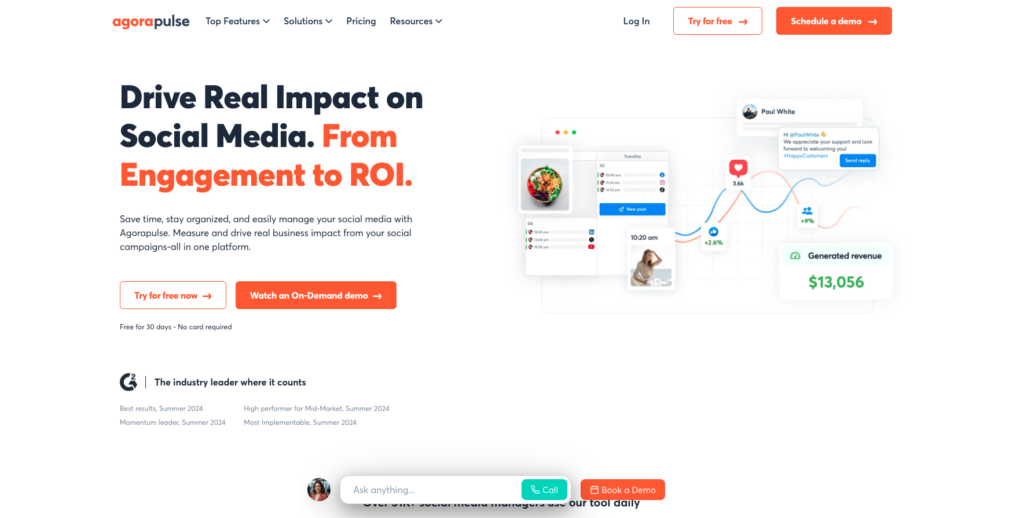
The engagement-focused platform with an exceptional unified social inbox
| Pricing | Platforms Supported | Best For | Free Plan / Trial |
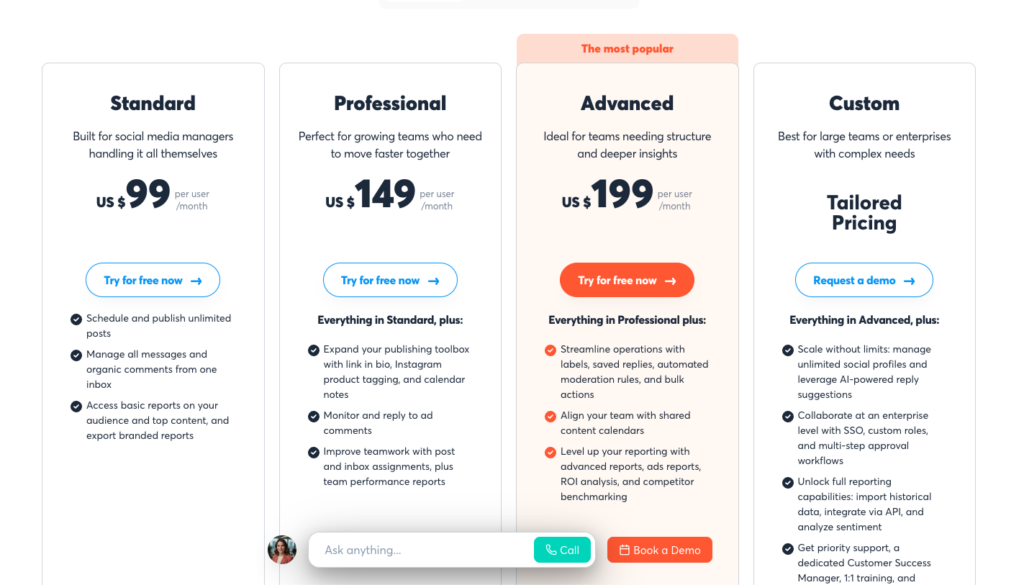
| From $99/mo | FB, IG, X, LinkedIn, TikTok, YouTube, GBP | Community Managers | Free plan (3 profiles); 30-day trial on paid |
Agorapulse has carved out a strong position as the go-to tool for social media managers who prioritize community engagement over pure publishing. The platform’s unified Social Inbox is one of the most capable in the industry, centralizing comments, messages, mentions, and reviews from all connected platforms into a single manageable feed with assignment, labeling, and automated moderation rules.
The audience labeling system is a unique differentiator. You can tag and categorize your most engaged followers, brand advocates, potential leads, and other audience segments. This CRM-like approach to social audiences helps you identify who matters most and track your history of interactions with them over time. For community managers and customer service teams, this context is invaluable.
Agorapulse includes scheduling, publishing, social listening (monitoring brand mentions and keywords), reporting, and ROI tracking. The ROI feature attributes conversions and revenue to specific social media posts, which is a capability that most competitors lack entirely. The automated inbox assistant uses rules to label, assign, or hide messages based on keywords, helping manage high-volume comment streams.
The free plan supports three social profiles with basic scheduling and inbox management. Paid plans start at $49 per month and include advanced reporting, team collaboration features, and the full social listening toolkit. The interface is clean and well-organized, with a shorter learning curve than Hootsuite or Sprout Social.
The downsides: Agorapulse supports fewer platforms than some competitors, with notable absences including Pinterest and Threads on the standard integration. The analytics, while useful, are not as customizable as Sprout Social. Bulk scheduling options are more limited than SocialPilot. But for teams that live in their social inbox and need strong engagement tools with audience intelligence, Agorapulse delivers a focused and effective solution.
| ✓ STRENGTHS | ✗ WEAKNESSES |
| ✓ Best-in-class unified Social Inbox | ✗ Fewer platform integrations than competitors |
| ✓ Unique audience labeling and segmentation | ✗ Analytics less customizable than Sprout Social |
| ✓ ROI tracking attributes revenue to posts | ✗ Bulk scheduling more limited than SocialPilot |
| ✓ Automated inbox assistant with rules | ✗ No Pinterest or Threads on standard integration |
| ✓ Clean interface with short learning curve | ✗ Higher starting price than Buffer or SocialPilot |
| ✓ Free plan with 3 social profiles | |
| ✓ Social listening included on paid plans |
“Agorapulse offers an exciting tool for audience analysis through labels. The platform lets you identify your most engaged and devoted followers, categorize them, and track your previous interactions, which is invaluable for community management.”
-Planable Agency Tools Comparison (2026)
🎯 Best For: Community managers, customer service teams managing social interactions, and brands that prioritize audience engagement and ROI tracking over pure publishing
9. Sendible Score: 8.7/10
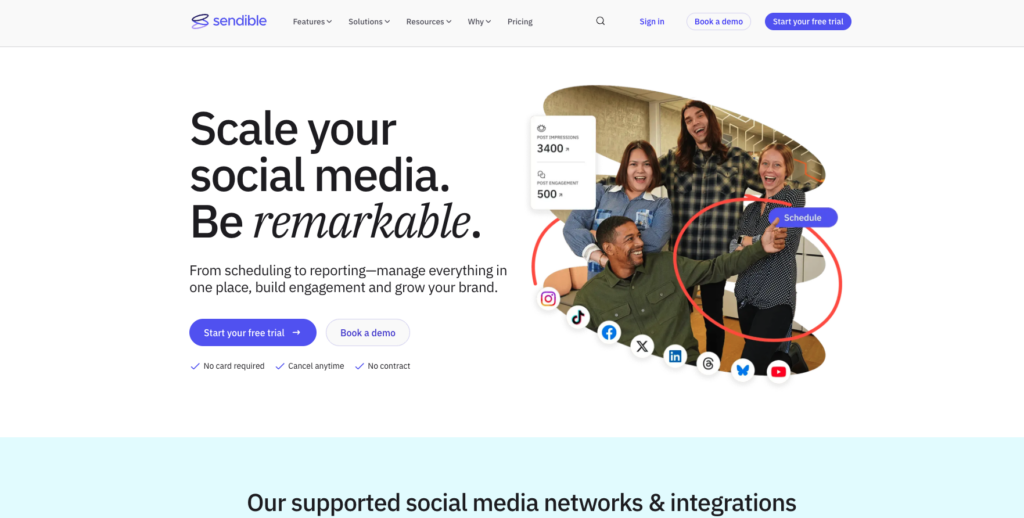
The affordable all-in-one platform that nails the basics for growing teams
| Pricing | Platforms Supported | Best For | Free Plan / Trial |
| From $29/mo | FB, IG, X, LinkedIn, TikTok, YouTube, Pinterest, GBP, WordPress, Canva | Small to Mid Teams | 14-day free trial |
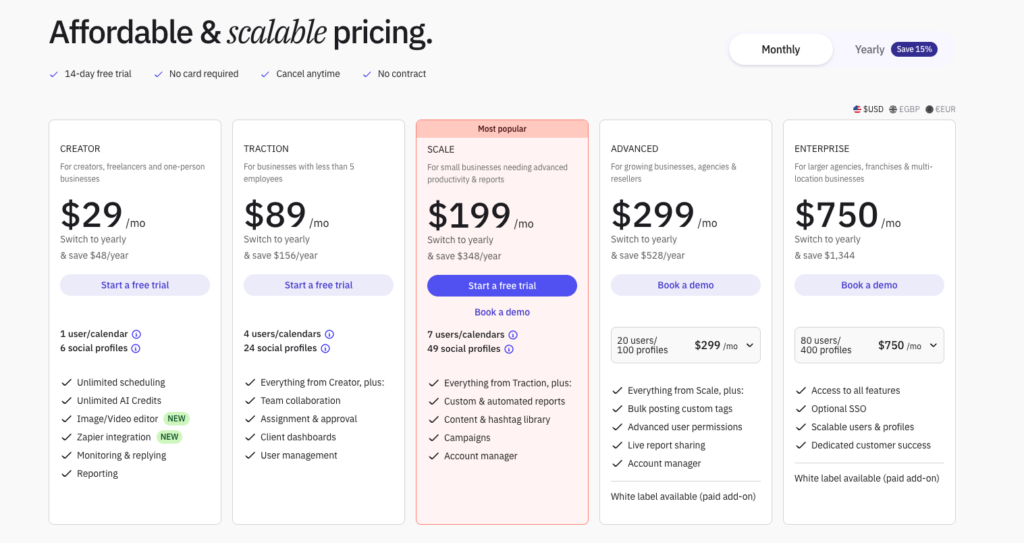
Sendible occupies the sweet spot between basic scheduling tools and expensive enterprise platforms, offering a well-rounded feature set at a price point that makes sense for growing marketing teams and small agencies. At $29 per month for the Creator plan, you get scheduling, analytics, a unified inbox, and content suggestions across most major platforms.
What sets Sendible apart is its direct integration with content creation and publishing tools. You can compose posts with a built-in Canva editor, publish blog posts directly to WordPress and Medium, and manage Google Business Profile posts alongside your social content. This breadth of publishing destinations makes it practical for teams managing a full content marketing stack, not just social media.
The Smart Compose feature suggests optimal posting times based on audience engagement data. Content queues let you set up repeating content categories that publish automatically according to your schedule. The Priority Inbox centralizes social interactions with smart filtering, and the reporting suite generates presentation-ready reports with custom branding.
The Scale plan at $89 per month supports up to four users, 24 social profiles, and includes white-label reporting and custom dashboards. The Expansion plan at $240 per month scales to 15 users and 105 profiles. This tiered approach provides a clear growth path without the pricing shocks that Hootsuite and Sprout Social can deliver.
The limitations: Sendible’s interface is functional but not as modern as Buffer or Later. Social listening is basic compared to Agorapulse or Hootsuite. The mobile app could be more refined. And some users report occasional delays in post scheduling. But as a value-oriented all-in-one solution that covers scheduling, engagement, analytics, and content creation integrations, Sendible is a practical choice for teams that want everything in one place without breaking the budget.
| ✓ STRENGTHS | ✗ WEAKNESSES |
| ✓ Affordable all-in-one starting at $29/mo | ✗ Interface not as modern as newer competitors |
| ✓ Direct WordPress and Medium publishing | ✗ Social listening capabilities are basic |
| ✓ Built-in Canva editor integration | ✗ Mobile app needs improvement |
| ✓ Smart Compose with optimal timing | ✗ Occasional post scheduling delays reported |
| ✓ White-label reporting on Scale plan | ✗ Learning curve for the full feature set |
| ✓ Content queues for automated publishing | |
| ✓ Clear tiered pricing with growth path |
“Sendible nails the basics of social media management at an affordable price point. For growing teams that need scheduling, a unified inbox, analytics, and content integrations without enterprise pricing, it hits the sweet spot.”
-Zapier Best Social Media Management Tools (2025)
🎯 Best For: Growing marketing teams and small agencies that need an affordable all-in-one platform covering scheduling, engagement, analytics, and content creation integrations
10. Loomly Score: 8.7/10
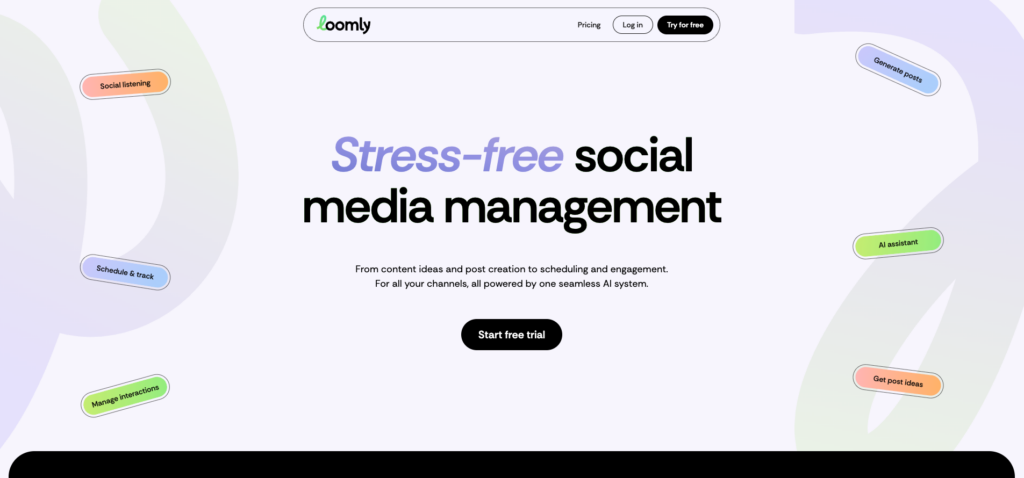
The idea-to-publish workflow tool with built-in content inspiration
| Pricing | Platforms Supported | Best For | Free Plan / Trial |
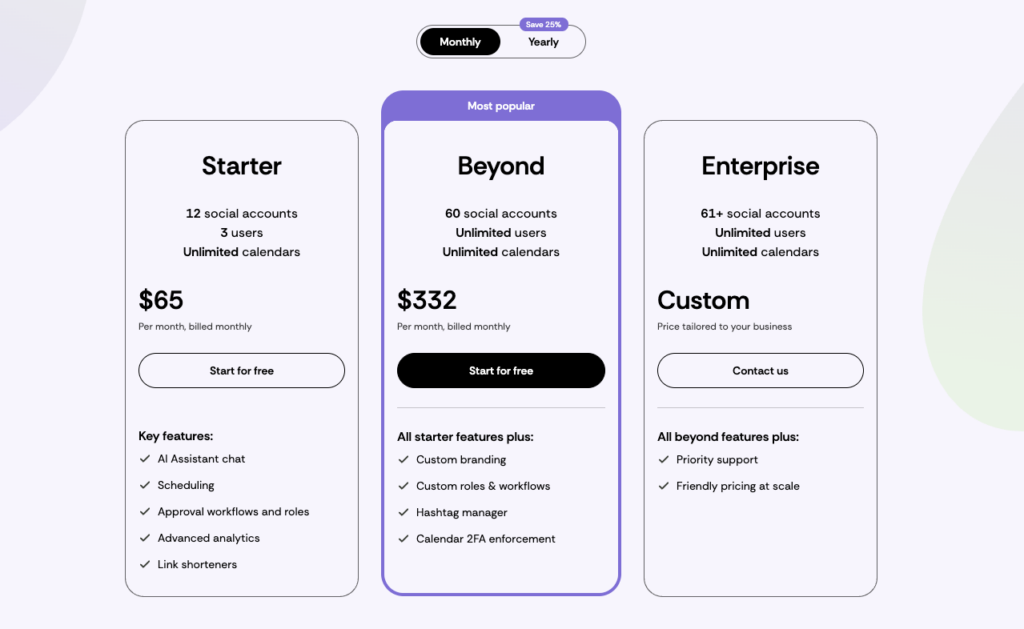
| From $65/mo (Base, 3 users) | FB, IG, X, LinkedIn, TikTok, YouTube, Pinterest, Snapchat, GBP + custom channels via Zapier | Small Teams & Freelancers | 15-day free trial |
Loomly approaches social media management from a unique angle: it is designed to help you generate, develop, and publish content ideas through a structured workflow. The platform provides post ideas based on trending topics, RSS feeds, date-based events, and social media best practices, which is genuinely helpful for teams that struggle with content ideation.
The content creation workflow guides you from idea to approved post through customizable stages. Each post progresses through creation, internal review, client approval, and scheduling with clear status indicators. The collaboration features include commenting, version history, and approval workflows that make it easy for freelancers and small teams to manage multiple content calendars efficiently.
A standout feature is Loomly’s support for custom social networks via Zapier integration. This means you can use Loomly to schedule and manage content for virtually any platform with a Zapier connection, including niche networks, messaging platforms, and custom destinations. This flexibility is rare among social media management tools and valuable for teams with unconventional publishing needs.
Loomly supports 10 native platforms plus custom channels and includes a built-in photo and video editor, hashtag manager, UTM tracking, interaction tracking, and advanced analytics. The Base plan at $42 per month includes two users and 10 social accounts. The Standard plan at $80 per month adds six users and 20 accounts.
The trade-offs: Loomly lacks social listening, the unified inbox is basic, and the analytics do not match Sprout Social’s depth. The Base plan’s two-user limit means solo users are paying for a seat they do not use. The free plan allows only five posts per month across three accounts, which is barely functional for testing. But for teams that value structured content workflows with built-in inspiration and flexible publishing options, Loomly is a thoughtful and well-designed solution.
| ✓ STRENGTHS | ✗ WEAKNESSES |
| ✓ Built-in content ideas and inspiration engine | ✗ No social listening capabilities |
| ✓ Structured idea-to-publish workflow | ✗ Basic unified inbox for engagement |
| ✓ Custom channel support via Zapier integration | ✗ Base plan requires 2-user minimum |
| ✓ Clear content status tracking | ✗ Free plan barely functional (5 posts/mo) |
| ✓ Built-in photo/video editor | ✗ Analytics not as deep as premium competitors |
| ✓ UTM tracking for campaign attribution | |
| ✓ 300+ post idea suggestions |
“Loomly is a good choice, especially if you are a freelance social media manager. It has decent collaboration features and approval workflows, designed for someone managing multiple content calendars without overcomplicating the process.”
-Buffer Resources Social Media Tools Guide (2026)
🎯 Best For: Freelance social media managers, small creative teams that struggle with content ideation, and anyone needing custom platform support via Zapier integrations
11. Zoho Social Score: 8.6/10
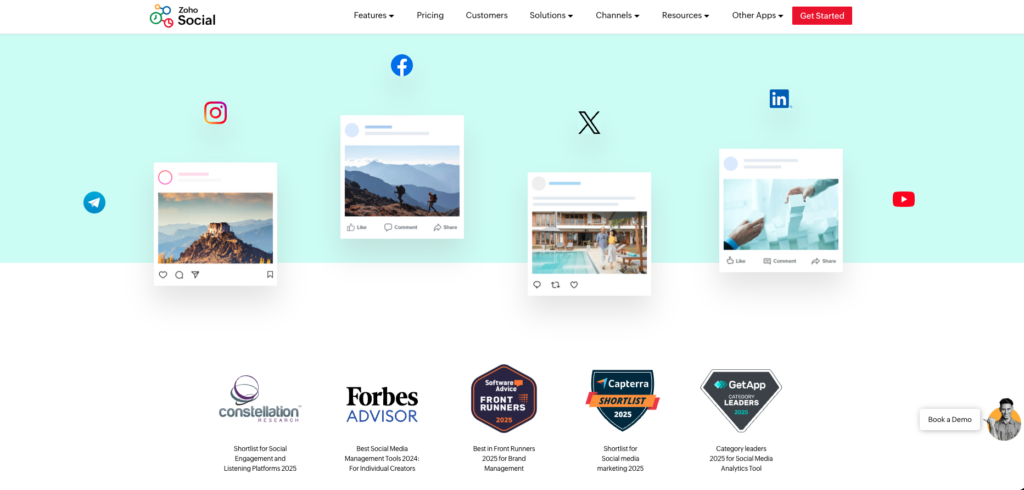
The deep-integration social tool for businesses already in the Zoho ecosystem
| Pricing | Platforms Supported | Best For | Free Plan / Trial |
| From $10/mo | FB, IG, X, LinkedIn, TikTok, YouTube, Pinterest, GBP, Threads, Mastodon | Zoho Users & SMBs | Free plan (1 brand); 15-day trial on paid |
Zoho Social stands out for two reasons: its remarkably low starting price and its deep integration with the broader Zoho ecosystem. For businesses already using Zoho CRM, Zoho Desk, or other Zoho applications, the seamless data flow between social media management and your CRM, customer support, and marketing automation tools creates a unified business workflow that standalone social tools cannot replicate.
The platform supports 10 social networks including recent additions like Threads and Mastodon. The scheduling features include a visual calendar, SmartQ predictions for optimal posting times, content queues with category-based scheduling, and bulk scheduling via CSV. The Zshare browser extension lets you schedule content from anywhere on the web.
Zoho Social’s monitoring dashboard tracks keywords, mentions, and hashtags across social platforms. The reporting suite provides pre-built and custom reports with scheduling for automatic delivery. The collaboration features include team roles, content approval workflows, and discussion threads on each post. The CRM integration automatically creates leads from social interactions.
The pricing is aggressive: $10 per month for the Standard plan with one brand and eight channels. The Professional plan at $30 per month adds the live stream dashboard, SmartQ, content categorization, and Zoho CRM integration. The Agency plan supports multiple brands with client portals and white-label reporting.
The downsides: the platform is most valuable when used alongside other Zoho products, and as a standalone tool, it competes less effectively with Buffer or SocialPilot. The interface can feel cluttered, particularly for new users. Social listening is limited to keyword monitoring rather than true sentiment analysis. And customer support response times have been inconsistent in user reports. But at $10 per month with strong multi-platform support, Zoho Social is the most affordable paid option for small businesses.
| ✓ STRENGTHS | ✗ WEAKNESSES |
| ✓ Most affordable paid plan at $10/mo | ✗ Most valuable only within Zoho ecosystem |
| ✓ Deep Zoho CRM and ecosystem integration | ✗ Interface can feel cluttered |
| ✓ Supports 10 platforms including Threads and Mastodon | ✗ Social listening limited to keyword monitoring |
| ✓ SmartQ optimal posting time predictions | ✗ Customer support response times inconsistent |
| ✓ Auto-create CRM leads from social interactions | ✗ Standalone value lower than purpose-built tools |
| ✓ Agency plan with white-label client portals | |
| ✓ Bulk scheduling and content categorization |
“Zoho Social is the best social media management software for remote teams. The Zoho ecosystem integration and collaborative features create a unified workflow that standalone social tools struggle to match.”
-TheCMO Best Social Media Management Software (2026)
🎯 Best For: Businesses already using Zoho CRM or other Zoho products, budget-conscious small businesses wanting a full-featured tool at the lowest price, and remote teams needing integrated collaboration
12. Vista Social Score: 8.8/10
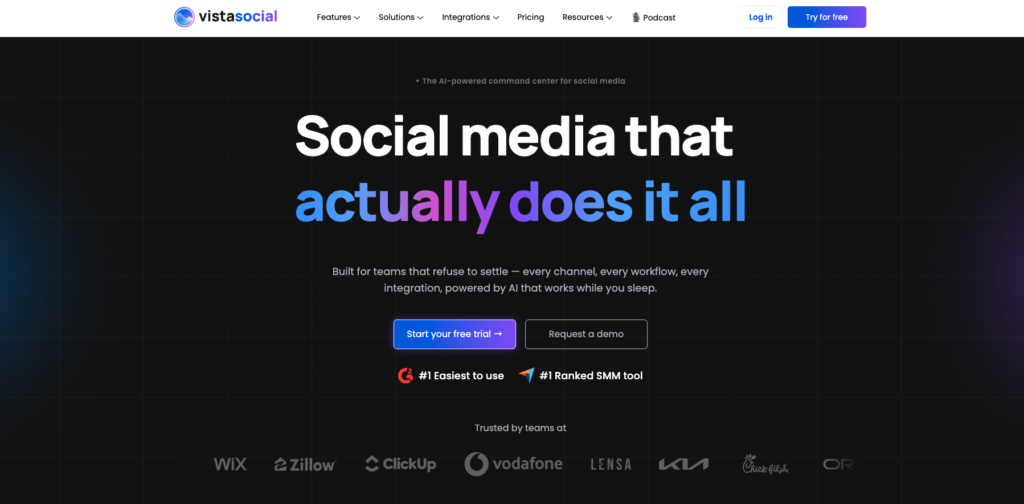
The feature-rich underdog with surprisingly robust capabilities at a fair price
| Pricing | Platforms Supported | Best For | Free Plan / Trial |
| From $79/mo (3 users) | FB, IG, X, LinkedIn, TikTok, YouTube, Pinterest, GBP, Threads, Reddit, Bluesky, Mastodon, Yelp | Small Teams & SMBs | 14-day free trial |
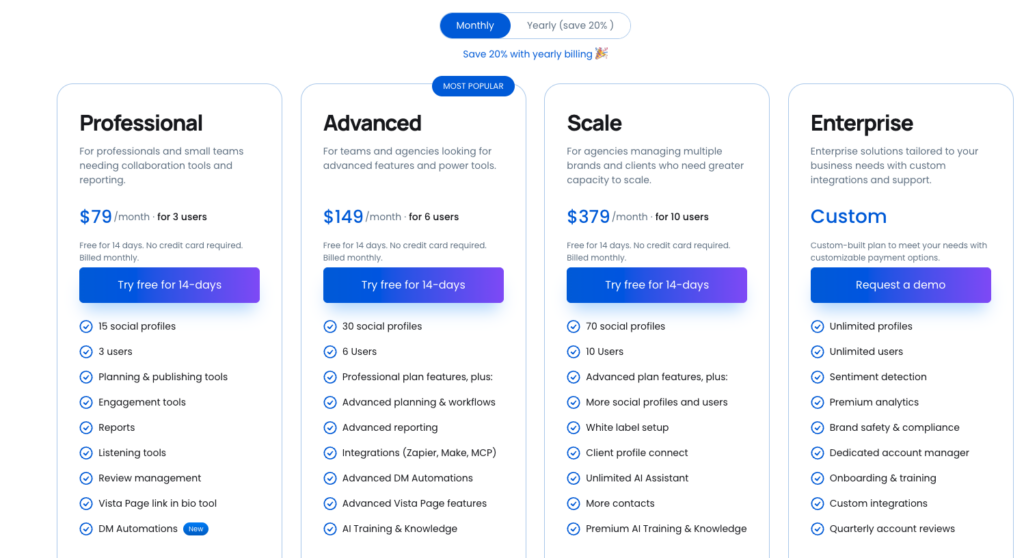
Vista Social has emerged as one of the most impressive value propositions in social media management. For $39 per month, the Pro plan includes three users, eight social profiles, a unified inbox, content scheduling, analytics, social listening, and review management. This feature density at this price point is exceptional and has earned Vista Social consistent praise from independent reviewers.
The platform supports an impressive 13 social networks including Reddit, Bluesky, Mastodon, and Yelp, which is one of the broadest platform lists available. The review management feature is particularly valuable for local businesses and franchises, centralizing Google and Yelp reviews alongside social interactions. The AI Assistant generates captions, hashtags, and content ideas directly within the composer.
Vista Social includes features typically reserved for higher-priced tools: social listening with keyword and hashtag monitoring, a unified inbox with automated moderation, content approval workflows, competitor reporting, and customizable analytics dashboards. The visual content calendar supports drag-and-drop scheduling, and the media library provides asset management with editing tools.
The Boost plan at $79 per month adds the full listening suite, advanced analytics, custom branded reports, and priority support. For small teams needing enterprise-level features without enterprise pricing, Vista Social fills a gap that few competitors address.
The trade-offs: Vista Social is still a newer platform with less brand recognition and a smaller user community than established competitors. The interface, while functional, occasionally feels slightly unpolished. Customer support has drawn some complaints about response times. And the eight-profile limit on the Pro plan may feel restrictive for agencies managing many accounts. But for the features you receive at $39 per month, Vista Social punches well above its weight class.
| ✓ STRENGTHS | ✗ WEAKNESSES |
| ✓ Exceptional feature-to-price ratio | ✗ Newer platform with less brand recognition |
| ✓ Supports 13 platforms including Reddit, Bluesky, Yelp | ✗ Interface occasionally feels unpolished |
| ✓ Social listening included on Pro plan | ✗ Customer support response times variable |
| ✓ Review management for local businesses | ✗ 8-profile limit on Pro plan may be restrictive |
| ✓ Unified inbox with automated moderation | ✗ Smaller user community and ecosystem |
| ✓ 3 users included on base plan | |
| ✓ AI Assistant for content generation |
“Vista Social is the best social media management tool for small teams. It offers robust features at an affordable price that rivals the capability of tools costing two to three times as much.”
-Zapier Best Social Media Management Tools (2025)
🎯 Best For: Small marketing teams and SMBs wanting enterprise-level features at a fraction of the cost, local businesses needing review management, and teams on emerging platforms like Bluesky and Reddit
13. Metricool Score: 8.5/10
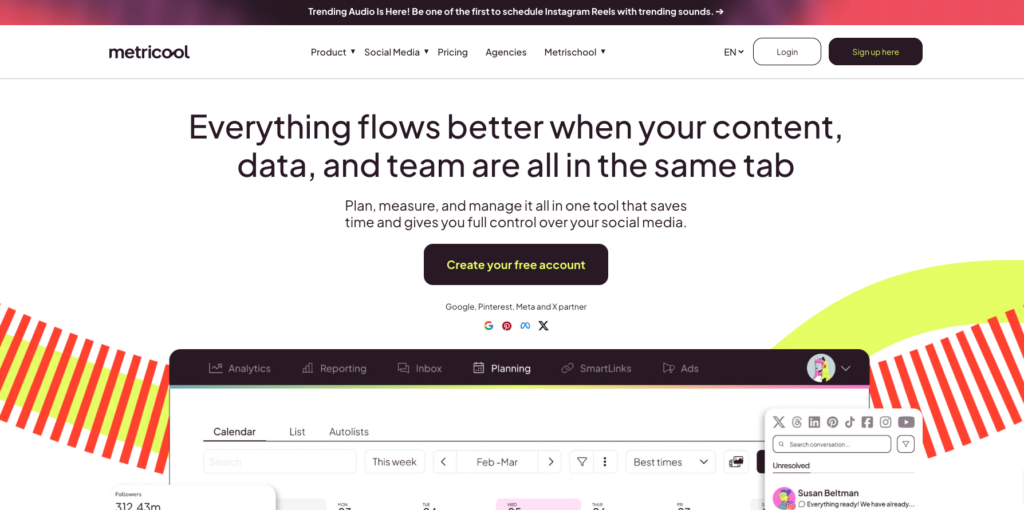
The analytics-first platform with competitive analysis and ad management
| Pricing | Platforms Supported | Best For | Free Plan / Trial |
| Free; from $20/mo | FB, IG, X, LinkedIn, TikTok, YouTube, Pinterest, Twitch, GBP, Threads | Analysts & Data-Driven Marketers | Free plan (1 brand, 50 posts/mo) |
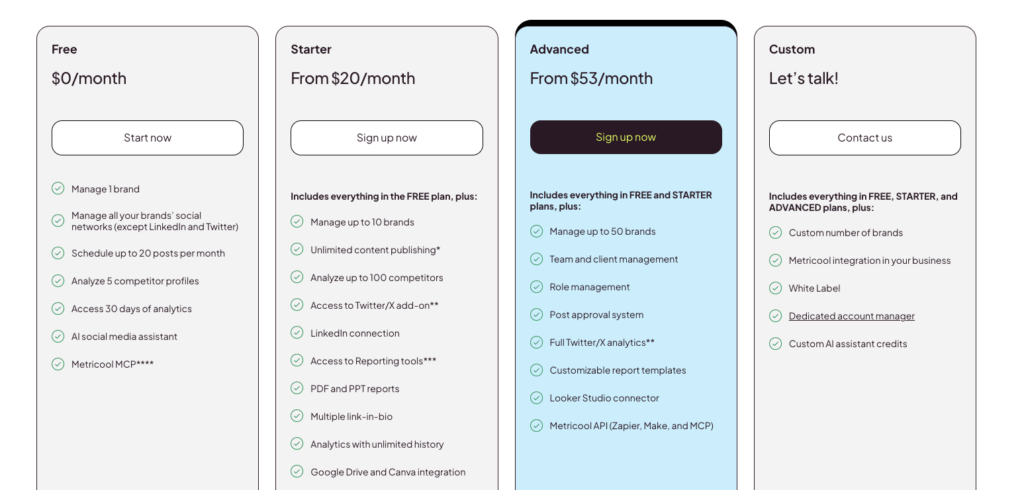
Metricool has positioned itself as the analytics-focused social media management tool for data-driven marketers. While it handles scheduling and publishing competently, its true strength lies in the depth of its performance analytics, competitor analysis, and advertising management capabilities.
The analytics dashboard provides detailed metrics across every connected platform with visual charts, growth tracking, and benchmark comparisons. The competitor analysis feature lets you track and compare your performance against competitors on Instagram, Facebook, TikTok, X, YouTube, and Twitch. The hashtag tracker monitors hashtag performance over time, helping you optimize your hashtag strategy based on actual data rather than guesswork.
Metricool uniquely includes advertising management alongside organic social management. You can create, manage, and analyze Facebook Ads and Google Ads campaigns directly from the Metricool dashboard, providing a unified view of both paid and organic performance. The SmartLinks feature creates customizable landing pages similar to Linktree but with analytics integration.
The free plan is genuinely usable, supporting one brand with up to 50 posts per month across all connected platforms. Paid plans start at $18 per month and unlock unlimited scheduling, advanced analytics, competitor tracking, and multi-brand management. This makes Metricool one of the most accessible entry points for professional social media management.
The limitations: the scheduling interface is functional but less intuitive than Buffer. Collaboration features are minimal compared to Planable or SocialPilot. Social listening is absent. The platform has experienced occasional stability issues reported by users. And the per-brand pricing structure with account-type limits can be confusing. But for marketers who live in their analytics and want paid ad management integrated with organic social, Metricool offers a unique and valuable combination.
| ✓ STRENGTHS | ✗ WEAKNESSES |
| ✓ Strong analytics with competitor benchmarking | ✗ Scheduling interface less intuitive than Buffer |
| ✓ Facebook Ads and Google Ads management built in | ✗ Minimal collaboration features |
| ✓ Free plan with 50 posts per month | ✗ No social listening capabilities |
| ✓ Hashtag tracker for strategy optimization | ✗ Occasional platform stability issues reported |
| ✓ SmartLinks customizable landing pages | ✗ Per-brand pricing structure can be confusing |
| ✓ Twitch support (rare among competitors) | |
| ✓ Affordable paid plans from $18/mo |
“Metricool has a free plan allowing you to publish up to 50 monthly posts. Paid plans begin at $18 per month to schedule unlimited posts, making it one of the most accessible entry points for serious social media management.”
-Buffer Resources Tools Comparison (2026)
🎯 Best For: Data-driven marketers who prioritize analytics over publishing features, teams managing both organic social and paid advertising, and Twitch streamers needing social management
14. Iconosquare Score: 8.5/10
The deep Instagram and TikTok analytics platform for visual brands
| Pricing | Platforms Supported | Best For | Free Plan / Trial |
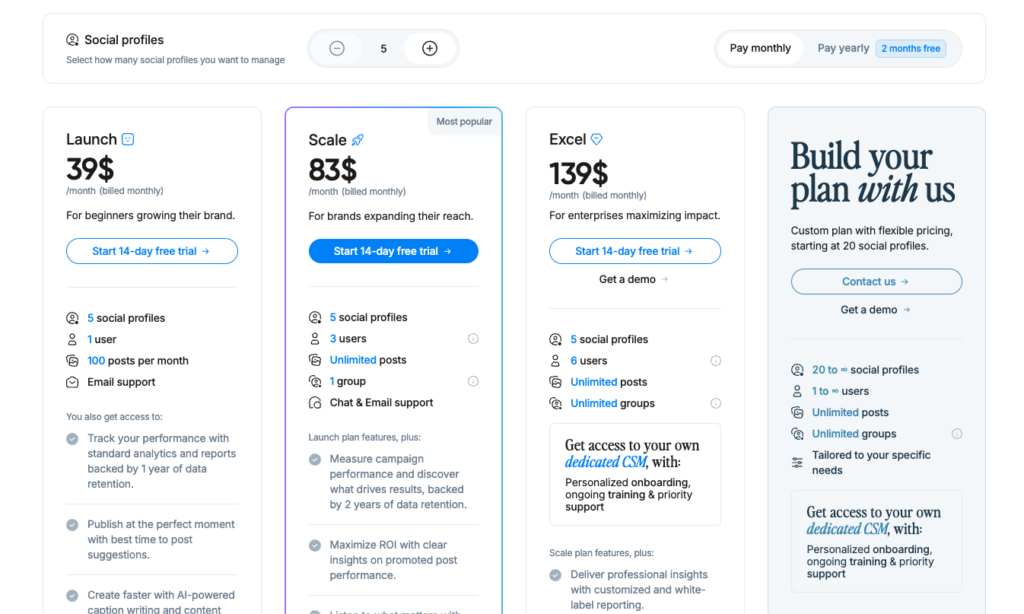
| From $39/mo | IG, FB, X, LinkedIn, TikTok, Pinterest, Threads | Visual Brands & Influencers | 14-day free trial |
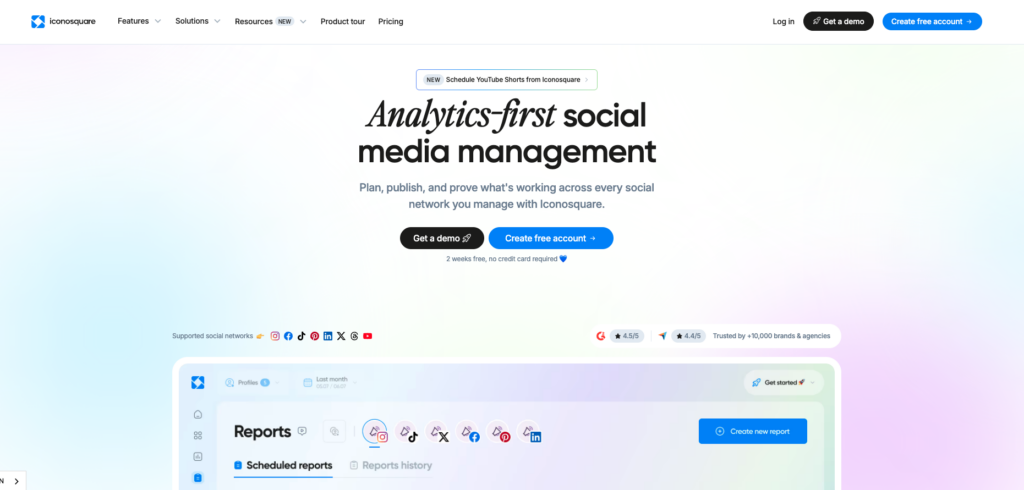
Iconosquare has built a strong reputation as one of the most analytics-focused social media tools, with particular depth in Instagram and TikTok performance analysis. For brands and influencers whose social presence is built primarily on visual platforms, Iconosquare provides insights that more generalist tools simply cannot match.
The Instagram analytics go beyond standard metrics to include Stories performance tracking, Reels analytics, hashtag monitoring, best time to post predictions based on your specific audience, competitor tracking, and industry benchmark data. The TikTok analytics provide similar depth. These platform-specific insights help visual brands optimize their content strategy with precision.
Iconosquare includes scheduling, a visual content calendar, automated publishing, a media library, and collaboration tools. The reporting suite generates custom branded reports with automated email delivery. The social listening capabilities monitor brand mentions, competitor activity, and industry trends.
The Conversations feature centralizes comments and messages from Instagram and Facebook into a unified inbox, though it is less comprehensive than Agorapulse or Sprout Social for cross-platform engagement management.
At $49 per month for the Single plan with up to five profiles, Iconosquare is priced higher than generalist tools like Buffer or Metricool. The Teams plan at $79 per month adds collaboration features and 10 profiles. For brands whose social strategy is heavily weighted toward Instagram and TikTok, the depth of analytics justifies the premium. For teams needing broader platform coverage or text-focused social management, a more generalist tool would be a better fit.
| ✓ STRENGTHS | ✗ WEAKNESSES |
| ✓ Deepest Instagram and TikTok analytics available | ✗ Limited platform coverage (7 platforms) |
| ✓ Instagram Stories and Reels performance tracking | ✗ Higher starting price at $99/mo |
| ✓ Industry benchmarking data | ✗ Unified inbox limited to Instagram and Facebook |
| ✓ Competitor tracking across visual platforms | ✗ Less effective for text-heavy platforms |
| ✓ Automated branded report delivery | ✗ Not cost-effective for teams with diverse platform needs |
| ✓ Hashtag monitoring and optimization | |
| ✓ Social listening for brand mentions |
“Iconosquare is the best social media management tool for visual content. The depth of Instagram and TikTok analytics, combined with competitor tracking and industry benchmarks, gives visual brands insights they cannot get elsewhere.”
-Zapier Best Social Media Management Tools (2025)
🎯 Best For: Instagram-heavy brands, TikTok influencers, visual content creators, and any team that needs the deepest possible analytics on visual social platforms
15. Typefully Score: 8.3/10
The elegant writing tool for X (Twitter), LinkedIn, and text-based social networks
| Pricing | Platforms Supported | Best For | Free Plan / Trial |
| Free; from $18/mo (billed annually) | X (Twitter), LinkedIn, Threads, Bluesky, Mastodon | Writers & Thought Leaders | Free plan available |
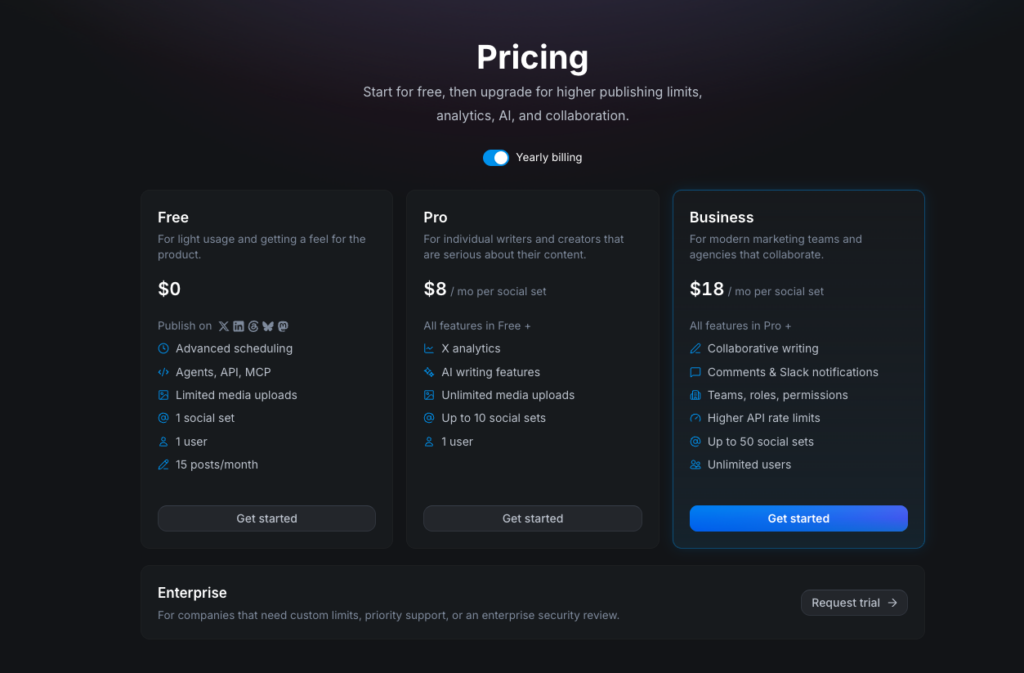
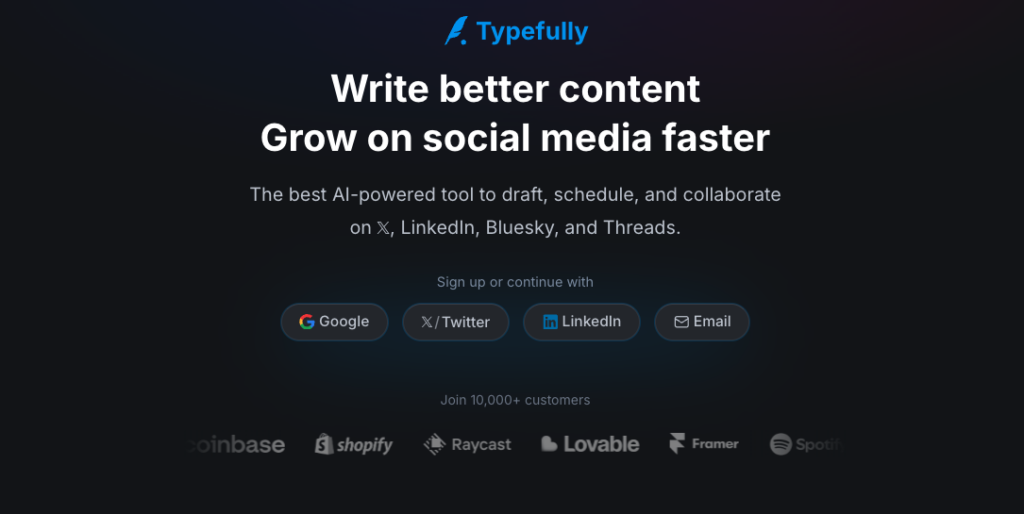
Typefully takes a deliberately narrow approach to social media management: it is built exclusively for text-based social networks, and it does that one thing exceptionally well. If your social media strategy centers on X, LinkedIn, Threads, Bluesky, or Mastodon, Typefully provides the best writing and publishing experience for those platforms.
The editor is distraction-free and purpose-built for composing long-form threads, short posts, and LinkedIn articles. Draft management is excellent with you can save ideas, develop drafts over time, and organize content into queues for scheduled publishing. The cross-posting feature lets you publish identical or platform-customized content to X and LinkedIn simultaneously, which saves significant time for professionals active on both networks.
Typefully includes auto-retweet and auto-plug features that automatically engage with your most popular content, extending its reach. The analytics track impressions, engagement rates, follower growth, and best-performing content across all connected accounts. Growth tracking provides long-term trend data to measure the impact of your social strategy.
The free plan supports one account with basic scheduling. Paid plans start at $12.50 per month billed annually and unlock unlimited accounts, scheduling, analytics, and team features. The pricing is straightforward and affordable for its target audience.
Typefully’s limitation is obvious: it supports only five text-based platforms. If you need to manage Instagram, TikTok, YouTube, or any visual platform, you will need a second tool. There is no visual content management, no social listening, and no unified inbox. But for professionals, thought leaders, and writers who build their audience through text content on X and LinkedIn, Typefully is far superior to using native apps or a generalist tool that treats text platforms as an afterthought.
| ✓ STRENGTHS | ✗ WEAKNESSES |
| ✓ Best writing experience for text-based social | ✗ Only 5 text-based platforms supported |
| ✓ Elegant distraction-free editor | ✗ No visual content management at all |
| ✓ Cross-post to X and LinkedIn simultaneously | ✗ No social listening or unified inbox |
| ✓ Auto-retweet and auto-plug features | ✗ No Instagram, TikTok, or YouTube support |
| ✓ Affordable starting at $12.50/mo | ✗ Not suitable as a primary tool for most businesses |
| ✓ Supports emerging platforms: Bluesky, Mastodon, Threads | |
| ✓ Free plan for getting started |
“Typefully offers a better experience than posting natively on X. It is great for storing post ideas and drafts, and because it allows you to easily cross-post on both X and LinkedIn at the same time, you naturally expand your reach without extra effort.”
–Efficient App Independent Review (2026)
🎯 Best For: Professionals and thought leaders building audiences on X and LinkedIn, writers who need a focused text-based social tool, and early adopters active on Bluesky, Mastodon, and Threads
16. CoSchedule Score: 8.4/10
The marketing calendar that unifies social media with your entire content strategy
| Pricing | Platforms Supported | Best For | Free Plan / Trial |
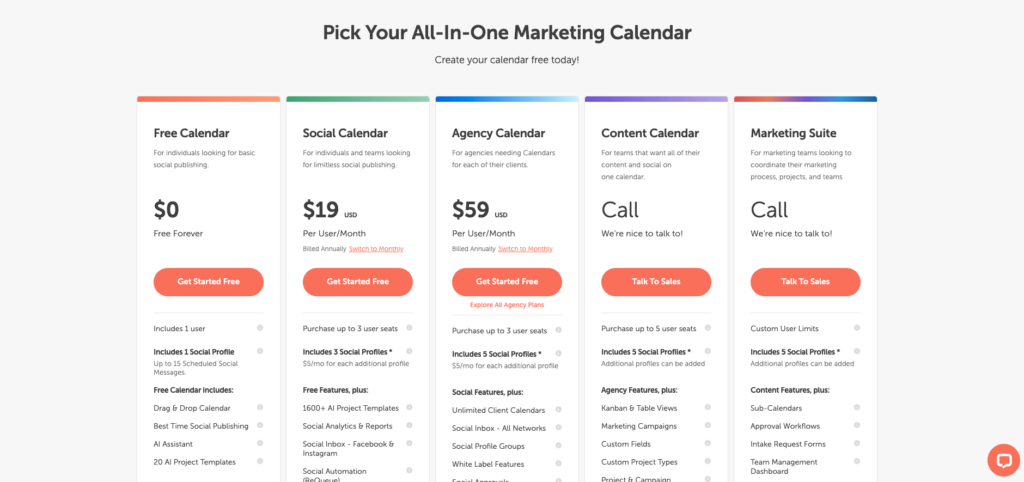
| Free (Social Calendar); from $19/mo per user (Social Calendar Pro) | FB, IG, X, LinkedIn, Pinterest, Threads | Content Marketers | Free Social Calendar forever |
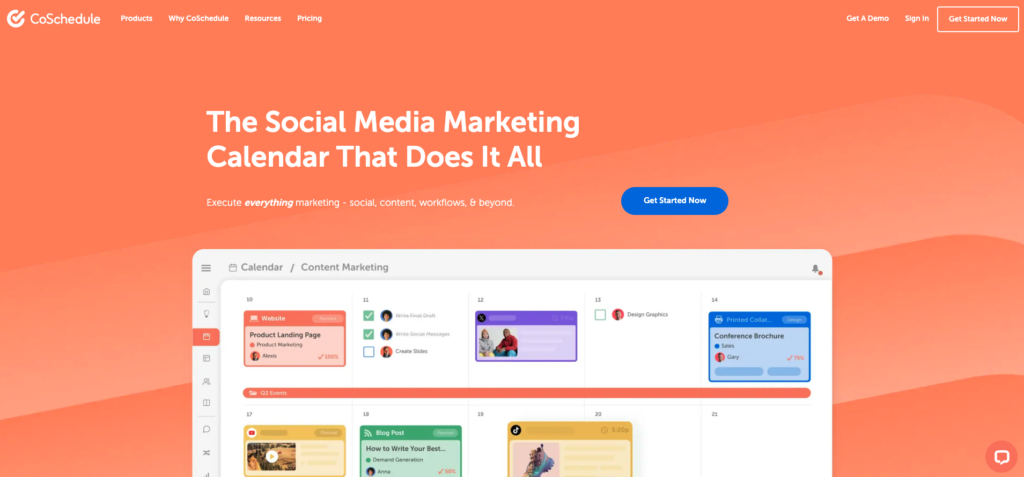
CoSchedule is not purely a social media management tool. It is a marketing calendar platform that includes social media scheduling as part of a broader content planning system. For content marketers who want to coordinate blog posts, email campaigns, social media, and other marketing activities in a single unified calendar, CoSchedule provides a holistic view that social-only tools cannot.
The free Social Calendar allows you to plan and schedule social media posts with unlimited publishing. The Social Calendar Pro at $19 per month per user adds bulk scheduling, ReQueue for automated content recycling, best time scheduling, and advanced analytics. The flagship Marketing Suite is the full marketing calendar for teams, combining social media, content marketing, work management, and asset organization.
ReQueue is CoSchedule’s signature feature for social media. It automatically refills gaps in your social schedule by re-sharing your best-performing evergreen content, ensuring your social profiles stay active even when you are not actively scheduling new posts. This is particularly valuable for small teams with limited time for content creation.
The Headline Analyzer is a popular standalone tool that scores your headlines for emotional impact, word balance, and shareability. The AI Marketing Assistant generates social media copy, blog titles, and email subject lines. Integration with WordPress, HubSpot, Mailchimp, and other marketing tools connects your social publishing to your broader marketing stack.
The trade-offs: CoSchedule supports fewer social platforms than most competitors. There is no social listening, no unified inbox, and no engagement management. The analytics are focused on content performance rather than audience insights. And the per-user pricing on Social Calendar Pro makes it expensive for teams. But for content marketers who want their social media scheduling integrated with their entire marketing calendar, CoSchedule is the most natural fit.
| ✓ STRENGTHS | ✗ WEAKNESSES |
| ✓ Free Social Calendar with unlimited publishing | ✗ Limited social platform support (6 platforms) |
| ✓ ReQueue auto-recycles top-performing content | ✗ No social listening or engagement management |
| ✓ Unified marketing calendar beyond just social | ✗ Per-user pricing adds up for teams |
| ✓ Headline Analyzer for content optimization | ✗ Analytics focused on content, not audience |
| ✓ WordPress and HubSpot integrations | ✗ Not a standalone social media management tool |
| ✓ AI Marketing Assistant for content generation | |
| ✓ Best for coordinating multi-channel campaigns |
“CoSchedule is the marketing calendar that makes sense for content teams. If your social media is part of a broader content strategy that includes blogs, emails, and campaigns, the unified planning view saves significant coordination time.”
-Duct Tape Marketing Social Media Tools Guide (2026)
🎯 Best For: Content marketing teams coordinating social media with blog posts and email campaigns, small teams needing automated content recycling via ReQueue, and WordPress-based businesses
17. Sprinklr Social
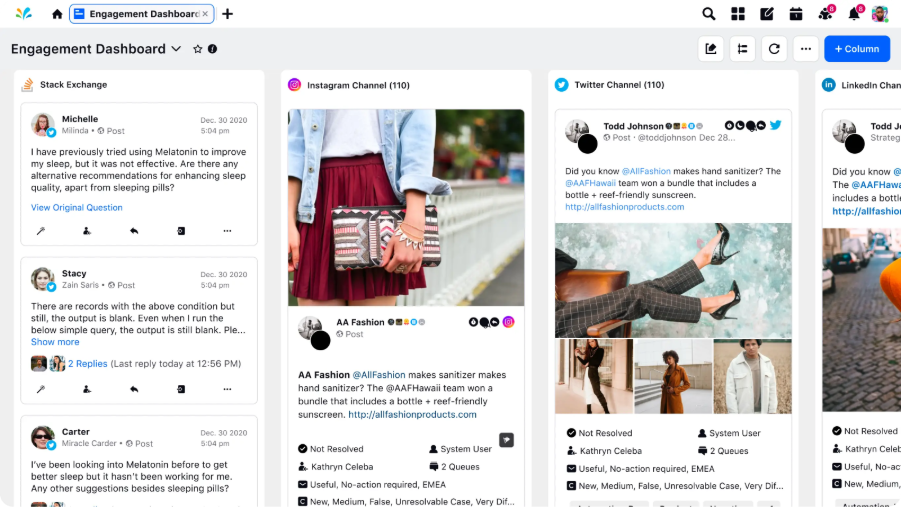
AI-powered social media management for publishing, engagement, analytics, and governance.
| Pricing | Platforms Supported | Best For | Free Plan / Trial |
| Custom pricing | 30+ social & messaging channels | Multi-brand & global teams | No; only demo available |
Sprinklr Social brings publishing, engagement, analytics, governance, and AI-powered automation together in one social media management platform. Its biggest differentiator is breadth: rather than stitching together separate tools for publishing, community management, reporting, and governance, teams can manage these workflows within a unified environment.
The platform is particularly strong for organizations managing social media across multiple brands, markets, business units, and accounts. Sprinklr supports 30+ social and messaging channels and provides customizable workflows and role-based experiences that can be configured by brand, geography, or business unit.
Publishing goes well beyond basic scheduling. Teams get an editorial calendar, digital asset management, multi-level approval workflows, granular permissions, and AI-powered compliance capabilities. This makes Sprinklr especially relevant when many people or regional teams contribute to social content while brand and governance standards need to remain consistent.
AI is integrated throughout the workflow rather than being limited to writing captions. Sprinklr uses AI for content optimization, engagement automation, insights, sentiment analysis, governance, and other social workflows. Its specialized AI capabilities also include functions such as smart approvals, moderation, sentiment detection, and AI-assisted media workflows.
Analytics connects social execution with performance measurement. Teams can bring data and analytics together across social operations, with unified reporting spanning paid, owned, and earned media. This is useful for organizations that need to understand performance across multiple accounts and campaigns rather than reviewing each social network independently.
The trade-off is complexity. Teams that only need straightforward scheduling for a handful of accounts may not need Sprinklr’s depth of customization, governance, automation, and cross-team workflows. Pricing is also quote-based rather than self-service: Sprinklr currently sells its products through custom enterprise quotes and does not offer a free trial.
| ✓ STRENGTHS | ✗ WEAKNESSES |
| ✓ 30+ social and messaging channels | ✗ No publicly listed pricing |
| ✓ Unified publishing, engagement and analytics | ✗ No free plan or self-service trial |
| ✓ Advanced workflow customization | ✗ More platform than basic scheduling needs require |
| ✓ Strong approval, governance, and collaboration workflows | ✗ Implementation can require more planning |
| ✓ AI embedded across social workflows | |
| ✓ Named a leader in the 2026 Gartner Magic Quadrant for Social Media Management and Listening |
🎯 Best For: Organizations managing multiple brands, accounts, markets, or social teams that need advanced publishing, engagement, analytics, AI, collaboration, and governance in one platform.
Full Comparison Table
| Tool | Starting Price | Platforms | Free Plan? | Best For | Score |
| Buffer | Free; $6/ch/mo | 11 | Yes | Simple scheduling + value | 9.6 |
| Sprout Social | $199/mo | 11 | No | Premium analytics + enterprise | 9.4 |
| Hootsuite | $99/mo | 20+ | No | Full-featured enterprise | 9.2 |
| SocialPilot | $25.50/mo | 9 | No | Agency white-label + value | 9.1 |
| Pally | $15/mo | 9 | Yes | Agencies, freelancers & multi-brand teams | 9.0 |
| Planable | $33/mo | 9 | Yes | Collaboration + approvals | 9.0 |
| Later | $18.75/mo | 8 | Yes | Visual content + Instagram | 8.9 |
| Agorapulse | $99/mo | 7 | Yes | Engagement + social inbox | 8.9 |
| Vista Social | $79/mo | 13 | No | Feature-rich underdog | 8.8 |
| Sendible | $29/mo | 10 | No | Affordable all-in-one | 8.7 |
| Loomly | $65/mo | 10+ | Yes | Content ideation + workflow | 8.7 |
| Zoho Social | $10/mo | 10 | Yes | Zoho ecosystem + budget | 8.6 |
| Metricool | Free; $20/mo | 10 | Yes | Analytics + ad management | 8.5 |
| Iconosquare | $39/mo | 7 | No | Instagram/TikTok analytics | 8.5 |
| CoSchedule | Free; $19/user/mo | 6 | Yes | Marketing calendar | 8.4 |
| Typefully | Free; $18/mo | 5 | Yes | X + LinkedIn writing | 8.3 |
| Sprinklr Social | 30 | Yes | 8.5 |
How to Choose the Right Social Media Management Tool
Choose Based on Your Team Size and Budget
Solo Creator or Freelancer ($0–$30/mo): Buffer (free plan or $6/channel), Typefully (free for X and LinkedIn), Metricool (free with 50 posts), or Later (free for visual content). These tools prioritize simplicity and affordability over team features.
Small Team of 2–5 ($30–$100/mo): Vista Social ($39 for 3 users), Loomly ($42 for 2 users), Sendible ($29), or Zoho Social ($10–$30). These provide collaboration, analytics, and scheduling at a manageable cost.
Agency Managing Multiple Clients ($100–$300/mo): SocialPilot ($25.50–$170 with white-label), Planable ($33+ per workspace with multi-level approvals), or Agorapulse ($49+ with client reporting). Agency-specific features like white-label reports and client portals are essential.
Enterprise Team ($250+/mo): Sprout Social ($199+ with premium analytics), Hootsuite ($99–$499+ with social listening), or Khoros (custom enterprise pricing). Enterprise needs demand advanced governance, compliance, and cross-department collaboration.
Choose Based on Your Primary Need
Publishing and Scheduling: Buffer (simplest), SocialPilot (bulk scheduling for agencies), or CoSchedule (unified marketing calendar). If your primary need is getting content published consistently, these tools do it best.
Analytics and Reporting: Sprout Social (deepest analytics), Iconosquare (best for Instagram and TikTok), or Metricool (analytics plus ad management). If data drives your strategy, prioritize analytical depth.
Engagement and Community Management: Agorapulse (best social inbox with audience labels), Sprout Social (Smart Inbox with CRM profiles), or Hootsuite (monitoring streams). If managing conversations matters most, choose engagement-first tools.
Collaboration and Approvals: Planable (best approval workflows), SocialPilot (client approval links), or Loomly (structured content workflow). If multiple stakeholders review content before publishing, these tools streamline the process.
Key Factors to Evaluate
1. Supported Social Networks
The number of platforms a tool supports directly impacts its utility. Buffer and Vista Social lead with 11 and 13 platforms respectively, while Typefully intentionally limits to five text-based networks. Ensure the tool supports every network in your current strategy plus any platforms you plan to expand into. Pay attention to emerging platforms like Bluesky, Threads, and Mastodon if your audience is active there.
2. Pricing Transparency and Scalability
Social media tool pricing is notoriously confusing. Some charge per channel (Buffer), per user (Hootsuite, CoSchedule), per workspace (Planable), or per brand (Metricool). Calculate the actual cost for your specific account structure before committing. Watch for hidden costs: social listening add-ons, additional user seats, post volume caps, and annual commitment requirements. The cheapest sticker price often is not the cheapest total cost.
3. AI and Automation Features
Every major tool now includes AI features, but quality varies significantly. The most practical AI capabilities include optimal posting time suggestions, caption and hashtag generation, content repurposing across platforms, and automated content recycling for evergreen posts. Treat AI as an accelerator for your workflow rather than a strategy replacement. Your unique voice and perspective still win on social media.
4. Analytics Depth vs. Simplicity
More analytics is not always better. Solo creators and small businesses need clear, actionable metrics: engagement rate, reach, follower growth, and best-performing content. Enterprise teams need competitor benchmarking, sentiment analysis, ROI attribution, and cross-channel reporting. Choose analytics depth that matches your ability and need to act on the data. Paying for enterprise analytics you never analyze is wasted money.
5. Integration Ecosystem
Consider how the tool connects to your existing stack. Zoho Social’s deep CRM integration is invaluable for Zoho users but irrelevant for Salesforce shops. Sendible’s WordPress publishing integration matters for content marketers. Loomly’s Zapier custom channel support opens possibilities for unconventional workflows. The right integrations can multiply a tool’s value; the wrong ecosystem match can limit it.
Frequently Asked Questions
Q: What is the best free social media management tool in 2026?
Buffer offers the best free plan with three connected channels and 10 scheduled posts each, which is sufficient for small businesses getting started. Metricool’s free plan supports one brand with 50 posts per month across all connected platforms, providing more scheduling volume. CoSchedule’s free Social Calendar provides unlimited publishing but limited analytics. For collaboration-focused teams, Planable’s free plan includes 50 total posts with multi-level approval workflows.
Q: Which social media management tool is best for small businesses?
Buffer is the best choice for most small businesses due to its simplicity, per-channel pricing starting at $6 per month, and 11-platform support. Zoho Social at $10 per month is the most affordable paid option with strong features, especially for businesses already using Zoho products. Vista Social at $39 per month for three users provides the best feature-to-price ratio for small teams that need analytics, social listening, and engagement tools.
Q: Is Hootsuite still worth it in 2026?
Hootsuite remains the most comprehensive social media management platform, but its pricing has increased significantly, with the entry plan now at $99 per month and no free tier available. It is best suited for mid-size to enterprise teams that need advanced social listening, team governance, and robust analytics. For small businesses and solo managers, alternatives like Buffer, SocialPilot, or Vista Social provide comparable core features at a fraction of the cost.
Q: What is the best social media management tool for agencies?
SocialPilot offers the best value for agencies with white-label reporting, client approval links, bulk scheduling for 500 posts, and agency plans supporting unlimited clients at $170 per month. Planable is best for agencies where content approval workflows are critical, with four-level approval systems and internal versus external comment separation. For enterprise agencies, Sprout Social provides the deepest analytics and CRM-like engagement tools.
Q: Do I really need a social media management tool?
If you manage three or fewer social profiles, publish a few times per week, and need only basic reporting, native platform dashboards plus a spreadsheet can work. The moment you add multi-brand calendars, shared inboxes, team approvals, or executive reporting, a dedicated tool saves significant time. Most professionals find that even a free tool like Buffer pays for itself in the first week by eliminating platform-switching and manual posting.
Q: Which tools support the newest platforms like Bluesky, Threads, and Mastodon?
Vista Social leads with support for Bluesky, Mastodon, and Threads alongside 10 traditional platforms. Buffer supports Threads, Bluesky, and Mastodon. Typefully supports all three for text-based publishing. Zoho Social recently added Threads and Mastodon. Hootsuite and Sprout Social support Threads. Platform support for newer networks is evolving rapidly, so always verify current integrations before purchasing.
Q: What should I look for in social media analytics?
At minimum, look for engagement rate, reach and impressions, follower growth trends, and best-performing content identification. Growing teams should also evaluate competitor benchmarking, optimal posting time predictions, hashtag performance tracking, and exportable branded reports. Enterprise teams need cross-channel attribution, sentiment analysis, ROI tracking, and integration with Google Analytics. Sprout Social, Iconosquare, and Metricool lead in analytics depth.
Q: Can I manage TikTok with social media management tools?
Yes, most major tools now support TikTok scheduling and analytics, though with API limitations. Buffer, SocialPilot, Vista Social, Later, Hootsuite, and Sprout Social all support TikTok publishing. However, some features like caption formatting may be restricted by TikTok’s API. For the best TikTok analytics, Iconosquare and Sprout Social provide the deepest platform-specific insights.
Q: How much should I budget for social media management tools?
Solo creators can operate effectively at $0 to $30 per month using free plans or entry-level tiers from Buffer, Metricool, or Zoho Social. Small teams typically spend $30 to $150 per month on tools like Vista Social, Sendible, or Loomly. Agencies budget $150 to $600 per month for SocialPilot, Agorapulse, or Planable. Enterprise teams spend $600 or more monthly on Sprout Social, Hootsuite Advanced, or custom enterprise solutions.
Q: What is the difference between social media scheduling and social media management?
Social media scheduling refers specifically to planning and automating post publication across platforms. Social media management encompasses the full workflow: content creation, scheduling, engagement and community management, social listening and monitoring, analytics and reporting, team collaboration, and strategy optimization. Basic tools like Buffer and Typefully focus on scheduling. Comprehensive platforms like Sprout Social, Hootsuite, and Agorapulse cover the full management spectrum.
Final Thoughts
The social media management tool market in 2026 has never been more competitive, and that competition directly benefits you. Features that cost hundreds of dollars per month just a few years ago, like AI content generation, multi-platform analytics, and automated scheduling, are now available on free plans or affordable entry tiers. The gap between budget tools and enterprise platforms has narrowed substantially in core functionality, even as the premium tools have deepened their analytics and enterprise capabilities.
For most individuals and small businesses, Buffer remains the smartest starting point. The free plan is genuinely usable, the per-channel pricing scales fairly, and the interface is the cleanest in the category. For agencies, SocialPilot delivers white-label features and client management at a price that makes enterprise tools look excessive. For teams that need deep analytics and data-driven strategy, Sprout Social justifies its premium with insights no other tool can match.
If collaboration and approvals are your bottleneck, Planable solves that problem better than anything else available. If your strategy is visual-first on Instagram and TikTok, Later and Iconosquare provide the deepest platform-specific tools. And if you are a writer or thought leader building your audience on X and LinkedIn, Typefully offers a focused experience that generalist tools cannot replicate.
The most important thing is to choose a tool that matches your actual workflow today rather than the workflow you aspire to have. Start with what you need, learn the tool well, and expand as your strategy grows. A simple tool used consistently will always outperform a complex tool used sporadically.
Disclaimer: This article is for informational purposes only and may contain affiliate links. We may earn a commission when you purchase through our links, at no additional cost to you. Pricing and features are accurate as of the publication date but may change. Social media platform APIs evolve frequently, which can impact third-party tool capabilities. Always verify current pricing, features, and platform support on each provider’s website before purchasing.
