
From AI chatbots and coding assistants to image generators, video creators, and productivity platforms – we tested 15 of the most impactful AI tools across every major category. Here’s which ones are worth your time and money in 2026.
The AI landscape in 2026 looks radically different from even a year ago. The “Big Four” chatbots – ChatGPT, Claude, Gemini, and Perplexity – have all received major model upgrades since mid-2025. ChatGPT now runs on GPT-5.2 with three inference modes. Claude introduced Opus 4.6 with agent teams that orchestrate multiple AI agents on complex tasks. Google launched Gemini 3 with superior multimodal understanding. And Perplexity has redefined AI-powered search with its citation-first approach.
Beyond chatbots, every creative and professional discipline now has purpose-built AI tools. Midjourney V7 produces images that rival professional photography. Sora generates video narratives from text prompts. GitHub Copilot powers 90% of Fortune 100 companies, and Cursor has created an entirely new category – the AI-native IDE. Writing tools like Jasper and Grammarly have embedded AI so deeply that the line between human and AI-assisted content has blurred. Notion AI turns project management into an automated workflow engine.
We tested 15 tools across seven categories: AI chatbots, coding assistants, image generators, video creators, writing tools, productivity platforms, and AI search. Our evaluations draw on research from Axis Intelligence (54 tools tested), Field Guide to AI, Improvado’s enterprise comparisons, DEV Community developer reviews, and real user feedback from Reddit, G2, and Trustpilot. This guide cuts through the noise to tell you which tools actually deliver – and which are just hype.
Quick Verdict – Our Top Picks by Category
| Category | Winner | Why |
|---|---|---|
| Best AI Chatbot | ChatGPT (GPT-5.2) | Most feature-rich: agents, images, video, voice, plugins |
| Best for Writing | Claude (Opus 4.6) | Superior instruction-following, nuanced prose, largest context |
| Best for Coding | Cursor | AI-native IDE, multi-file refactoring, deepest codebase understanding |
| Best Image Gen | Midjourney V7 | Unmatched artistic quality, cinematic aesthetics |
| Best AI Search | Perplexity | Citation-first answers, real-time web access |
| Best AI Video | Sora | Included with ChatGPT Plus, best narrative quality |
How We Evaluated
Each tool was scored across six criteria: output quality (accuracy, creativity, and usefulness of results), ease of use (learning curve, interface design, onboarding), features and capabilities (breadth and depth of functionality), pricing and value (cost relative to competitors, free tier generosity), integration ecosystem (compatibility with existing workflows and tools), and community sentiment (Reddit recommendations, G2/Trustpilot ratings, developer adoption data). Scores reflect the weighted composite most relevant to each tool’s category.
AI Chatbots & Assistants
1. ChatGPT
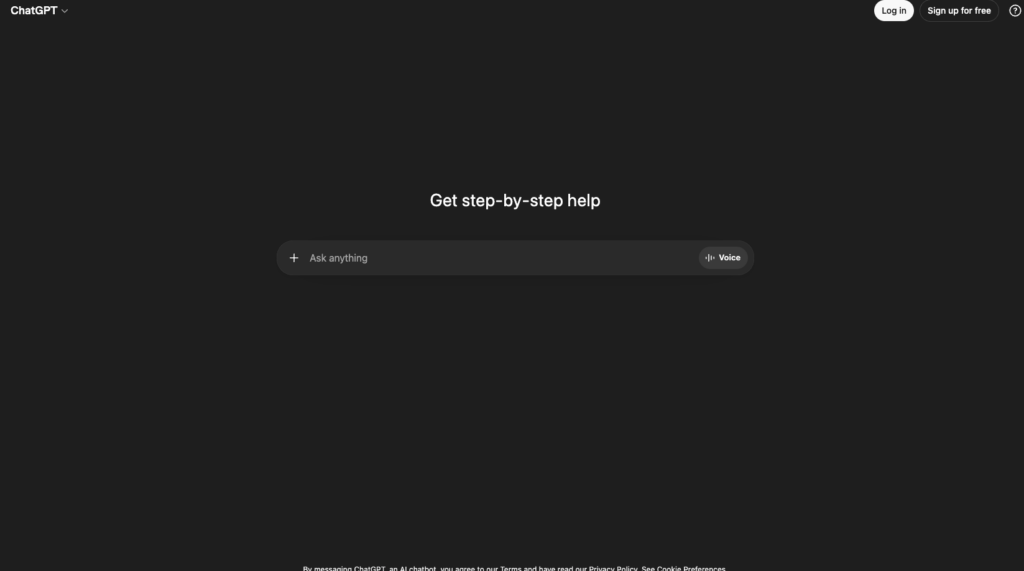
The most feature-rich AI platform with GPT-5.2 and native image, video, and voice
| Pricing | Free (limited); Go $8/mo; Plus $20/mo; Pro $200/mo |
| Category | AI Chatbot / General Purpose |
| Skill Level | Beginner to Advanced |
ChatGPT remains the most versatile and feature-rich AI platform in 2026. Running on GPT-5.2, it offers three inference modes: Instant for fast answers, Thinking for step-by-step reasoning, and Pro for maximum-depth analysis. OpenAI added an $8/month Go tier between Free and Plus, making advanced features more accessible than ever. Axis Intelligence’s testing of 54 tools confirmed ChatGPT Plus delivers the strongest all-around capabilities for general-purpose AI assistance.
The platform’s breadth is unmatched: Custom GPTs for specialized tasks, Canvas for collaborative editing, voice mode for natural conversation, GPT Image 1/1.5 for image generation (replacing DALL-E), Sora for video creation, integrated web search, code execution, file analysis, and the broadest plugin ecosystem. ChatGPT’s context window now supports 400,000 tokens (roughly 300,000 words or 800 pages) – enough to process entire novels or comprehensive codebases. Agent mode lets ChatGPT control your browser to book, buy, and research on your behalf. While still occasionally slow or clumsy with complex interactions, when it works, it’s transformative.
ChatGPT’s market share has dropped from 86.7% to 64.5% over the past year – not because it’s gotten worse, but because competitors like Claude and Gemini have gotten significantly better in specific areas. The free tier provides GPT-5.2 access but caps usage at roughly 10 messages every 5 hours. Plus at $20/month is the sweet spot for most users. Pro at $200/month is for power users who need maximum reasoning depth and priority access during peak hours.
| STRENGTHS | WEAKNESSES |
|---|---|
| ✓ Most feature-rich platform (images, video, voice, agents, code)✓ GPT-5.2 with 400K token context window✓ Custom GPTs + Canvas + plugins ecosystem✓ Browser agent mode for automated tasks✓ $8 Go tier makes advanced AI affordable✓ Integrated image generation (GPT Image 1/1.5) | ✗ Free tier heavily rate-limited✗ Can be confidently wrong (hallucinations)✗ Long conversations can lose context✗ Agent mode still occasionally unreliable✗ Pro tier at $200/mo is expensive |
ChatGPT has lost traffic share from 86.7% to 64.5% in the past 12 months. Top AI users are just realizing that other tools like Gemini and Claude are better in some areas.”
– Artificial Corner, AI tools comparison (2026)
Best For: General-purpose AI for everyone – the best all-rounder for writing, coding, analysis, image generation, and everyday productivity
2. Claude
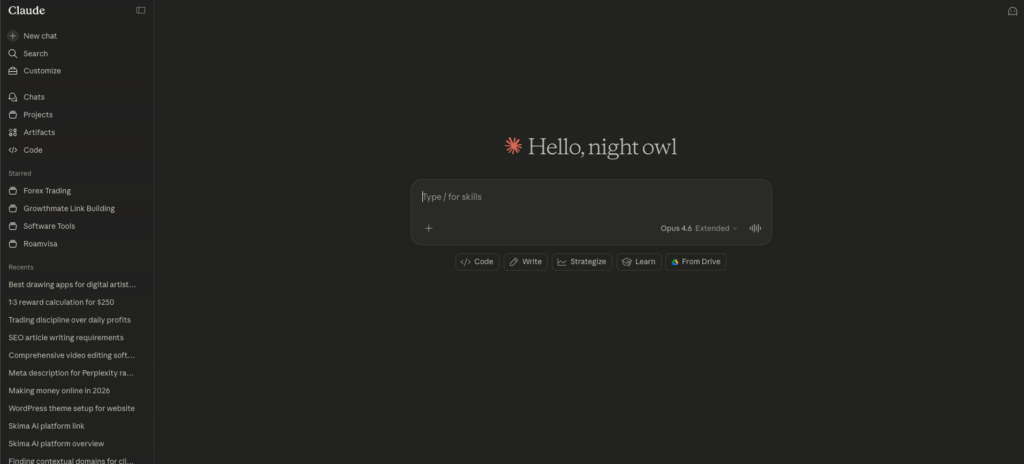
The best AI for writing, coding, and complex analysis with unmatched instruction-following
| Pricing | Free (limited Sonnet); Pro $20/mo; Max $100/mo; Team $30/user/mo |
| Category | AI Chatbot / Writing / Coding |
| Skill Level | Beginner to Advanced |
Claude has emerged as the preferred AI for professionals who demand precision, nuance, and reliability. Opus 4.6 introduced agent teams – the ability to orchestrate multiple AI agents working together on complex tasks. Claude leads SWE-bench coding benchmarks (Opus 4.5 scored 80.9%) and achieved the highest score on ARC-AGI-2 (68.8%), a test of novel reasoning. For instruction-following, multiple independent tests confirm Claude outperforms ChatGPT and Gemini.
Where ChatGPT excels at breadth, Claude excels at depth. Its writing is more expressive and nuanced – it follows detailed formatting instructions, preserves the user’s voice during editing, and produces prose that reads as genuinely human rather than AI-generated. Sonnet 4 supports up to 1 million tokens of context (roughly 750,000 words) – enough to process multiple novels or entire codebases in a single prompt.
Claude offers unique agentic capabilities. The Claude Chrome extension controls your browser, while Claude Cowork handles files and tasks on your computer’s desktop. Claude Code provides a terminal-based coding workflow for developers who prefer command-line interfaces. For enterprise users, Claude’s focus on safety and honesty translates to more predictable, policy-compliant outputs.
The main limitation is daily usage caps on Pro ($20/mo) – heavy users frequently hit the limit, which is frustrating given the quality. ChatGPT and Gemini both offer higher daily usage allowances at the same price. Max at $100/month provides 20x the usage of Pro for power users.
| STRENGTHS | WEAKNESSES |
|---|---|
| ✓ Best instruction-following of any AI chatbot✓ Superior writing quality (nuanced, human-like prose)✓ 1M token context window (Sonnet 4)✓ Leads coding benchmarks (SWE-bench 80.9%)✓ Agent teams for complex multi-step tasks✓ Claude Code for terminal-based development✓ Browser + desktop agentic capabilities (Cowork) | ✗ Strict daily usage limits on Pro plan✗ Fewer features than ChatGPT (no native image gen)✗ No voice mode comparable to ChatGPT✗ Smaller plugin/integration ecosystem✗ Can be overly cautious with certain content |
“Claude is the tool that best follows my instructions. It follows every detail, even in long prompts. Claude properly highlighted the deletions and text insertions, while ChatGPT got it wrong.”
– Artificial Corner, head-to-head comparison (2026)
Best For: Writers, developers, analysts, and anyone who needs the most accurate instruction-following, best writing quality, or deepest coding reasoning
3. Gemini
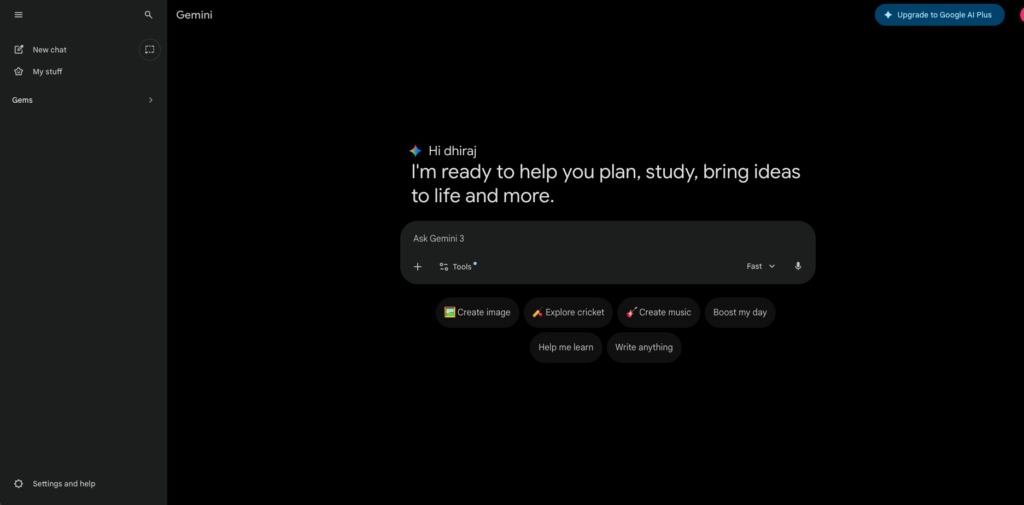
Google’s AI powerhouse with the best multimodal understanding and deepest ecosystem integration
| Pricing | Free; Advanced $20/mo (includes Google One AI Premium) |
| Category | AI Chatbot / Multimodal / Workspace |
| Skill Level | Beginner to Advanced |
Gemini 3 represents Google’s strongest AI offering yet. Its multimodal capabilities are genuinely best-in-class – it processes text, images, audio, and video natively, with audio and video analysis that surpasses both ChatGPT and Claude. Axis Intelligence confirmed Gemini Advanced integrates best with Google Workspace and offers superior multimodal understanding.
For Google Workspace users, Gemini is transformative. It’s embedded directly in Gmail, Docs, Sheets, Slides, and Drive, providing AI assistance without context-switching. The Advanced plan ($20/mo) includes Google One AI Premium (2TB storage), making it exceptional value for users already in the Google ecosystem. Blueprint Templates with dynamic content adapt as you share your goals.
Gemini 3’s video analysis stands out: you can upload gym workout videos and receive form feedback, or submit audio recordings for pronunciation analysis. The agent mode for browser control is competitive with ChatGPT’s. Google Search integration provides real-time information access that’s deeply connected to the world’s largest search index. The trade-offs: Gemini’s writing quality is less detailed and nuanced than Claude’s, and its enterprise-focused testing by Improvado found it provided the least detailed suggestions for marketing tasks. Outside the Google ecosystem, its integration advantages diminish significantly.
| STRENGTHS | WEAKNESSES |
|---|---|
| ✓ Best multimodal understanding (audio + video analysis)✓ Deep Google Workspace integration✓ 2TB Google One storage included with Advanced✓ Real-time Google Search integration✓ Strong agent mode for browser automation✓ Video and audio analysis unmatched | ✗ Writing quality less nuanced than Claude✗ Less detailed for marketing/business tasks✗ Advantages diminish outside Google ecosystem✗ Overuse of bullet points in outputs✗ Privacy concerns (Google data integration) |
“Gemini 3 is the best at audio and video analysis. I gave Gemini a video of me doing exercises in the gym, and it provided feedback on form and technique.”
– Artificial Corner, multimodal comparison (2026)
Best For: Google Workspace power users, multimodal tasks (audio/video analysis), and anyone wanting AI deeply integrated into their existing Google productivity suite
4. Perplexity AI
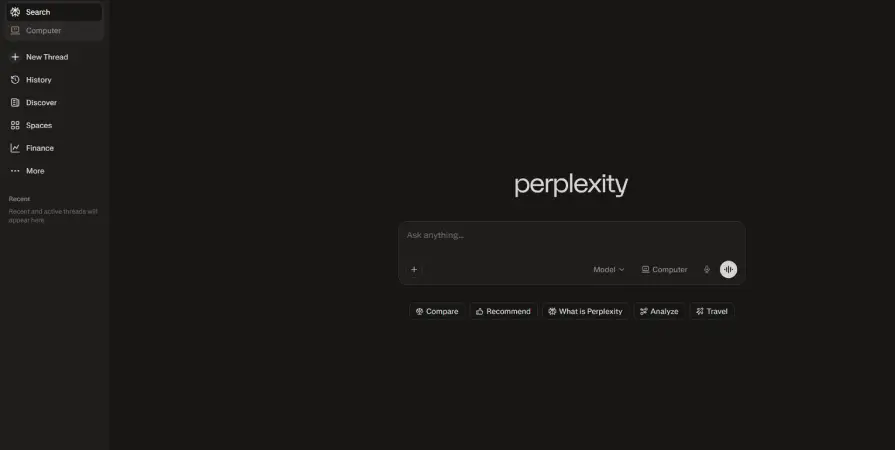
The AI search engine that makes research effortless with cited, real-time answers
| Pricing | Free (5 Pro searches/day); Pro $20/mo |
| Category | AI Search / Research |
| Skill Level | Beginner |
Perplexity has carved out a unique and increasingly essential niche: AI-powered search that provides direct answers with citations. Unlike ChatGPT or Claude which generate responses from training data, Perplexity searches the web in real-time and cites every claim with specific sources. For research, fact-checking, and staying current on fast-moving topics, nothing else comes close.
The free tier is remarkably generous: unlimited basic searches with AI summaries, plus 5 Pro searches per day that use the most powerful models for deeper research. Pro ($20/mo) unlocks unlimited Pro searches, file uploads, and access to multiple AI models. The interface is clean, fast, and focused entirely on delivering answers rather than conversation. Field Guide to AI recommends the power-user approach of ChatGPT Plus + Claude Pro + Perplexity Pro ($60/mo total) for comprehensive AI coverage. Perplexity fills the research gap that general chatbots leave open. It’s also excellent for professionals who need to verify claims, track competitors, or monitor industry developments.
| STRENGTHS | WEAKNESSES |
|---|---|
| ✓ Citation-first answers with source links✓ Real-time web search (not training data cutoffs)✓ Clean, focused research interface✓ Generous free tier (5 Pro searches/day)✓ Multiple AI model access on Pro✓ Excellent for fact-checking and verification | ✗ Not a general-purpose chatbot✗ Cannot generate images or code like ChatGPT✗ Pro searches limited on free tier✗ Occasionally cites low-quality sources✗ Less creative than ChatGPT or Claude |
“The power-user approach: ChatGPT Plus + Claude Pro + Perplexity Pro = $60/mo for comprehensive AI coverage across creation, analysis, and research.”
– Field Guide to AI, recommended AI stack (2026)
Best For: Researchers, journalists, students, professionals who need cited real-time answers, and anyone who values accuracy over creative generation
AI Coding Assistants
5. Midjourney

The undisputed leader in artistic AI image generation
| Pricing | Basic $10/mo; Standard $30/mo; Pro $60/mo; Mega $120/mo |
| Category | AI Image Generation |
| Skill Level | Beginner to Intermediate |
Midjourney V7 produces images with an artistic quality that no competitor consistently matches. The cinematic, painterly aesthetics have made it the go-to tool for creative professionals, concept artists, marketing teams, and anyone who values visual beauty over photorealism alone. Axis Intelligence’s comparison confirms Midjourney remains unmatched for artistic image generation in 2026.
The platform operates through Discord (with a web interface now available), which can be confusing for new users but enables a unique community-driven creative experience. Prompt engineering matters enormously – skilled users can produce images that rival professional photography and illustration. Style consistency across variations and upscales has improved dramatically with V7. For comparison: GPT Image 1/1.5 (via ChatGPT Plus) is better at text rendering and simpler prompts. Stable Diffusion offers unlimited free generation locally but requires technical setup. DALL-E has been superseded by GPT Image in the OpenAI ecosystem. Midjourney’s edge is pure artistic quality.
| STRENGTHS | WEAKNESSES |
|---|---|
| ✓ Unmatched artistic and cinematic quality✓ V7 dramatically improved consistency✓ Web interface now available (beyond Discord)✓ Strong community and prompt-sharing ecosystem✓ Professional-grade output for commercial use | ✗ Discord-based workflow confusing for newcomers✗ Prompt engineering skill significantly affects results✗ No free tier (starts at $10/mo)✗ Less accurate text rendering than GPT Image✗ Limited control vs. Stable Diffusion |
“Midjourney produces higher artistic quality with cinematic, painterly aesthetics. Choose Midjourney for creative work where aesthetic quality matters.”
– Axis Intelligence, 54-tool comparison (2026)
Best For: Creative professionals, marketing teams, concept artists, and anyone where artistic quality is the top priority for AI-generated images
6. GitHub Copilot
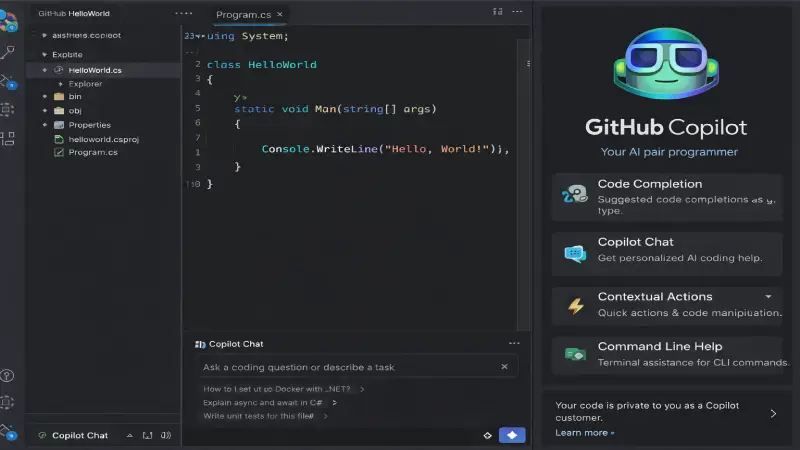
The most widely adopted AI coding assistant with proven enterprise reliability
| Pricing | Individual $10/mo; Business $19/user/mo; Enterprise custom |
| Category | AI Coding Assistant |
| Skill Level | Intermediate to Advanced |
GitHub Copilot is the industry standard for AI-assisted coding, with 20 million users and 1.3 million paid subscribers powering 90% of Fortune 100 companies. Its seamless integration with VS Code, JetBrains, and Neovim makes it the lowest-friction option for adding AI to your existing development workflow. JetBrains’ Developer Ecosystem Report found that 85% of developers now use AI assistants regularly.
Copilot predicts and completes code blocks as you type, generates entire functions from comments, creates tests, and now includes code review assistance that flags vulnerabilities. The 2026 Business plan includes access to both OpenAI and Anthropic models, letting developers alternate between GPT-4o and Claude depending on the task. At $10/month individual, the ROI is obvious – if it saves even one hour per month, it’s paid for itself. Microsoft reports that AI now writes 30% of their production code. The main advantage over Cursor is ecosystem integration and enterprise governance (audit trails, security scanning, compliance features).
| STRENGTHS | WEAKNESSES |
|---|---|
| ✓ 20M users, 90% of Fortune 100 companies✓ Seamless IDE integration (VS Code, JetBrains, Neovim)✓ Access to both OpenAI and Anthropic models✓ Code review + vulnerability flagging (2026)✓ Proven enterprise governance and compliance✓ Free for students | ✗ Occasionally suggests deprecated APIs or subtle bugs✗ Inline completions only (no multi-file refactoring)✗ Enterprise plan pricing opaque✗ Less project-wide context awareness than Cursor✗ Reactive security vs. Cursor’s preventive approach |
“Copilot isn’t exciting anymore and that’s exactly why it’s valuable. It excels at boilerplate, understanding patterns, and suggesting implementations.”
– DEV Community, Best AI Tools 2026
Best For: Development teams using GitHub who want proven reliability, broad language support, and enterprise-grade governance
7. Cursor
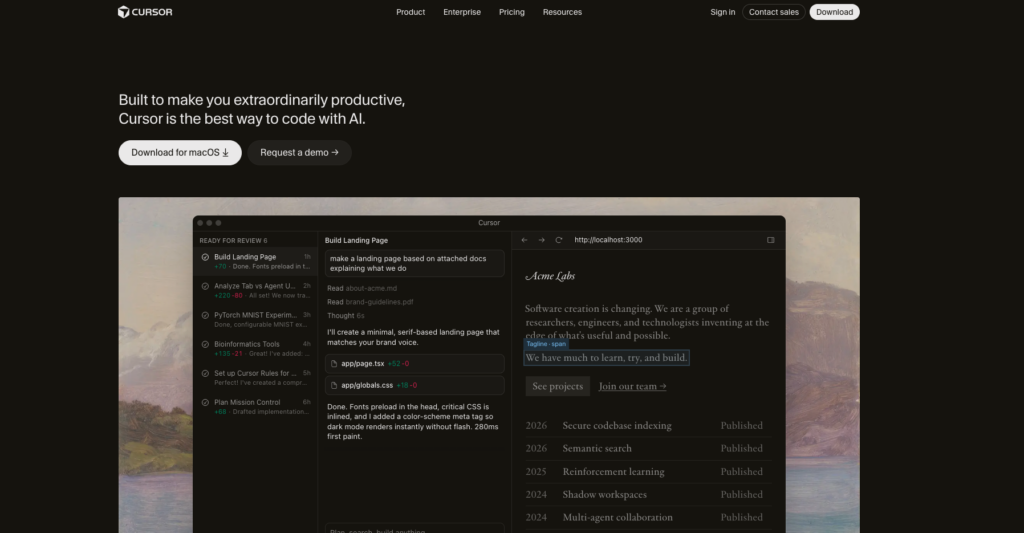
The AI-native IDE that’s redefining how developers write code
| Pricing | Free (2K completions/mo); Pro $20/mo; Business $40/user/mo |
| Category | AI-Native IDE / Coding |
| Skill Level | Intermediate to Advanced |
Cursor represents a fundamentally new category: the AI-native IDE. Built as a VS Code fork rebuilt around AI, it doesn’t just suggest code completions – it understands your entire project architecture, navigates large codebases, and executes multi-file refactoring from natural language instructions. GuruSup ranked it the best overall AI coding experience in 2026.
Composer mode allows you to describe complex changes in natural language and have Cursor apply them across multiple files simultaneously. Integration with both Anthropic and OpenAI models provides flexibility to alternate between Claude and GPT depending on the task. For developers working with modern frameworks like React, Next.js, or Angular, Cursor provides the most fluid development experience available.
The trade-off vs. Copilot is cost and approach. Cursor costs $20/mo vs. Copilot’s $10/mo, and at enterprise scale (20 developers), that’s a $5,040 annual difference. Cursor’s GPT-4 prompt limits (500/month on Pro) can also be restrictive for heavy users. But for complex refactoring and large-codebase navigation, Cursor is genuinely superior.
| STRENGTHS | WEAKNESSES |
|---|---|
| ✓ AI-native IDE with deep codebase understanding✓ Multi-file refactoring from natural language✓ Composer mode for complex project-wide changes✓ Access to both Anthropic and OpenAI models✓ Free tier available (2K completions/mo)✓ Familiar VS Code interface | ✗ Higher cost than Copilot ($20 vs $10)✗ GPT-4 prompt limits on Pro (500/month)✗ Requires switching IDEs for full benefit✗ Less enterprise governance than Copilot✗ Steeper learning curve for agent features |
“Cursor’s agent mode lets you describe complex changes in natural language and execute them across multiple files. At $20/month, the quality-price ratio is unbeatable.”
– GuruSup, Best AI for Coding (2026)
Best For: Developers working with large codebases, complex refactoring tasks, and modern frameworks who want the deepest AI integration
AI Writing & Productivity Tools
8. Jasper AI
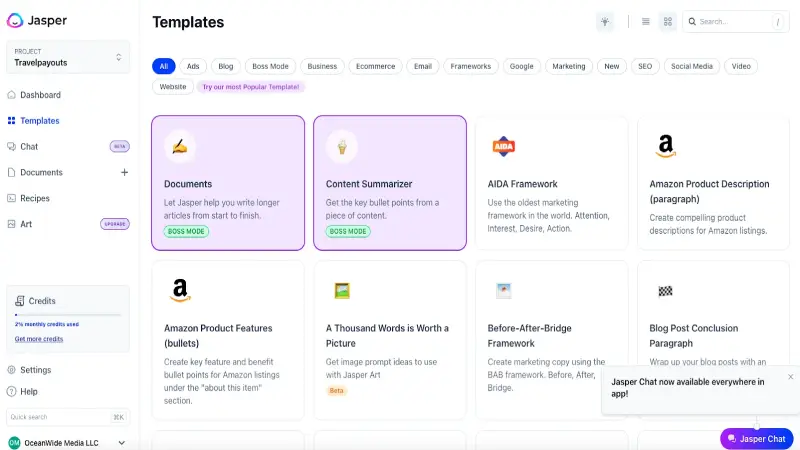
The AI content platform built specifically for marketing teams
| Pricing | Creator $49/mo; Pro $69/mo; Business custom pricing |
| Category | AI Writing / Marketing Content |
| Skill Level | Beginner to Intermediate |
Jasper is purpose-built for marketing content creation at scale. Unlike general-purpose chatbots, it offers templates for ads, blog posts, social media, email campaigns, and product descriptions that are optimized for conversion. The platform includes AI image generation, brand voice training, and integrations with marketing tools via Zapier.
For marketing teams producing high volumes of content, Jasper’s template library and brand consistency features save significant time. It can pull real-time information from the web for research and maintains your brand’s tone across all outputs. The collaboration features support team workflows with approvals and version history.
The main question: do you need Jasper if you already have ChatGPT or Claude? For individual content creators, probably not – a $20/month chatbot handles most writing tasks. But for marketing teams needing brand-consistent content at scale with workflow integrations, Jasper justifies its premium pricing.
| STRENGTHS | WEAKNESSES |
|---|---|
| ✓ Purpose-built templates for marketing content✓ Brand voice training and consistency✓ AI image generation included✓ Team collaboration and workflow features✓ Zapier integrations for automated publishing | ✗ Premium pricing ($49–$69+/mo)✗ General chatbots can handle most tasks cheaper✗ Learning curve for template mastery✗ AI outputs still need human editing✗ Overkill for individual content creators |
Best For: Marketing teams producing content at scale who need brand consistency, templates, and workflow integrations
9. Grammarly
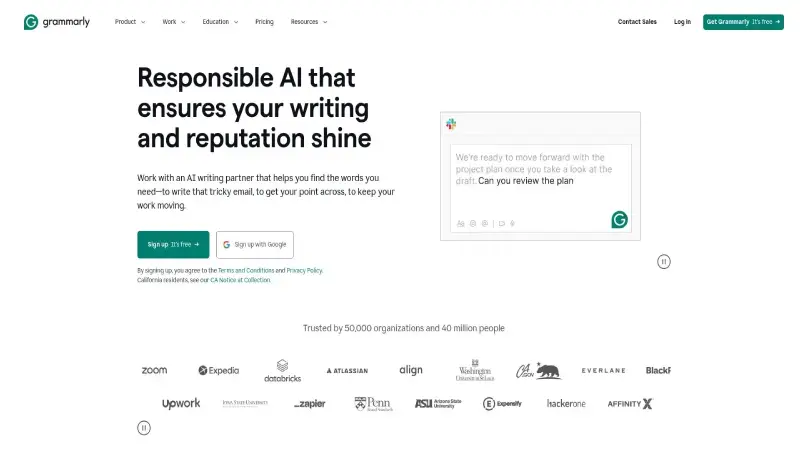
The AI writing assistant that makes everyone a better communicator
| Pricing | Free (basic); Premium $12/mo; Business $15/user/mo |
| Category | AI Writing / Grammar / Communication |
| Skill Level | Beginner |
Grammarly has evolved from a grammar checker into a comprehensive AI writing assistant that integrates with virtually everything: browsers, email clients, document editors, and messaging platforms. It catches grammar, spelling, tone, clarity, and style issues in real time as you write. For professionals who write frequently, the productivity gains are immediate and measurable.
The AI-powered suggestions go beyond corrections: Grammarly rewrites sentences for clarity, adjusts tone for your audience, and detects plagiarism. The business tier adds brand voice guidelines, analytics, and team management. With over 30 million daily active users, it’s one of the most widely adopted AI tools in existence.
The free tier handles basic grammar and spelling well. Premium ($12/mo) adds advanced suggestions, tone detection, and full-sentence rewrites. It’s important to review suggestions rather than blindly accepting them – the AI provides recommendations, not automatic corrections.
| STRENGTHS | WEAKNESSES |
|---|---|
| ✓ Universal integration (browser, email, docs, chat)✓ Real-time corrections as you type✓ Tone and clarity analysis✓ 30M+ daily active users (proven reliability)✓ Generous free tier✓ Business tier with brand voice + analytics | ✗ Premium needed for advanced features✗ Can be overly aggressive with suggestions✗ Subscription model for full capability✗ Desktop app can be resource-intensive✗ Specialized writing (fiction, poetry) less effective |
Best For: Anyone who writes professionally – emails, reports, articles, social media – and wants real-time AI assistance without changing their workflow
10. Notion AI
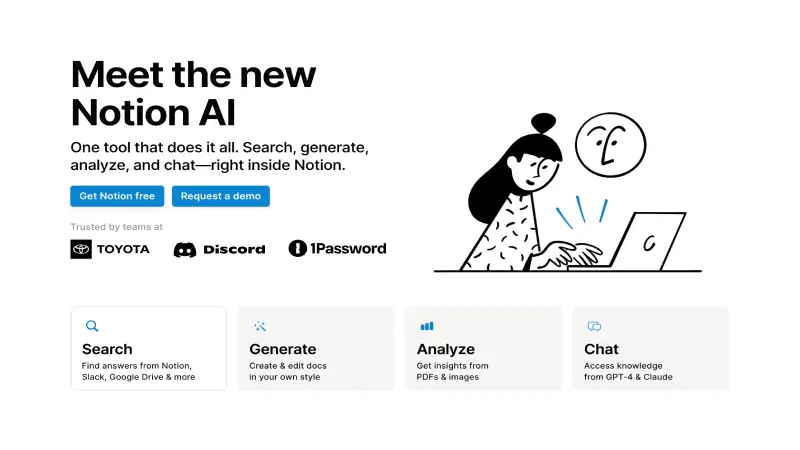
AI embedded directly in your existing workspace for seamless productivity
| Pricing | Included with Plus $12/mo; Business $18/user/mo |
| Category | AI Productivity / Workspace |
| Skill Level | Beginner to Intermediate |
Notion AI transforms your Notion workspace into a smart productivity engine by embedding AI directly into your existing setup. Unlike standalone AI apps that require constant context-switching, Notion AI understands your page layouts, database connections, and project details to offer tailored assistance. It’s powered by both GPT-4 and Claude models under the hood.
Time savings are substantial across task types: text generation is 60–80% faster, rewriting reduces effort by 40–60%, and translation saves over 90% of manual time. Project managers report saving 4–6 hours weekly on timelines and status reports. Content creators save 8–10 hours per week using the writing and editing tools.
The AI features are now bundled into Notion’s higher-tier plans rather than sold as a separate add-on. For teams already using Notion, the AI upgrade is nearly automatic. For teams not on Notion, the full workspace migration is a bigger decision than the AI features alone.
| STRENGTHS | WEAKNESSES |
|---|---|
| ✓ AI embedded in existing Notion workflow✓ Powered by GPT-4 + Claude models✓ Substantial time savings (60–80% on text tasks)✓ Database-aware AI (understands your project structure)✓ No context-switching required✓ Team collaboration with AI assists | ✗ Requires Notion as your workspace platform✗ AI features bundled into paid plans✗ Learning curve for Notion’s workspace system✗ AI quality dependent on content in workspace✗ Can’t replace standalone AI for complex tasks |
“Notion AI delivers substantial time savings. Project managers save 4–6 hours weekly. Content creators save 8–10 hours per week using the writing and editing tools.”
– Notion AI productivity analysis, 4.5/5 rating
Best For: Teams already using Notion who want AI embedded in their existing project management and documentation workflow
AI Video, Voice & Creative Tools
11. Sora
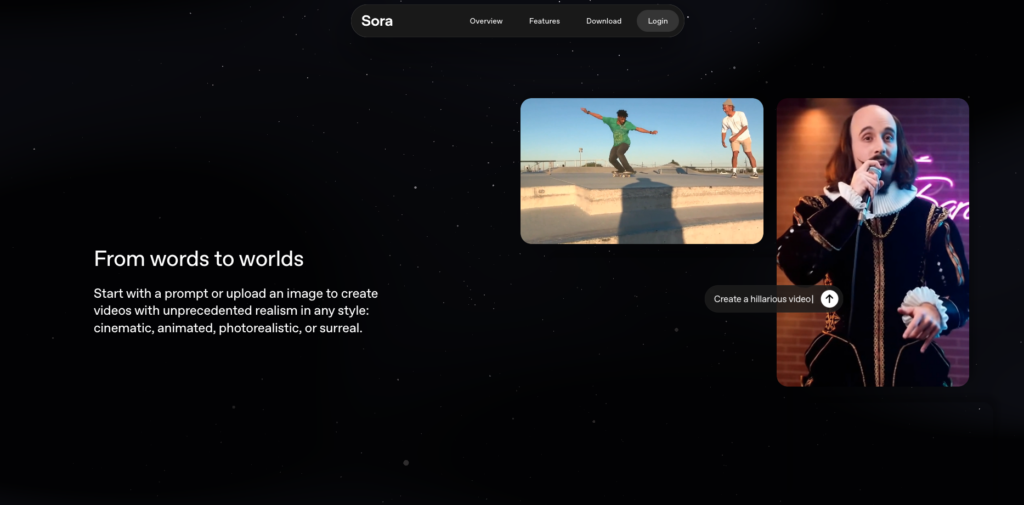
OpenAI’s breakthrough text-to-video generator with cinematic narrative quality
| Pricing | Included with ChatGPT Plus ($20/mo) and Pro ($200/mo) |
| Category | AI Video Generation |
| Skill Level | Beginner to Intermediate |
Sora represents OpenAI’s entry into AI video generation, and it’s included with ChatGPT Plus and Pro subscriptions – making it the most accessible premium video AI tool. It generates short-form videos from text prompts with narrative quality that surpasses most competitors for storytelling applications.
Field Guide to AI notes that AI video generation is still early but growing, with Sora and Runway Gen-3 leading the field. Sora’s advantage is integration: since it’s part of the ChatGPT ecosystem, you can generate video without leaving your primary AI workflow. Quality is impressive for marketing clips, social media content, and concept visualization.
Limitations are significant: video length is restricted, consistency across clips is imperfect, and hands/faces still exhibit occasional artifacts. But for the price (included with a $20/mo subscription you may already have), the value proposition is compelling.
| STRENGTHS | WEAKNESSES |
|---|---|
| ✓ Included with ChatGPT Plus ($20/mo)✓ Best narrative/storytelling quality✓ Integrated with ChatGPT workflow✓ Text-to-video from simple prompts✓ Rapidly improving quality updates | ✗ Video length restrictions✗ Occasional artifacts (hands, faces, text)✗ Still early technology overall✗ Less control than professional video tools✗ Requires ChatGPT subscription |
Best For: Content creators, marketers, and anyone already on ChatGPT Plus who wants to experiment with AI video generation without additional subscriptions
12. Stable Diffusion
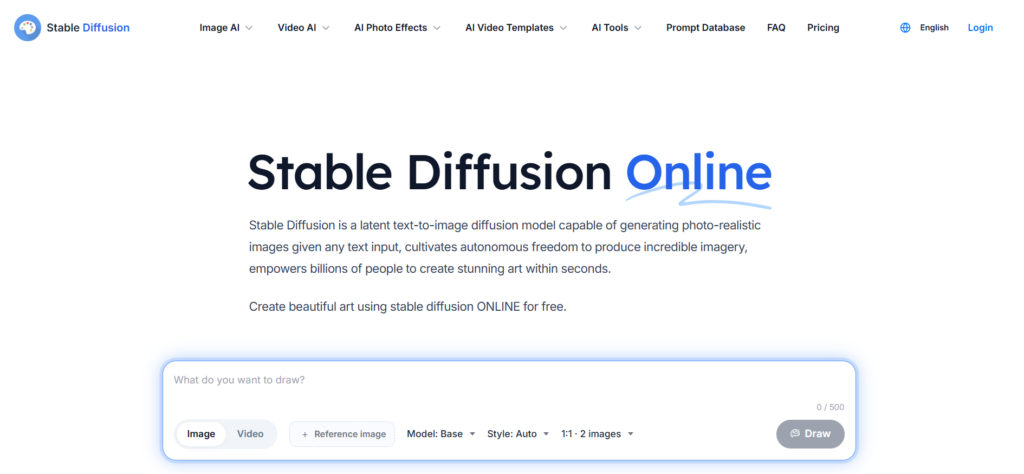
The open-source image generation powerhouse for maximum control
| Pricing | Free (local installation); Cloud services vary ($0–20+/mo) |
| Category | AI Image Generation (Open Source) |
| Skill Level | Advanced (local) / Beginner (cloud) |
Stable Diffusion 3.5 remains the open-source option for AI image generation, offering maximum control for users willing to invest in the technical setup. Running locally means unlimited generations at zero marginal cost, no content restrictions, full model customization, and complete privacy. Axis Intelligence recommends it for technical users who want unlimited control.
The ecosystem of community models, LoRAs (fine-tuned style adapters), ControlNet (precise composition control), and custom workflows via ComfyUI is unmatched. Professional studios use Stable Diffusion for production pipelines where they need consistent, reproducible results across thousands of images.
The barrier to entry is real: running locally requires a capable GPU (8GB+ VRAM recommended), command-line comfort, and willingness to troubleshoot. Cloud-hosted versions (via platforms like RunDiffusion, Leonardo AI) lower the barrier but add cost and reduce control.
| STRENGTHS | WEAKNESSES |
|---|---|
| ✓ Completely free and open source (local)✓ Unlimited generations at zero marginal cost✓ Maximum customization and control✓ Massive community model ecosystem✓ Full privacy (runs on your hardware)✓ No content restrictions | ✗ Requires capable GPU for local use✗ Significant technical setup required✗ Steeper learning curve than any competitor✗ Raw output quality below Midjourney V7✗ No built-in prompt assistance✗ Troubleshooting can be time-consuming |
Best For: Technical users, professional studios, and anyone who needs unlimited AI image generation with maximum control and zero ongoing cost
13. ElevenLabs
The most realistic AI voice generation platform for content and accessibility
| Pricing | Free (10 min/mo); Starter $5/mo; Creator $22/mo; Pro $99/mo |
| Category | AI Voice / Text-to-Speech |
| Skill Level | Beginner to Intermediate |
ElevenLabs has established itself as the leading AI voice platform, producing text-to-speech audio that’s often indistinguishable from human recordings. The technology supports voice cloning (create a digital copy of any voice from a short sample), multilingual speech synthesis (32 languages), and real-time voice conversion.
Use cases span podcast creation, audiobook narration, video voiceovers, accessibility tools, and customer service automation. The API enables integration into apps and products. Content creators use it to add professional narration without recording studios or voice actors.
The free tier provides 10 minutes of audio generation per month – enough to evaluate quality. Professional plans unlock higher-quality voices, API access, and commercial usage rights. Voice cloning raises ethical considerations that ElevenLabs addresses with verification systems.
| ✓ STRENGTHS | ✗ WEAKNESSES |
| ✓ Most realistic AI voice quality available✓ Voice cloning from short audio samples✓ 32 languages supported✓ Real-time voice conversion✓ API for app integration✓ Free tier for evaluation (10 min/mo) | ✗ Premium features require paid plans✗ Voice cloning raises ethical concerns✗ High-quality voices limited on lower tiers✗ Audio length limits on cheaper plans✗ Processing time for longer content |
🎯 Best For: Content creators, podcast producers, accessibility-focused developers, and businesses needing professional voiceover without recording studios
AI Automation & Design Tools
14. Zapier AI
The no-code automation platform that connects 7,000+ apps with AI intelligence
| Pricing | Free (100 tasks/mo); Starter $19.99/mo; Professional $49/mo |
| Category | AI Automation / Workflow |
| Skill Level | Beginner to Intermediate |
Zapier has evolved from a simple app connector into an AI-powered automation platform that can understand natural language instructions and build workflows automatically. With 7,000+ app integrations, it connects virtually any tool in your tech stack – CRM to email, forms to spreadsheets, AI to everything.
The AI features let you describe automations in plain English (“When a new lead fills out our form, send them a welcome email, add them to Salesforce, and notify the sales team in Slack”) and Zapier builds the workflow. AI-generated code steps enable custom logic without programming. For marketing teams, Zapier connects Jasper to publishing platforms, ChatGPT to customer service tools, and analytics to reporting dashboards.
The free tier handles 100 tasks per month with basic automations. Most businesses quickly outgrow this, but the Starter plan ($19.99/mo) covers moderate automation needs. For teams running dozens of automated workflows, Professional ($49/mo) provides multi-step zaps and premium integrations.
| STRENGTHS | WEAKNESSES |
|---|---|
| ✓ 7,000+ app integrations (largest ecosystem)✓ Natural language automation building✓ AI-generated code steps for custom logic✓ No-code interface for non-developers✓ Free tier for basic automation✓ Connects AI tools to business workflows | ✗ Costs scale with usage (per-task pricing)✗ Complex automations require learning✗ Free tier limited to 100 tasks/mo✗ Multi-step automations require paid plans✗ Occasional reliability issues with complex chains |
Best For: Businesses and marketing teams wanting to connect AI tools into automated workflows without coding, and anyone who needs apps to talk to each other
15. Canva AI
AI-powered design that makes everyone a visual content creator
| Pricing | Free (generous); Pro $15/mo; Teams $10/user/mo |
| Category | AI Design / Visual Content |
| Skill Level | Complete Beginner |
Canva has embedded AI across its entire design platform, making professional visual content creation accessible to anyone. Magic Design generates complete designs from text descriptions. Magic Edit lets you modify images with natural language prompts. Background remover, image enhancer, and text-to-image generation are all built-in. The platform serves over 190 million monthly active users.
For social media content, presentations, marketing materials, infographics, and basic video editing, Canva AI eliminates the need for professional design tools or skills. The template library is enormous, and AI suggestions adapt to your brand guidelines once configured.
The free tier is remarkably generous and includes basic AI features. Pro ($15/mo) unlocks the full AI toolkit, premium templates, brand kit, and background remover. For teams, the $10/user/mo plan adds collaboration and approval workflows. Canva won’t replace Photoshop or Figma for professional designers, but for everyone else, it’s more than sufficient.
| STRENGTHS | WEAKNESSES |
|---|---|
| ✓ AI features embedded in familiar design interface✓ Magic Design generates complete layouts✓ 190M+ monthly active users (proven platform)✓ Generous free tier with basic AI✓ Enormous template library✓ Brand kit + team collaboration on paid plans | ✗ Not a replacement for professional design tools✗ AI-generated designs can feel templated✗ Advanced editing limited vs. Photoshop/Figma✗ Some AI features require Pro subscription✗ Export quality limited on free tier |
Best For: Non-designers, marketing teams, social media managers, small businesses, and anyone who needs professional-looking visual content without design skills
Full Comparison Table
| Tool | Category | Price From | Free Tier | Score |
|---|---|---|---|---|
| ChatGPT | AI Chatbot (General) | $8/mo (Go) | Yes (limited) | 9.5 |
| Claude | AI Chatbot (Writing/Code) | $20/mo (Pro) | Yes (limited) | 9.4 |
| Midjourney | Image Generation | $10/mo | No | 9.3 |
| Cursor | AI-Native IDE | $20/mo (Pro) | Yes (2K/mo) | 9.2 |
| Cloudways | AI Search/Research | $20/mo | Yes (5 Pro/day) | 9.0 |
| GitHub Copilot | Coding Assistant | $10/mo | Students free | 9.0 |
| Gemini | AI Chatbot (Multimodal) | $20/mo | Yes (generous) | 8.9 |
| ElevenLabs | Voice/Text-to-Speech | $5/mo | Yes (10min/mo) | 8.8 |
| Sora | Video Generation | $20/mo (via ChatGPT+) | No | 8.7 |
| Grammarly | Writing Assistant | $12/mo | Yes (basic) | 8.6 |
| Notion AI | Workspace Productivity | $12/mo (Plus) | No | 8.5 |
| Zapier AI | Workflow Automation | $19.99/mo | Yes (100 tasks) | 8.5 |
| Canva AI | Design/Visual Content | $15/mo (Pro) | Yes (generous) | 8.4 |
| Stable Diffusion | Image Gen (Open Source) | Free (local) | Yes (unlimited) | 8.4 |
| Jasper AI | Marketing Content | $49/mo | No (7-day trial) | 8.3 |
How to Build Your AI Toolkit
By Budget
$0/month (Free stack): ChatGPT free + Claude free + Gemini free + Perplexity free + Stable Diffusion (local) + Grammarly free + Canva free. Covers basic chat, research, images, writing, and design with usage limits.
$20/month (Sweet spot): ChatGPT Plus OR Claude Pro as your primary AI. This single subscription covers chat, coding, basic image/video generation, and advanced reasoning. Add Perplexity free for research.
$50–100/month (Power user): ChatGPT Plus ($20) + Claude Pro ($20) + Perplexity Pro ($20) = $60/mo for comprehensive coverage. Add Midjourney ($30) for creative image work or Cursor ($20) for coding.
$200+/month (Maximum capability): ChatGPT Pro ($200) for maximum reasoning depth, or Claude Max ($100) + specialized tools for your focus area. Enterprise tiers for team use.
By Use Case
Content writing and blogging: Claude (best writing quality) + Grammarly (real-time editing) + Canva AI (visual content). Total: ~$32/mo.
Software development: Cursor ($20, best IDE experience) OR GitHub Copilot ($10, most ecosystem integration) + Claude Code (included with Claude Pro). Total: $10–40/mo.
Marketing and business: ChatGPT Plus ($20, most versatile) + Jasper ($49–69, marketing templates) + Zapier AI ($19.99, automation). Total: $89–109/mo.
Creative and design: Midjourney ($30, artistic images) + Sora via ChatGPT Plus ($20, video) + Canva AI ($15, design). Total: $65/mo.
Research and academia: Perplexity Pro ($20, cited research) + Claude Pro ($20, analysis and writing) + Notion AI ($12, note organization). Total: $52/mo.
Frequently Asked Questions
Q: Can I get by with just free AI tools?
Yes, but with meaningful limitations. Free tiers of ChatGPT, Claude, and Gemini provide powerful AI access with usage caps (roughly 10 messages every 5 hours). Perplexity free handles basic research well. Stable Diffusion is completely free locally. Grammarly and Canva have generous free tiers.
Q: Which AI is best for coding in 2026?
GitHub Copilot ($10/mo) for proven reliability and broad language support in your existing IDE. Cursor ($20/mo) for the deepest codebase understanding, multi-file refactoring, and AI-native development experience. Claude Code (included with Claude Pro) for terminal-based workflows and superior architectural reasoning.
Q: Is Midjourney or DALL-E better for images?
Midjourney V7 produces higher artistic quality with cinematic, painterly aesthetics – choose it for creative work where visual beauty matters. GPT Image 1/1.5 (via ChatGPT) is better at text rendering, simpler prompt interpretation, and convenience (no separate subscription needed).
Q: How do I avoid wasting money on AI subscriptions?
Start with free tiers of ChatGPT, Claude, and Gemini to discover which platform fits your workflow. Upgrade only the tool you use most to a $20/month plan. Avoid subscribing to multiple chatbots simultaneously unless you have distinct use cases for each.
Q: Will AI replace my job?
AI is restructuring which skills carry economic value rather than eliminating jobs wholesale. ManpowerGroup’s 2026 survey of 39,000 employers found that 91% are deploying strategies like upskilling and reskilling – not mass layoffs. AI tools excel at first drafts, idea generation, code completion, and repetitive tasks.
Final Thoughts
The AI tools landscape in 2026 has matured from a novelty into a genuine productivity infrastructure. The Big Four chatbots – ChatGPT, Claude, Gemini, and Perplexity – each dominate different use cases: ChatGPT for breadth, Claude for depth, Gemini for multimodal and Google integration, and Perplexity for cited research. Specialized tools like Midjourney, Cursor, and ElevenLabs have become indispensable in their categories.
The most important insight from testing 15 tools: the real productivity gains live behind $20/month subscriptions. Free tiers provide taste-testing access, but the extended context windows, autonomous agents, advanced reasoning modes, and priority access that define the 2026 AI experience require investment. The sweet spot for most professionals is a single $20/month chatbot subscription plus one specialized tool – a total of $30–50/month for capabilities that would have cost thousands in specialized software just two years ago. Choose based on your actual bottleneck, not the hype.
Leave a Reply