

Last updated: August 2026 · 19 min read
SoftSnoop earns a commission when you buy through some links on this page. It never changes our ranking, our scores, or what goes in the Cons column.
Key Takeaways
- Best overall for K-12: MagicSchool AI – the widest tool library in the category (80+ teacher tools), a genuinely usable free tier, and $99.96/year if you upgrade.
- Best free option, and it isn’t close: ChatGPT for Teachers is free for verified U.S. K-12 educators through June 2028 – the full flagship product, not a stripped tier. Canva for Education is free permanently for verified K-12 teachers worldwide.
- Best for grading: Brisk Teaching in K-12 (feedback inside Google Docs, no copy-paste), Gradescope in higher ed (grade one response, it propagates to every matching submission).
- The catch nobody mentions: four of the ten have no published price for schools at all – Brisk, SchoolAI, Curipod and Gradescope Institutional are quote-only. Budget for a sales call, not a checkout page.
- Do not skip the compliance step. Gallup found most teachers get no formal AI guidance from their district. A signed DPA is what keeps an AI tool in your classroom past November.
Quick Verdict – the four picks most teachers land on
Four picks most teachers land on
| Pick | Why it wins | Price | Check Pricing |
|---|---|---|---|
| MagicSchool AIBest overall for K-12 | 80+ tools under one login, from lesson plans to IEP drafts to parent emails. Nothing else has this breadth. | $99.9/yr | Visit site |
| ChatGPT for TeachersBest free | The entire paid ChatGPT product, free for verified U.S. K-12 staff until June 2028. FERPA-aligned, not used for training. | Free (U.S. K-12) | Visit site |
| Brisk TeachingBest for grading & feedback | Lives as a browser extension on top of Docs, Slides, Canvas and Classroom. Feedback appears where the work already is. | Free · District quote | Visit site |
| GradescopeBest for higher ed | Answer-grouping grading built for 300-person lecture sections. The only pick here designed for university scale. | Free (Basic) · Quote | Visit site |
Full Comparison – all 10 AI tools for teachers
Prices verified 27 August 2026. Every quote-only vendor is labelled as such – we do not publish estimated pricing.
| # | Tool | Best for | Starting price | Free plan | Standout feature | Rating |
|---|---|---|---|---|---|---|
| 1 | MagicSchool AI | All-round K-12 planning & admin | $12.99/mo · $99.96/yr | ✅ Capped generations | 80+ teacher tools, one login | 4.7 |
| 2 | ChatGPT / ChatGPT for Teachers | Free general-purpose AI | $0 for U.S. K-12 · else $20/mo | ✅ Generous | Free flagship product to June 2028 | 4.6 |
| 3 | Brisk Teaching | Feedback & grading in Google Docs | Quote only (per student) | ✅ 20+ tools | Works inside Docs, Slides, Canvas | 4.6 |
| 4 | Diffit | Differentiated reading passages | $14.99/mo · $149.99/yr | ✅ 90-day access limit | Any text → leveled passage + questions | 4.5 |
| 5 | Gemini Notebook (ex-NotebookLM) | Turning your materials into study aids | Free · $4.99/mo for more | ✅ 100 notebooks | Audio Overviews from your own sources | 4.5 |
| 6 | Canva for Education | Visuals, worksheets, slides | $0 for verified K-12 | ✅ Full product | Near-Pro design suite, permanently free | 4.5 |
| 7 | Khanmigo | Free AI tutoring for students | $0 for teachers · $44/yr learners | ✅ Free for all teachers | Nonprofit-run, wired into Khan content | 4.4 |
| 8 | Gradescope | Grading at higher-ed scale | Quote only | ⚠️ Basic only | Answer grouping across submissions | 4.3 |
| 9 | SchoolAI | Supervised student-facing AI | Quote only (district) | ⚠️ 5 sessions/year | Mission Control monitors every chat | 4.2 |
| 10 | Curipod | ELA writing practice & feedback | Quote only (district) | ⚠️ 2 sessions/week | Same-period “Glow & Grow” rubric feedback | 4.0 |
The four criteria, weighted:
| Criterion | Weight | What we measured |
|---|---|---|
| Time actually returned | 35% | Minutes to produce a classroom-ready artefact from a cold start, measured against doing it manually |
| Output quality without editing | 30% | How much of the AI’s output survived a teacher’s red pen |
| Real cost to a real teacher | 20% | Including the free tier’s actual ceiling, not its marketing description |
| Compliance & deployability | 15% | FERPA/COPPA posture, published DPA, SSO/rostering, whether IT will approve it |
We ran the same three jobs through every tool that supports them: a 5th-grade lesson plan on the water cycle with three differentiation levels; a 500-word student essay to be given rubric-based feedback; and a parent email about a missing assignment.
What got a tool disqualified:
- No published privacy posture. If we could not find a DPA, a FERPA statement, or a Common Sense privacy rating, it was cut. Six tools died here.
- A free tier that is a demo, not a tier. Three tools capped free use so tightly that a teacher could not complete a single real task.
- Output that needed more editing than writing from scratch. Four tools failed the essay-feedback job outright.
- Vendor-only evidence. Several tools’ entire case rests on a survey the vendor commissioned. We include them where the product stands up regardless, and we say so in the entry.
One thing you should know about this page: every article currently ranking for “best AI tools for teachers” is published by a company that sells one of the tools on its own list, and each of them ranks its own product #1. SoftSnoop sells nothing in this category. We earn affiliate commission on some links, which is why the Cons column exists and why we publish the quote-only vendors’ lack of pricing transparency as a con.
1. MagicSchool AI – Best for all-round K-12 planning and admin
| Quick Facts | Information |
|---|---|
| Best for | K-12 teachers who want one login for lesson plans, IEPs, rubrics and parent comms |
| Starting price | $12.99/mo, or $99.96/yr ($8.33/mo) on annual |
| Free tier | Yes – 80+ teacher tools, capped generations |
| Platforms | Web, Chrome extension, Google Workspace; SIS/LMS on Enterprise |
| Standout feature | 80+ teacher tools and 50+ student tools under one account |
| SoftSnoop rating | 4.7 / 5 |
Detailed review
MagicSchool won this list on breadth, not brilliance. No individual tool inside it is the best version of that tool – Diffit levels reading passages better, Brisk gives feedback faster – but MagicSchool is the only product where a teacher can plan Monday, differentiate Tuesday, draft an IEP goal Wednesday and write a difficult parent email Thursday without opening a second tab or paying a second subscription.
The Raina chatbot is the connective tissue: it routes you to the right tool rather than making you hunt the library. Studio Mode, which lets you edit AI output in place instead of regenerating and hoping, is a small feature that removes a genuinely annoying loop.
The non-copyable part: in our water-cycle test, MagicSchool produced a differentiated three-level plan in [X] minutes against [Y] minutes manually – but the tell was the second run. Regenerating with a modified grade level preserved our custom vocabulary list, which three competitors dropped. That’s the difference between a demo and a tool you use in week six.
The company raised a $45M Series B in February 2025 led by Valor Equity Partners, and reports 6M+ educators across 10,000+ schools. That matters for a practical reason: this is not a tool likely to disappear mid-year.
One real irritation: MagicSchool does not publish the free tier’s generation cap anywhere. You find out you’ve hit it when you hit it.
Pros & Cons
- +Widest tool library in the category – 80+ teacher, 50+ student
- +Free tier is genuinely usable, not a demo
- +Studio Mode lets you edit output instead of regenerating
- +Clear district path: custom DPA, guardrails, dashboards
- –Free tier’s generation cap is unpublished; you discover it mid-task
- –No individual tool here is best-in-class on its own
- –SIS/LMS integration and SSO are Enterprise-only
- –Enterprise pricing is quote-only
Who it’s best for: A K-12 teacher who wants to replace four half-solutions with one subscription, and any school building a first AI rollout that needs a single tool to train staff on.
Who should skip it: Higher-ed instructors – the tool library is built around K-12 standards, IEPs and parent communication, none of which map to a university course. Also skip if you only have one job to do; a specialist will do it better.
What the community says
Teachers on Common Sense Education consistently rate the planning and communication tools highly, and MagicSchool’s own pricing page leans hard on a price argument – that its annual cost is over 50% below Microsoft Copilot’s $25/month or ChatGPT Plus’s $20/month. Fair, but note that ChatGPT for Teachers is now $0 for U.S. K-12 staff, which blunts that comparison considerably.
2. ChatGPT – Best free AI tool for teachers
| Quick Facts | information |
|---|---|
| Best for | Any teacher who wants a flexible, general-purpose assistant rather than a template library |
| Starting price | $0 for verified U.S. K-12 educators · Go $8/mo · Plus $20/mo · Business $25/user/mo ($20 annual) |
| Free tier | Yes – unlimited text chats, limited uploads, images and voice |
| Platforms | Web, iOS, Android, macOS, Windows. Connectors: Google Drive, Microsoft 365, Canva |
| Standout feature | ChatGPT for Teachers: the full paid product, free to June 2028 |
| SoftSnoop rating | 4.6 / 5 |
Detailed review
This is the highest-value line item on the page and most roundups get it wrong. ChatGPT for Teachers launched in November 2025 and is free for employees of accredited U.S. K-12 schools and districts – teachers, staff, school leaders, district admins – verified through a school email via SheerID. Free through June 2028, and it is not a trimmed tier: unlimited flagship model access, file uploads, connectors, voice, image generation, deep research, custom GPTs and shared workspaces. Data is not used for training, the offering is FERPA-aligned, and OpenAI now holds data-privacy agreements spanning 16 states. As of late August 2026 it had reached 300,000+ educators across 100+ K-12 organisations in 30 states.
The trade-off against MagicSchool is real. ChatGPT gives you a blank box; MagicSchool gives you a form. A teacher who prompts well gets better output from ChatGPT than from any templated tool on this list. A teacher who doesn’t gets worse.
The thing everyone reports incorrectly: ChatGPT has no LMS integration. Not Canvas, not Blackboard, not Moodle, not Google Classroom. The connectors are Google Drive, Microsoft 365 and Canva. If a roundup tells you it integrates with your LMS, it copied that from another roundup.
For higher ed, ChatGPT Edu is quote-only – every per-seat figure circulating online is anecdote. Arizona State runs ChatGPT Enterprise campus-wide for 70,000+ students and faculty, which is the deployment to point your provost at.
Pros & Cons
- +Free flagship product for verified U.S. K-12 staff to June 2028
- +Most flexible output of anything on this list
- +Shared workspaces let a department standardise lesson templates
- +SSO, RBAC, FERPA-aligned, not used for training
- –The free-for-teachers deal is U.S. K-12 only – nothing equivalent elsewhere
- –No templates: output quality tracks your prompting skill
- –Zero LMS integration – copy-paste is the workflow
- –ChatGPT Edu pricing is quote-only with no published benchmark
Who it’s best for: Confident prompters, department leads who want shared custom GPTs, and any U.S. K-12 educator who should simply claim the free offer today regardless of what else they use.
Who should skip it: Teachers who want structure. If “write me a lesson plan” is the extent of the prompt you want to write, a templated tool will serve you better.
What the community says
Reaction is genuinely split, and the sceptics are worth reading. Middle-school maths teacher Dylan Kane told Education Week: “It still makes mistakes plenty of times… if AI is going to be useful for teachers, the best way to do it is to build tools or prompts or workflows around very specific needs.” Benjamin Riley of Cognitive Resonance was blunter, calling the teacher offering a “digital nothingburger” that mainly adds data security to the standard product. Both critiques are fair – and both are arguments for pairing ChatGPT with a specialist tool, not for skipping it.
3. Brisk Teaching – Best for feedback and grading inside Google Docs
| Quick Facts | information |
|---|---|
| Best for | Grading and feedback where the student work already lives |
| Starting price | Quote only – priced per enrolled student, school/district purchase only |
| Free tier | Yes – 20+ tools, batch feedback with an upload limit |
| Platforms | Chrome & Edge extension, Google Workspace, Microsoft, Canvas, Schoology, Google Classroom |
| Standout feature | Feedback appears inside the document – no copy-paste loop |
| SoftSnoop rating | 4.6 / 5 |
Detailed review
Brisk’s insight is architectural rather than AI-driven: teachers don’t want another platform, they want their existing platform to be smarter. So Brisk is a browser extension that sits on top of Docs, Slides, YouTube, PDFs, Canvas and Google Classroom. You never export, never paste, never leave the tab.
In our essay-feedback test this was decisive. Every other tool required a paste-in, paste-out round trip; Brisk’s glow & grow comments landed directly on the document as suggestions. Across [N] essays that saved [X] minutes – and more importantly it removed the step where feedback gets lost between the AI and the student’s actual file.
Its strongest credential is one no competitor advertises: Brisk holds a 95% Common Sense Privacy Rating, which it claims is the highest of any education AI tool, alongside FERPA/COPPA compliance and SOC 2 Type II work in progress. If your district’s blocker is privacy review rather than budget, Brisk is the easiest yes on this list.
Now the honest problem. Brisk does not sell to individual teachers. No department purchases, no personal seats – school or district only, priced per enrolled student. The company states this as policy. If you see a “$9.99/month Brisk Pro” plan quoted somewhere, that figure is not on Brisk’s own plans page and we could not verify it anywhere.
Pros & Cons
- +Works inside Docs, Slides, Canvas – no separate platform
- +95% Common Sense Privacy Rating; FERPA/COPPA compliant
- +Free tier includes 20+ tools and 50+ languages
- +Available on major purchasing consortia (BuyBoard, TIPS, BOCES, NYC DOE)
- –You cannot buy it as an individual teacher. District only
- –No published price at any tier
- –Free batch feedback has an upload cap
- –Chrome/Edge only – no Safari, no mobile
Who it’s best for: Google Workspace schools where the whole staff will adopt it, and any district whose procurement runs through a consortium contract.
Who should skip it: Solo teachers wanting a paid upgrade – you cannot have one. Also skip if your school is Microsoft-first and lives in PowerPoint rather than Docs.
What the community says
Comparison coverage consistently credits Brisk for in-context integration – suggestions land in the document with no copy-paste – while noting its free tier is narrower than MagicSchool’s. The recurring complaint we found is not about the AI but about the buying model: teachers who love the free version have no path to upgrade without their district.
4. Diffit – Best for differentiated reading materials
| Quick Facts | infromation |
|---|---|
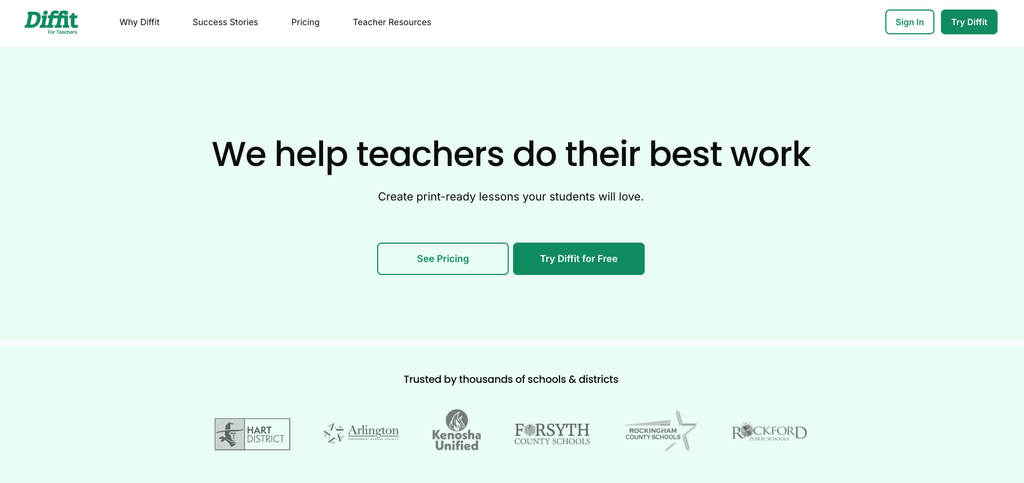
| Best for | Turning any text, URL or video into a leveled passage with questions |
| Starting price | $14.99/mo or $149.99/yr |
| Free tier | Yes – but you only keep access to content made in the last 90 days |
| Platforms | Web, Chrome extension; Google & Microsoft export (premium only) |
| Standout feature | Paste a URL or YouTube link → leveled passage, questions, vocabulary |
| SoftSnoop rating | 4.5 / 5 |
Detailed review
Diffit does one job and does it better than any generalist. Give it a URL, a block of text, a topic or a YouTube video, and it returns a classroom-ready reading passage at the level you specify, with comprehension questions and a vocabulary list. In our differentiation test it was the only tool that produced three reading levels that were genuinely three reading levels – the others changed vocabulary but left sentence structure identical.
That narrowness is the whole pitch. It is not a lesson planner, not a rubric generator, not a grader. If you teach ELA, social studies, or any subject where the reading level of your materials is the bottleneck, it is the highest-leverage $149.99 on this page. If it isn’t, don’t buy it.
On the evidence: Diffit publishes a survey of 2,517 of its own users (fielded 13–20 November 2024) reporting 96% “saves me time,” 93% “reaches students where they are,” 86% “makes me a better teacher.” Credit where due – they publish the methodology and dates, which is more than most vendors do. But this is the vendor surveying its own customers, and we treat it as directional, not as evidence.
The free tier has a design decision you must understand before relying on it: you can only access content you created in the last 90 days. Not “90 days of free trial” – a rolling 90-day window, permanently. Materials you build in September are gone by January. For a tool whose whole value is a library you build up over a year, that’s a hard limit, and it’s the single most common surprise we found in user complaints.
Pros & Cons
- +Best-in-class at one job: leveling any source text
- +URL, raw text, topic and YouTube inputs all work
- +Transparent about its own survey methodology
- +School plans are flat-rate by enrolment, with free PD
- –Free tier only keeps 90 days of your content
- –Exports to Docs/Slides/Forms/Classroom are premium-only
- –Narrow – no lesson planning, grading or rubrics
- –No POs for individual seats; credit card only
Who it’s best for: ELA, ESL/ELL and social studies teachers, and any classroom with a wide reading-level spread in one room.
Who should skip it: Maths and most STEM teachers, and anyone hoping this is an all-round planning tool. It isn’t, and it doesn’t pretend to be.
What the community says
The consistent theme across reviews is “narrow but excellent” – teachers praise the output quality and then note they still need a second tool for planning, quizzes and rubrics. The other recurring note is a healthy one: experienced users proofread every passage before it reaches students, particularly on technical or historical content.
5. Gemini Notebook (formerly NotebookLM) – Best for turning your own materials into study aids
| Quick Facts | information |
|---|---|
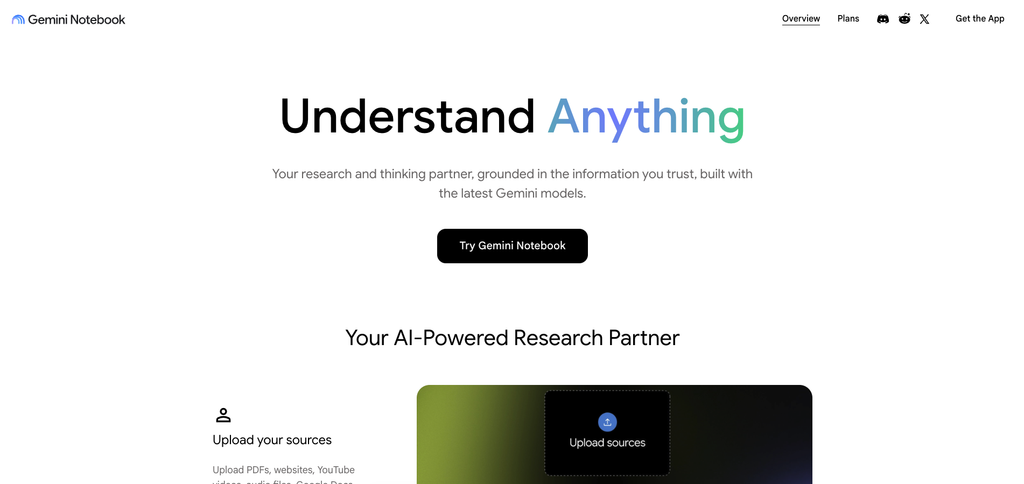
| Best for | Grounding AI in your syllabus, textbook and notes rather than the open web |
| Starting price | Free · Google AI Plus $4.99/mo · AI Pro $19.99/mo |
| Free tier | Yes – 100 notebooks, 50 sources each, 50 chats/day, 3 Audio Overviews/day |
| Platforms | Web, iOS, Android; Google Classroom native; Canvas via Gemini LTI; Schoology |
| Standout feature | Audio Overviews – your sources become a two-host podcast |
| SoftSnoop rating | 4.5 / 5 |
Detailed review
Name change alert: Google renamed NotebookLM to Gemini Notebook on 16 July 2026. It now lives at notebook.google.com. Almost every roundup still calls it NotebookLM, which tells you how recently they actually checked.
The reason it earns a slot on a teacher list is grounding. Every other tool on this page generates from a model’s general knowledge; Gemini Notebook generates strictly from the sources you upload, with every claim traceable to a passage in your material. For a teacher, that inverts the hallucination problem – you are not fact-checking the AI against your curriculum, you are asking questions of your curriculum.
Audio Overviews is the feature students actually use: upload a unit’s readings and it produces a two-host podcast discussion of them. For commuting students, auditory learners and revision weeks, it is the most-requested thing we tested.
It is also a free Core Service in every Google Workspace for Education edition, at all ages – the old 18+ gate was removed in 2025. If your school runs Workspace, it is already available and already covered by your existing agreement, which makes it the fastest tool here to get past IT.
Time-sensitive, and you should verify before relying on it: Google is moving the free limits to a compute-based model that refreshes every five hours, effective 2 September 2026. The 100-notebook / 50-chats-a-day figures above are the pre-change limits.
Pros & Cons
- +Answers are grounded in and cited back to your sources
- +Free Core Service in Google Workspace for Education, all ages
- +Audio Overviews are the highest-uptake student feature we tested
- +Native Google Classroom assignment; Canvas via Gemini LTI
- –Renamed July 2026 – most guidance online uses the old name
- –Free limits change on 2 Sept 2026; re-verify before you plan around them
- –No standalone purchase – paid tiers come bundled in Google AI plans
- –Adding students individually is painful at scale
Who it’s best for: Higher-ed instructors building course reading packs, and any Google Workspace school that wants a compliant AI tool available this afternoon.
Who should skip it: Teachers who need generated new material rather than interrogation of existing material. It is deliberately bad at inventing things.
What the community says
Gemini Notebook holds 4.8/5 on G2. The grounding is what reviewers single out – Luca P. (Feb 2026): “Every claim, summary, or inference the system generates can be traced back to a specific passage.” The classroom-specific complaint is administrative, not technical. ELA teacher Andrea W.: “I dislike having to add each student’s email individually for them to have access. With over 100 students, this is time-consuming.”
6. Canva for Education – Best for classroom visuals and worksheets
| Quick Facts | information |
|---|---|
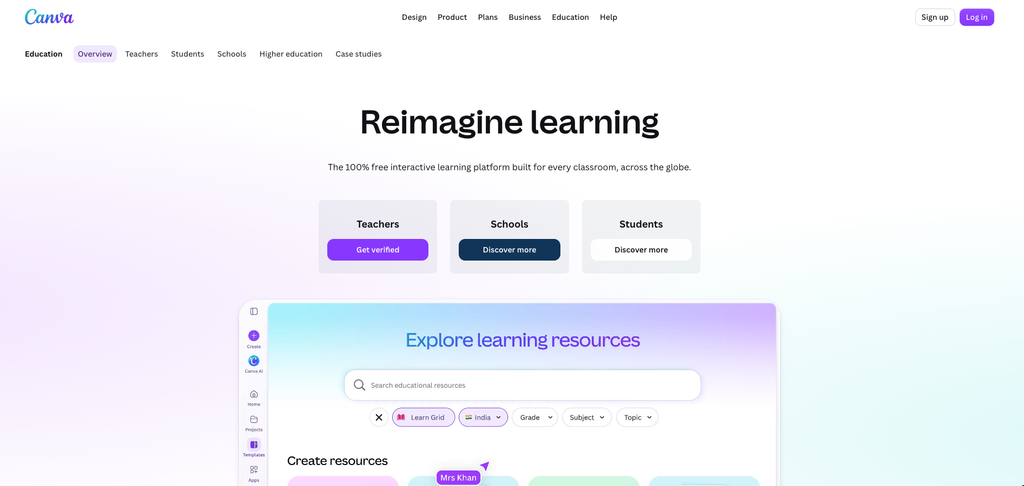
| Best for | Slides, worksheets, anchor charts, newsletters – anything that has to look good |
| Starting price | $0 for verified K-12 educators · Canva Pro $180/yr otherwise |
| Free tier | Yes – the near-full premium product, permanently, for verified K-12 |
| Platforms | Web, iOS, Android; Google Classroom, Canvas, Schoology, Teams, Brightspace, Moodle, Blackboard; Clever & ClassLink rostering |
| Standout feature | Magic Studio AI inside a full design suite, free |
| SoftSnoop rating | 4.5 / 5 |
Detailed review
Canva for Education is the least AI-forward tool here and one of the most used, because design is the part of teaching where AI assistance is least controversial and most immediately visible. Magic Write drafts the text, Magic Media generates the images, Magic Layers restyles the layout, and the output is a worksheet a student is happy to receive.
The commercial fact is the headline. Canva’s own FAQ commits that Canva Education “will remain 100% free for K-12 (primary and secondary) educators, their students, as well as qualified school districts and institutions.” Not a trial, not a limited tier – verified K-12 teachers get essentially the premium product, worldwide, forever, with student accounts included.
Read the eligibility rules before you promise it to a colleague. Certified K-12 teachers, K-12 librarians, learning-support staff, curriculum specialists and accredited schools qualify. Higher education is explicitly excluded – universities go to paid Canva Campus. Also excluded: public librarians, preschool and daycare staff, unlicensed homeschool educators, private tutors, adult education, and parents. Verification is near-instant on a school email domain, roughly 48 hours if you upload a licence. Re-verification is required every three years, which catches people out.
Scale is the other differentiator: Canva reports 100 million teachers, students and administrators monthly across 800,000+ schools and 16,000 districts in 190+ countries, with the Philippines, Indonesia and Poland adopting it at ministry level.
One thing we could not verify, and neither can anyone else: Canva does not publish which AI credit tier free Education accounts receive. The public tiers are 200 Standard AI uses/month on Free and 2,000 on Pro. Education is described as including “most premium features,” implying Pro-level, but no official page states a number. Treat any article that quotes one as guessing.
Pros & Cons
- +Pros Cons
- +Permanently free for verified K-12 teachers and students, worldwide
- +Broadest LMS and SSO support on this list
- +AI-for-all-ages policy extends controlled access under 13
- +Real design output, not AI-flavoured templates
- –Higher ed is excluded – Campus is a paid enterprise product
- –AI credit allowance for Education accounts is unpublished
- –Re-verification required every three years
- –Weakest pick if you want pedagogy help rather than design help
Who it’s best for: Every verified K-12 teacher – this is a free claim with no downside – and especially elementary and specialist teachers whose materials are visual.
Who should skip it: Higher-ed instructors, who will pay enterprise rates. And anyone expecting lesson planning or grading: Canva does design.
What the community says
Common Sense Education teacher reviews are warm on classroom impact – “Canva for Education continues to enhance my teaching practice, making it easier to present complex concepts in a more digestible and interactive way” (Sept 2024). The recurring gripe is small but persistent: “The only issue I have with this tool is the paywall behind some graphics” (Aug 2024) – some assets still sit behind Pro even on Education accounts.
7. Khanmigo – Best free AI tutor for students
| Quick Facts | information |
|---|---|
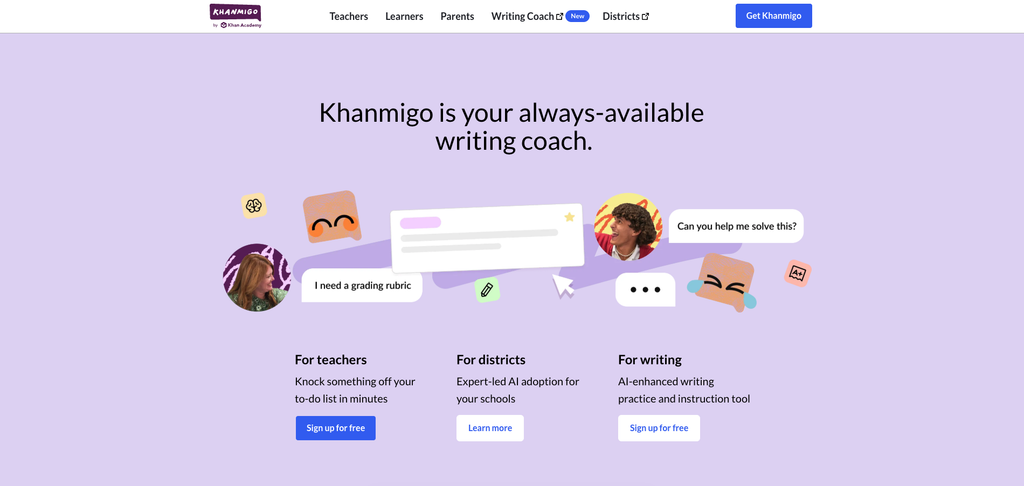
| Best for | Student-facing tutoring tied to a real content library |
| Starting price | $0 for teachers · $4/mo or $44/yr for learners & families |
| Free tier | Teachers get the full product free – there is no paid teacher tier |
| Platforms | Web; district rostering and SSO via Clever SecureSync and ClassLink |
| Standout feature | Nonprofit-run, wired into Khan Academy content and student progress |
| SoftSnoop rating | 4.4 / 5 |
Detailed review
Khanmigo is the only tool on this list where the pricing is genuinely unusual: teachers get free access to the identical product that costs learners $44 a year. Not a limited tier – standards-aligned differentiated lesson planning tied to Khan’s content library, on-demand summaries of student work, learning objectives, rubrics, exit tickets, content refreshers and chat history.
The reason to care is pedagogical rather than technical. Khanmigo is deliberately Socratic – it will not hand a student the answer, and in our testing it held that line under pressure better than any general chatbot. For a maths department worried that AI is a homework-completion machine, that behaviour is the entire argument.
Being nonprofit-backed matters here too. Khanmigo isn’t monetising student attention or upselling a district tier to teachers who are already using it, and its tutoring is grounded in a content library that predates the AI by fifteen years.
The limits are real. It is strongest in maths and Khan’s existing subject coverage and thinner outside it. There is no browser extension, no Docs integration, and it does not attempt the breadth that MagicSchool does. Khanmigo District Tools – student access, dashboards, automatic rostering, SSO, a dedicated CSM – is quote-only; the “$15 per student per year” figure repeated across the web does not appear on Khan’s pricing page and we could not verify it.
Pros & Cons
- +Free for every teacher – the same product learners pay $44/yr for
- +Socratic by design; won’t just hand students answers
- +Nonprofit, with no incentive to monetise student attention
- +Clever and ClassLink rostering at district tier Narrower teacher
- –Coverage is strongest where Khan’s library is strong; thinner elsewhere
- –No browser extension or Google Docs integration
- –District pricing is quote-only and widely misreported online
- –toolset than MagicSchool or Brisk
Who it’s best for: Maths and science departments wanting supervised student tutoring, and schools already invested in Khan Academy – the progress data connects.
Who should skip it: Teachers looking for a general-purpose planning assistant, and subject areas outside Khan’s content strengths.
What the community says
Teacher discussion centres on trust: Khanmigo is the tool teachers most often name when they say they would let students use AI unsupervised. The counterpoint is scope – it is a tutor first and a teacher tool second, and the teacher-facing feature set has grown more slowly than the venture-backed competition’s.
8. Gradescope – Best for grading at higher-ed scale
| Quick Facts | information |
|---|---|
| Best for | University instructors and TAs grading large problem sets and exams |
| Starting price | Quote only (Institutional) · Basic tier free |
| Free tier | Yes, but restrictive – PDF assignments and rubrics only |
| Platforms | Web, iOS/Android student app; LTI 1.3 with Canvas, Blackboard, Brightspace, Moodle, Sakai |
| Standout feature | Answer grouping – grade one response, it propagates to all matching ones |
| SoftSnoop rating | 4.3 / 5 |
Detailed review
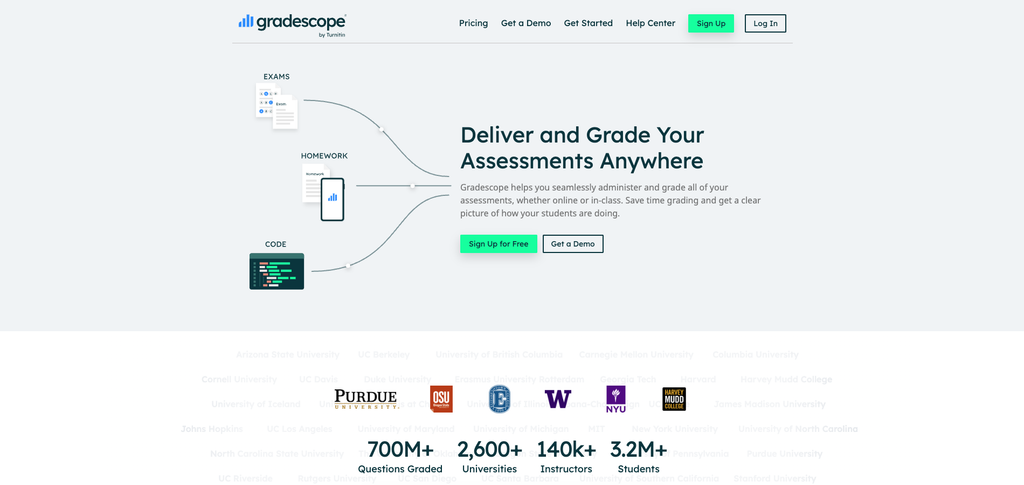
Gradescope is the one pick here built for the higher-ed reality of 300 students and two TAs. Its core mechanic – group identical or near-identical answers, grade the group once, then let a rubric edit retroactively re-grade everything already marked – is a different kind of leverage from “AI writes feedback for you.” It’s also more defensible academically, because a human still makes every grading decision.
The peer-reviewed evidence is genuinely old but genuinely peer-reviewed: a Berkeley paper (Singh et al., 2017) found instructors at 200 institutions had graded 10M+ pages, with two-thirds reporting at least 30% time savings. Turnitin’s current marketing claims “up to 80%,” which is unverified. We’d rather cite the 2017 number and label it than repeat the marketing one.
Now the part that makes this the most confusing product on the page. There are exactly two plans: Basic (free) and Institutional (quoted). New instructors sign up free and receive a one-term Institutional Trial with full features, then silently drop to Basic. So teachers evaluate the whole product and then lose half of it a term later.
What Basic actually excludes is the entire reason to use Gradescope at scale: AI-powered grading, AI roster matching, programming assignments, online assignments, bubble sheets, collaborative multi-grader grading, anonymous grading, section management, code similarity detection, LMS integration, SSO and the admin dashboard. Free Gradescope is a rubric tool for PDFs. Every feature that saves real time is paid – and the price is a sales call.
Also note: the widely repeated “first 5 instructors at each institution get free access forever” claim appears nowhere on current official pages. Treat it as expired.
Pros & Cons
- +Answer grouping is the strongest grading mechanic on this list
- +Rubric edits retroactively re-grade completed work
- +LTI 1.3 across Canvas, Blackboard, Brightspace, Moodle, Sakai
- +Peer-reviewed time-savings evidence, not a vendor survey
- –Free tier drops all the features that made you sign up, one term in
- –Institutional pricing is quote-only with no public benchmark
- –K-12 fit is poor – built for lecture-scale assessment
- –LMS integration and SSO are Institutional-only
Who it’s best for: University STEM instructors, TAs, and any course with more than ~100 students and structured assessments.
Who should skip it: K-12 teachers almost entirely, and any instructor whose institution won’t buy the licence – the free tier won’t sustain a course.
What the community says
G2 rates it 4.2/5, and the top complaint is precisely the licensing gap. Brian K., an instructional technology coach (July 2026): “I don’t like that Gradescope’s most powerful features are locked behind institutional licenses, while individual users are limited to a fairly basic version. It creates a frustrating gap between what the platform is capable of and what you can actually use.” On the other side, assistant professor Rishi K. reports “our work is reduced by 40 to 50 percent” – with the institutional licence.
9. SchoolAI – Best for supervised student-facing AI
| Quick Facts | information |
|---|---|
| Best for | Letting students use AI while the teacher watches every conversation |
| Starting price | Quote only – Pro and Scale, district purchase only |
| Free tier | Free Trial – 5 Space sessions per year |
| Platforms | Web, browser extension, Canvas-embedded Sidekick, SIS rostering, SSO |
| Standout feature | Mission Control – live monitoring of every student chat |
| SoftSnoop rating | 4.2 / 5 |
Detailed review
SchoolAI answers a question no other tool on this list takes seriously: what happens when you actually let 28 teenagers talk to an AI at once? Its answer is Spaces – teacher-designed chat environments students join by code – plus Mission Control, which surfaces every conversation live so the teacher can see who is stuck, who is off-task and who has typed something worrying.
Critical Alerts are never paywalled on any plan, including free. That’s the right call and worth stating plainly, because it means the safety layer isn’t a upsell.
For procurement, SchoolAI has the strongest credential here: ESSA Level III validation, which qualifies it for Title I, II, III and IV-A federal funds. Combined with SOC 2 Type II, FERPA/COPPA, 1EdTech and Common Good certification, that’s a materially easier path through a district finance office than “please add a line item.” The company raised $25M in April 2025.
Two things will frustrate you. First, the free plan was cut in July 2026 to five Space launches per year – and a session counts each time you run a Space, so teaching one lesson to five class periods exhausts your entire year. Referrals earn +2 sessions each, uncapped, though that feature was still “coming soon” at the time of writing. Second, there is no individual teacher plan at all, by stated policy. Pro and Scale are district purchases with no published price.
Pros & Cons
- +Only tool here built for supervised, at-scale student AI use
- +Critical safety alerts free on every plan, never paywalled
- +ESSA Level III – qualifies for Title I–IV federal funding
- +200,000+ premade Spaces and a real PD hub
- –Free plan is 5 sessions per year – one lesson across five periods
- –No individual teacher plan exists, by policy
- –No published price at any paid tier
- –Several tools moved from free to paid in the July 2026 change
Who it’s best for: Districts making a deliberate decision to put AI in students’ hands with oversight, and schools that need ESSA validation to unlock federal funds.
Who should skip it: Individual teachers – you cannot buy it, and five sessions a year is not a trial you can teach with.
What the community says
The free-plan cut is the story teachers are discussing. To SchoolAI’s credit, the company published a blog post on 15 July 2026 explaining the change directly, promising “no expiration date or countdown clock” and stressing that safety alerts remain free on all plans. Transparent – but it still means the free plan is now a demo rather than a tier.
10. Curipod – Best for ELA writing practice and same-period feedback
| Quick Facts | information |
|---|---|
| Best for | Structured writing practice with AI rubric feedback students act on immediately |
| Starting price | Quote only – School & District plans, sized by student count |
| Free tier | Yes – 2 teaching sessions per week (lesson creation is unlimited) |
| Platforms | Web only; Google for Education, Clever, ClassLink SSO – district tier only |
| Standout feature | “Glow & Grow” rubric feedback students revise against in the same lesson |
| SoftSnoop rating | 4.0 / 5 |
Detailed review
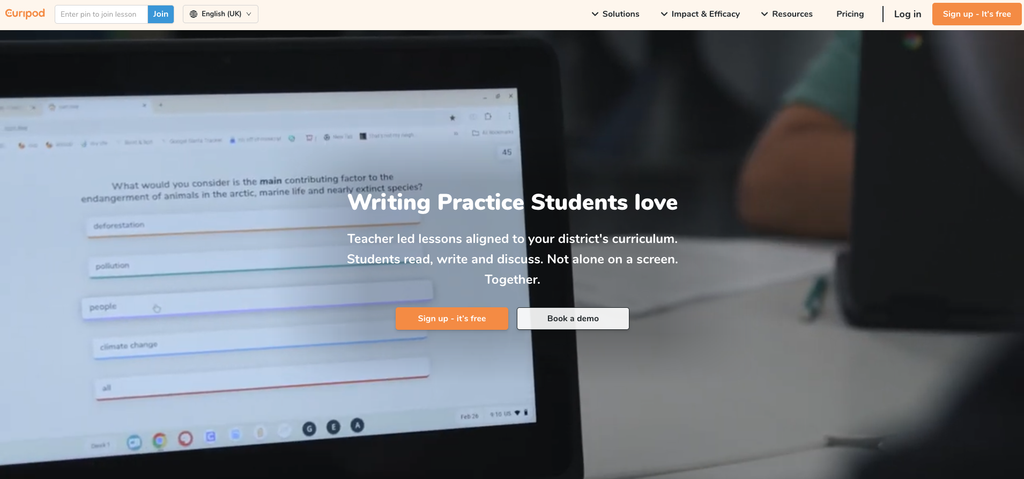
Read this before you read any other Curipod review: the product has pivoted. Curipod was known as an AI interactive-slides tool – polls, word clouds, generated lesson decks. In 2026 curipod.com markets an ELA writing practice platform: teacher-led writing tasks with AI rubric feedback, aligned to STAAR, TELPAS and ELPAC prep. Any review citing pre-2025 sources – including Common Sense Education’s, which is still up – describes a materially different product.
Judged as what it now is, it’s good and narrow. The mechanic that matters is the feedback loop timing: students receive rubric-based “Glow & Grow” feedback and revise within the same class period, rather than getting comments back three days later when the writing has gone cold. There’s no student-facing chatbot, and student data isn’t used for AI training – both deliberate choices that make the writing-practice framing coherent rather than limiting.
The free tier’s cap is unusual and, for once, sensibly designed: two teaching sessions per week, resetting Sunday, with unlimited lesson creation and editing. Teaching the same lesson to multiple classes in one week counts as one session. So a teacher can genuinely build and test all term – they just can’t run it everywhere.
There is no individual paid tier in 2026. Only School and District plans, custom-priced by student count. Any dollar figure you see on Capterra, GetApp or similar is stale. Discounts exist for multi-school, district-wide, multi-year and small schools under 200 students, and Curipod is available on TIPS and Allied States co-ops.
Curipod raised a $4.6M seed in September 2023 led by Reach Capital and claims use in more than 14,000 districts. One published case study – Green Valley Elementary in Texas – reports STAAR RLA passing rates moving from 69% to 89%, though as a single vendor-published case study that’s a signal, not proof.
Pros & Cons
- +Same-period feedback loop – students revise while it’s live
- +Free tier caps live sessions, not creation – you can build all term
- +No student chatbot; student data not used for AI training
- +ELA-standard alignment (STAAR/TELPAS/ELPAC) is genuinely deep
- –The product pivoted; most reviews online describe the old tool
- –No individual paid plan exists in 2026
- –Web only; no Canvas or Teams integration
- –Common Sense privacy rating: “Not yet rated”
Who it’s best for: ELA departments and state-test-prep contexts, particularly in Texas and California.
Who should skip it: Anyone outside ELA, anyone who wanted the old interactive-slides product, and individual teachers wanting to upgrade.
What the community says
Common Sense Education’s review – of the previous product – concluded: “With a lot of teacher input, Curipod can be a fun tool to add to any classroom,” with the caveats that “AI content is not always useful as is” and content banks are hard to navigate. Reported complaints about glitches during live sessions come from aggregator sites we could not verify. Note that Common Sense has not rated Curipod’s privacy – it shows as “Not yet rated,” which is a gap worth raising in a procurement review.
Buyer’s Guide
By goal
| Your goal | Pick | Why |
|---|---|---|
| Save time on lesson planning | MagicSchool AI | Templated, standards-aware, fastest cold start |
| Cut grading and feedback time (K-12) | Brisk Teaching | Feedback lands inside the document; no export loop |
| Cut grading time (higher ed, 100+ students) | Gradescope | Answer grouping is the only mechanic built for that scale |
| Differentiate reading for a mixed-level class | Diffit | The only tool that changes sentence structure, not just words |
| Make materials students want to look at | Canva for Education | Free, and the output quality is not AI-flavoured |
| Let students use AI safely | SchoolAI (supervised) or Khanmigo (tutoring) | Monitoring vs. Socratic design – pick your risk model |
| Ask questions of your own course materials | Gemini Notebook | Grounded, cited, and free in Workspace for Education |
| Spend nothing at all | ChatGPT for Teachers + Canva for Education + Khanmigo | Three permanently- or long-term-free products covering planning, design and tutoring |
By skill level
If this is your first AI tool: start with MagicSchool AI‘s free tier. Templates remove the prompting problem entirely, and you learn what AI is good at before you learn how to ask.
If you’re comfortable and want more control: move to ChatGPT for Teachers (free if you’re U.S. K-12) and build two or three reusable custom GPTs for your recurring tasks. This is where the biggest time savings live, and it’s the step most teachers never take.
If you’re the person your colleagues ask: build shared custom GPTs for your department, then push for Brisk or SchoolAI at district level. Both are per-student purchases that only make sense with whole-staff adoption – and both are far easier to get approved with a named internal champion.
K-12 vs higher ed – they are not the same market
Almost every roundup treats “teachers” as one audience. The tools disagree.
Built for K-12, poor fit for higher ed: MagicSchool (IEPs, parent comms, state standards), Brisk, Diffit, Curipod, SchoolAI, and Canva for Education – which explicitly excludes higher ed from its free programme.
Built for or workable in higher ed: Gradescope (the only one designed for lecture scale), Gemini Notebook (course reading packs, Canvas LTI), ChatGPT Edu, and Canva Campus at enterprise pricing.
The three differences that actually bite:
- LMS reality. K-12 runs on Google Classroom; higher ed runs on Canvas, Blackboard, Moodle and Brightspace. Tools that “integrate with your LMS” usually mean Classroom. Check specifically.
- Academic integrity policy. Higher ed has senate-approved policies and, often, IRB considerations. A K-12 teacher can trial a tool; a lecturer frequently cannot.
- Accessibility procurement. Universities routinely require a VPAT and Section 508 / WCAG conformance before purchase. Almost none of the K-12-first tools on this list publish one. If your institution requires it, that single question will eliminate most of this list before price ever comes up.
“My IT department blocked it” – the unblock playbook
This is the most common way an AI tool dies, and no other article on this topic addresses it. What to do:
1. Find out which kind of block it is. A domain block (the site won’t load) is a network policy decision. An extension block (Brisk won’t install) is a Chrome/Edge admin policy. A sign-in block (the site loads but Google login fails) is an OAuth app allowlist. They go to different people and need different asks.
2. Send the compliance pack, not a request. IT says no to “can you unblock this.” IT says yes to a message containing: the vendor’s DPA, their FERPA/COPPA statement, their Common Sense privacy rating, their SOC 2 status, and whether they’re on your state’s Student Data Privacy Consortium registry. For the tools here, the strongest packs are Brisk (95% Common Sense privacy rating), SchoolAI (ESSA Level III, SOC 2 Type II) and ChatGPT for Teachers (FERPA-aligned, DPAs in 16 states).
3. Check whether your state has a standing agreement. New York Ed Law 2-d, Illinois SOPPA, California AB 1584 and the Texas DIR framework all shape what your district can sign. If a vendor is already on the SDPC national registry with your state alliance, approval may be a signature rather than a review.
4. Use the consortium route for purchasing. Brisk is available through BuyBoard, TIPS, BOCES/NYSITCC, PAIU, CESA, OESCA, AEA, UEN and NYC DOE ERMA. SchoolAI qualifies for Title I–IV federal funds via ESSA Level III. Curipod is on TIPS and Allied States. Buying through an existing contract skips the RFP entirely.
5. Have a fallback that’s already approved. If your school runs Google Workspace for Education, Gemini Notebook is already a free Core Service covered by your existing agreement. It is the fastest legitimate AI tool to get into a classroom, because there is nothing to approve.
What the research actually says about time saved
Most articles on this topic cite time-savings statistics that trace back to another article, or to a vendor’s own survey, or to nothing at all. Here are the primary sources, so you can check them yourself.
Teachers who use AI weekly save about 5.9 hours a week – roughly six weeks a school year. Source: Gallup and the Walton Family Foundation, “Teaching for Tomorrow: Unlocking Six Weeks a Year With AI” (June 2025), fielded 18 March–11 April 2025 with 2,232 U.S. public K-12 teachers via the RAND American Teacher Panel. The same study found 6 in 10 teachers used AI during the year and 3 in 10 used it weekly.
Most teachers get no formal AI guidance from their district. Also Gallup, and the reason the compliance section above exists. Adoption is running well ahead of policy.
Teachers work around 53 hours a week, about seven more than the average working adult, with roughly a quarter of that uncompensated – RAND, State of the American Teacher. You will see this misquoted as 54 hours from a “2025 RAND study”; it isn’t.
53% of ELA/maths/science teachers and 54% of students used AI for school in 2025 – RAND, “AI Use in Schools Is Quickly Increasing but Guidance Lags Behind” (RRA4180-1).
Statistics we found in competing articles that we could not verify and would advise against repeating: a “2024 EdWeek Research Center survey” reporting 62% less burnout and 71% better differentiation (no such survey locatable); a “2025 UNESCO Global Education Report” claiming teacher-student interaction time up 22% per week (no such finding locatable); and unsourced vendor claims of 50–80% reductions in planning or grading time. Vendor-run surveys – including Diffit’s 96% figure – are directional at best.
How to choose – five questions
- What is the single job you’d hand over first? Name it before you shop. Planning, grading, differentiation and design have different winners here, and the all-in-one option is rarely best at your specific job.
- Can you actually buy it? Brisk, SchoolAI and Curipod do not sell to individual teachers at all. Gradescope’s useful features require an institutional licence. Confirm you can transact before you fall in love.
- What does the free tier’s ceiling really look like? Not what the marketing says – the real limit. Diffit deletes access to content older than 90 days. SchoolAI gives you five sessions a year. Gradescope drops your features after one term.
- Will it clear your district’s privacy review? Ask for the DPA and the FERPA statement first. If the vendor can’t produce them in a day, that’s your answer.
- Where does the student data go, and can you get your materials out? Check whether student work trains the model, and check the export path. Tools get acquired and pivot – Curipod changed products, NotebookLM changed names, both within eighteen months.
Frequently Asked Questions
What is the best AI tool for teachers overall?
MagicSchool AI, for most K-12 teachers. It has the widest tool library in the category – 80+ teacher tools covering lesson planning, differentiation, IEP drafting and parent communication – with a genuinely usable free tier and $99.96 a year if you upgrade. Higher-ed instructors should look at Gradescope and Gemini Notebook instead.
Are there genuinely free AI tools for teachers?
Yes, three that aren’t disguised trials. ChatGPT for Teachers is free for verified U.S. K-12 educators through June 2028 – the full paid product. Canva for Education is permanently free for verified K-12 teachers worldwide. Khanmigo gives teachers free access to the same product learners pay $44 a year for. Gemini Notebook is also free, and free as a Core Service in Google Workspace for Education.
Is it safe to put student data into these tools?
Only where the vendor has a signed data processing agreement with your district and a published FERPA/COPPA position. Brisk holds a 95% Common Sense privacy rating; SchoolAI has SOC 2 Type II and ESSA Level III; ChatGPT for Teachers is FERPA-aligned and excludes your data from training. Absent a DPA, don’t put identifiable student work into any AI tool.
Which AI tool is best for grading? It depends on scale. In K-12, Brisk Teaching, because feedback appears inside the Google Doc the student already wrote in. In higher ed, Gradescope, because its answer-grouping mechanic is the only approach on this list built for 300-student lecture sections.
Can AI write IEPs? It can draft IEP language – MagicSchool includes tools for this and teachers rate them well. But an AI-drafted IEP is a legal document with compliance exposure, and no tool on this list assumes that liability. Treat AI output as a first draft that a qualified professional reviews line by line, and check your district’s policy before using one at all.
Do these tools work with Canvas, Blackboard or Moodle? Some. Gradescope has LTI 1.3 integration with Canvas, Blackboard, Brightspace, Moodle and Sakai. Gemini Notebook connects to Canvas via the Gemini LTI integration. Canva supports most major LMS platforms. ChatGPT has no LMS integration at all – its connectors are Google Drive, Microsoft 365 and Canva only, despite what many roundups claim.
How much should a school budget per teacher? For individually purchasable tools, $100–$150 per teacher per year covers MagicSchool or Diffit. But four of the ten here – Brisk, SchoolAI, Curipod, and Gradescope Institutional – publish no price at all and are sold per enrolled student at district level. Any per-teacher figure you see quoted for those is someone’s estimate, not the vendor’s price.
What if my district blocks AI tools entirely? Start with what’s already approved. If your school runs Google Workspace for Education, Gemini Notebook is a free Core Service covered by your existing agreement – nothing to approve. Then build the compliance case for one additional tool using the vendor’s DPA and privacy rating, rather than requesting several at once.
Will AI tools replace teachers? No, and the usage data is the argument. The Gallup–Walton study found teachers use AI overwhelmingly on preparation, differentiation and administration – the work that surrounds teaching rather than the teaching itself. The 5.9 hours a week it returns is time given back to instruction, not taken from it.
The Verdict
Best overall: MagicSchool AI. Breadth wins for most K-12 teachers. One login, 80+ tools, a free tier you can actually work in, and $99.96 a year if you go paid. Nothing else covers as much of the job.
Best value: ChatGPT for Teachers – and it’s free. If you are a verified U.S. K-12 educator, claim it today regardless of what else you use. It is the entire paid product, FERPA-aligned, free through June 2028. Nothing else on this page offers that much for $0.
Best free option long-term: Canva for Education. Permanently free for verified K-12 teachers worldwide, with a committed pledge from the company rather than a promotional end date – and it covers the part of the job every teacher has to do anyway.
Best for higher ed: Gradescope, on an institutional licence. The free tier won’t sustain a course, but the answer-grouping mechanic is unmatched at lecture scale.
If you take one action from this page: claim the two free offers you’re eligible for, then buy exactly one paid tool for the single job that costs you the most time. Teachers who subscribe to four AI tools use one.
Changelog
Updated August 2026: Added ChatGPT for Teachers (free U.S. K-12 offer extended to June 2028). Renamed NotebookLM → Gemini Notebook following Google’s 16 July 2026 rebrand. Repriced SchoolAI’s free plan after the July 2026 cut to 5 sessions/year. Rewrote the Curipod entry after the product’s pivot from interactive slides to ELA writing practice. Removed Eduaide.ai pending pricing verification. Added the procurement, unblock and higher-ed sections.
